Apdex Alert Runbook 
Overview 
- In most teams, service owners already follow a standard set of troubleshooting steps for Apdex Feature Alerts. By configuring these fixed steps in the Apdex system, the AI can execute the checks and summarize the findings, greatly reducing manual effort.
- This document explains how to configure a runbook for Apdex alerts.
Configuration Modes 
You can configure a runbook in two ways:
1) Data-link mode: map fields from the frustrated record to third‑party data sources (metrics/logs) to detect anomalies. 2) AI sub‑agent mode: if you already have AI agents, register them in Apdex so they can use the frustrated record’s key fields to run automated diagnostics.
You can configure the runbook start with following steps: 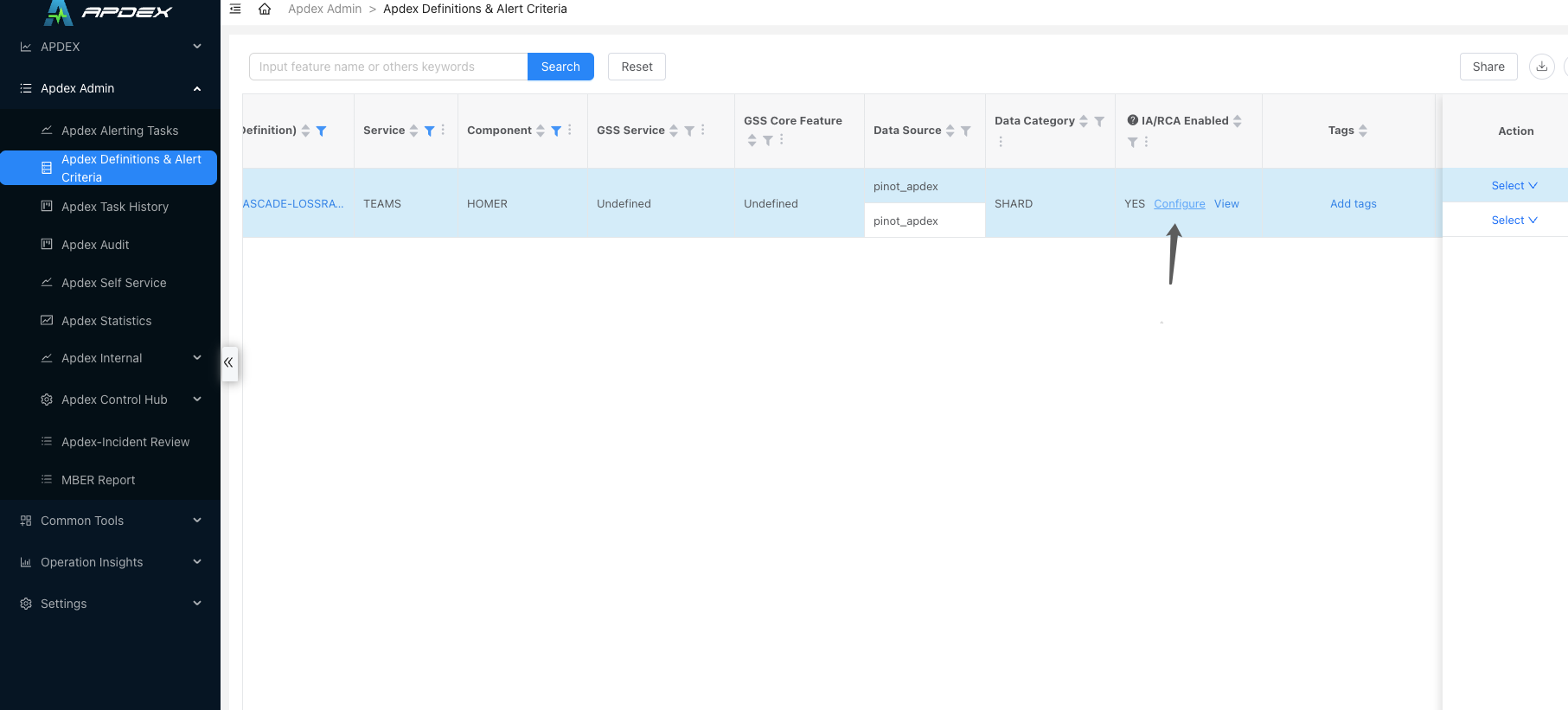
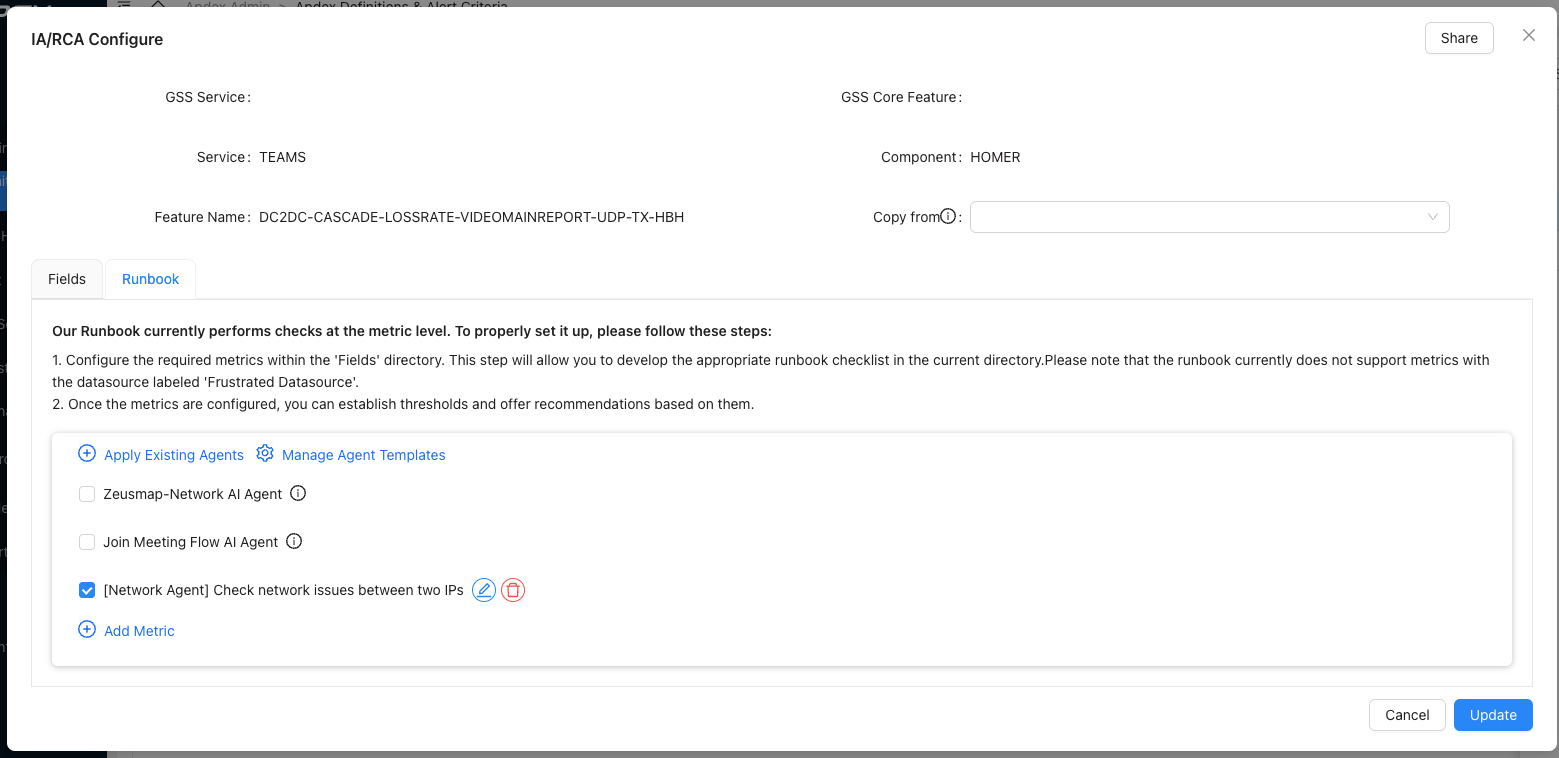
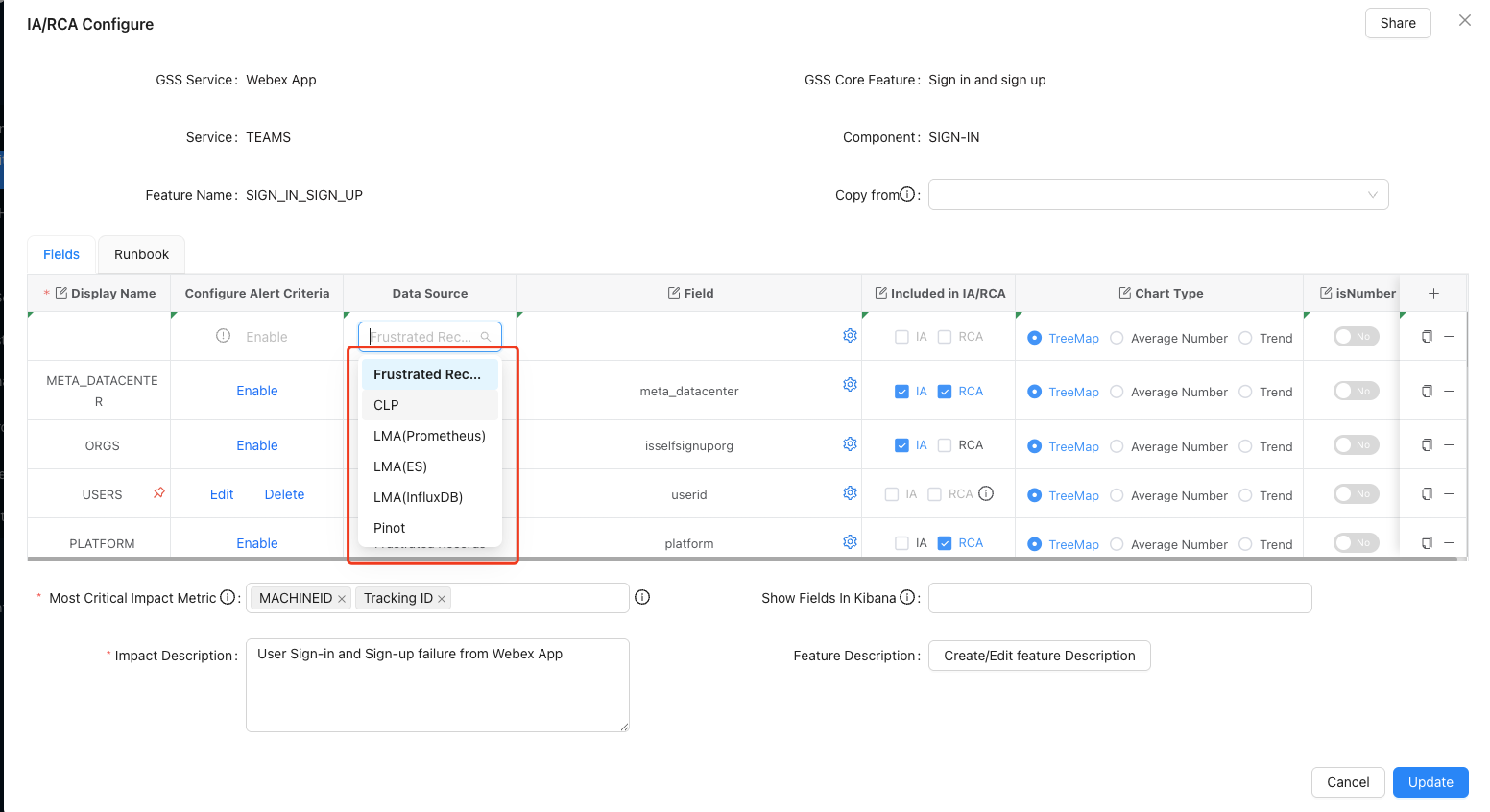
1. Data‑Link Mode: Map Frustrated Record Fields to External Metrics/Logs 
Use this mode when the service owner knows exactly which data sources are needed for common troubleshooting flows.
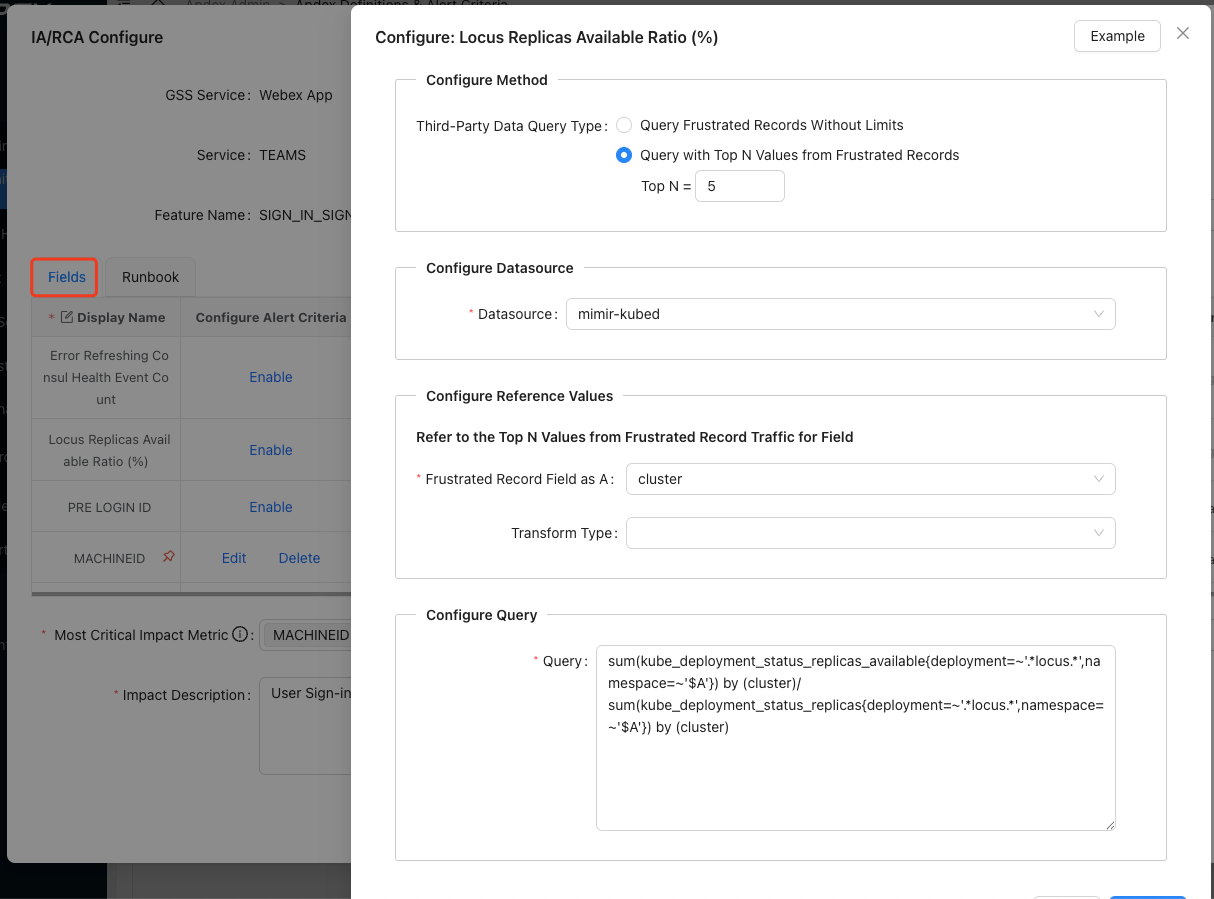
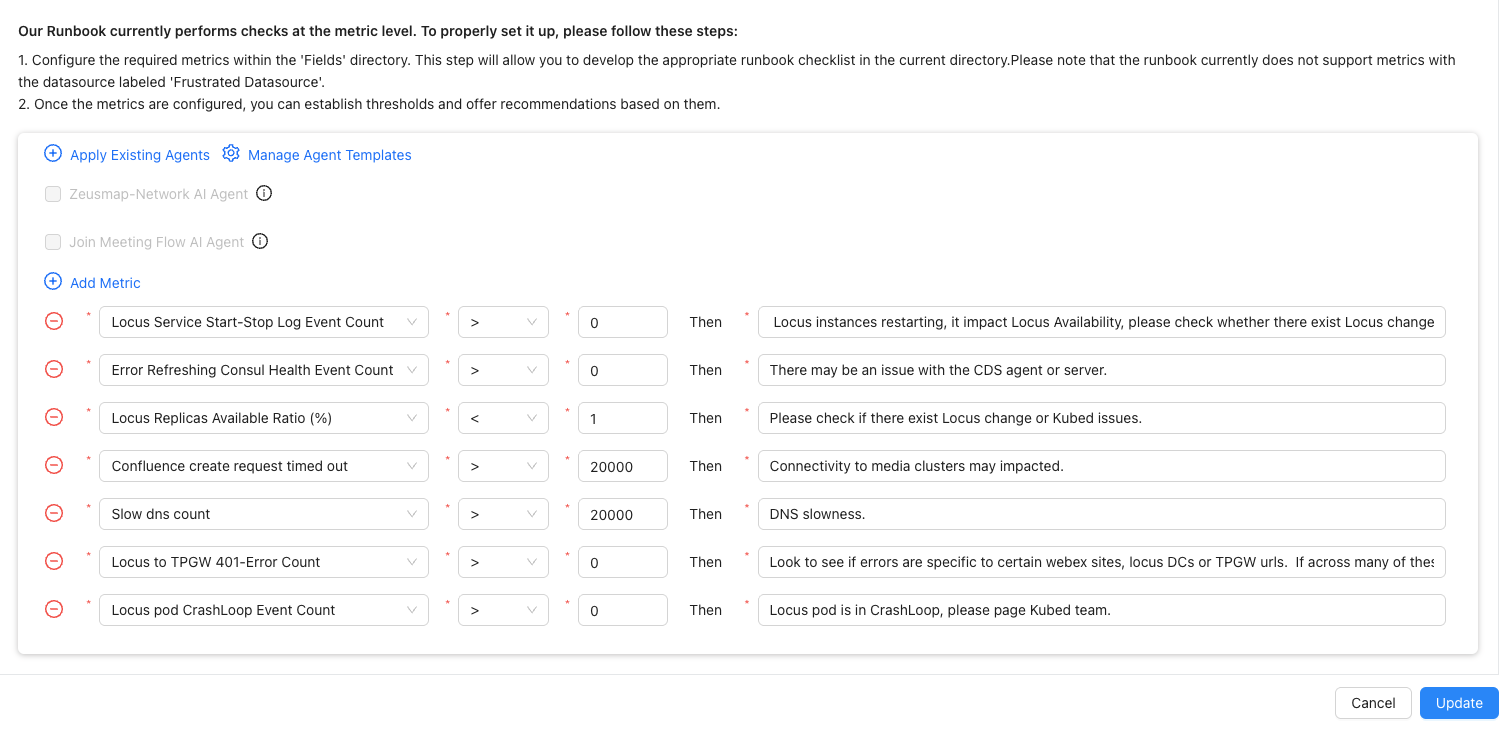
Example: If the frustrated record of an Apdex alert contains the kubed cluster, you can use that cluster value to query kubed Prometheus datasource and check whether the deployment of the current cluster’s locus service shows anomalies. Configure it as shown below:
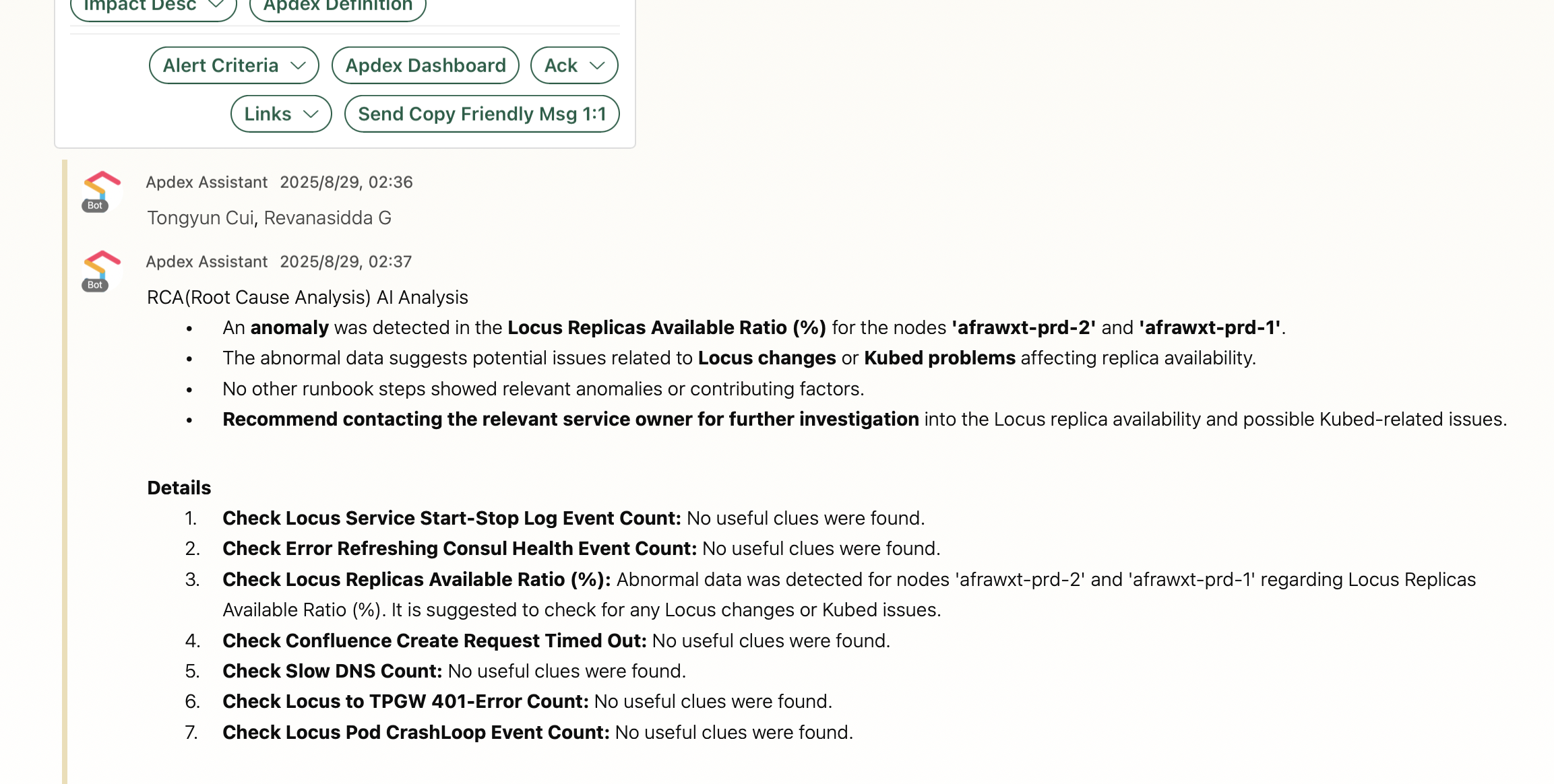
A sample runbook execution result:
2. AI Sub‑Agent Mode 
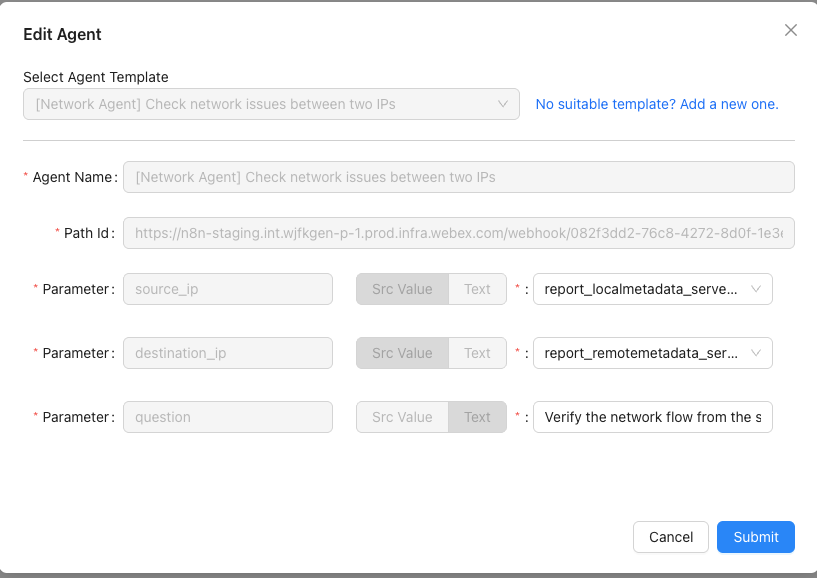
If you already have AI agents that can handle troubleshooting within a particular domain, wire them into Apdex. Based on key fields in the frustrated record, the agent can automatically check for anomalies.
Example configuration:
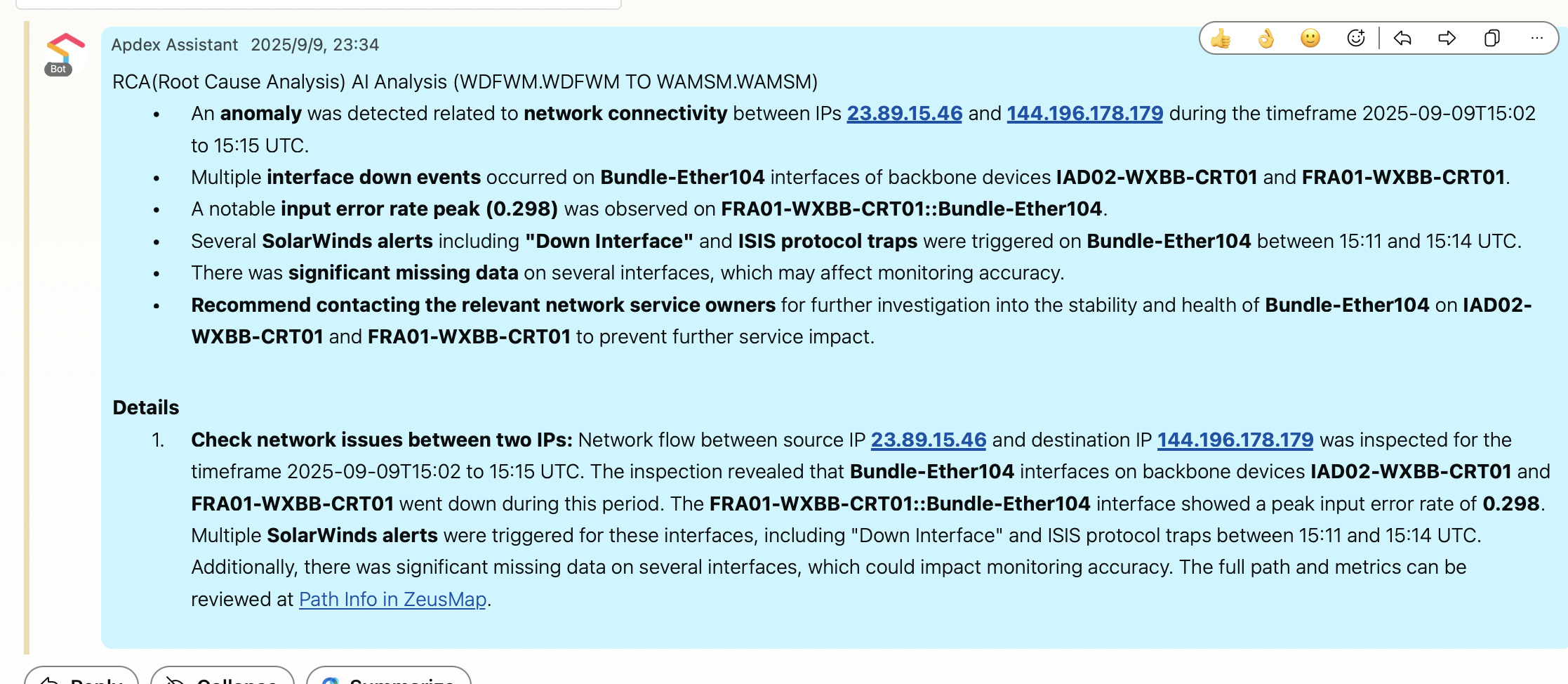
For instance, when a feature is configured with a Network Agent, one runbook execution result looks like this:
Custom Agent Option (EAP Simple Agent API) 
For custom RCA logic beyond the built-in sub-agents, build a reviewed agent on the Enterprise Agent Platform (EAP) and invoke it from your runbook through the EAP Simple Agent API (POST /agent/{team}/{project}/{agent}/api/invoke_wait or /api/invoke_stream). The agent runs under EAP's governed runtime: approved MCP set, MyID / CI client_id auth, audit trail, and approval gates.
See Onboard an agent to EAP for the end-to-end onboarding flow.