APDEX Data Backfill 
When we talk about 'backfilling data' for APDEX we mean to run Airflow for some time period to load missing data or to re-process data that may be inaccurate in some way due to a bug or data latency elsewhere.
There are basically two reasons why we need the ability to do a 'backfill' of data.
1) Sometimes data comes into our OpenSearch clusters later than usual, due to increased latency in the pipeline somewhere or some other temporary problem perhaps. So in order to have more correct data we 'go back and look again' for a particular period of time. 2) We might make a correction in the implementation of an APDEX DAG – maybe the query used wasn't quite correct – so we want to 're-process' that DAG.
In fact there is a normal part of our Airflow ETL system that does a regular backfill to make sure we are caught up on data. That part runs automatically. Sometimes though we need to do this manually and that is what this page is here for.
How do I trigger a backfill? 
Okay, odds are you are on this page because you find you need to backfill some data and just need to know/be reminded of how to do that. Therefore this section is up at the top.
To backfill the regular (ie. 'shard') APDEX data you need to use submit a backfill job.
The url you want to go to so you can submit a backfill is:
and this will bring up a form....(You need admin privilege's to the backfill airflow for access to this form)
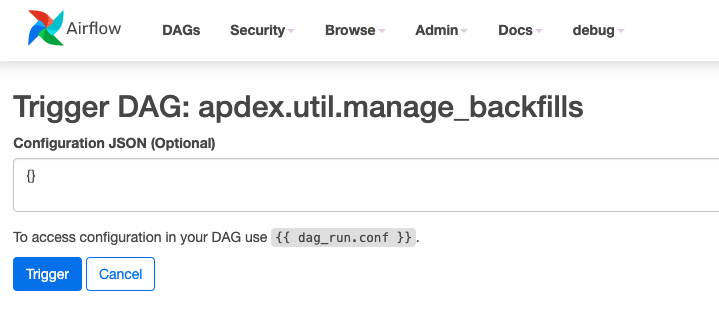
The configuration is not really optional though. You need to put in the DAG ids and the date range. data_begin is inclusive and data_end is exclusive.
Warning: Please keep the total number of dag runs under 1000. (number of dag_id's) * (time interval in hours) < 1000. An example of too many dag runs would be (number of dag_id's = 100) * (time interval in hours = 1hr interval; 24 hours -> 24 dagruns per day per dag) = 2400 dag runs. This would be too many we need to keep the total number of dag runs under 1000.
{
    "data_begin": "2023-04-24",
    "data_end": "2023-04-25",
    "dag_ids": ["apdex.meetings.j2eeapp"],
    "interval_secs": 3600
}
You will notice in the url that this is in apdex-backfill – not the regular apdex in SJC or DFW. There are fewer nodes in this Airflow environment since it shouldn't be doing as much work as the regular Airflow jobs.
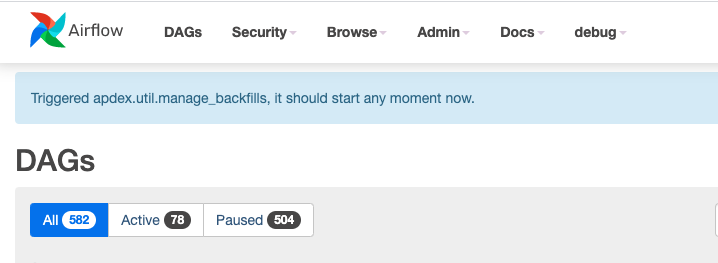
After you have triggered a backfill manually in this way you will be sent back to the main Airflow APDEX screen with a message that the backfill will start soon.
Backfilling Site APDEX Data 
When backfilling Site APDEX data you add in a separate section in the JSON: backfill_sites
    {
        "data_begin": "2023-04-24",
        "data_end": "2023-04-25",
        "dag_ids": ["apdex.meetings.cb.rtt"],
        "interval_secs": 3600,
        "backfill_sites": [{"sitename":"xxx","siteid":123}],  // optional, for site only backfill
    }
Backfilling User APDEX Data 
Backfilling user apdex data is just about the same, except you enter the email address for a user instead of a sitename.
    {
        "data_begin": "2023-04-24",
        "data_end": "2023-04-25",
        "dag_ids": ["apdex.meetings.cb.rtt"],
        "interval_secs": 3600,
        "backfill_users": [
            {"siteid":"123","sitename":"whatever","email":"somebody@whatever","webex_user_id":"1234567890"}
          ]
     }