Creating an Incident 
At times it will be necessary to start an incident with Incident Command to resolve a problem. Creating an incident starts up a team space and brings in people to resolve a problem.
To create an incident you can do this from our APDEX ETL Dev Chat space.
You invoke the Incident Command bot with IC /incident create Incident Title See the example below for what that looks like.
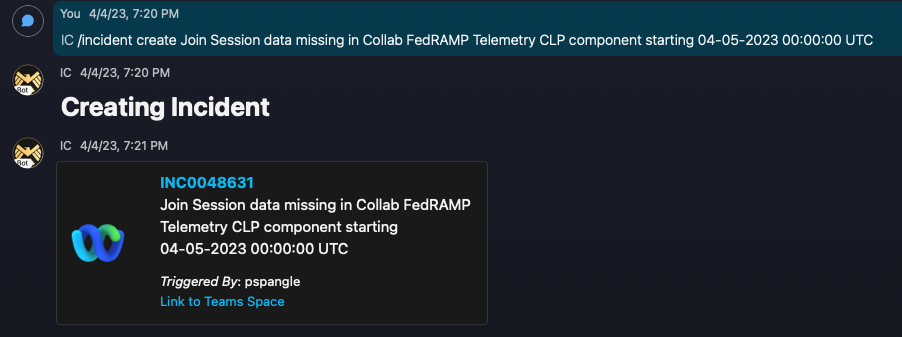
When you create an incident you want a reasonably descriptive title for the problem. The Incident Command bot will also create a space and add you to that.
When you are added to the space you should re-iterate the problem again within that team space for everybody to see. Include pertinent screenshots too.
In general Incident Command will want to know some things right off the bat, and in fact there is an automatic message added at the start:
Welcome to this incident!

Here's what to expect:
    •   Evidence- If you have any metrics or logs that can highlight the issue, please post them now.
    •   Customer Impact- If you happen to have an idea of how this affects our users, drop a few words right away.
    •   Suggested Mitigation-  if you know the team/service needed to mitigate please post details
Is this impacting customers? For our internal APDEX alerts you can generally answer 'no' on this actually.
How as this caught? This is another command question -- for us we can generally say 'APDEX Monitoring'
Incident Command uses this information to triage the incident and assign a priority.
The more information you can provide about the problem and also if you can add other context -- maybe other similar recent incidents -- is helpful. That will help point to a mitigation strategy.