Airflow Logging in KubeD 
WebexKubed Logs in Logging 2.0 
For checking logs for the application running in the KubeD clusters you will want to go to our Logging 2.0 OpenSearcb cluster. You can get to that here: https://logs.o.webex.com/app/discover#
You also want to look in the wxm-app:logs index.
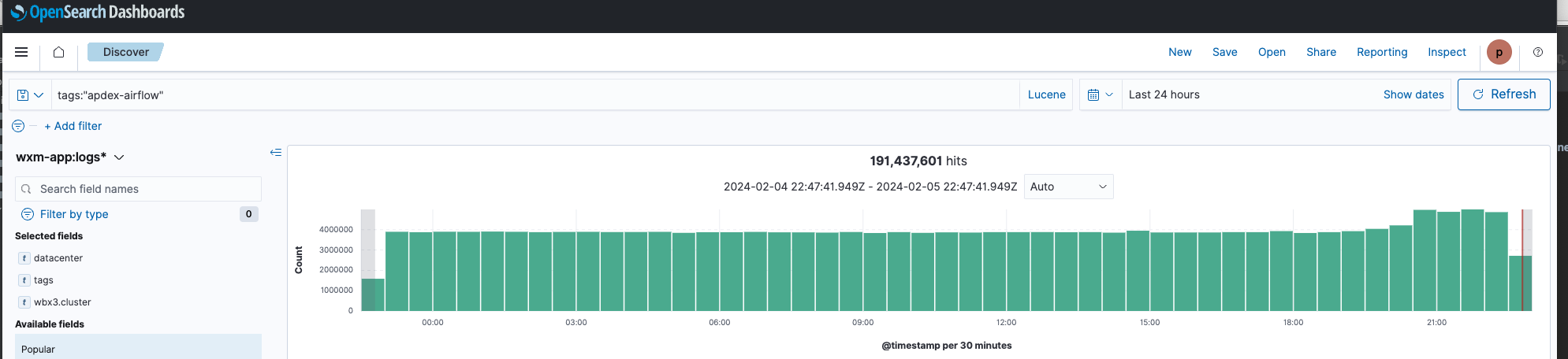
The specific content of records will vary but there should generally be particular categories of fields. The list below isn't meant to be exhaustive but should offer useful pointers and definitions of fields.
tags 
The only tag you need to really use is: apdex-airflow
k8s fields 
k8s.labels.app -- specifies the name of the container. For Airflow the containers are: 
- airflow-scheduler
- airflow-worker
- pgbouncer
- zenko-cloudserver
k8s.labels.chart_name and k8s.labels.chart_version 
Basically lets you check what version the logs relate to
wbx3 
There are just two wbx3 fields:
wbx.canary -- as in 'canary in the coal mine'. Indicates this is a staging version. For APDEX this is going to be false (so far -- our staging is in Rancher currently)
wbx3.cluster -- indicates the WebexKubed Cluster our application is running in. When searching for Airflow records you will generally want to look at only one cluster. You can specify this using the cluster tag.
wbx3.cluster:"wdfwgen-p-5"
or
wbx3.cluster:"wjfkgen-p-1"
datacenter 
There is also a 'datacenter' field that can be searched on. This should basically be equivalent to using the wbx3.cluster tag for us.
tags:"apdex-airflow" AND datacenter:"wdfwgen-p-5"
tags:"apdex-airflow" AND datacenter:"wjfkgen-p-1"