How to create your first Apdex 
This document is intended to provide guidance on how we request a new Apdex via traditional and self service approach.
Traditional 
For SOC 
For an Incident without an APDEX Alert...
- Create a PRB ticket (which should generate a JIRA story) and assign it to the appropriate service owner
- Ask the service owner to work with Mallik (mjangam@cisco.com ) or Trof (liangyli@cisco.com ) to have the Apdex created and an alert configured.
For Service Owners 
Service Owners that want to onboard a new Apdex to monitor service quality can review requirements with Mallikarjun Jangam mjangam@cisco.com (US) or Trof Liu liangyli@cisco.com (China).
Meanwhile, please review the checklist below and prepare answers for each of the points below.
New APDEX Checklist 
Before requesting us to work on a new Apdex, please make sure that you have gathered the following information.
- Which DevOps team is the owner of the related microservice?
- Where can we find the logs for calculating the Apdex?
- Do you have well-defined queries for counting the numbers of satisfied, tolerating, and frustrated users?
- What is the finest time granularity you'd like us to report the Apdex? - Is there any synthetic traffic (e.g., tests generated by monitoring tools such as MCT) to be excluded? If so, please be sure to filter out such traffic in the queries you provide. We strongly recommend that you exclude synthetic traffic so that Apdex will not alert you during a change/upgrade (since there is no real user traffic).
- Please define "tolerating" and "frustrated" from the user experience perspective.
- For example, frustrated means "fail to join audio session" in the case of the MCS Audio Join Session Apdex.
- Once the Apdex is being captured, what are the appropriate alerting criteria? Please refer to
Apdex Alert Criteria <https://apdex.webex.com/ui/apdex/criteria>_ for more information on this. - Who should be mentioned in the "Apdex Alerts" Teams space and/or paged in case an alert is triggered?
Self Service 
-
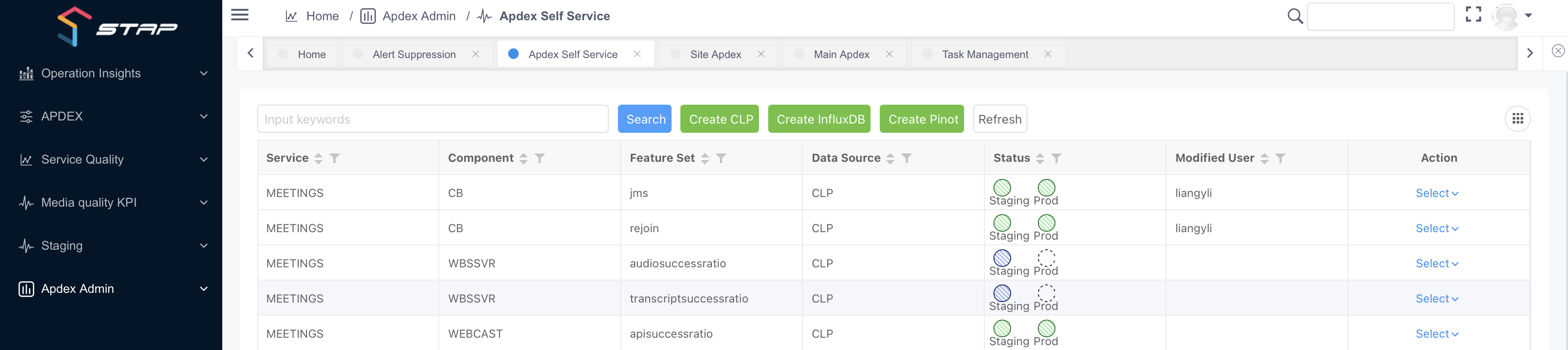
In Apdex, navigate to Apdex Admin > Apdex Self Service. (This need permission by Apdex Team)
https://apdex.webex.com/ui/apdex/admin/self-service
-
Select 'Create CLP', 'Create InfluxDB', or 'Create Pinot' according to the desired data source.
-
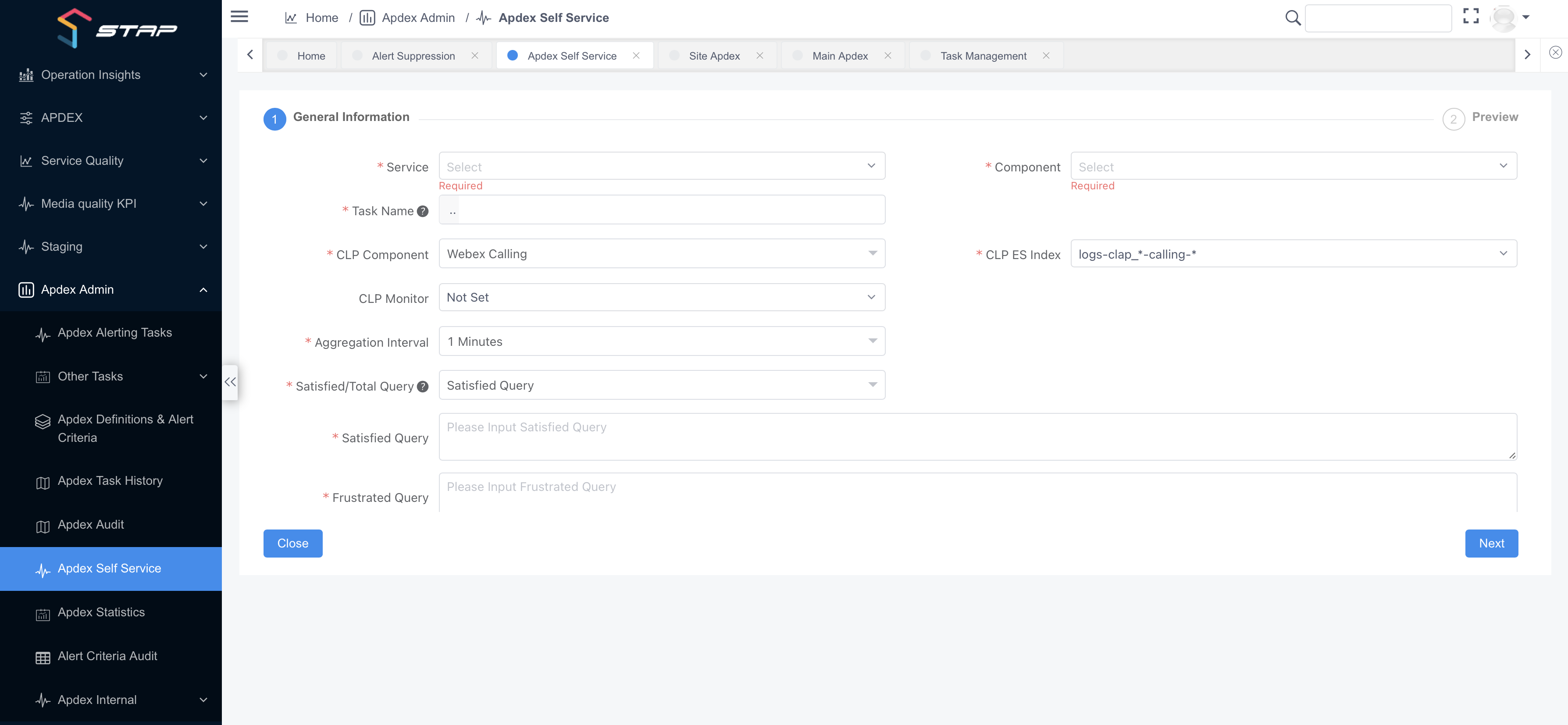
Provide the required fields under General Information regarding the Apdex to be created indicating key apdex details and providing frustrated and satisfied queries.
-
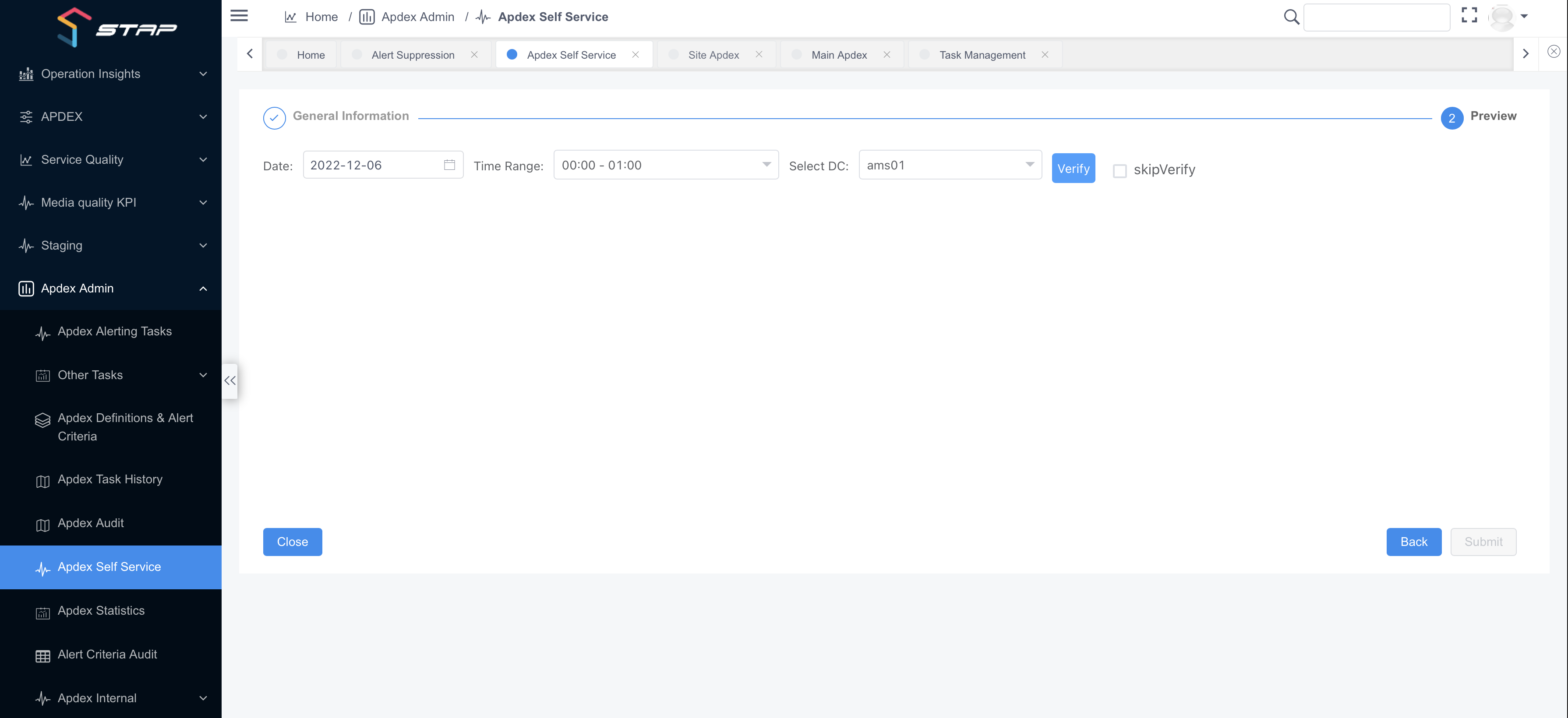
Provide the required fields under General Information regarding the timeframe and data center of the Apdex to be created and submit the self service Apdex request.