Call EMS API v2 using CI Token Guide
How to Call EMS API v2 using CI Token 
1.Apply CI Account Via ServiceNow 
Apply CI Account from ServiceNow, fill the form and submit.
| Env | Client Name | CI Scope |
|---|---|---|
| Prod | "ems" | csgemsauth:read |
| Staging / BTS | "csgems oa2 client" | csgemsauth:read |
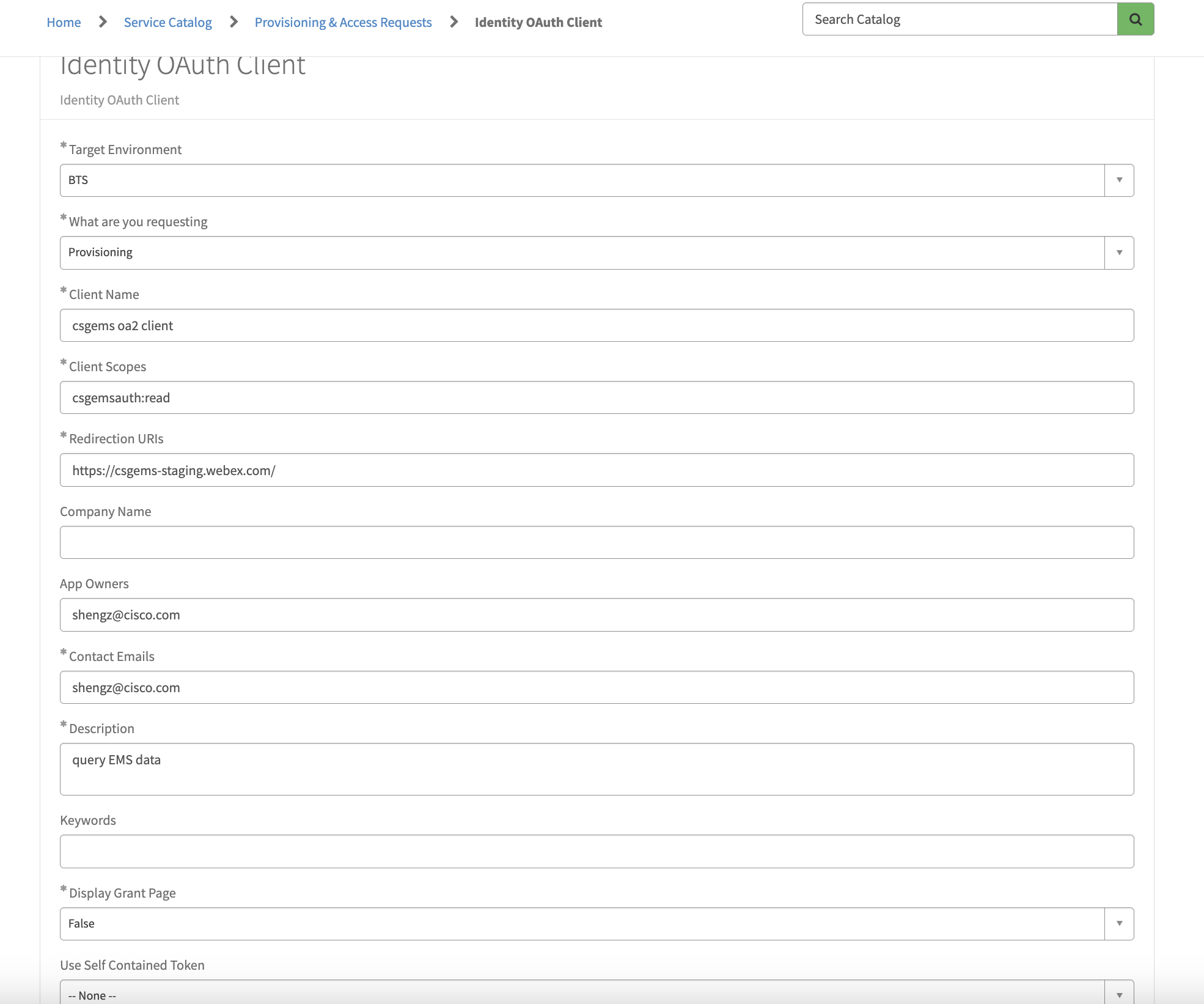
After submit, the ticket will auto process and wait some minutes you will receive an email contains ClientId and Secret from op-change.gen@cisco.com.
2.Get Token from CI 
Put ClientId and Secret into header to get token.
| Item | Value | Comments |
|---|---|---|
| URL | https://{idbroker}/idb/oauth2/v1/access_token | BTS: idbrokerbts.webex.com / PROD: idbroker.webex.com |
| Method | Get | |
| Header1 | Content-Type: application/x-www-form-urlencoded | |
| Header2 | Authorization: Basic XXXXXXXXXXXXXXXXXXXXXXXXXX | XXXXXX = Base64encode(ClientId:Secret) |
| Body | grant_type:client_credentials, scope: csgemsauth:read |
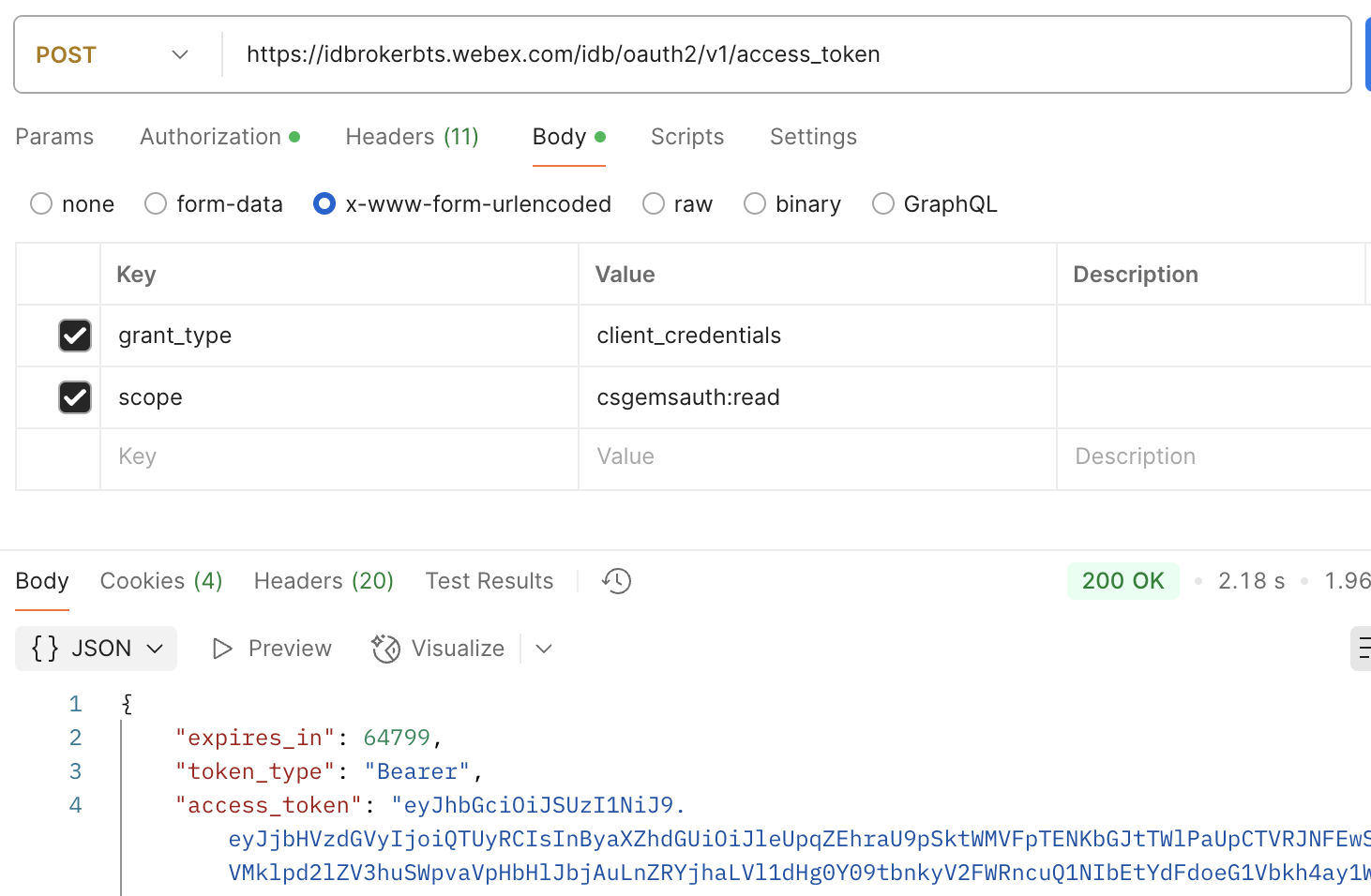
Get the token from response.
3. Call EMS API v2 
Put the Authorization:token in header when call EMS v2 API:
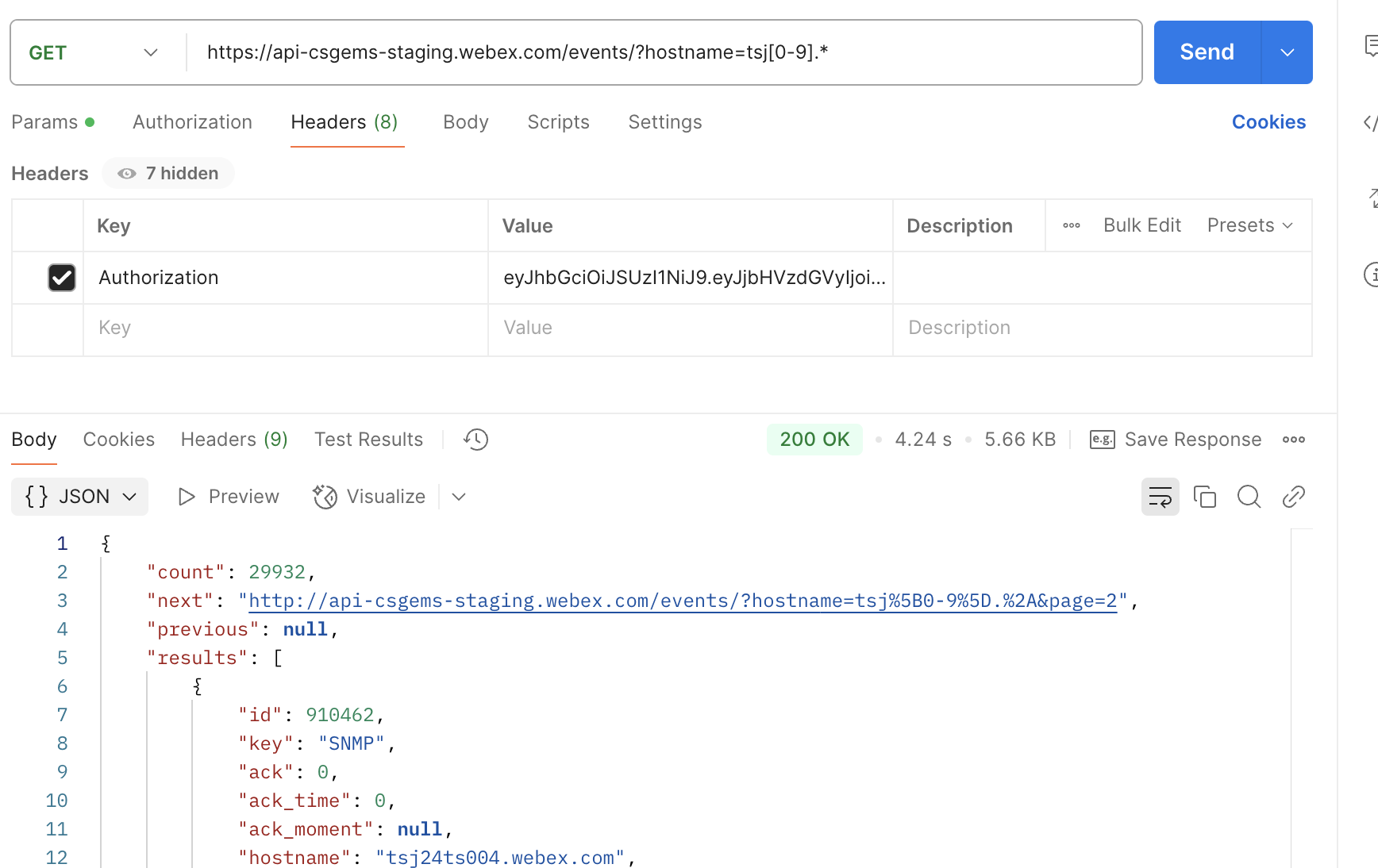
For more API see API Doc