Runbook
Knowledge Reserve 
Service main log location 
- imssvr - /var/log/ems/emsd.log
- epssvr - /var/log/icinga2/icinga2.log, /var/log/icinga2/error.log
- etssvr - /var/log/ems/emstrapd.log
- episvr - /var/log/ems/api/emsapihandler.log, /var/log/ems/emsecenter.log
- ewbsvr - /var/log/ems/userviews.log, /var/log/emsecenter.log
Service Issue Case 
How to Fix Disk Full Issue 
If meeting this issue, clear some files to release some space to keep the service healthy.
- log into target server
ssh cecid@server_host - switch to root
sudo sudo su - - check which directory is running out of space
df -h - go to clear some files to release space. Generally, /var/log is the directory running out of space, just clear some historical logs under /var/log/ems that the file name just contains a date, like emsd.log-20230505.gz.
How to Fix DB Replication Issue 
Issue Name 
DB replication issue
Issue Description 
If getting PagerDuty about DB Replication, it should be triggered by our own monitoring program, you can check DB Rreplication Status Monitoring.
Steps to Fix 
- log into mysql server:
ssh cecid@msyql_server_host - switch to root:
sudo sudo su - - log into mysql service:
mysql -uroot -p pwd(If you don't know the mysql password, please contact Jimmy - shengz@cisco.com) - if failing to login mysql but not password issue, then try to restart mysql serviceservice mysql restart- if failing to restart mysql service, check the messagevi /var/log/messages, fix the error that is showed in /var/log/messages, and restart mysql service - log into mysql if mysql service started. - check master status:
show master status\G;#slave node doesn't have master process - if no error, it works fine as a master node - if existing errors, try to restart mysql serviceservice mysql restart(runexit;to exit mysql mode first) - check slave status:
show slave status\G;- if no error, it works fine as a slave node - if existing errors, we often skip errors: 1.stop slave;2.SET GLOBAL SQL_SLAVE_SKIP_COUNTER=1;# this command tell mysql to skip a commit 3.start slave;4. repeat check slave status - check other mysql nodes with step 1-5
How to Fix Process Down Issue 
Try to restart the process, if fail, check the log and fix errors. Log into server at first ssh cecid@server_host
How to Restart EMStrapd 
- Issue the stop command, run command:
service emstrapd stop - Make sure that the process is stopped completely, sometimes it can take few moments to shutdown fully. Run command:
ps -ef | grep ems - Start the process back again, run command:
service emstrapd start
How to Restart EMSD 
- Run
service emsd restart
How to Restart EMS EWB & EMS EPI 
- Run
service httpd restart
If failing to restart ems service, check the service log /var/log/ems/xxx.log first, run vi /var/log/ems/xxx.log and shfit g to read log from the end. If getting any error, should fix it. If no errors in /var/log/ems/emsd.log, check system message log /var/log/messages .If no errors either and still fail to restart service, you may need to contact EMS developpers to handle it
How to Fix EMS Mysql 2727 Port Alert Issue 
Fix EMS Mysql 2727 Port Alert Issue
Business Issue Case 
How to Troubleshoot Escalation Rule not Work 
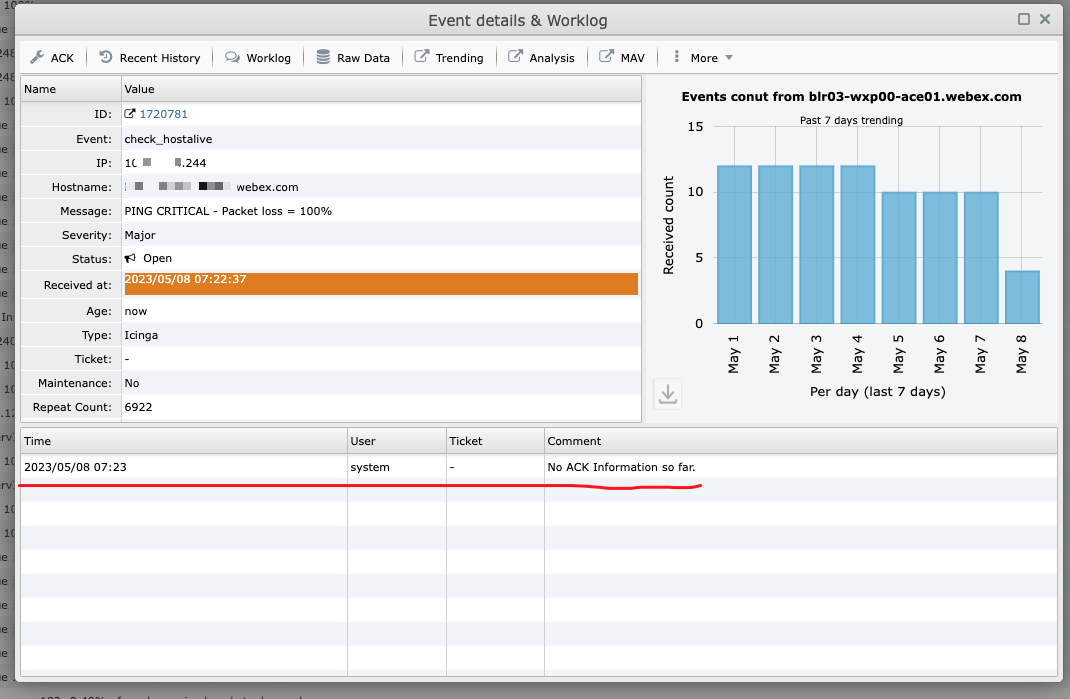
Go to event page, query and find a target event by host or event 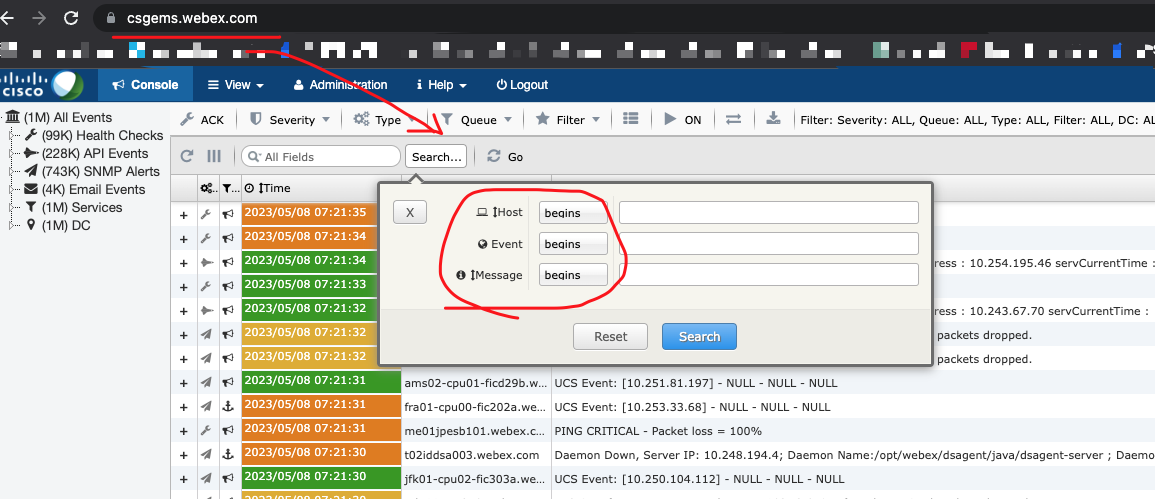 Click one event, check the detail ,if no comment under the event, it means the rule doesn't work for the event.Remember the event ID
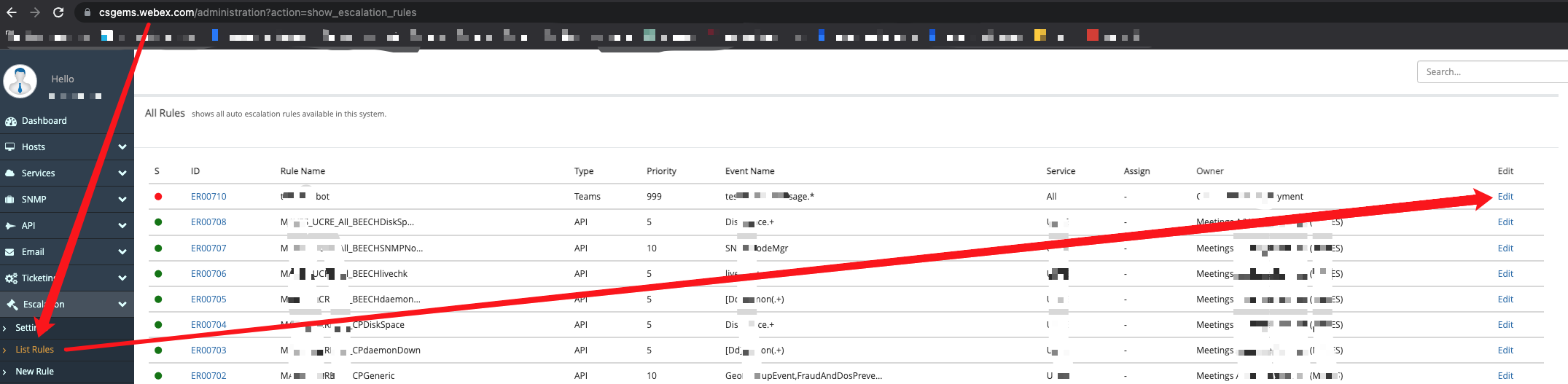
  Go to admin page, find the rule click the edit button
  And click the test, it is the place you can test the rule with the event. Fill the event id, and click the Fetch button and click Run.
 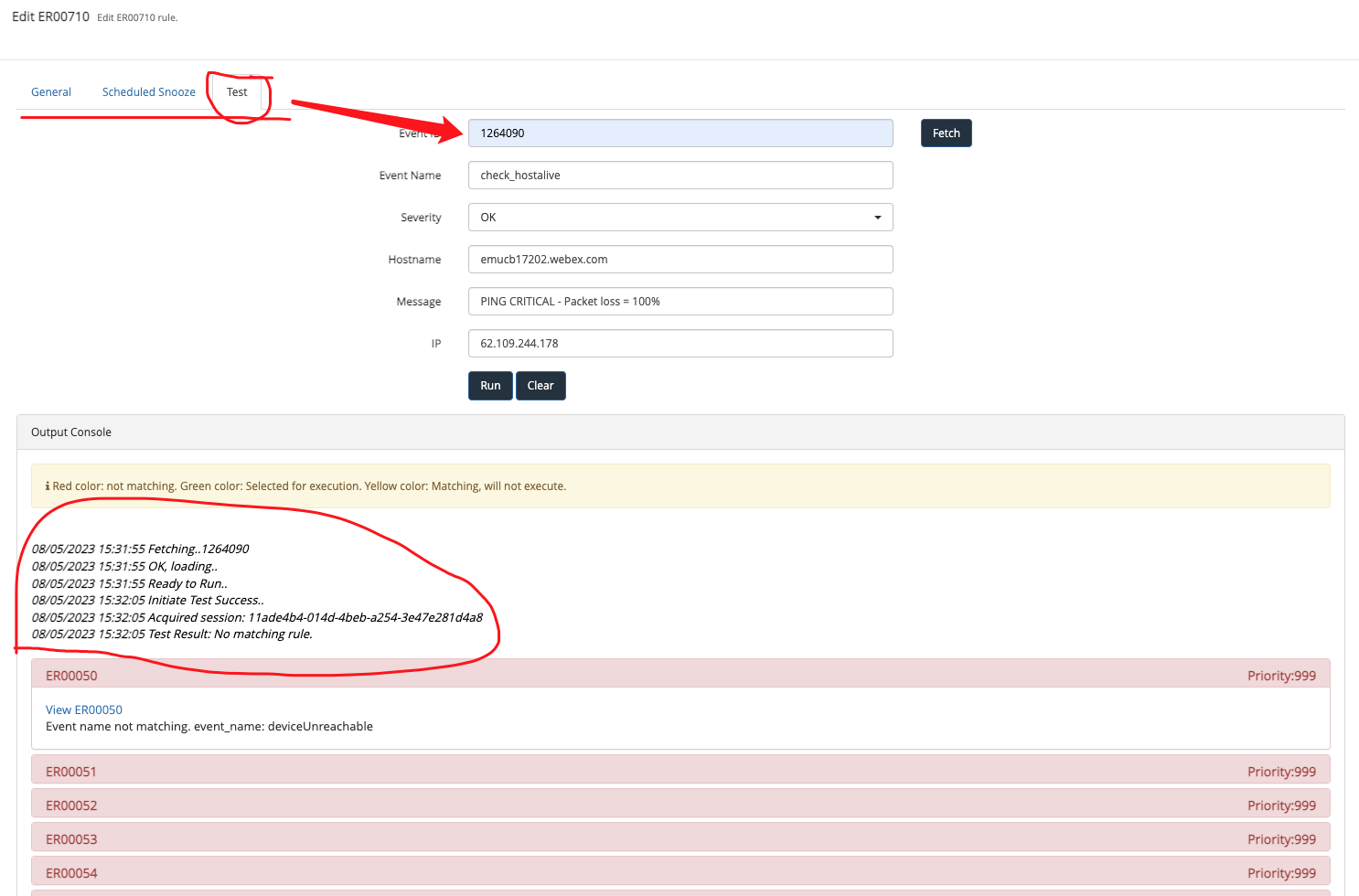 It shows the test result, and find the exact ruleId to get the exact result.
How to Troubleshoot Event Lost Issue 
API Event Lost 
Check ewb server log, to see if any exceptions occured.There are some rules when handling api event, jump to EMS+Rest+API+Dcoumentation to see the detail.
SNMP Event Lost 
...
EMAIL Event Lost 
Check emsd(imssvr) server log, to see if any exceptions occured.For more information, see EMAIL+Integration
Icinga Event(Ping Check) Lost 
Icinga will retire soon, ignore it.
How to check the decommission server success or not 
Check decommission server info 
- go to https://csgems.webex.com/administration?action=list_hosts and search hostname or ip and get the result.
If no result the decommission is successful.
If get the server info, the decommission is failed. - go to https://csgems.webex.com/administration?action=decommissioned_hosts and search hostname or ip and get the result.
If get the server info, the decommission is successful.
Decommission server on manual 
- Go to https://csgems.webex.com/administration?action=server_bulk_delete and press the IP and submit.
HA 
How to Cutover 
Rollout Issue 
Build Package Fail 
Issue Name 
sudo: no tty present and no askpass program specified
Issue Description 
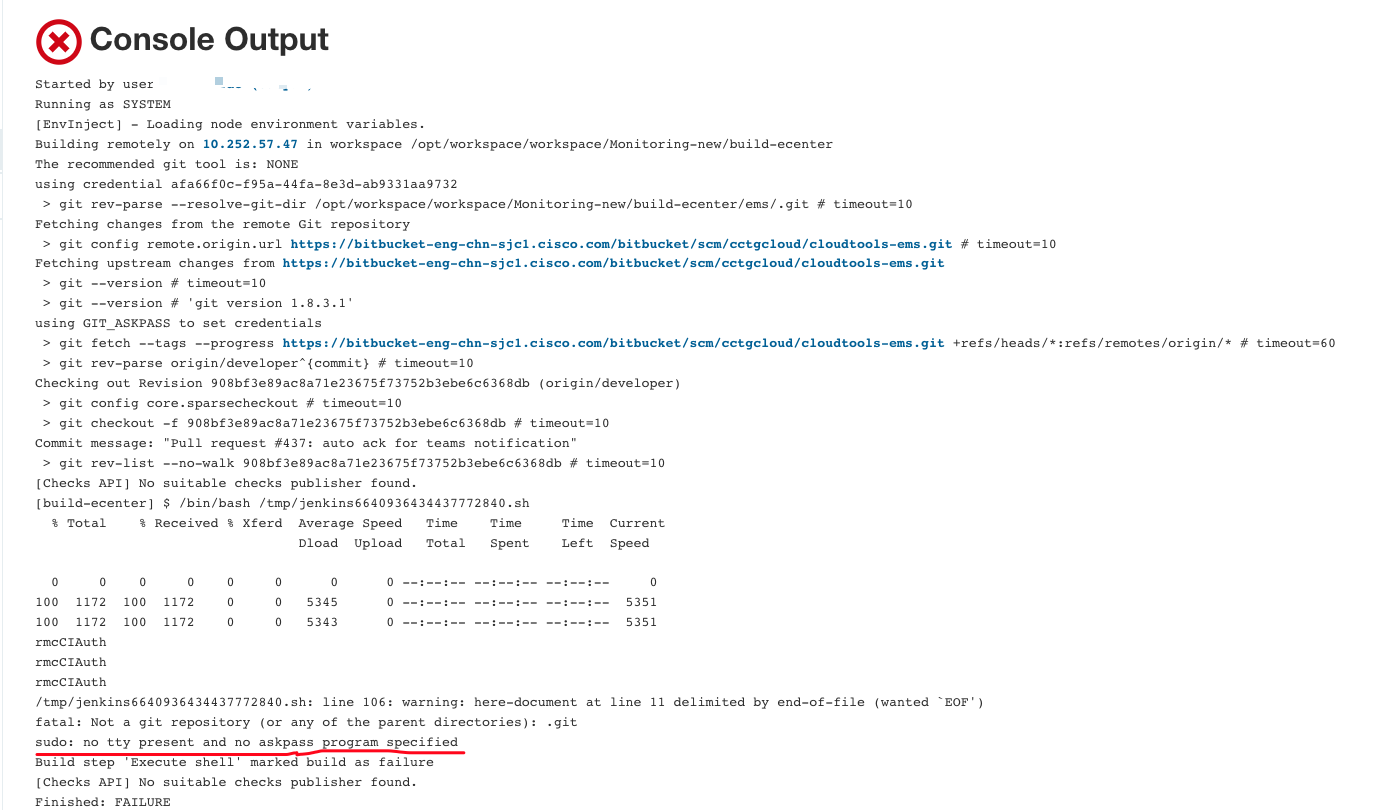
If meeting this issue, it is very possible that the pwd of the account for connecting to the server which exactly builds package is expired.
Steps to Fix 
- Visit Config Page
- Log into the server which could be found under Launch Method -> Host , it is 10.252.57.47 for now.
ssh cecid@10.252.57.47, and swtich to rootsudo sudo su - - Change the password for the user named ivyzhu
passwd 'the new pwd' - Make ivyzhu able to switch to root without pwd
vi /etc/sudoersand append ivyzhu ALL=(ALL) NOPASSWD: ALL at the end of the file, save & quit - Update the new pwd to config page Launch Method -> Credentials(Add a new one and select it) and save
Account Expire 
Email Account Renew(for receive email event) 
PMCalarms.gen(forest: cisco.com) for prod
emsbts.gen(forest: cisco.com) for bts
emsqa.gen(forest: cisco.com) for qa
When you receive email like: 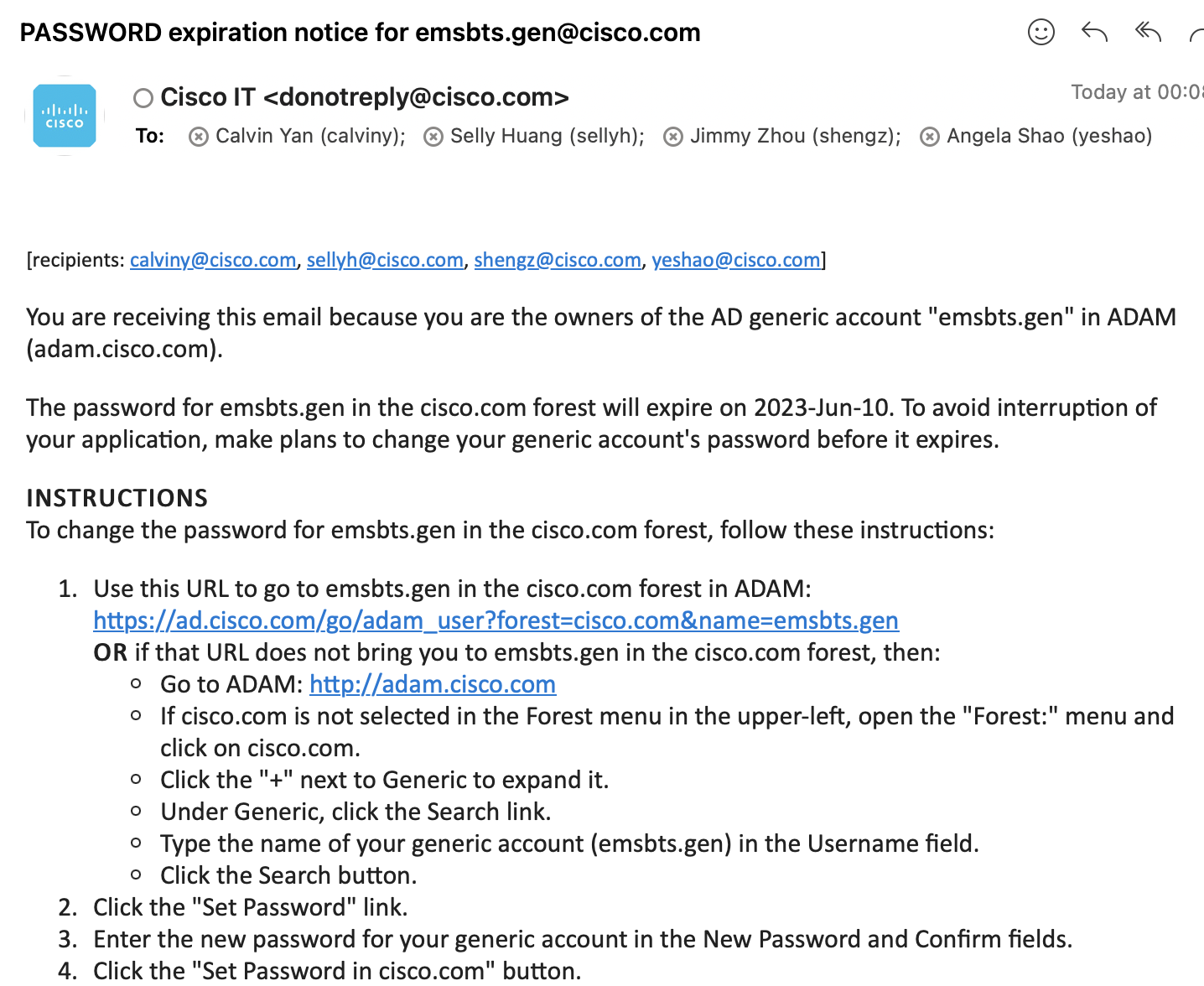
- Follow the step in the mail, be careful must chose the correct forest
- After reset password, go to https://mail.cisco.com/ and login with new pwd, login should success
- In imssvr server, /etc/emsd.conf, change the pwd, and restart ims service by
service emsd restart - In CMC, modify the config:
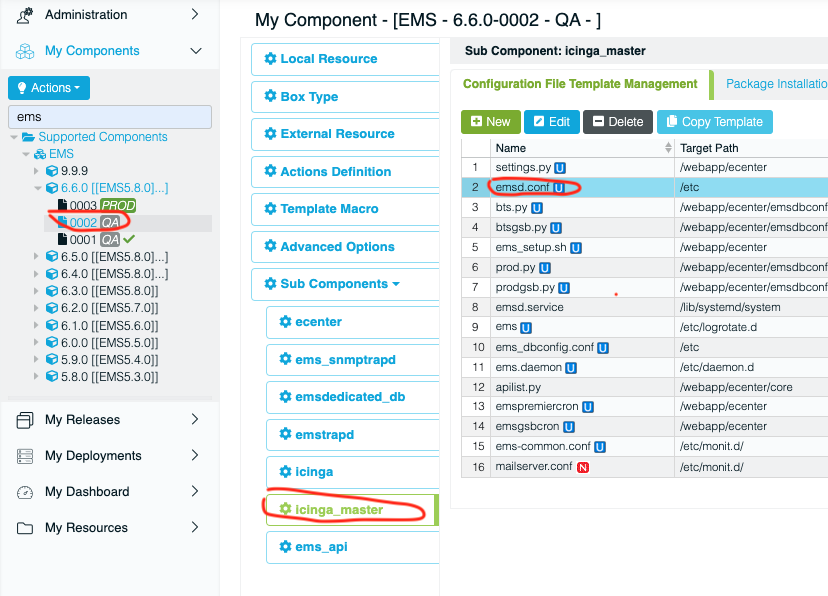
In this case, down grade 0002(bts) to qa, modify the config then pormote to bts
LDAP password Renew 
PMCalarms.gen(forest: dsx.cisco.com) is for EMS user login LDAP.
1. if you receive the password expire email similar as email account expire(above section) but the forest is dsx.cisco.com, update account follow eamil
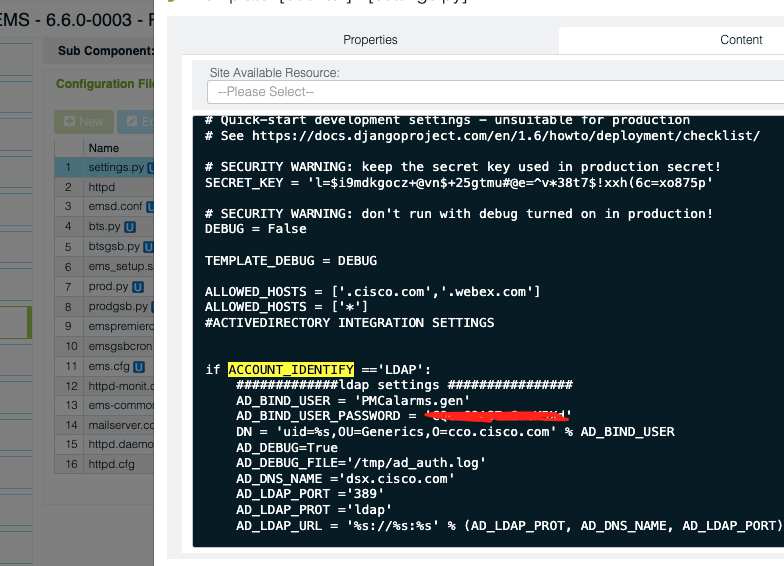
2. Modify config on all ewbsvr server in file /webapp/ecenter/settings.py(key word AD_BIND_USER_PASSWORD)
3. In CMC, do modify as: 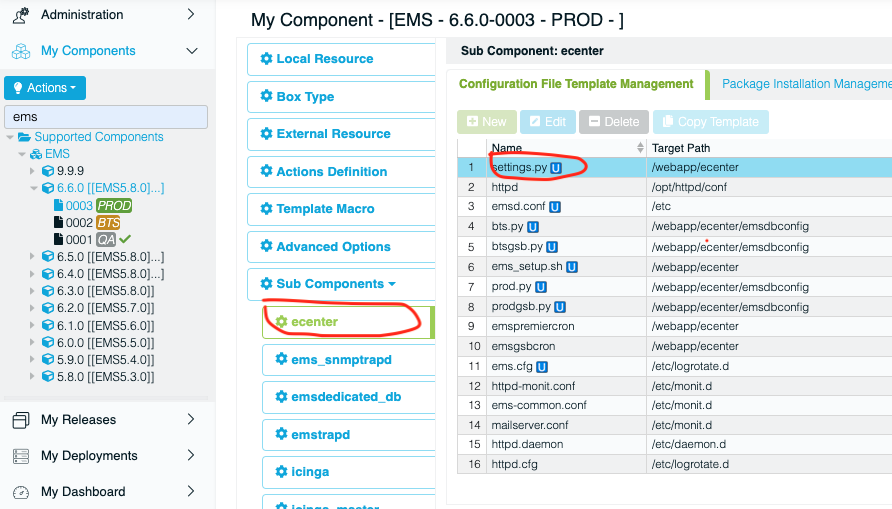
SSL Certificate Renew 
QA Environment 
1.Generate Private Key and CSR
On local Linux server and run below commands:
For csgems.qa.webex.com:
openssl req -new -newkey rsa:2048 -nodes -keyout ems-qa-web.key -out ems-qa-web.csr
Example:
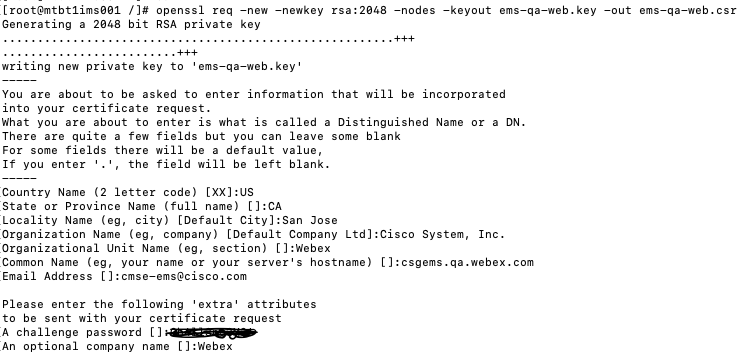
Notes: for the Common Name in the Pic, you need fill the correct VIP name.
then you will get key and csr file like:
-rw-------. 1 root root 1143 May 11 06:40 ems-qa-web.csr
-rw-------. 1 root root 1708 May 11 06:40 ems-qa-web.key
2. Apply new Certification
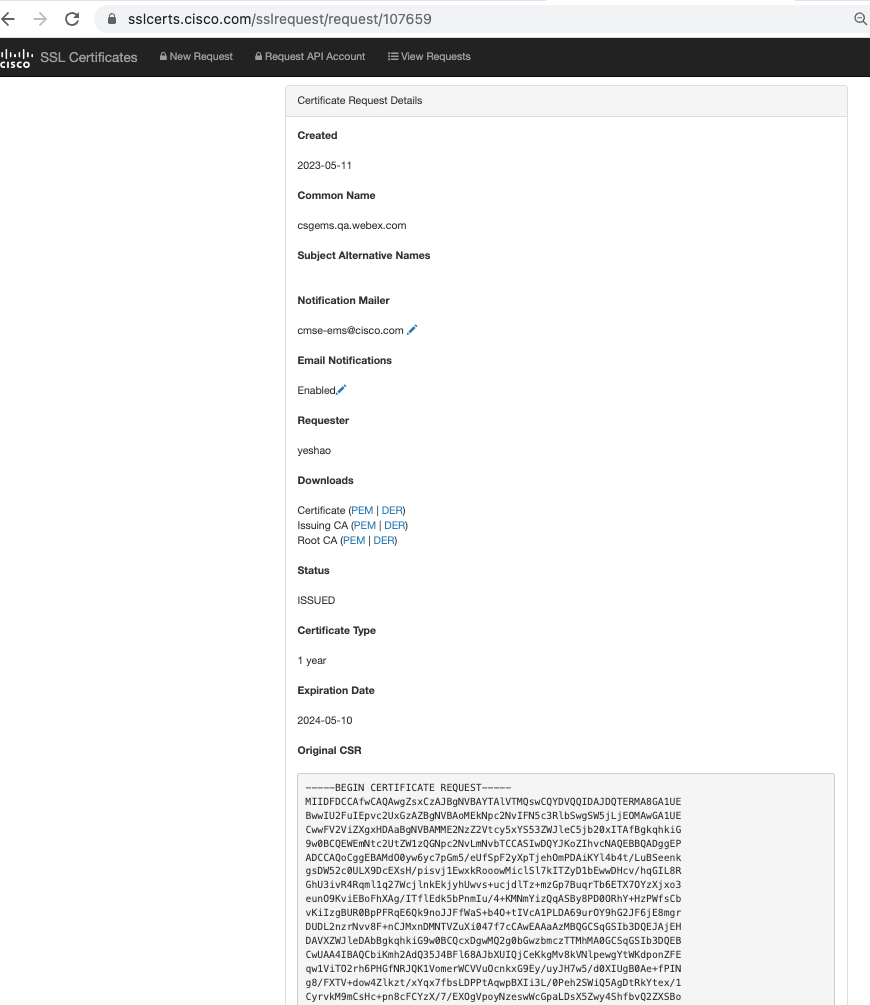
Go to https://sslcerts.cisco.com paste ems-qa-web.csr content here, Notification Mailer: cmse-ems@cisco.com and submit.
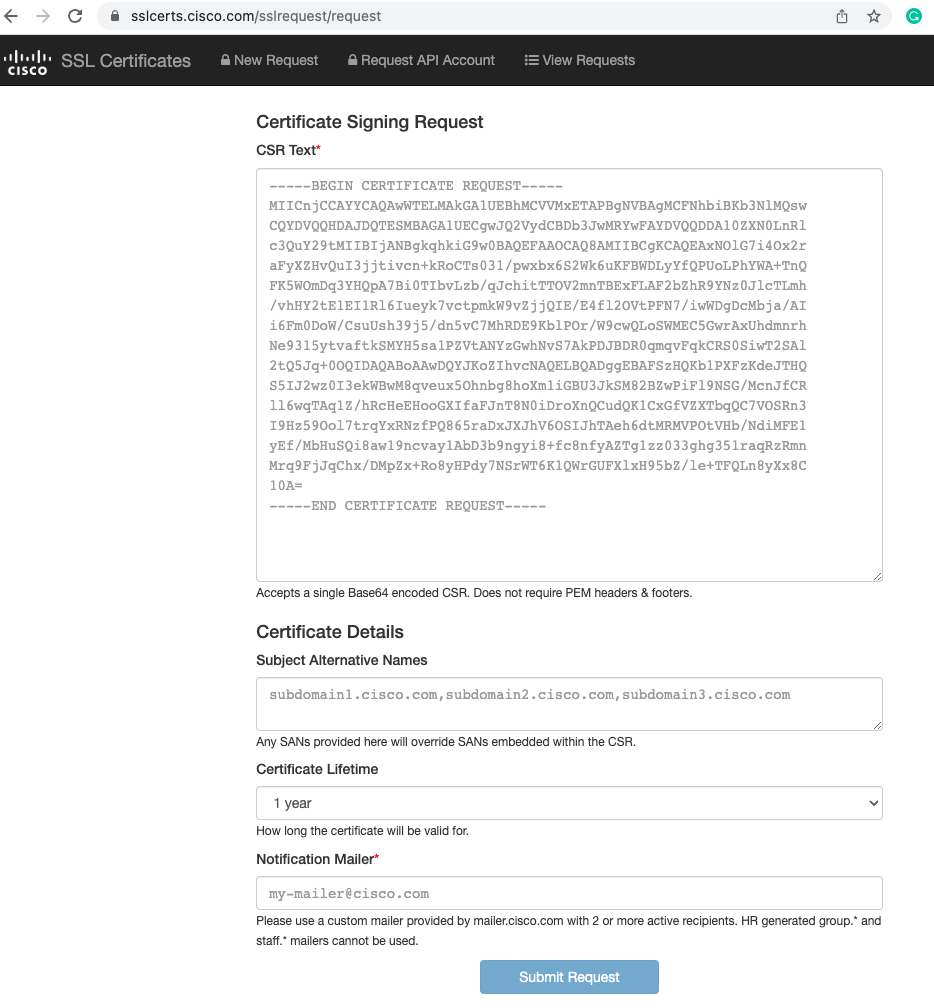
After leader approve, you will receive mail of request finished.
3. Download new Certificate
Go to the link in mail, download these three file and merge them into on file like:
-----BEGIN PRIVATE KEY-----
content of Certificate
-----END CERTIFICATE-----
-----BEGIN PRIVATE KEY-----
content of issuing CA
-----END CERTIFICATE-----
-----BEGIN PRIVATE KEY-----
content of root CA
-----END CERTIFICATE-----
4.Replace old certificate
For the QA environtmen, need send the csr file to Bin Tu(bitu@cisco.com) to change the old certification to new.
BTS and Prod Environment 
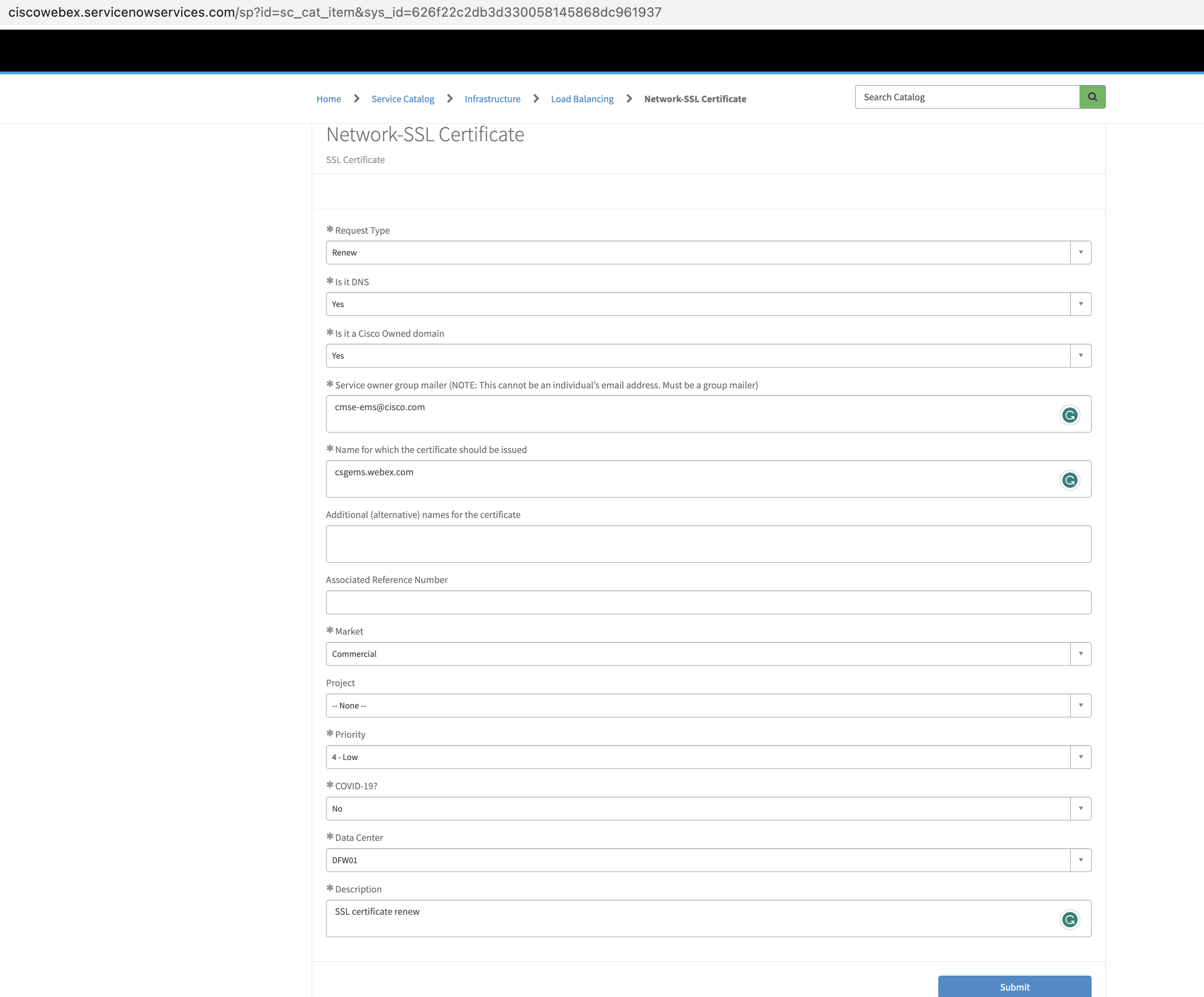
go to servicenow(https://ciscowebex.servicenowservices.com/sp) to create a ticket for SSL Certificate renew of BTS/Prod environment.
For example: