Development Tutorial
Local Mode 
...
Remote Mode 
Connect to Remote Dev Server 
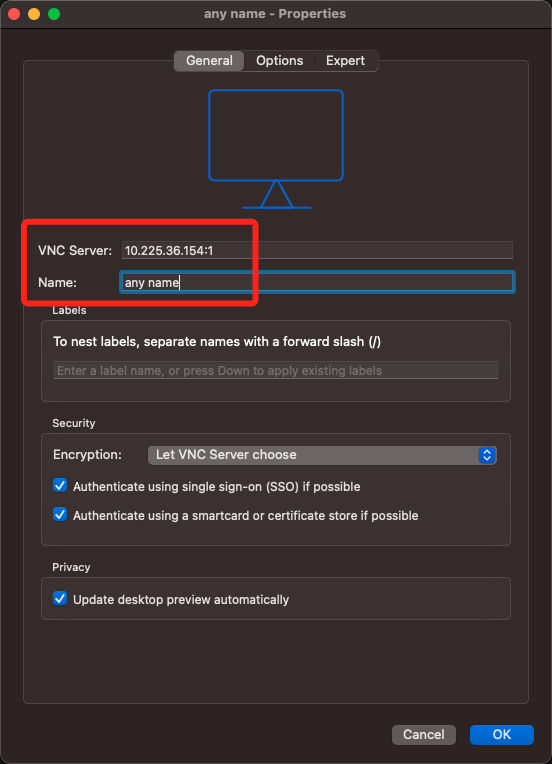
- Tool: VNC Viewer
- Example Server: 10.225.36.154:1 ABcd@1234
Open a new connection and type the pwd as required. Necessary things for development are prepared on the server.
Dev Tool & Code 
- Pycharm(Community Version): under /env/pycharm-community-2021.2.2 , run
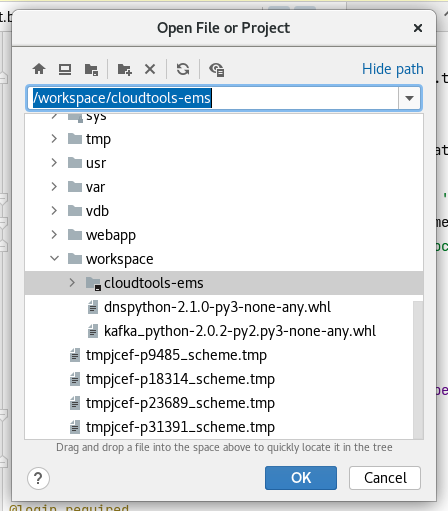
sh /env/pycharm-community-2021.2.2/bin/pycharm.shin the terminal to run Pycharm. - Code: under /workspace/cloudtools-ems
Develop 
Open Project 
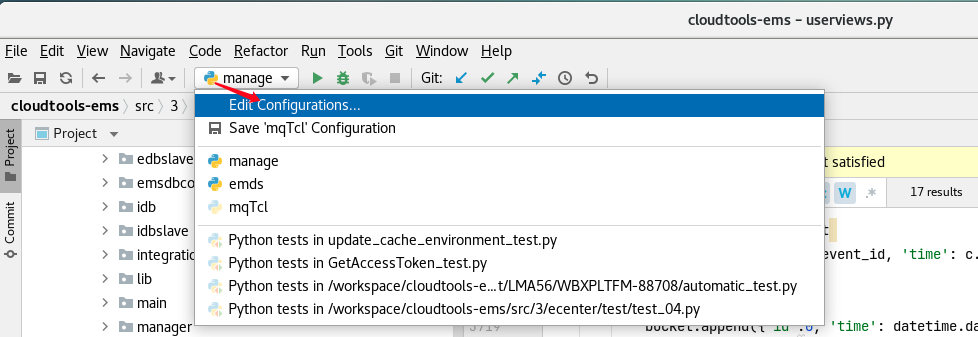
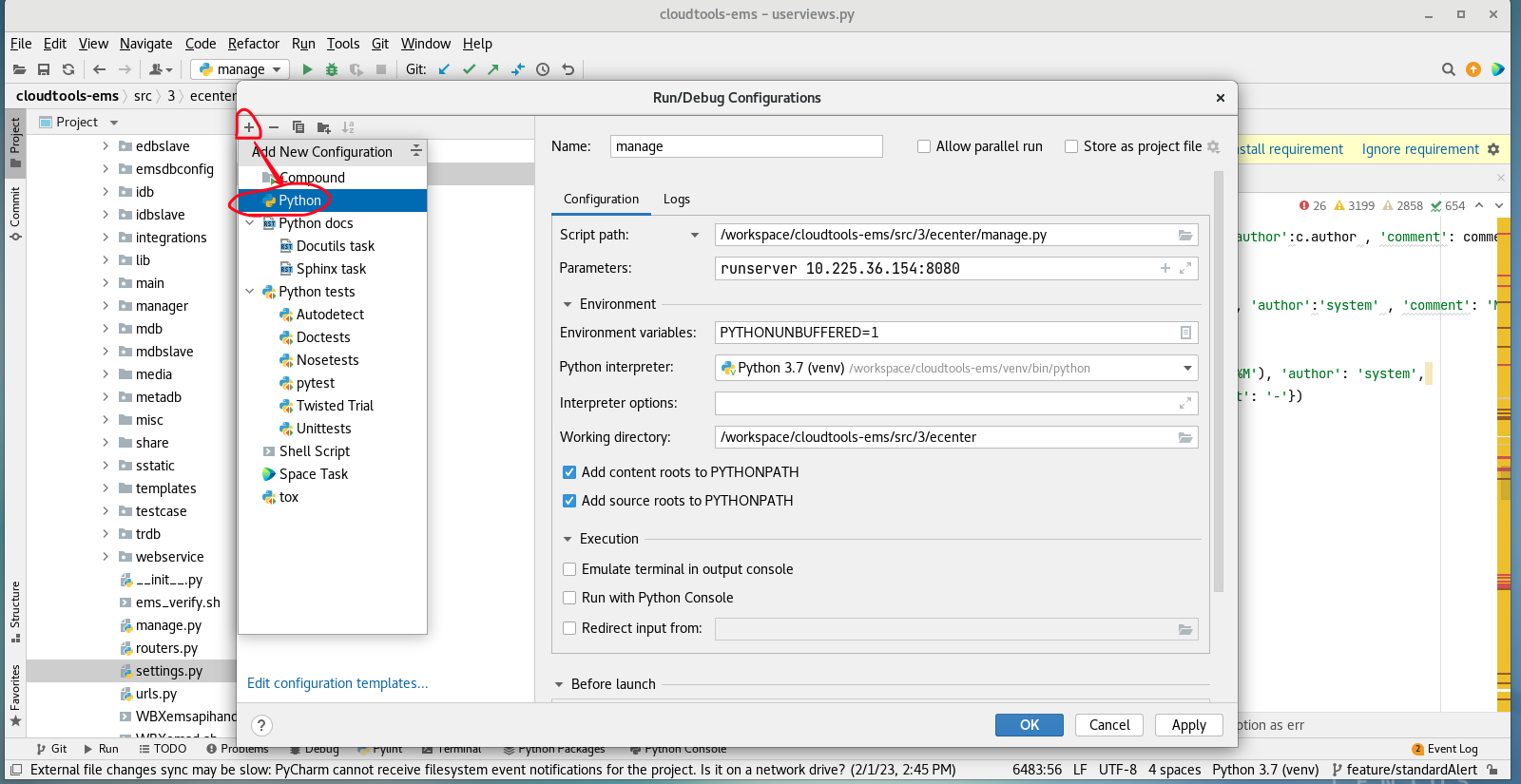
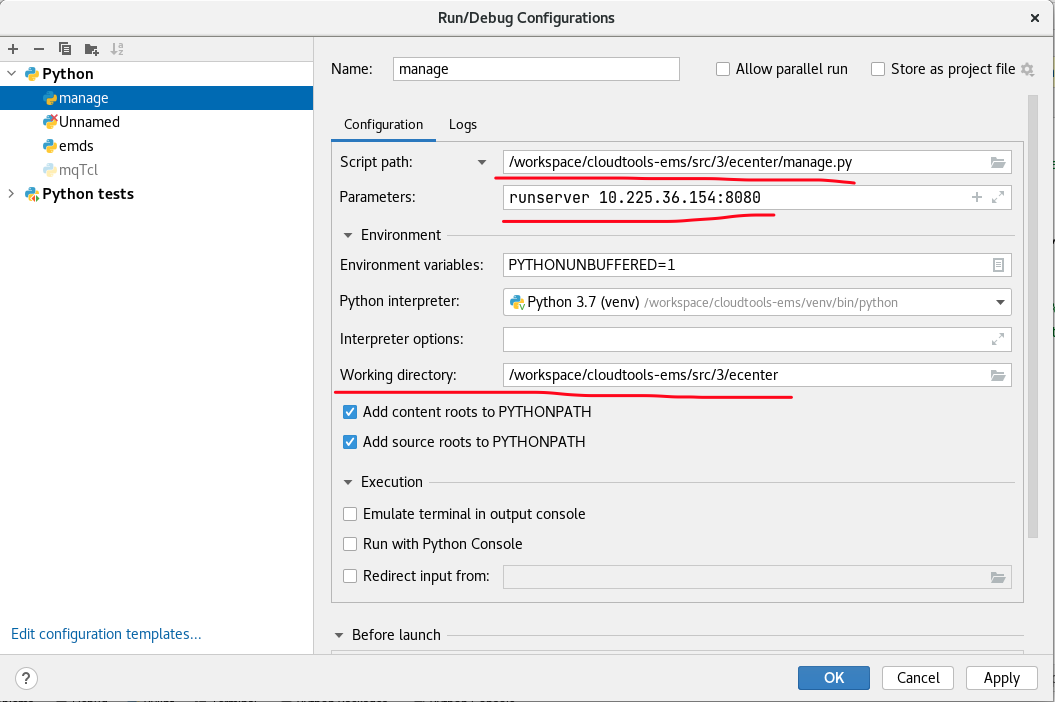
Set up a New Configuration 
Start 
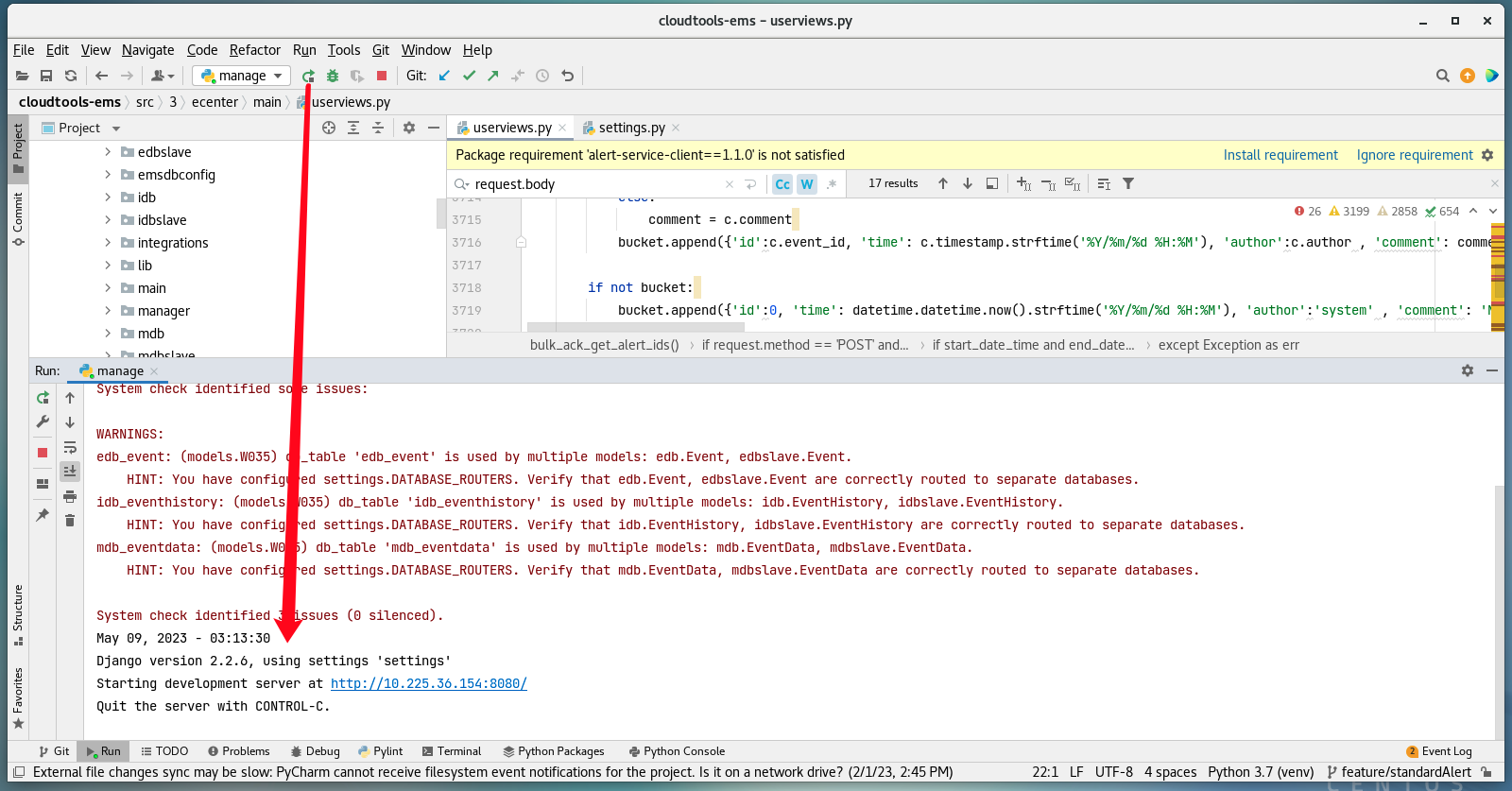
Now you successfully run EMS web, visit the dev service via web broswer http://10.225.36.154:8080/