How to do Manual Failover
How to Do Manual Failover(Temp Solution) 
Summary 
Currently global DNS is configured as auto switching between primary and gsb based on healthcheck.
EMS run active/active mode, but there is some cosumer type provider need run on one side only to avoid conflict. So need manual bring up and down when do failover.
Steps 
Step1: Bring down the current active side: 1. Login into Kubed cluster with RBAC role mas-alert-admin.
2. Go into namespace mas-alert-prod or mas-alert-bts.
3. Edit the ingress keep-ext-ingress, find the keep.ext.wjfkgen-p-1.prod.infra.webex.com and modify the keep-frontend port from 3000 to 3001 and save. This will effectively bring down the current side healthcheck.
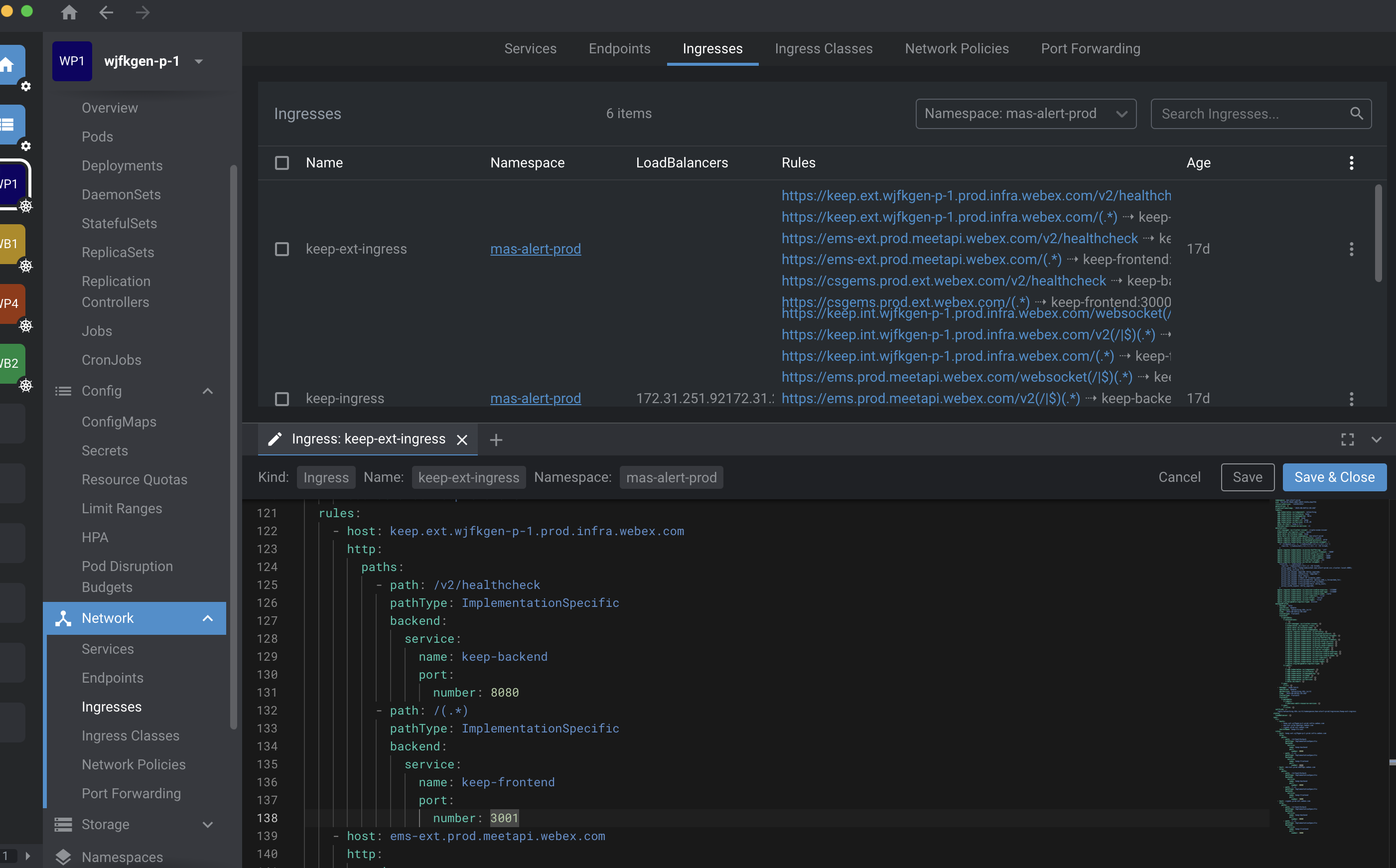
4. Wait for a minutes to ensure the healthcheck is down and the DNS record is updated. You can check the DNS record using nslookup csgems.prod.webex.com to confirm that it points to the other side(jfk or dfw).
~ % nslookup csgems.prod.webex.com
Server:      64.104.76.247
Address: 64.104.76.247#53

Non-authoritative answer:
csgems.prod.webex.com    canonical name = ems.prod.meetapi.webex.com.
ems.prod.meetapi.webex.com   canonical name = keep.int.wdfwgen-p-4.prod.infra.webex.com.
Name:    keep.int.wdfwgen-p-4.prod.infra.webex.com
Address: 10.245.33.248
failover from side redis consumer flag need_run to false by login into any keep-backend pod and run the command to make old active side to stop run consumer job: python3.12 (enter into python run env, the version may change)
from keep.api.core.redis_cli import redis_manager
need_run = redis_manager.get_client().get("need_run")
redis_manager.get_client().set("need_run", "false")
- Verify the flag works by checking the
keep-backendpod log contains "Another cluster consumer is running. Skipping this time...", it will show up every mins. - Set the
failover toside redis consumer flagneed_runtotrueto make new active side start run consumer job. - Verify the flag works by send email to
pmcalarms.gen@cisco.com(prod) oremsbts.gen@cisco.com(bts) and check if the email is successfully been convert to alert.