Anchore Scanning in EMS Project 
This guide explains how the EMS project uses Anchore to scan Docker images.
Overview 
The EMS project supports two deployment methods:
- Argo Deployment - Orchestrated via Argo
- Harness Deployment - Continuous deployment via Harness
Both methods use Anchore to enforce image security and compliance policies.
Anchore Scanning for Argo Deployment 
Workflow 
In the Argo deployment method:
- Anchore is integrated in Jenkins for automated scanning, configured in the Jenkinsfile.
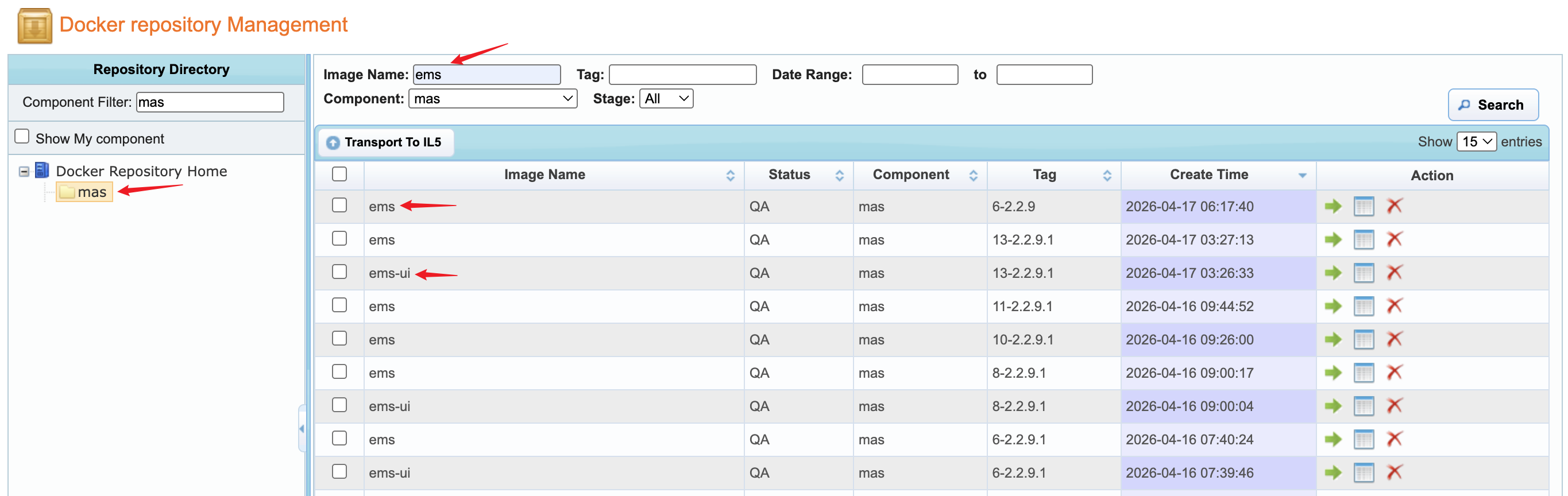
- Images pushed to RMC (searchable by
emsorems-ui) are scanned by Anchore. - If the scan passes, images are pushed to ECR; otherwise, the pipeline blocks the push.
Scan Results 
✅ Scan Passed 
- Jenkins console outputs the scan report
- Docker image is automatically pushed to ECR
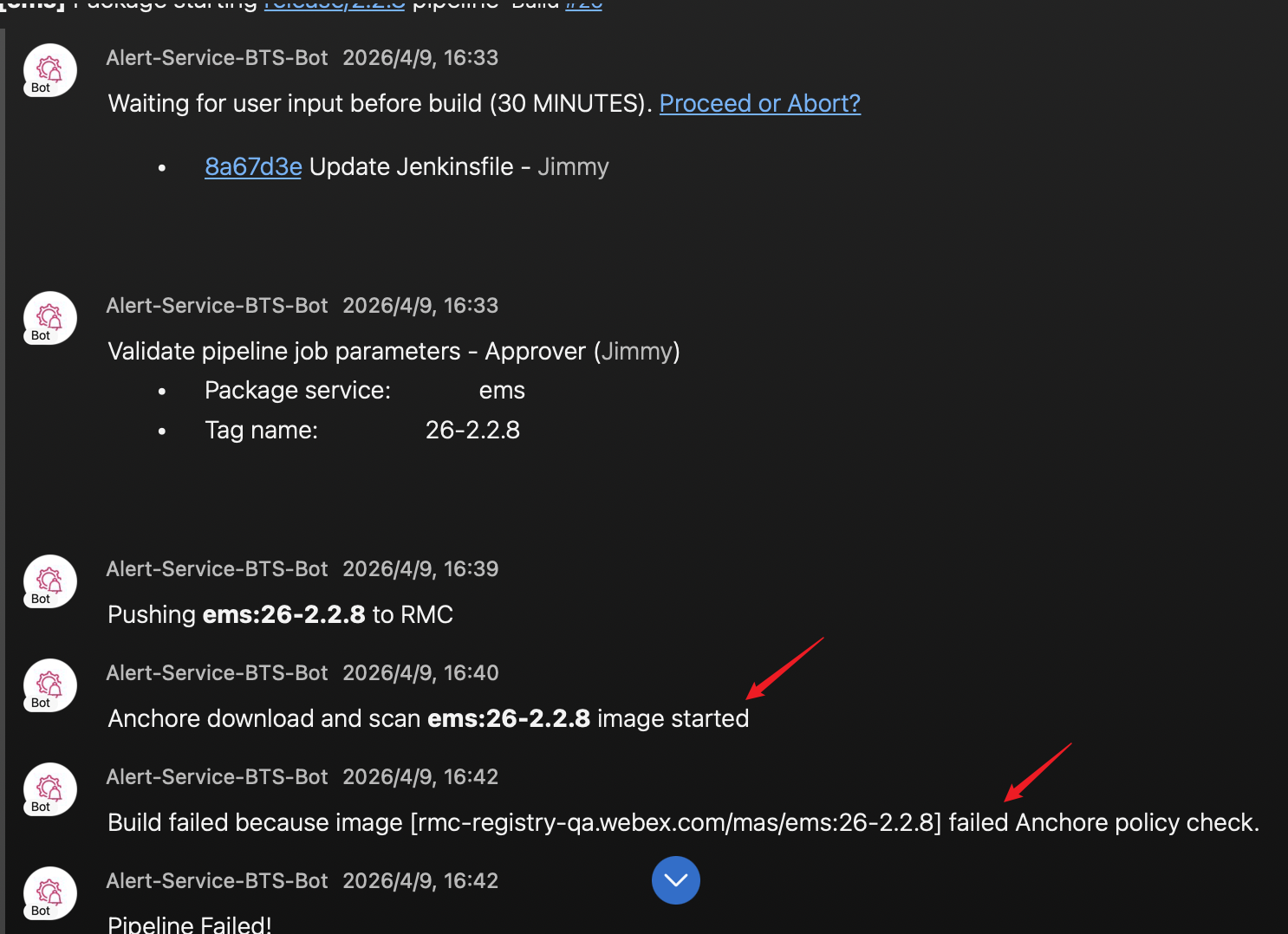
❌ Scan Failed 
- Jenkins console outputs the error report
- Detailed information can be reviewed in the Anchore portal
- Docker image will NOT be pushed to ECR
Scan Results Example 
Anchore Scanning for Harness Deployment 
In the Harness deployment method, you need to configure the following two files to set up the Harness pipeline:
- ems-ui.microservice
- ems.microservice
In these files, configure the Anchore scan step so images are scanned before deployment. Set enabled to "true" to turn on scanning:
wbx3:
  enabled: "true"
  securityScan:
    logVulnerabilitiesWithLevel: "Critical,High"
    enabled: "true"
    warnOnly: "false"
Requesting Access to Anchore 
To access the Anchore Portal, submit a request on Anchore Enterprise - Requesting Access.
Access differs by deployment method:
- Argo deployment: Request membership in the
mas-monitor-adminAD group. - Harness deployment: Review scan results in Harness pipeline console logs.
After approval, sign in to the Anchore Portal to review detailed vulnerability reports.
Anchore Security Issues 
Anchore categorizes vulnerabilities by severity:
- Critical
- High
- Medium
- Low
Jenkins or Harness logs provide a quick summary. The Anchore Portal provides full details and remediation guidance.
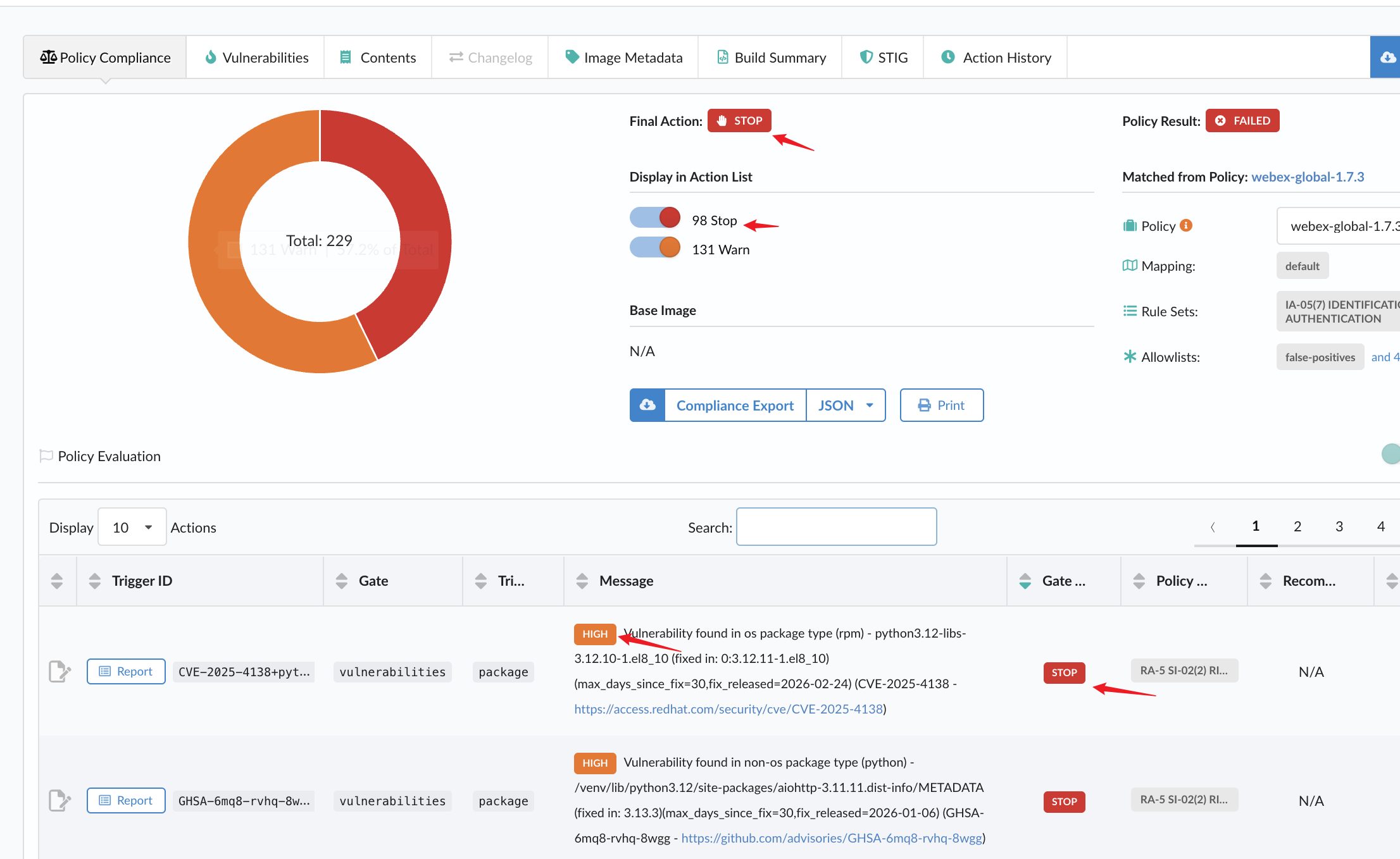
Blocking Policy 
If a scan fails due to STOP - Critical or High vulnerabilities, deployment is blocked to prevent insecure releases.
If some Critical or High vulnerabilities are warning, and we don't have solution currently, we can fix them future.
Resolve all STOP issues before:
- Pushing images to ECR
- Deploying through Harness
Portal Context and Project Search 
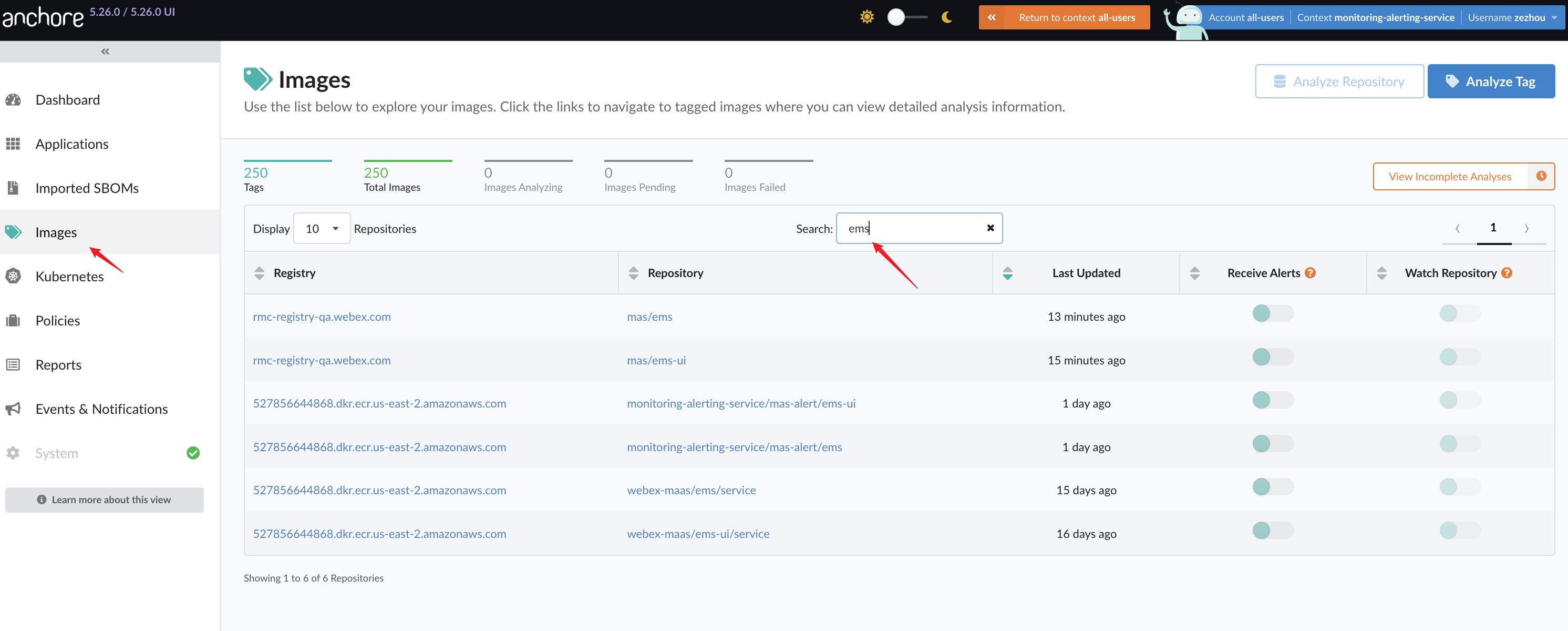
To check scan results in the Anchore portal, switch account data context as follows:
- Argo:
monitoring-alerting-service
Then search projects by name:
- Backend service:
ems - Frontend service:
ems-ui
Conclusion 
Anchore scanning in both Argo and Harness workflows helps EMS release images that meet security and compliance requirements.
Regular scan reviews help teams identify risks early and maintain a strong security posture.