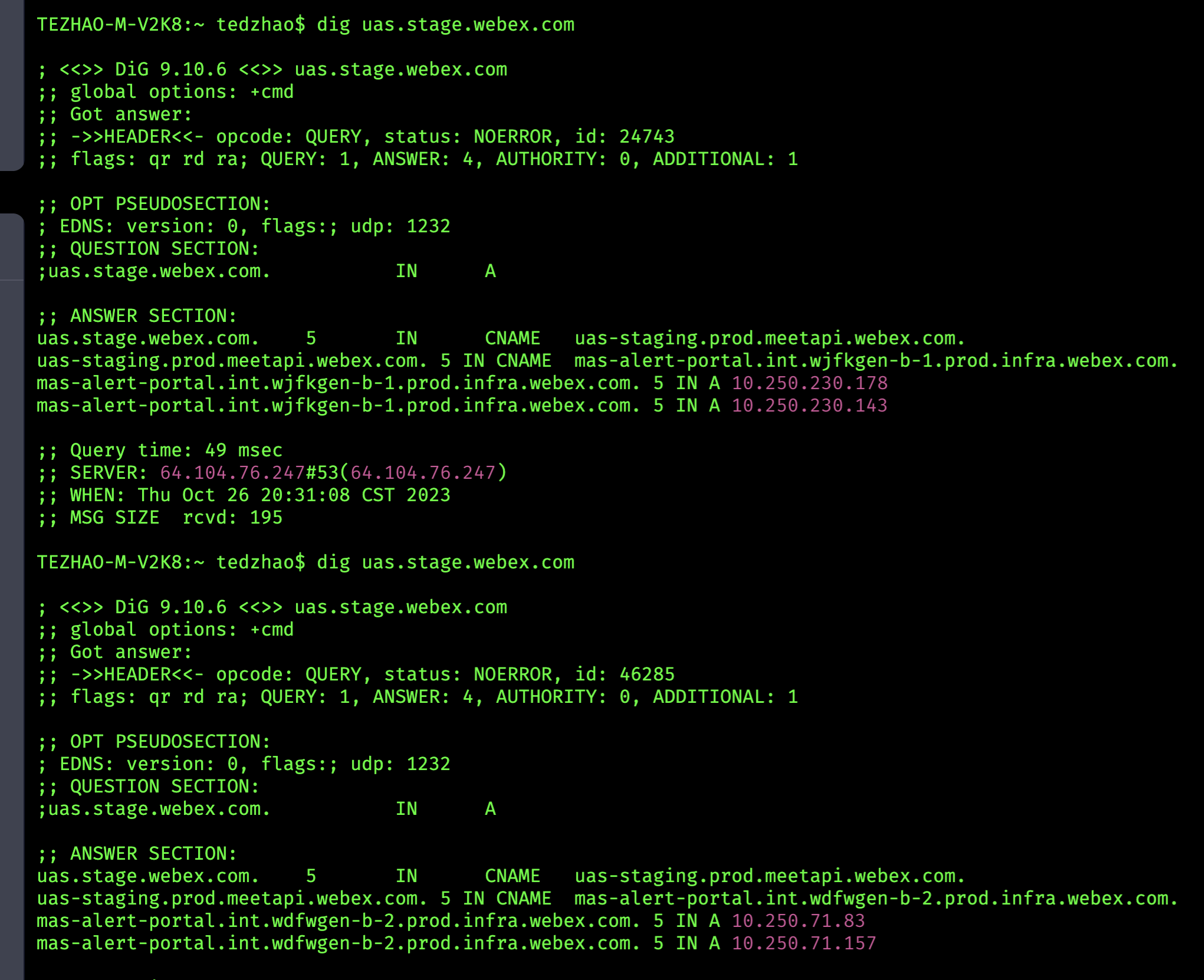
Configure DNS for Cluster Failover
This is a guide about how to configure service dns failover between two Kubed clusters.
Steps 
-
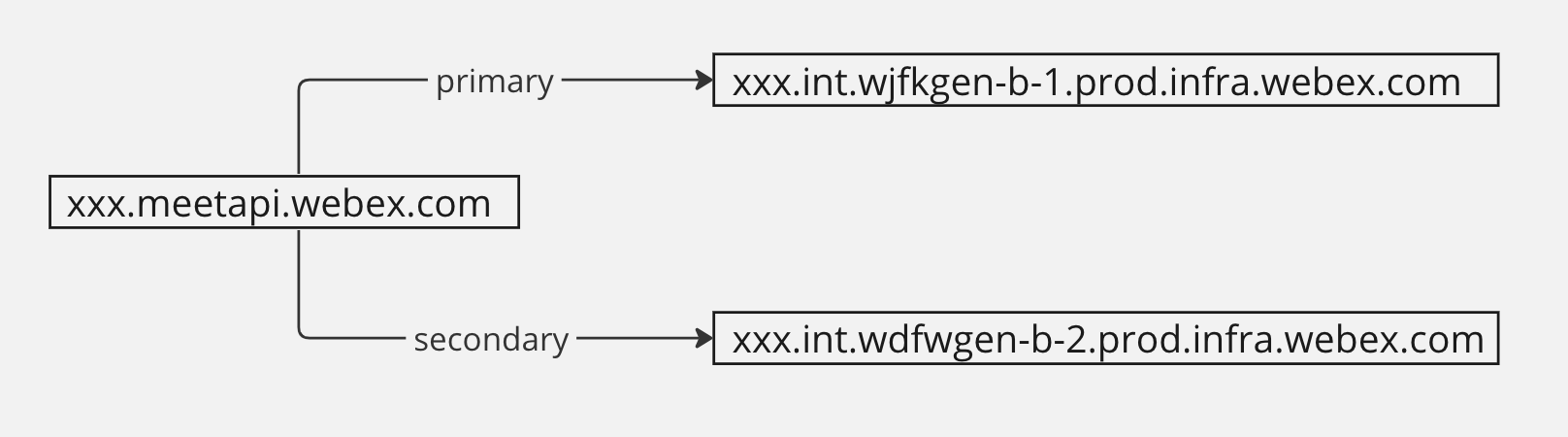
Raise a PR in wbx3-application-groups repo: 1. Create a dns-config.yaml if not exists.
2. Create or update DNS record config in applications/alert/dns.yaml.
After PR merged, the newly kubed dns config goes following:
-
Config global service DNS
_acme-challengeCNAME in WCI.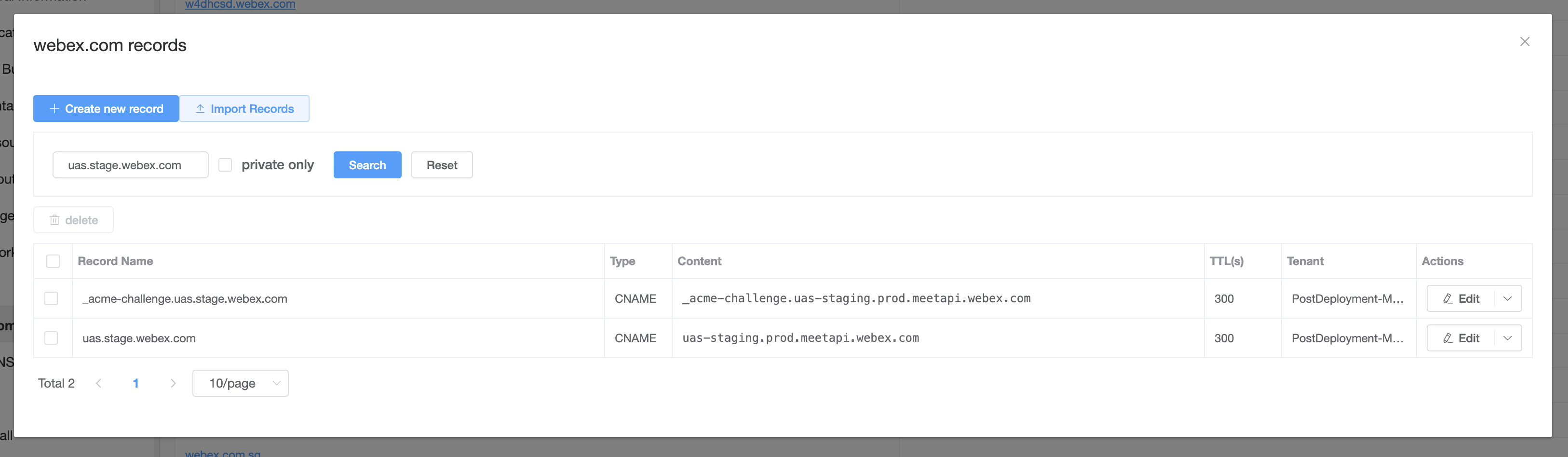
Warning: CNAME global service DNS will affect traffic routing. You should modify this wisely.
-
Ask Kubed team to add your global service DNS to the delegated domains in Vault.
-
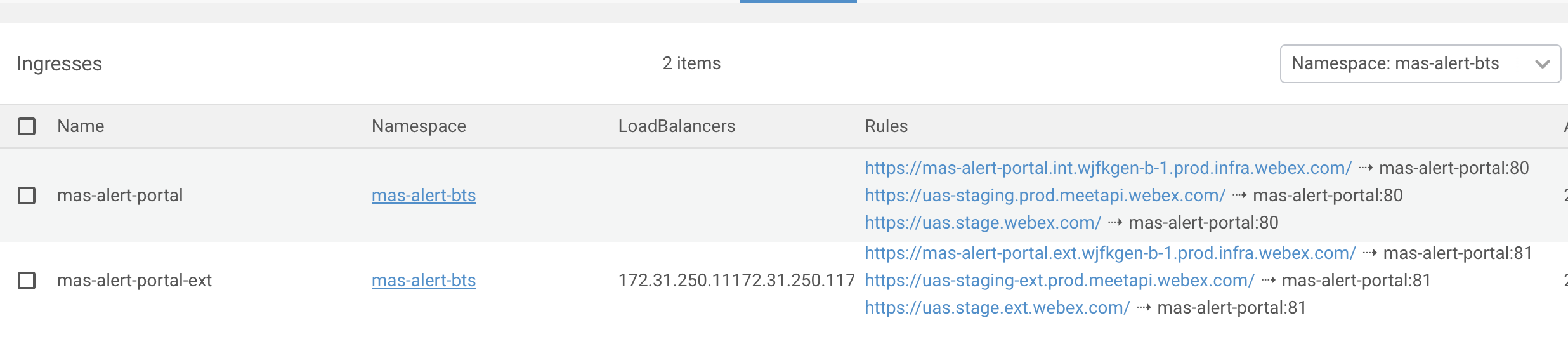
Config Kubed Ingress by involving ALL the required DNS.
-
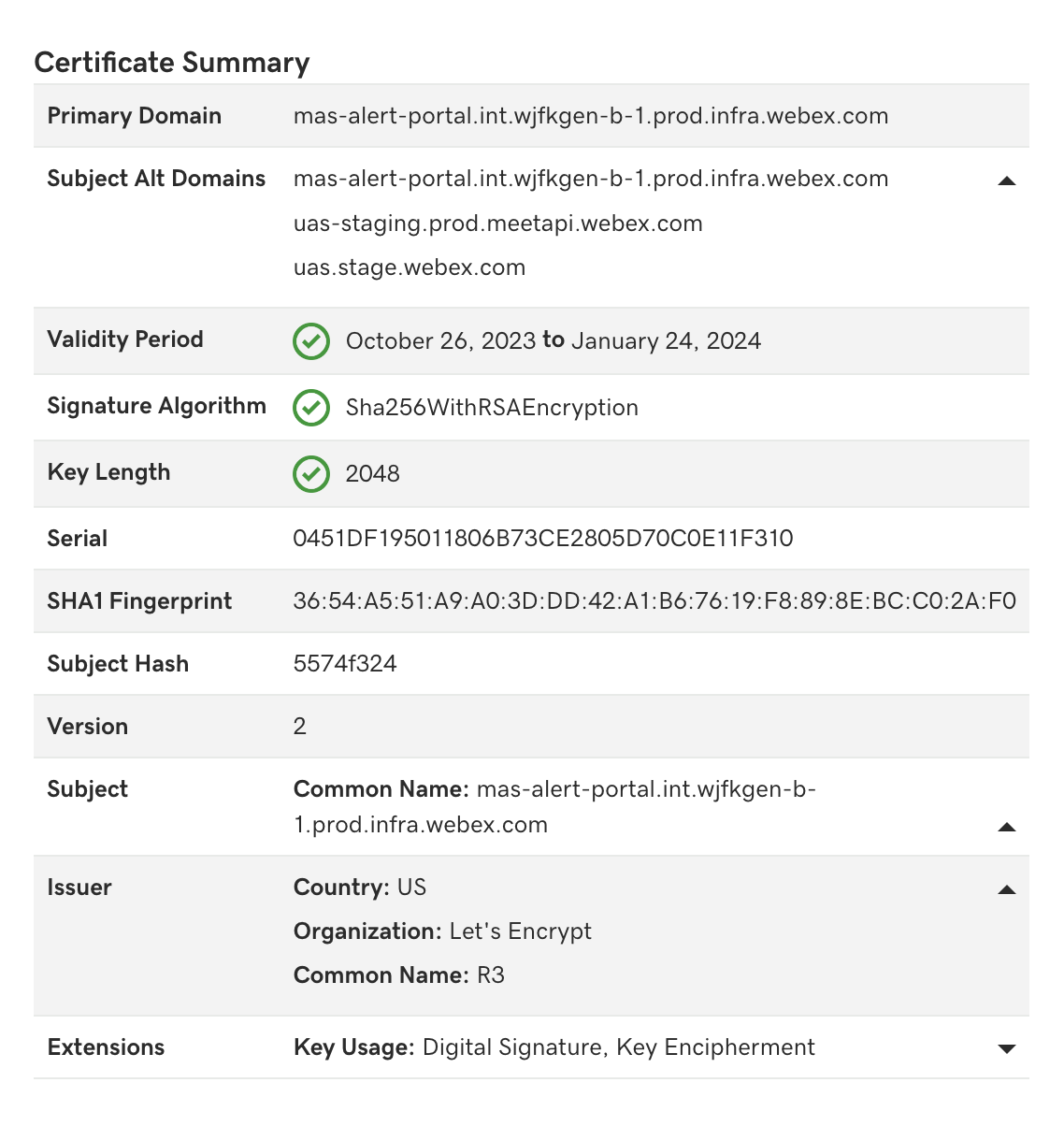
Verify Cerificate. Make sure Subject Alternative Name (SAN) include all required DNS.
-
Verify DNS.
dig xxx.webex.com