Helm 
Helm is a package manager for kubernetes, which is equivalent of apt / yum / homebrew. Helm uses a packaging format called charts.
See Installing Helm
Helm Architecture 
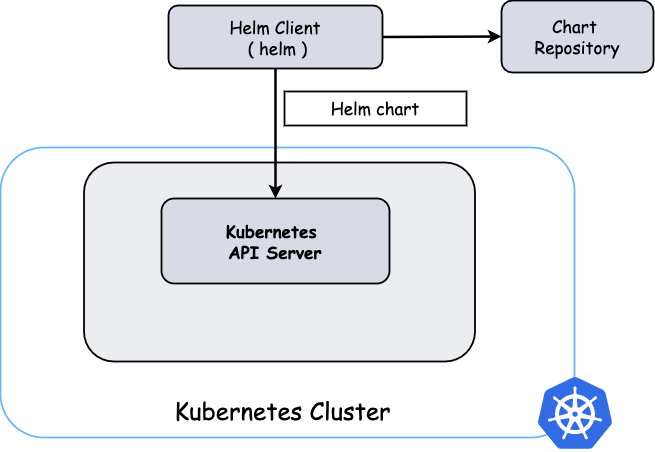
Helm Charts 
Helm Charts are simply kubernetes YAML manifests combined into a single package that can be advertised to k8s clusters. Once packaged, installing a Helm Chart into cluster by running a helm install that simplifies the deployment of containerized applications.
Helm Chart templates are written in the Go template language.
Helm Template 
Helm Template is able to render chart templates locally and display the output.
Helm cfg plugin 
The helm cfg plugin allows you to define external configuration that your chart depends upon.
See Helm-cfg plugin wiki and Installation.
Demo 
Prerequisite: 
- Tooling Setup
- Know the usage of Helm, Helm Charts and Helm Template
- Know the Usage helm-cfg, see Example use case
- Checkout kubed-charts/reference-app
git clone git@sqbu-github.cisco.com:WebexPlatform/kubed-charts.git
cd kubed-charts
git checkout -b paracel-demo origin/paracel-demo
cd reference-app/vogons
Install charts 
1. login cluster 
export CLUSTER_DOMAIN=dev.infra.webex.com
export CNC=hfedev01
export VAULT_ADDR=https://east.keeper.cisco.com
export VAULT_NAMESPACE=meetpaas/hfedev
export VAULT_TOKEN=$(VAULT_TOKEN)
kubectl wbx3 login hfedev01 --method token
2. helm cfg 
Use helm cfg to collect data from required GitHub repos.
export CLOUD=hfedev
export ENV=hfedev01
export INFRA_REPO=https://sqbu-github.cisco.com/cloudtools/hfedev-infra

helm cfg build \
  --define env=${ENV},infra_repo=${INFRA_REPO},cloud=${CLOUD},service_group=vogons \
  --requirements helm_cfg.yaml
3. helm install or upgrade 
helm upgrade -i --create-namespace --namespace vogons \
  -f data/latest_infra.yaml \
  -f data/z0-global-helm-values.yaml  \
  iw-backend-${cecid} .
Local debugging helm-cfg pre-compiler infra-kt 
-
Pass
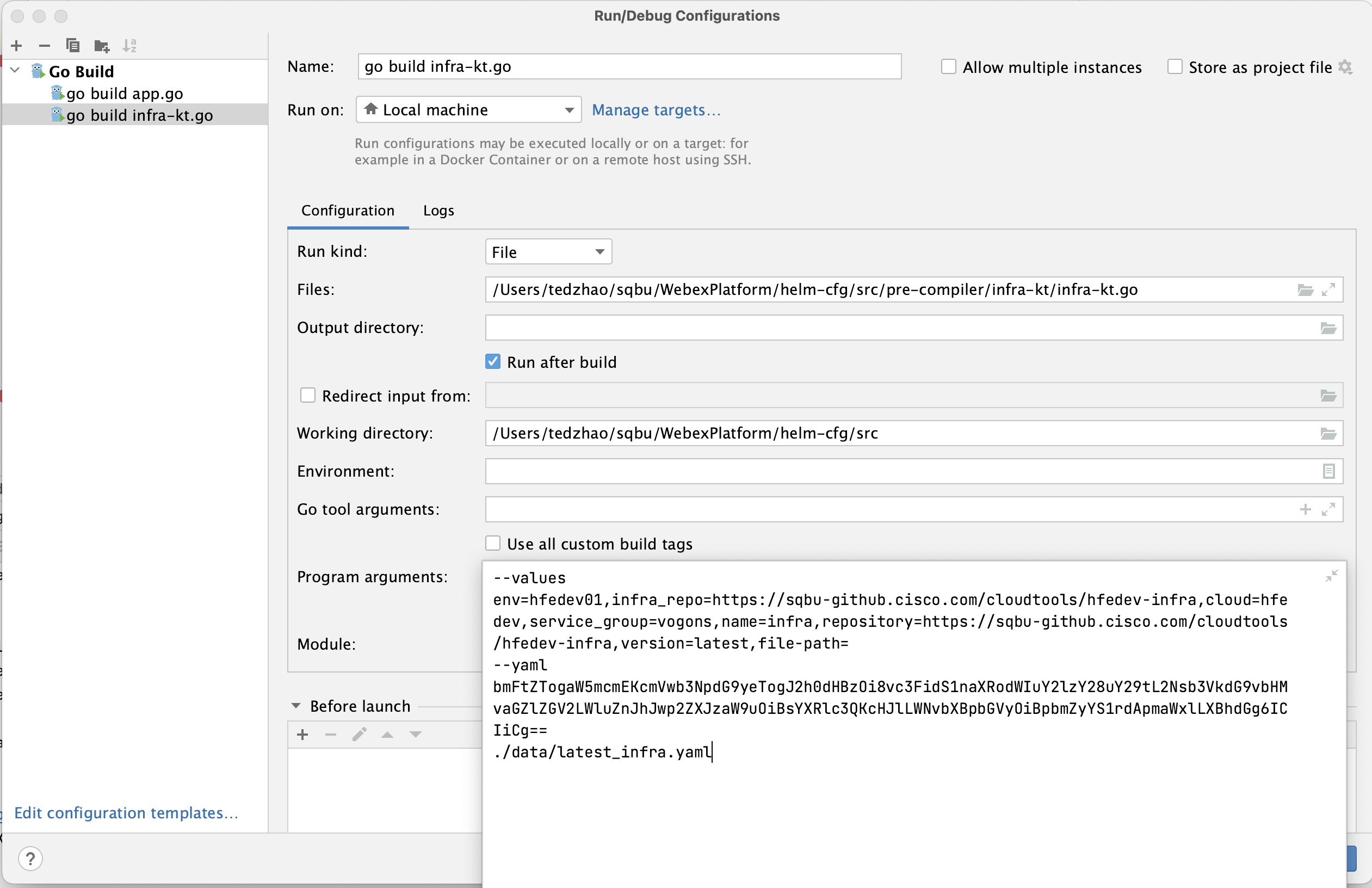
build --define env=<cluster_name_as_defined_in_dev-infra>as program arguments tomain.goin debug mode, and record thevaluesstring andencoded yamlstring from the intermediate output. >>build --define env=hfedev01,infra_repo=https://sqbu-github.cisco.com/cloudtools/hfedev-infra,cloud=hfedev,service_group=vogons --requirements helm_cfg.yaml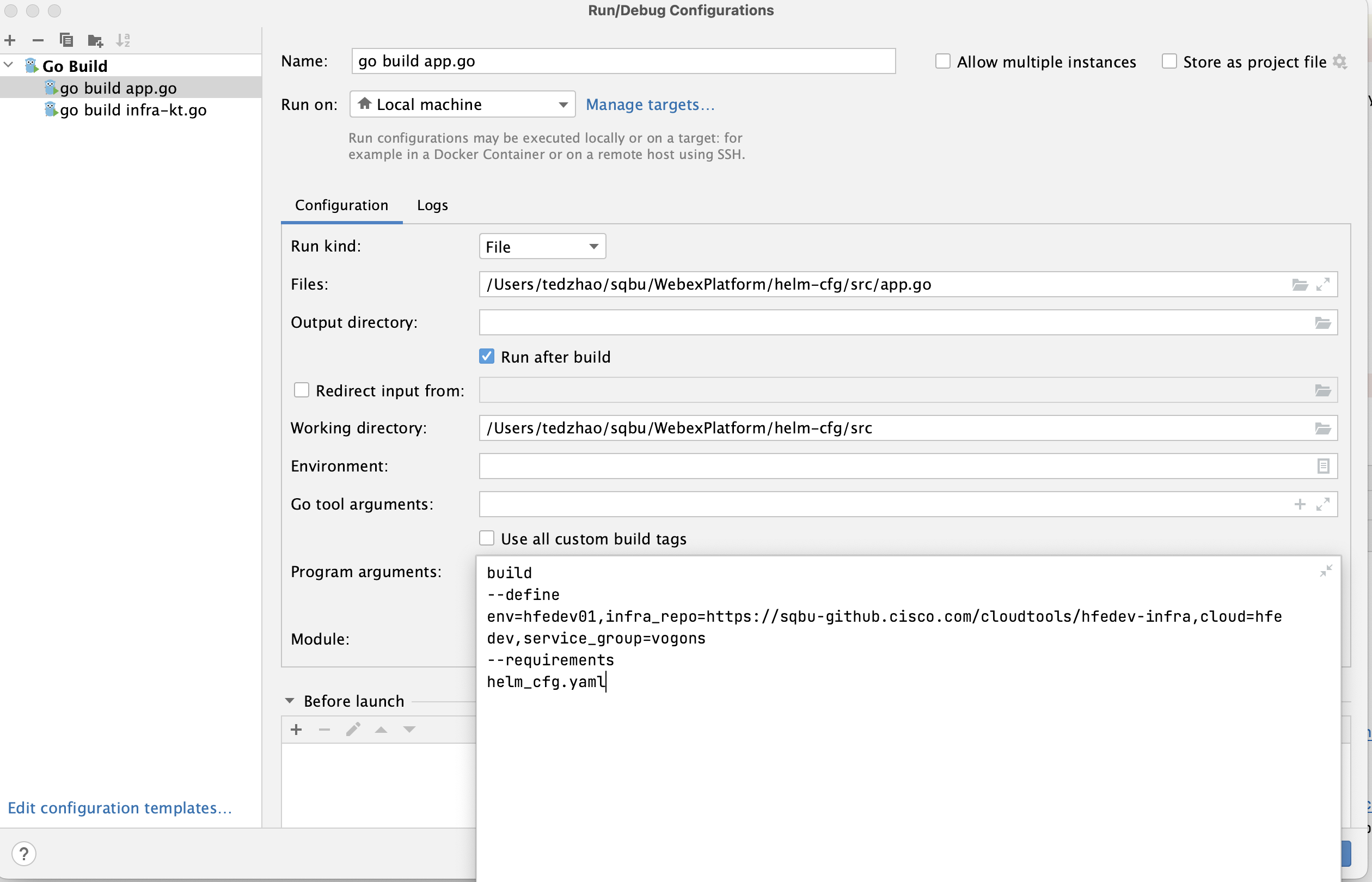
-
Pass the intermediate encoded yaml string output as program arguments to any pre-compiler (e.g.
infra-kt.go) >>--values env=hfedev01,infra_repo=https://sqbu-github.cisco.com/cloudtools/hfedev-infra,cloud=hfedev,service_group=vogons,name=infra,repository=https://sqbu-github.cisco.com/cloudtools/hfedev-infra,version=latest,file-path= --yaml bmFtZTogaW5mcmEKcmVwb3NpdG9yeTogJ2h0dHBzOi8vc3FidS1naXRodWIuY2lzY28uY29tL2Nsb3VkdG9vbHMvaGZlZGV2LWluZnJhJwp2ZXJzaW9uOiBsYXRlc3QKcHJlLWNvbXBpbGVyOiBpbmZyYS1rdApmaWxlLXBhdGg6ICIiCg== ./data/latest_infra.yaml