How to setup kdapi
1. Prerequisites 
Let's follow up below steps:
git clone git@sqbu-github.cisco.com:WebexPlatform/kdapi.git
brew install gpg
brew install pass
brew install vault
helm3 plugin install https://github.com/hypnoglow/helm-s3.git --version=v0.10.0
2. Create some folders and files in /etc/ path 
2.1 Copy the values from approle-cred secret which is in infra-platform-pipeline namespace and make sure having below files /etc/approle 
- approle-cred secret
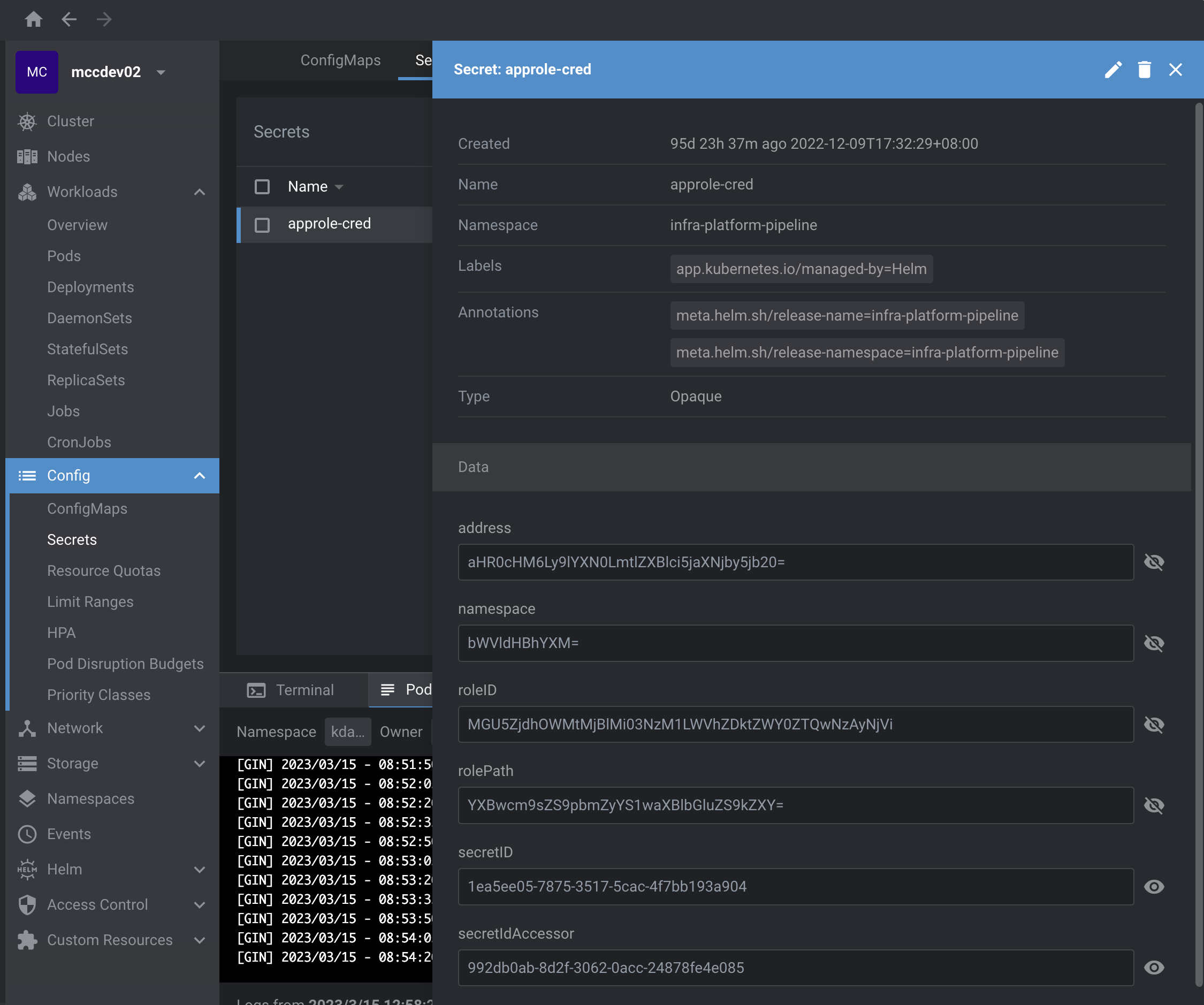
- approle files

2.2 Copy the values from iamaccount secret which is in kdapi namespace and make sure having below files /etc/aws 
- iamaccount secret
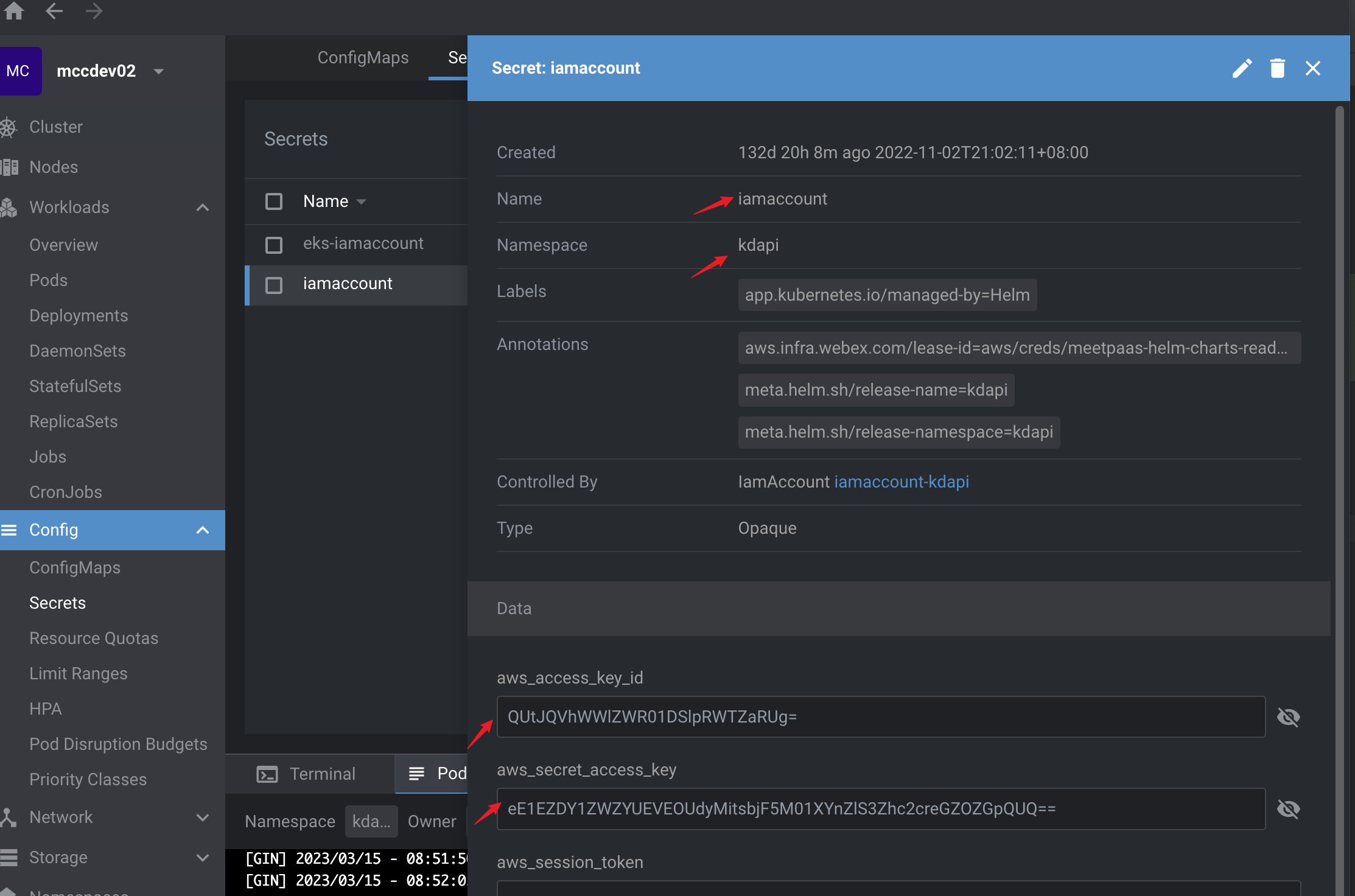
- aws files
[aws files](../../_assets/doc_pic/aws.png
3. How to configure in IDE, e.g. Intellij 
- Copy below environment variables on Environment and change some places if you need. E.g.
VAULT_TOKEN, we need to change
ATLANTIS_URL=https://atlantis.int.hfedev.dev.infra.webex.com
AWS_REGION=us-east-2
CA_CRT_PATH=/tls/ca.crt
CIAAS_SVC=https://ciaas-svc.ciaas
CM_CLOUD_ENV=hfedev
CM_CNC_URL=https://infra.int.hfedev.dev.infra.webex.com/api/v1/clusters
CM_INFRA_REPO=https://sqbu-github.cisco.com/cloudtools/hfedev-infra.git
CM_VAULT_KV_PATH=secret/data/hfedev
CM_WEBHOOK_URL=https://api.ciscospark.com/v1/webhooks/incoming/Y2lzY29zcGFyazovL3VzL1dFQkhPT0svNDVhMmQ4NmEtYWViZC00Y2QwLTljYTYtYTRhMzQwMjU4NTJi
INFRA_URL=https://infra.int.hfedev.dev.infra.webex.com
TLS_CRT_PATH=/tls/tls.crt
TLS_KEY_PATH=/tls/tls.key
VAULT_ADDR=https://east.keeper.cisco.com
VAULT_ADDR_APP_SECRETS=https://east.keeper.cisco.com
VAULT_ADDR_GLOBAL=https://east.keeper.cisco.com
VAULT_NAMESPACE=meetpaas/hfedev
VAULT_NAMESPACE_APP_SECRETS=meetpaas/app-secrets
VAULT_NAMESPACE_GLOBAL=meetpaas
VAULT_NAMESPACE_NBR=meetpaas/nbr
VAULT_TOKEN=hvs.CAESIKHm80RpXcVutbt9QxoyGPayTildCDsj-ovZPXnCX-DuGioKImh2cy5xRFRzSXlFN0tYaHJIS3NpUmlYcUxoVWIudDM4amUQ8KmGmwU
VAULT_TOKEN_APP_SECRETS=hvs.CAESIBW3DkDJMVY5eZSQix159eeraUdDlK3QQbi6hScJrtGbGioKImh2cy44aGtnb2w3ZDh1UENTYnI0T2NtUDFzOXguV0diZ3gQiaqvrgQ
VAULT_TOKEN_GLOBAL=hvs.CAESIGbaXgT5DlshUf8K4vnnaCO4YJhNJJH53WP38yRb9Y0IGioKImh2cy5QZ1VTTWVrVnFpWFIwNmRETkYyWUxmSFYudDM4amUQyLuS8QQ
Debug deploy command 
- Copy below string on Program arguments and change some places if you need. E.g. your yaml file local path and name which you want to deploy
deploy
hfedev-m2
/Users/zezhou/Downloads/bundle-output/0/sentinel.yaml
--pipeline-timeout
60m
--cluster-pki-role
k8s-admin
--approver
zezhou
--submitter
zezhou
--pr
prlink
Debug run command 
- Copy below string on Program arguments.
run