Singlepane Deploy Demo
1. Overview 
Command and Control (C&C) UI is a web application designed to provide a high level overview and analysis of WebexKubed clusters in their respective cloud environments. Must be run within Cisco's corporate network environment.
2. Demo of single pane deployment 
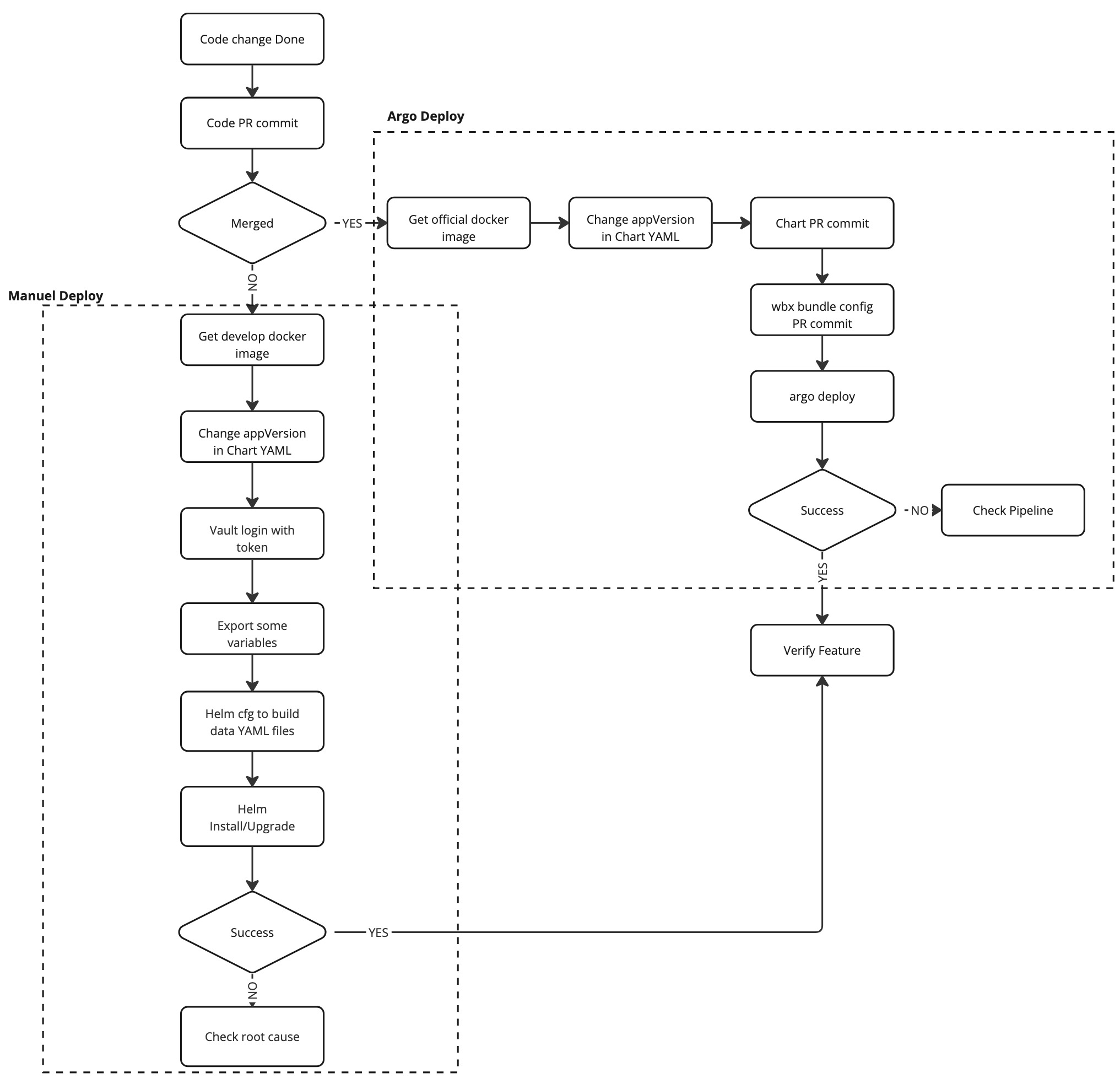
Manual and Argo deploy simple flow 
Prerequisites 
We need to make sure below plugins have been installed * helm-cfg * vault-token-helper
Manual deploy demo 
- Submit code change done PR Code change PR
- Get the docker image of develop version Docker image built job
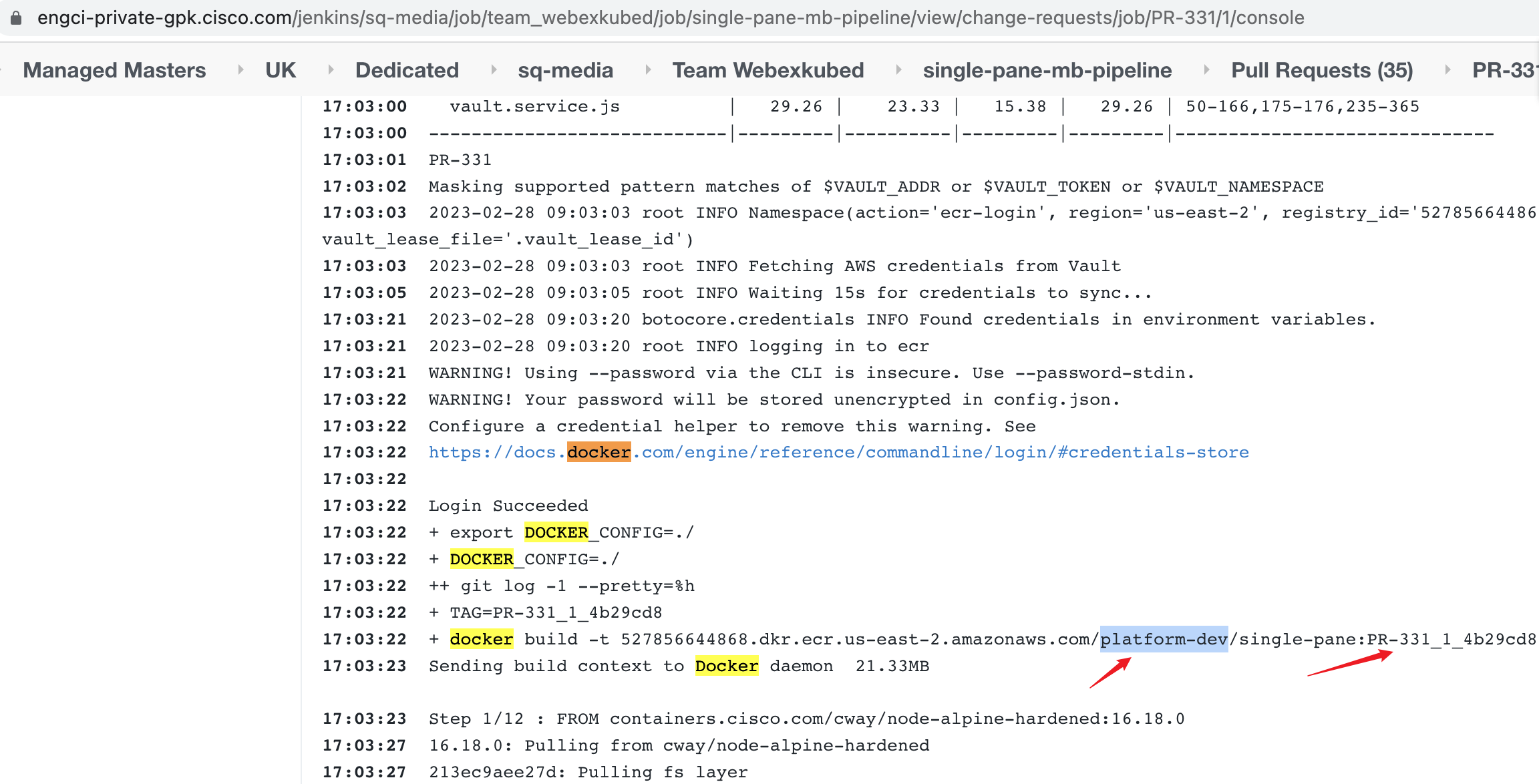
- Change the app version and version in Chart YAML or change docker image version by OpenLens
apiVersion: v1
appVersion: "PR-331_1_4b29cd8"
description: Command and Control UI Helm chart for Kubernetes
name: kubed-single-pane
version: 3.2.70
icon: https://static.thenounproject.com/png/335694-200.png
maintainers:
  - name: Shaz Balakumar
    email: shbalaku@cisco.com
annotations:
  appGroupName: platform
- Vault login meetpass/hfedev and export some variables.
export VAULT_ADDR=https://east.keeper.cisco.com
export VAULT_NAMESPACE=meetpaas/hfedev
vault  login -no-print <hfedev-admin-vault-token>
export VAULT_NAMESPACE_GLOBAL=meetpaas

export VAULT_ADDR=https://east.keeper.cisco.com
export VAULT_NAMESPACE=meetpaas/hfedev
export VAULT_TOKEN=$(vault-token-helper get)
export VAULT_PREFIX=secret/hfedev

export CLOUD=hfedev
export ENV=hfedev02
export INFRA_REPO=https://sqbu-github.cisco.com/cloudtools/hfedev-infra.git
- Use helm cfg to build configuration/secrets
helm cfg build --define env=hfedev02,infra_repo=https://sqbu-github.cisco.com/cloudtools/hfedev-infra.git,cloud=hfedev,service=single-pane
- Install
helm install <data-dir-files> --name=single-pane --namespace=single-pane .
- Upgrade
helm upgrade -i --namespace single-pane -f data/kdapi_api_cert.yaml -f data/kubed_api_cert.yaml -f data/latest_infra.yaml \
-f data/secrets.integrations.yaml -f data/secrets.tokens.yaml -f data/thanos_cert.yaml \
-f data/z0-global-helm-values.yaml -f data/z1-helm-values.yaml -f data/z2-helm-values.yaml \
single-pane .
Argo deploy demo 
- Submit code change done PR Code change PR
- Get the docker image of official version Docker image built job
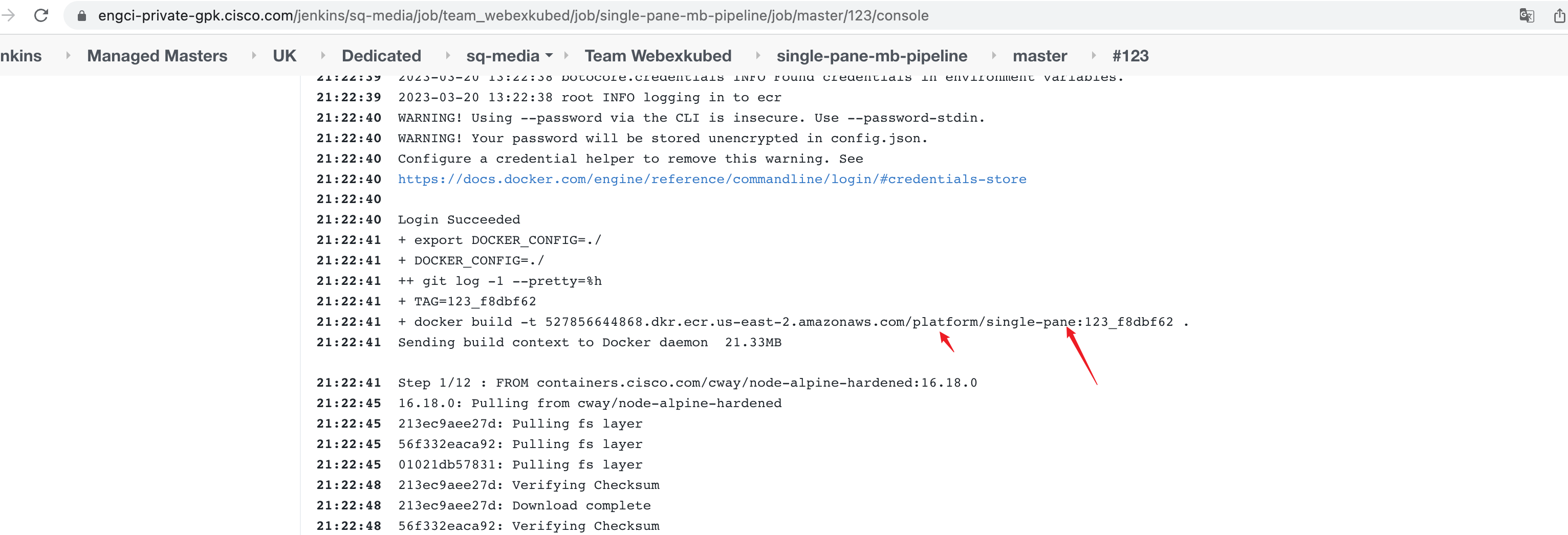
- Change the app version and version in Chart YAML
apiVersion: v1
appVersion: "123_f8dbf62"
description: Command and Control UI Helm chart for Kubernetes
name: kubed-single-pane
version: 3.2.70
icon: https://static.thenounproject.com/png/335694-200.png
maintainers:
  - name: Shaz Balakumar
    email: shbalaku@cisco.com
annotations:
  appGroupName: platform
- We will get auto generation PR title like
Chart promotion for singlePane - hfedevand merge (Argo deploy needs) wbx bundle configure auto generation PR
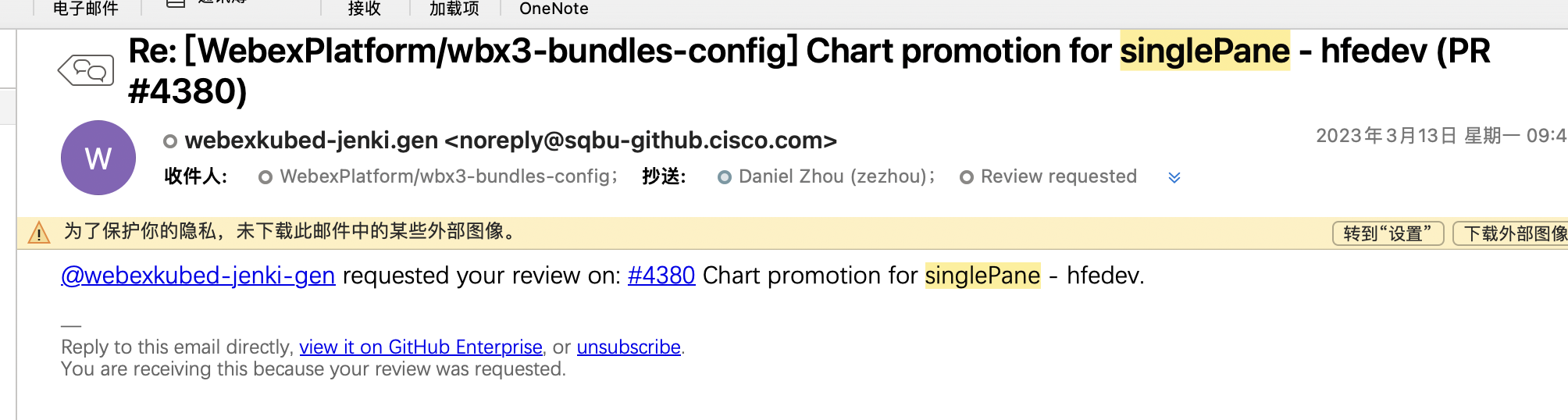
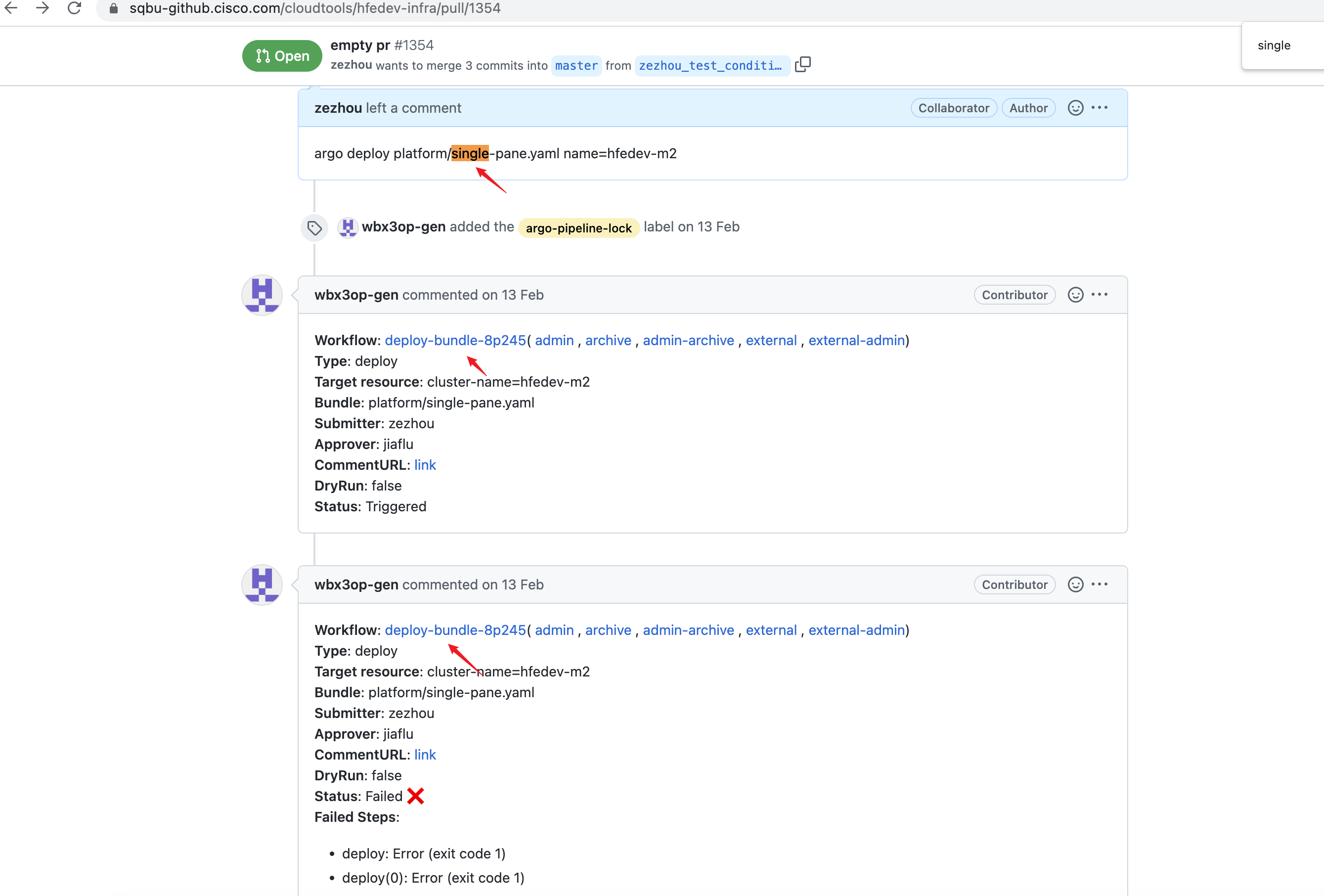
- Create one empty PR and commit in hfedev repo (The deployment env repo depends on release sequence) and get approval Empty PR
- File changed->Submit review for comment argo deploy platform/single-pane.yaml name=hfedev02 Argo deploy
- Check the generated pipeline if have any issue Generated pipeline