How to build a new environment for GSS 
- AWS S3 bucket
- AWS Route53
- AWS CloudFront
- AWS CodeBuild
- AWS CodePipeline
- Jenkins Job
- Permission Issue
We need the following steps to build a new environment for GSS:
- create a S3 bucket for "CloudFront Origins"
- create a CloudFront distribution
- create a route53 record for routing traffic to the CloudFront distribution
- create an AWS CodeBuild project
- create an AWS CodePipeline project
- create Jenkins new job for GSS new environment
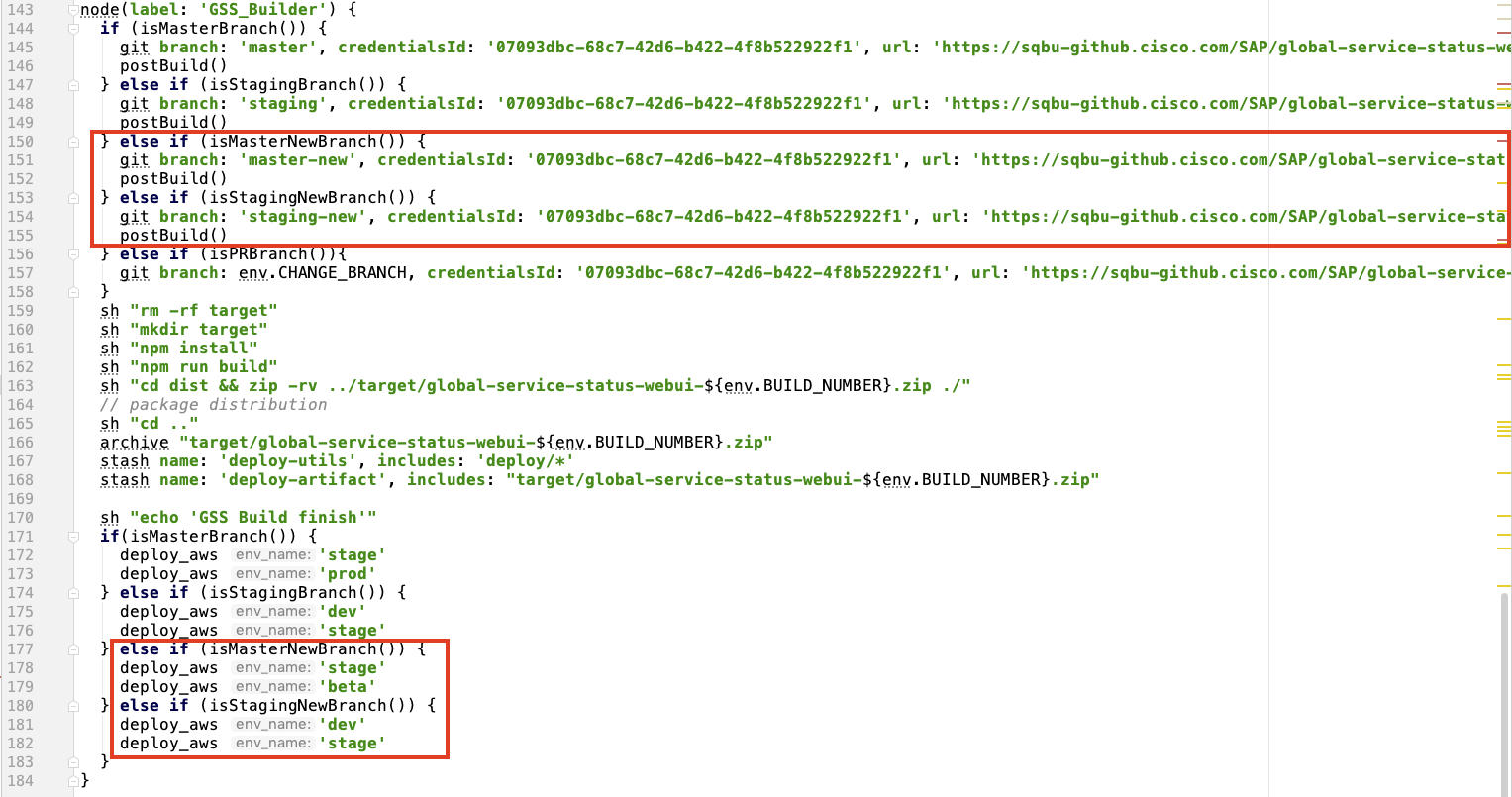
- modify Jenkins file to trigger the build of the new environment
GSS new environment: https://new.globalservicestatus.com
AWS S3 bucket 
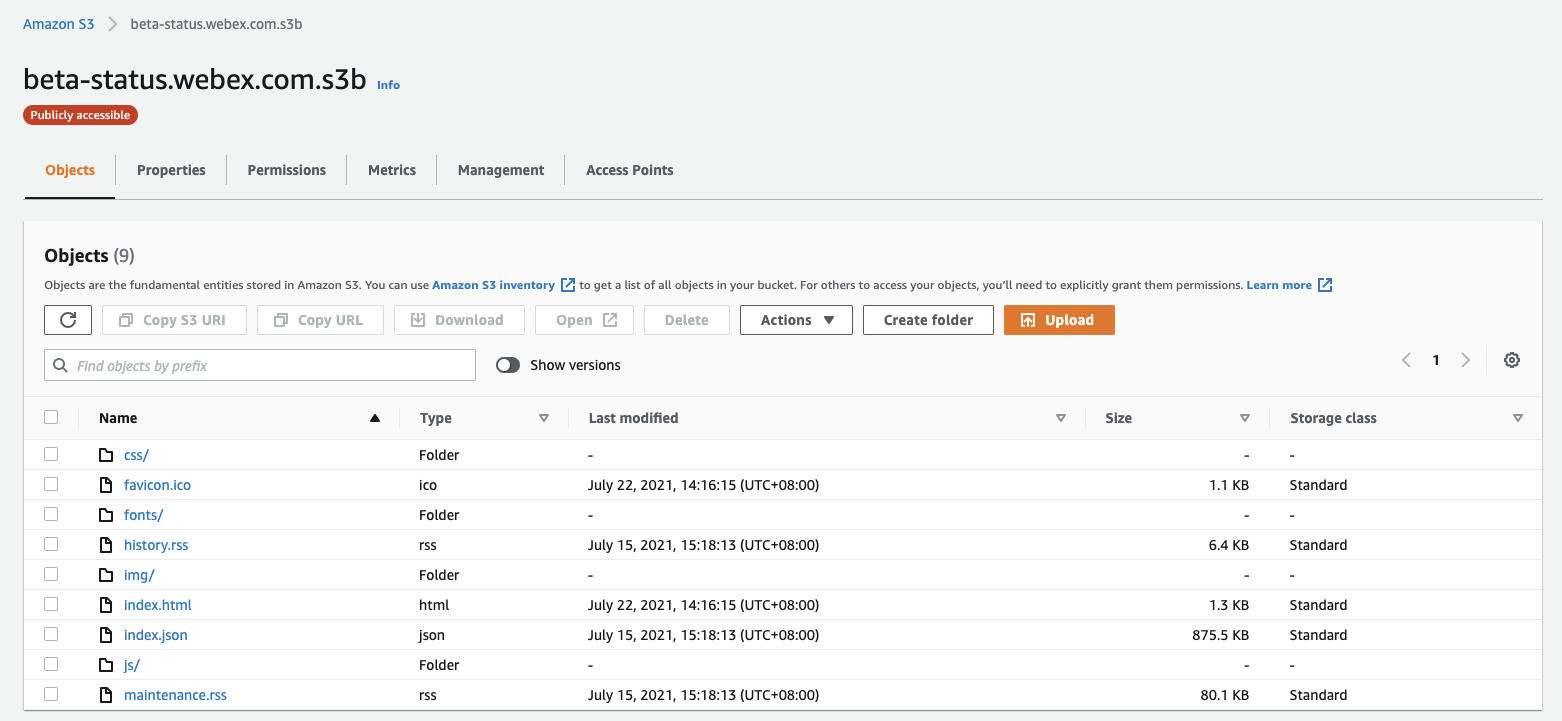
We need to create two S3 buckets with reference to "status.webex.com.s3b" and "log-prod-status.webex.com"
Notes:
- need to edit "Properties → Edit static website hosting", save the below information and copy the "Bucket website endpoint" to the origins of CloudFront distribution
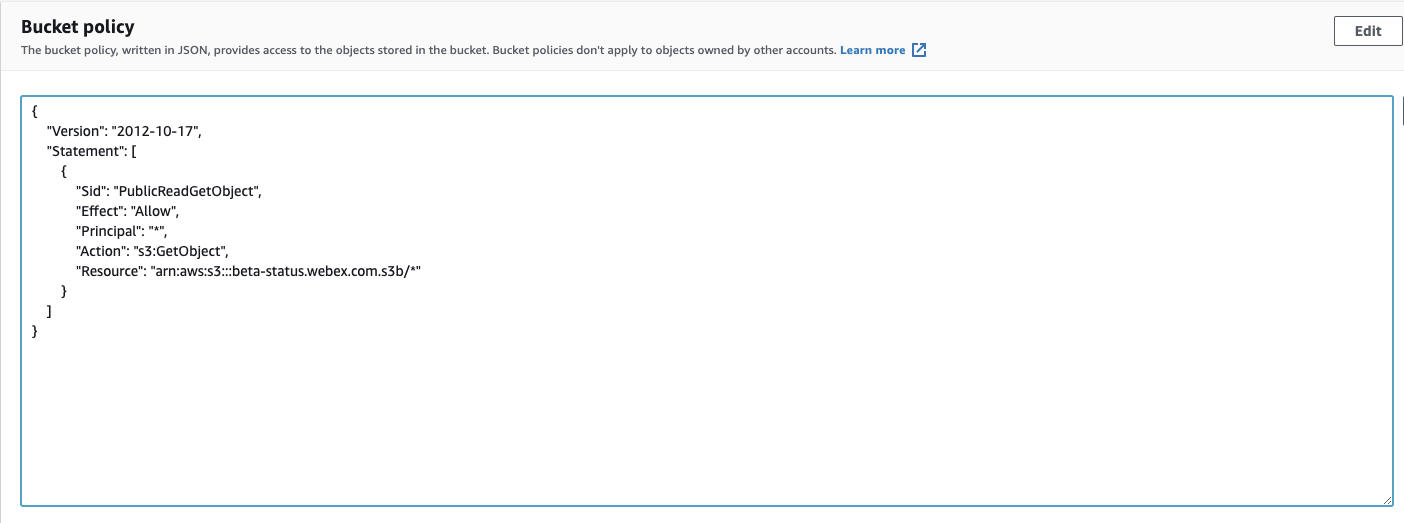
1 2 - need to add the permission in "Permissions → Bucket policy"
AWS Route53 
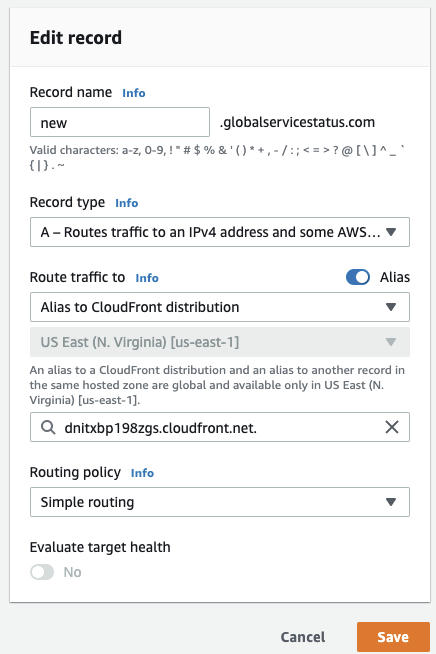
We need to create a record for routing traffic to the CloudFront distribution.
AWS CloudFront 
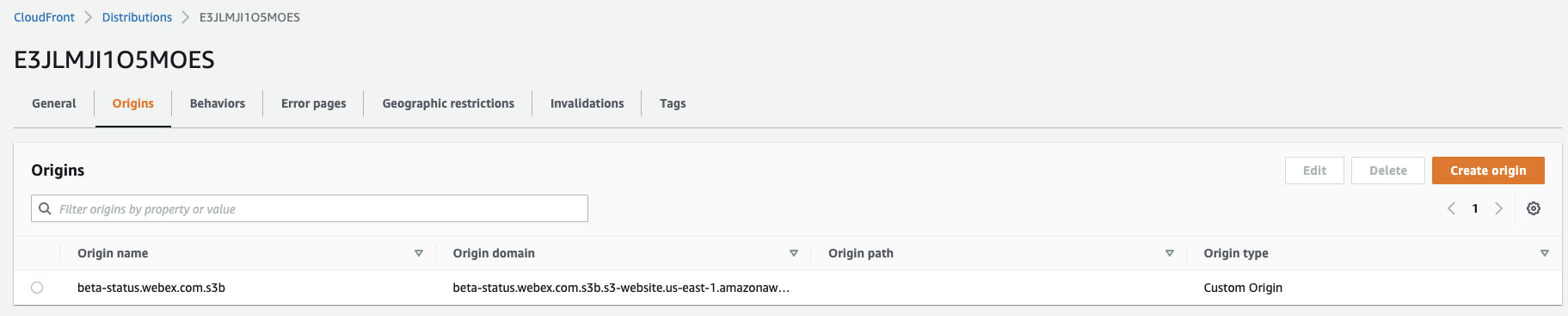
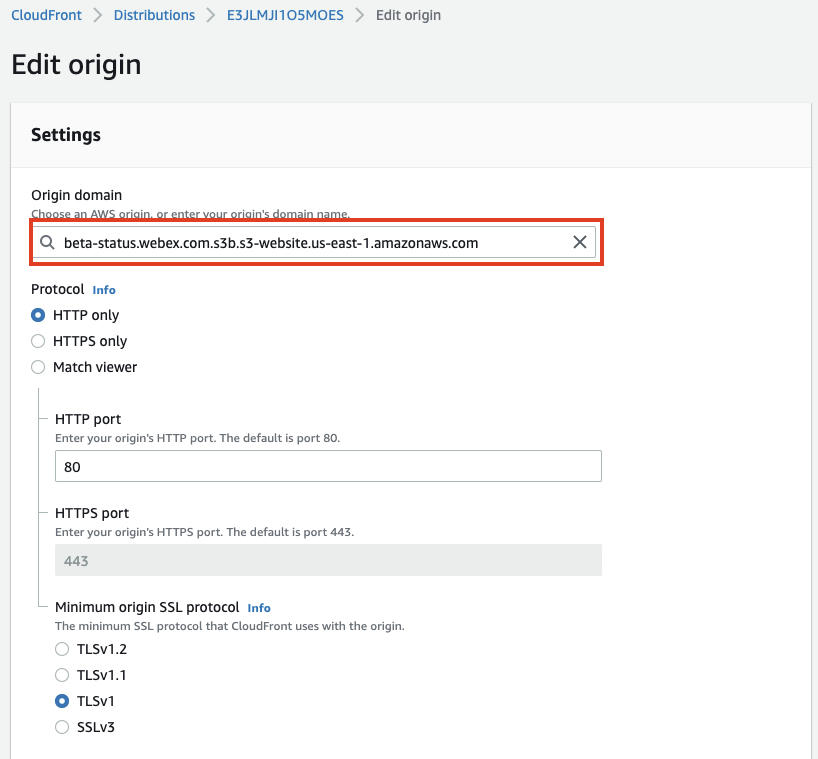
We need to create a CloudFront distribution with the origins: beta-status.webex.com.s3b
Notes:
- the "Origin domain" need to paste the "Bucket website endpoint" from 'AWS S3 bucket-Notes1'
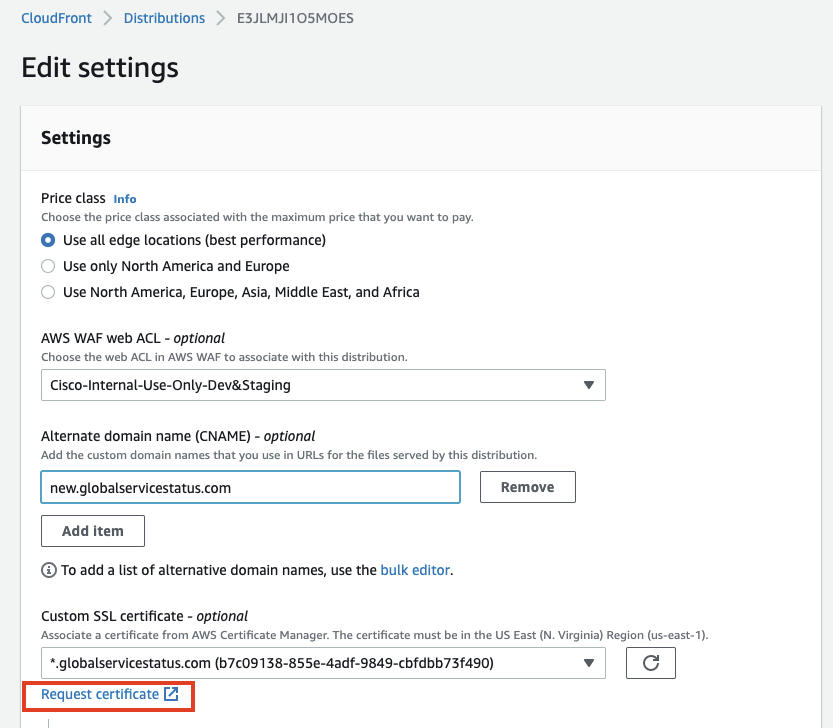
- need to create a certificate for the new domain name
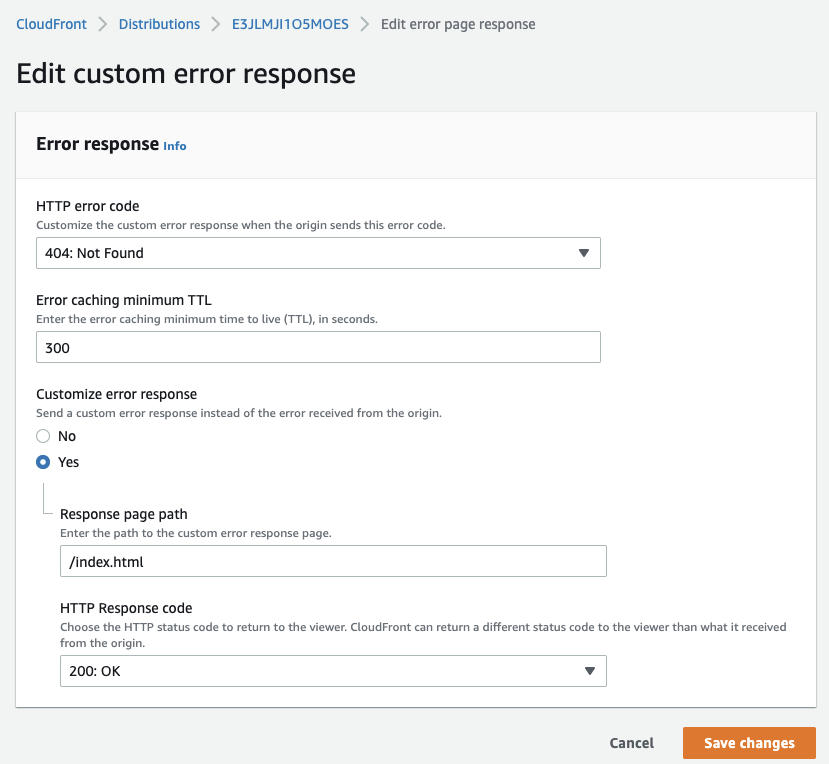
- create custom error response in "Error pages"
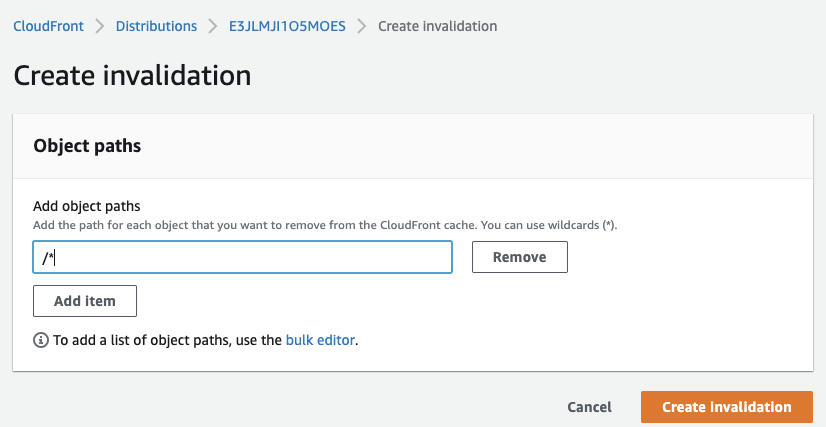
- test if it's normal by creating an invalidation:
AWS CodeBuild 
We need to create an AWS CodeBuild project.
Notes:
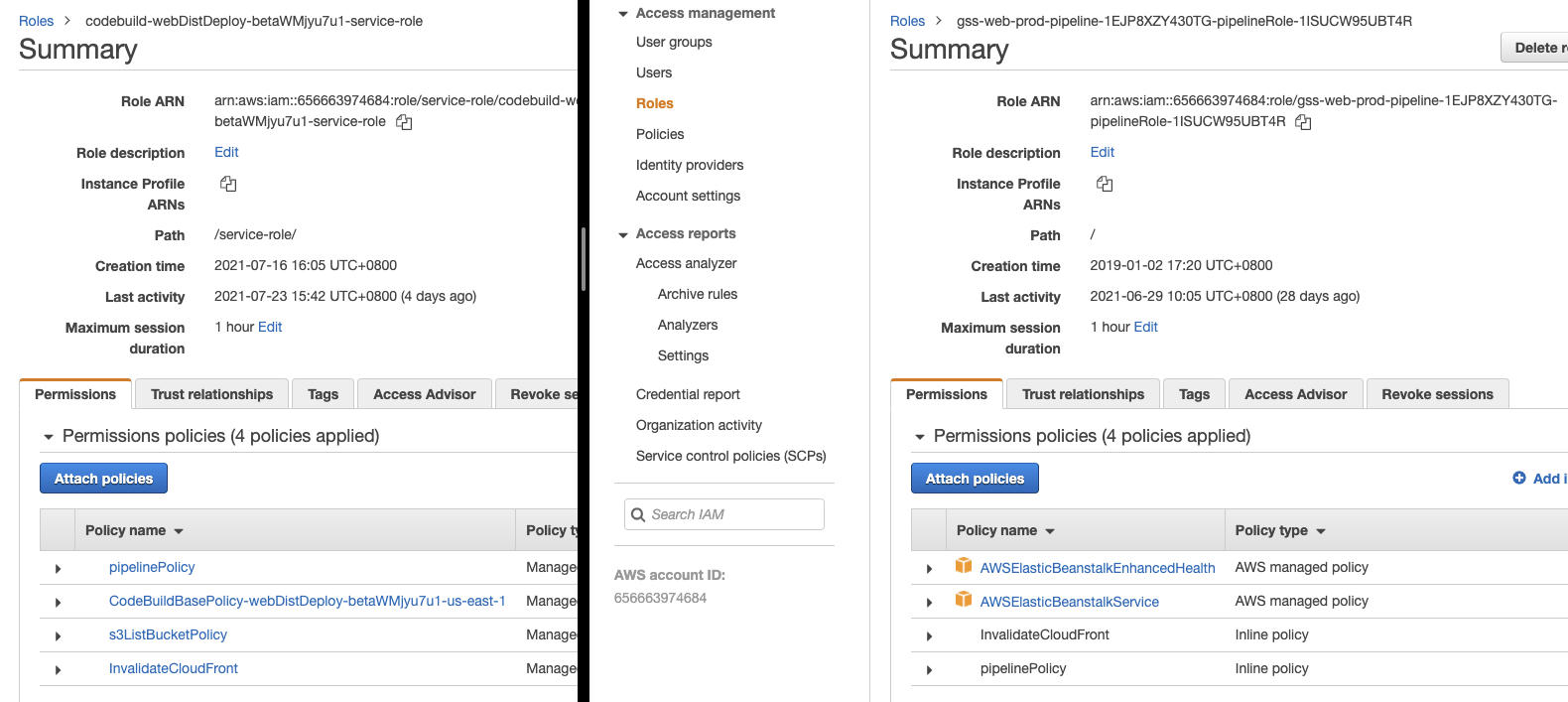
- need to ensure that the Permissions policies of the service role of the newly created CodeBuild project and the service role of the production CodeBuild project are consistent(mainly: pipelinePolicy and InvalidateCloudFront)
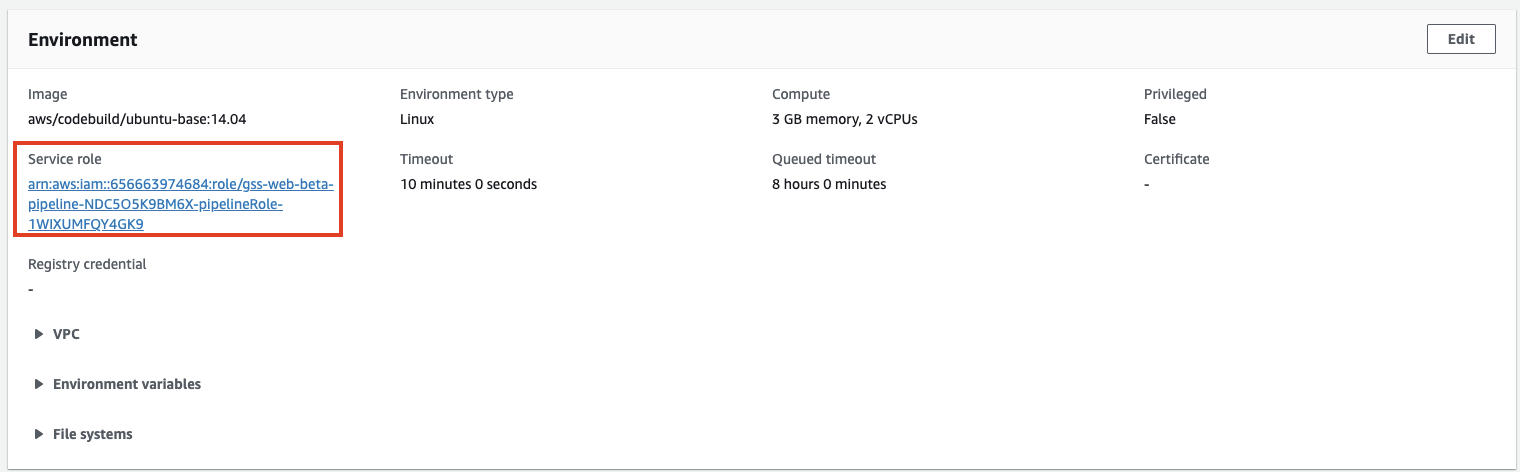
- add "Buildspec"

AWS CodePipeline 
We need to create an AWS CodePipeline project.
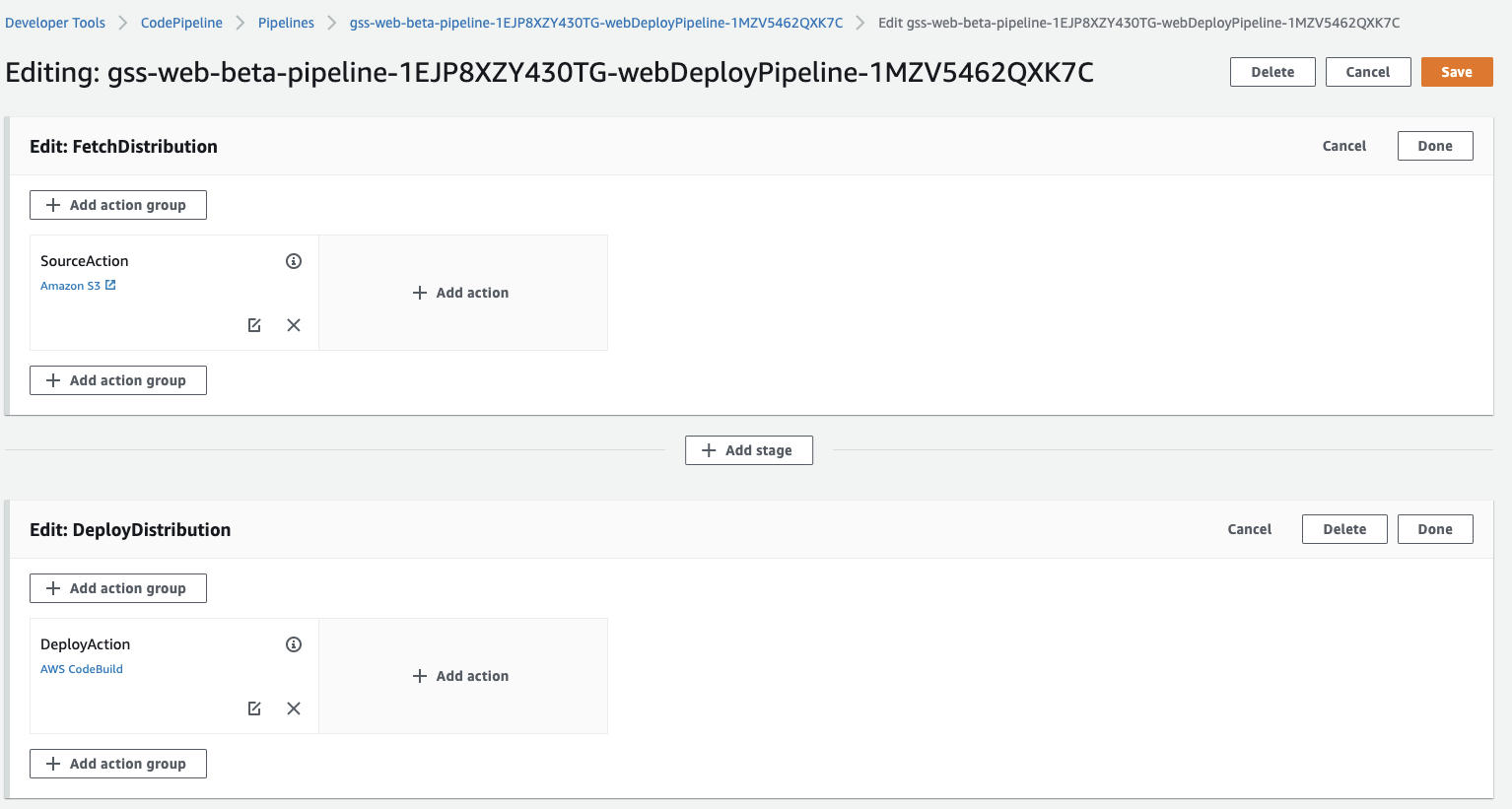
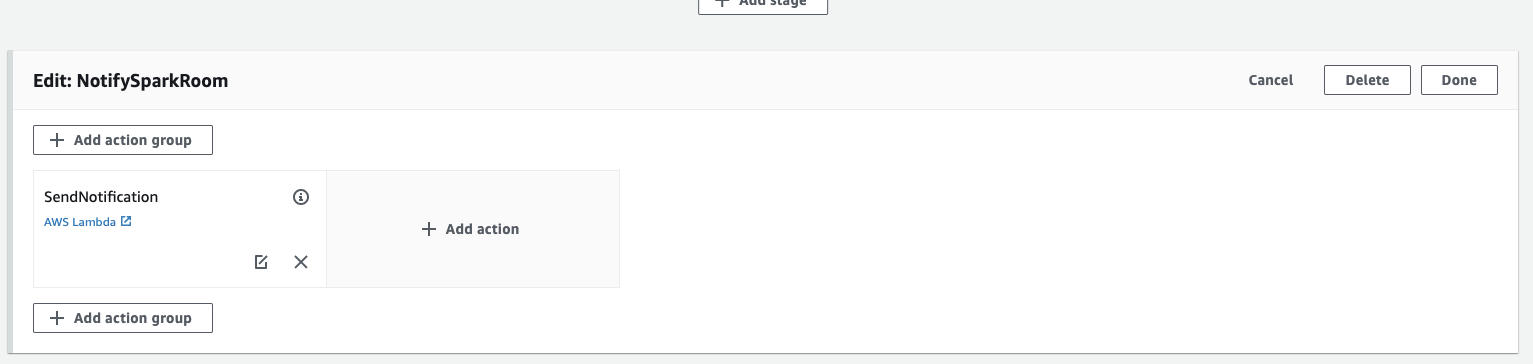
Notes:
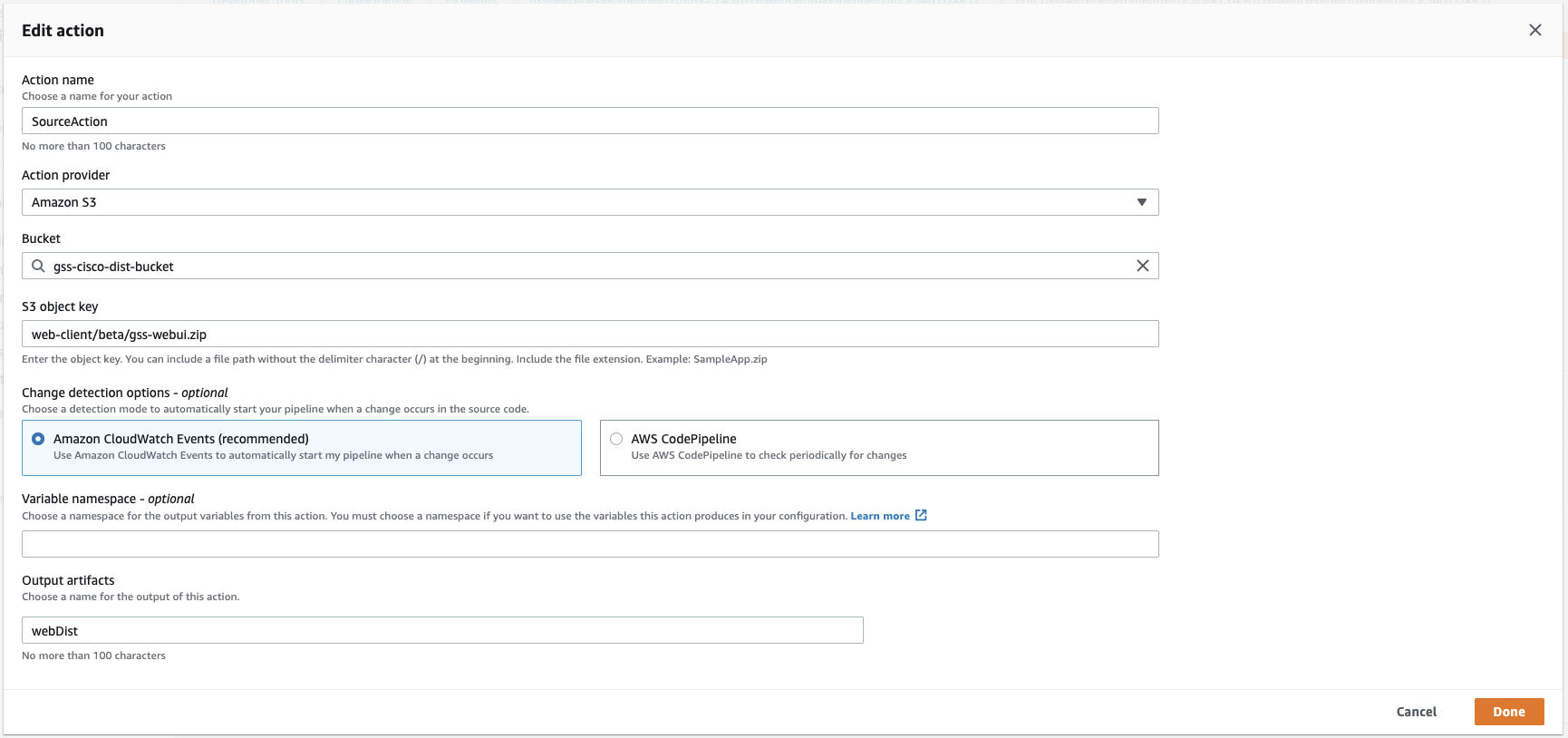
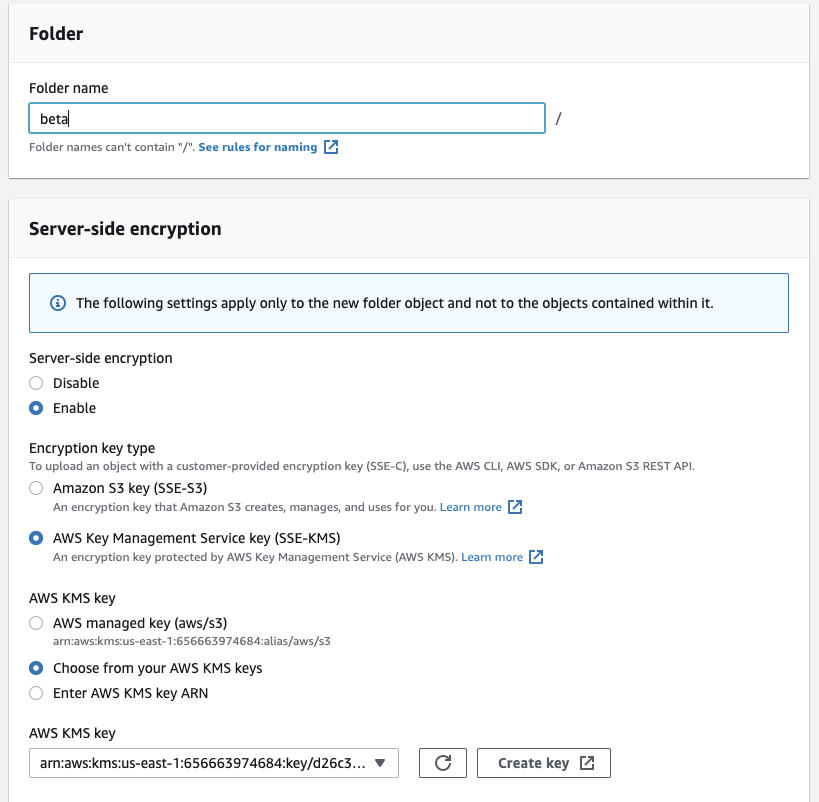
- In the first step "FetchDistribution", when creating new folder in S3 key(gss-cisco-dist-bucket/web-client), need to use the AWS KMS key if no permission
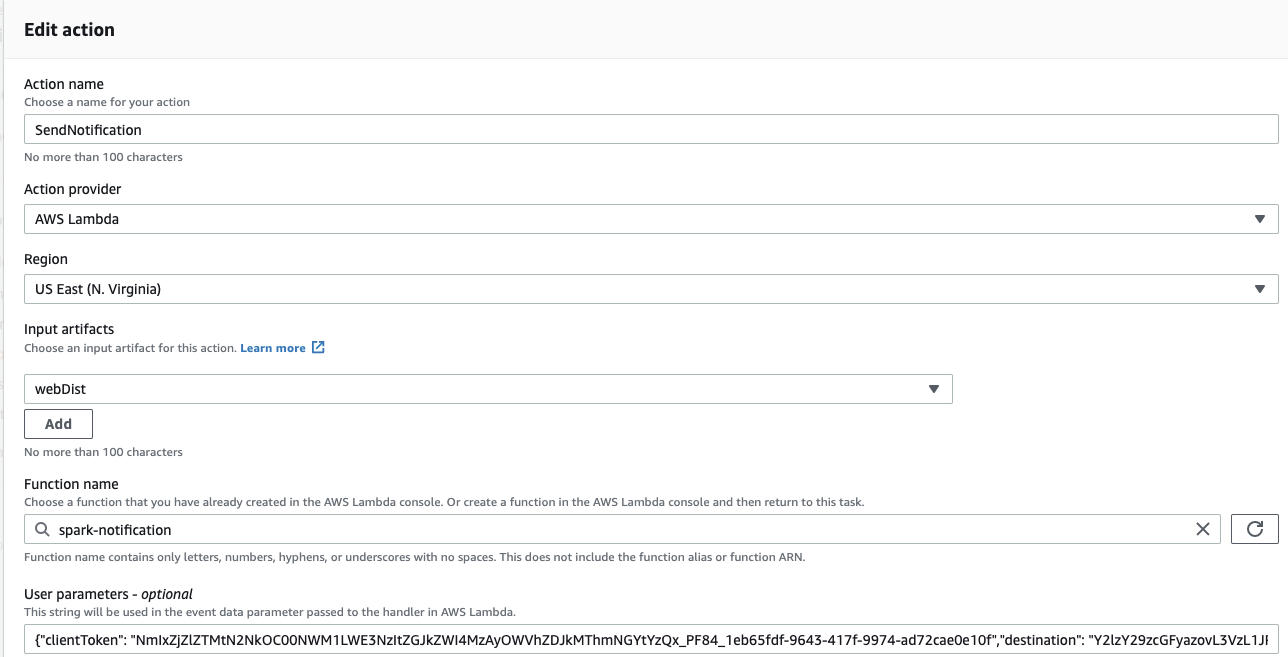
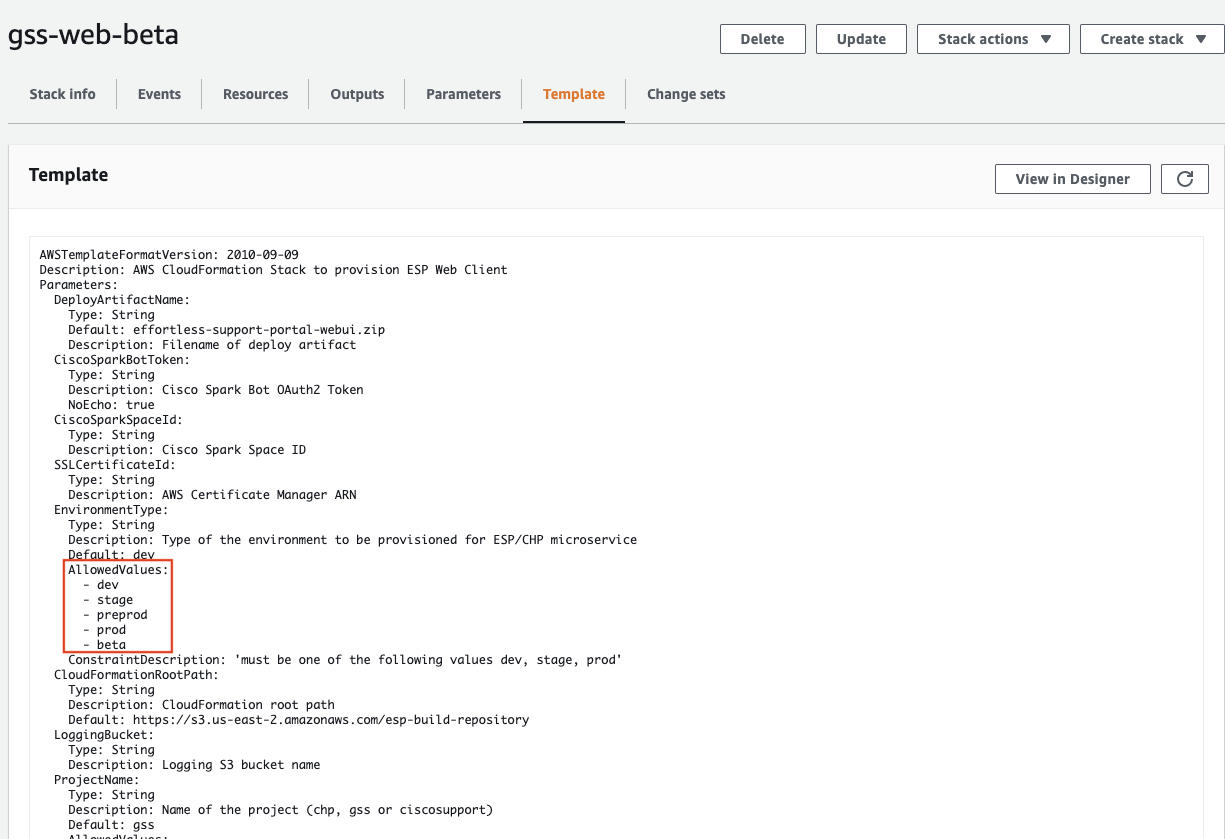
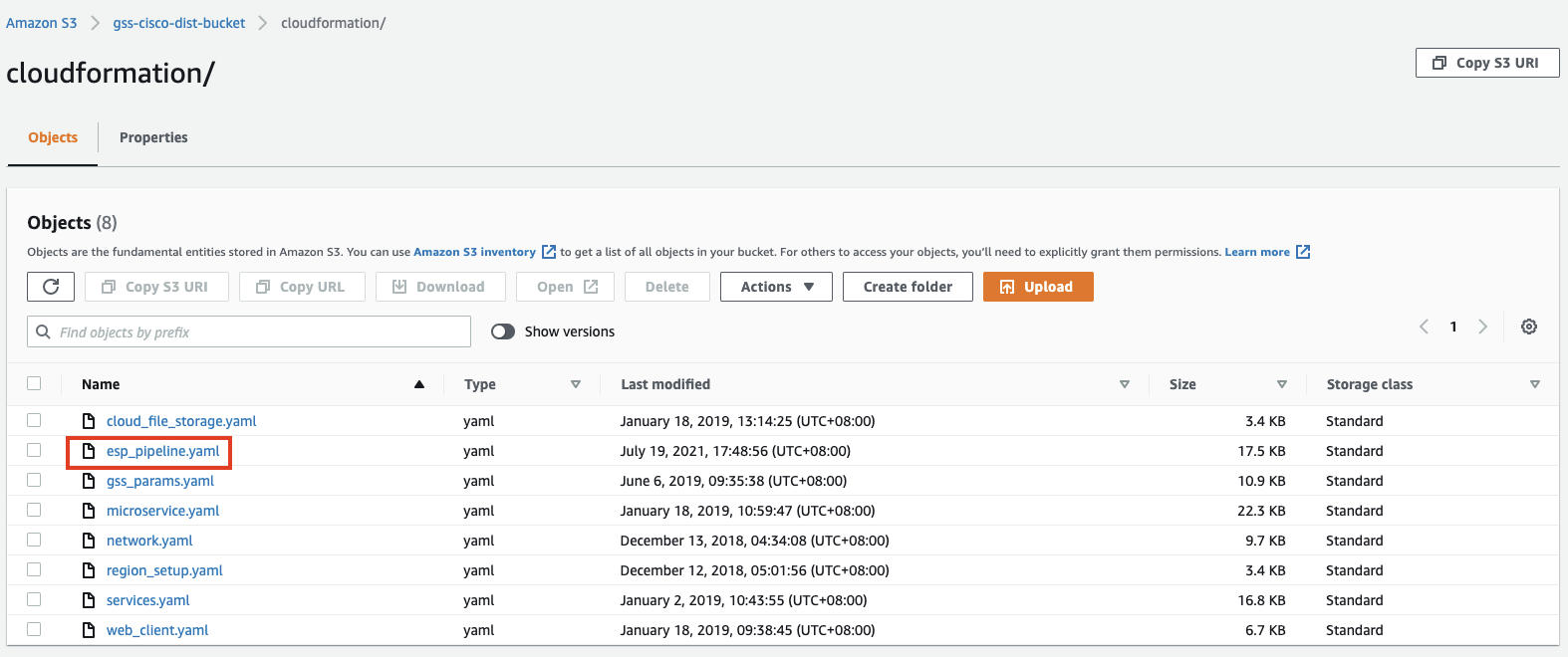
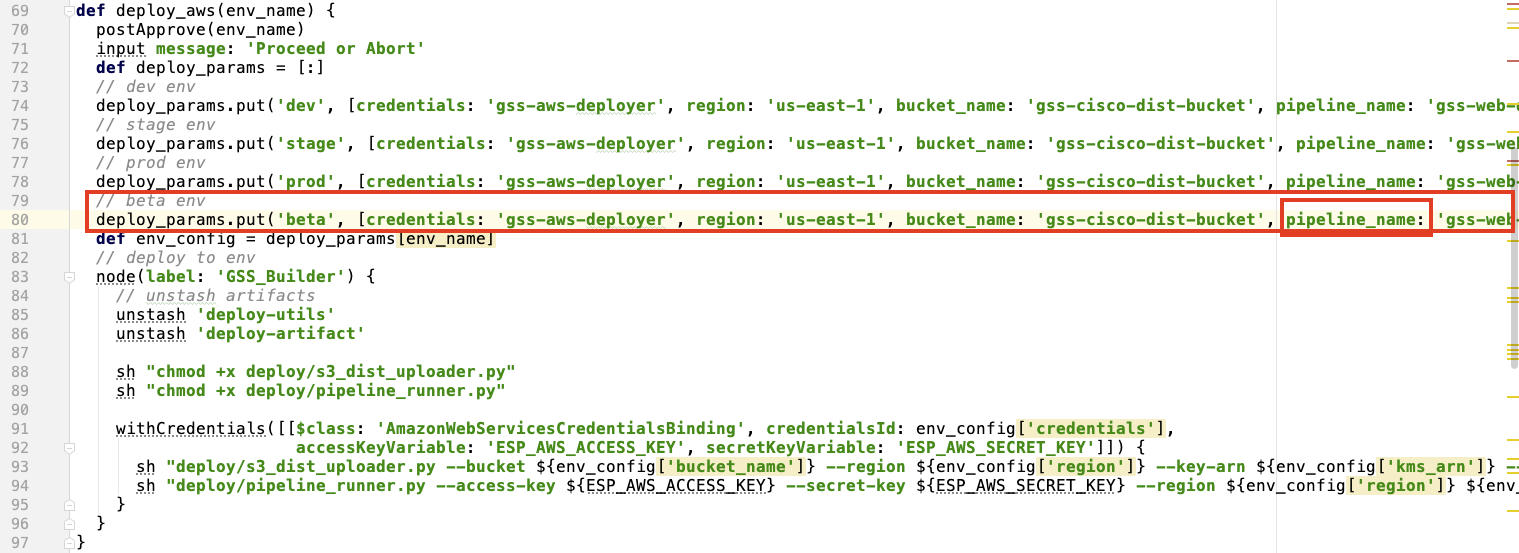
- In the third step "NotifySparkRoom", the param: {{gss-web-beta.DistributionUrl}}: 1. need to create a stack in CloudFormation with template 2. add beta environment in "AllowedValues" in esp_pipeline.yaml of S3
Jenkins Job 
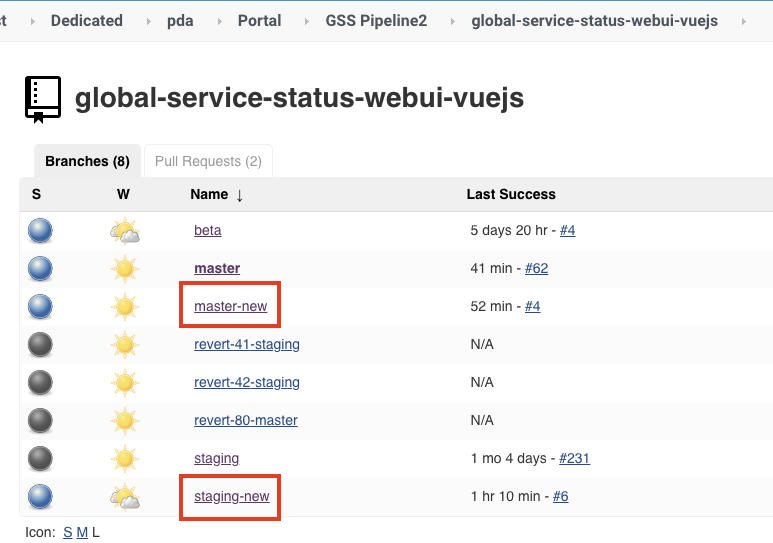
- We need to create new branches: master-new and staging-new in github repo: https://sqbu-github.cisco.com/SAP/global-service-status-webui-vuejs, and then the two new branches will show at Jenkins job: https://engci-private-sjc.cisco.com/jenkins/pda/view/Portal/job/GSS%20Pipeline2/job/global-service-status-webui-vuejs
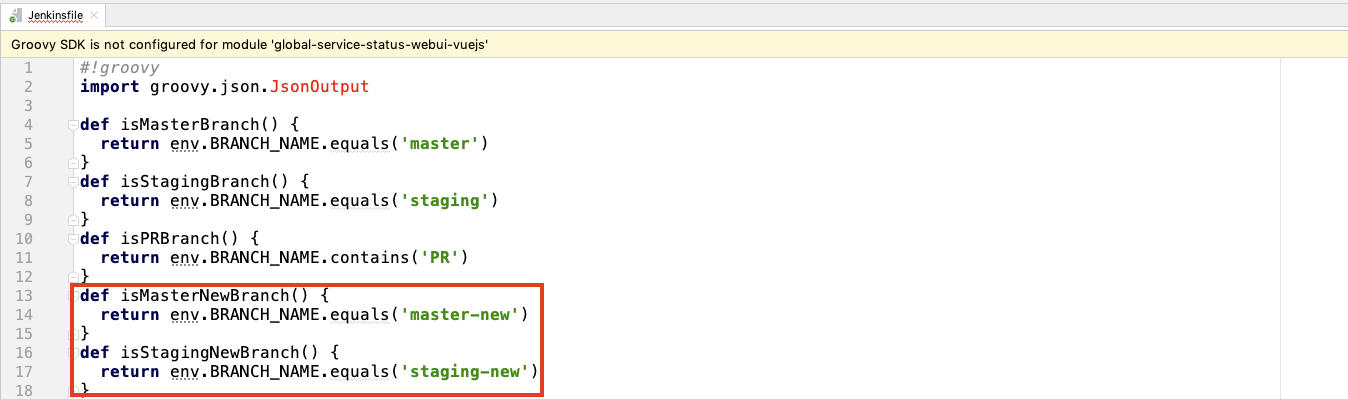
- Modify Jenkins file to trigger the build of the new environment:
Permission Issue 
- Add cors value in "AWS Parameter Store", so that the new front-end page can access the back-end dns of the production
Notes: remember to refresh backend service in Elastic BeanStalk to make it take effect!
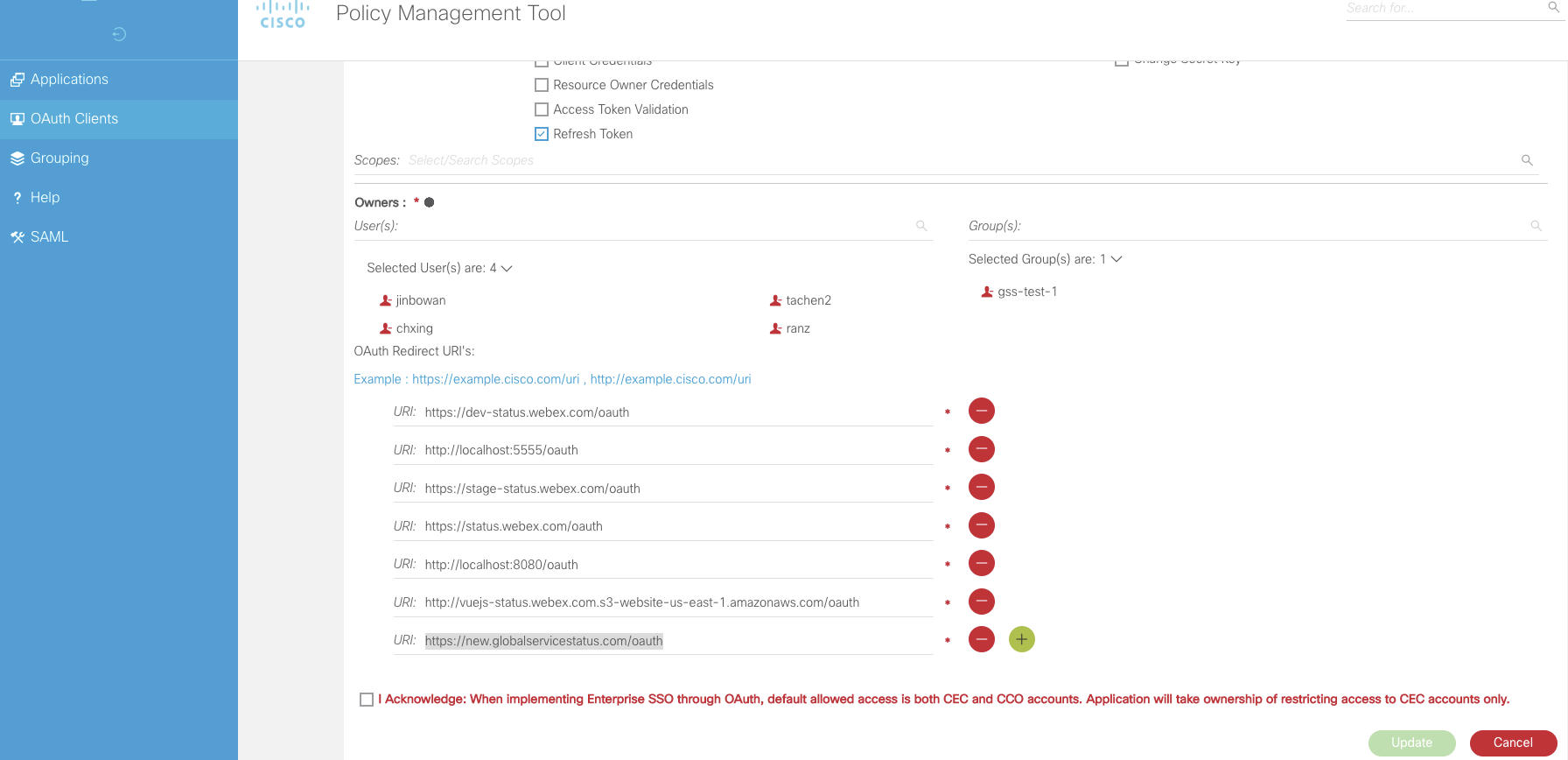
1 - To access admin page: https://new.globalservicestatus.com/admin, need to add the permissions:
- Go to https://wampmtui.cloudapps.cisco.com/loggedIn#/edit-oauth/366 to add cisco sso permission for new oauthRedirectUrl: https://new.globalservicestatus.com/oauth
- Need to add permissions for S3 bucket: refrence to 'AWS S3 bucket|Notes'
- Go to https://wampmtui.cloudapps.cisco.com/loggedIn#/edit-oauth/366 to add cisco sso permission for new oauthRedirectUrl: https://new.globalservicestatus.com/oauth