How to fix security vulnerabilities?(Decommissioned) 
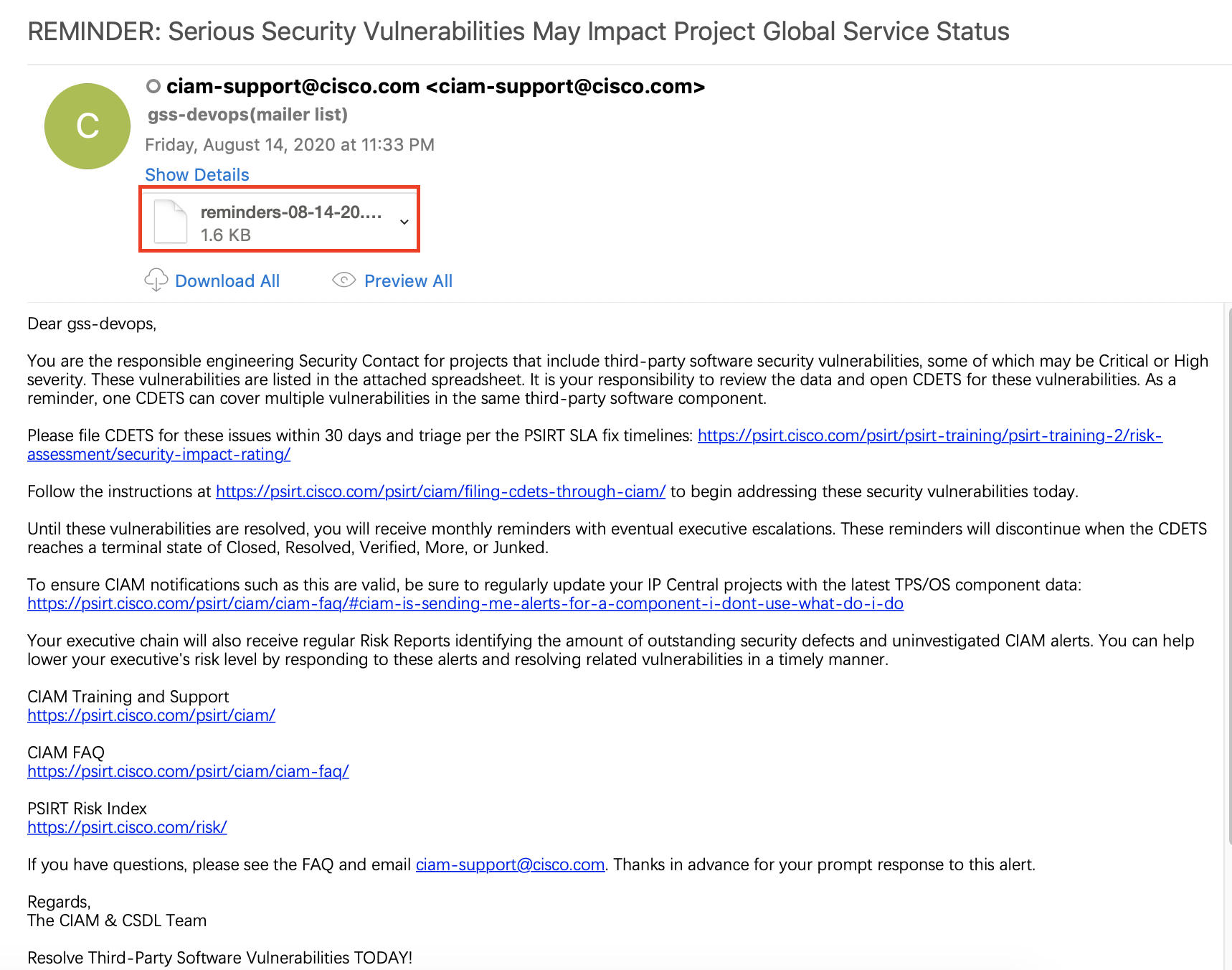
Note: Generally speaking, when GSS has security issues, gss-devops will receive email reminders from ciam-support. (like the screenshot above) Then you can follow these steps below to solve. 
File a CDETS 
- Click the alert link in the email attachment, and find GSS, click 'Project Id' of GSS
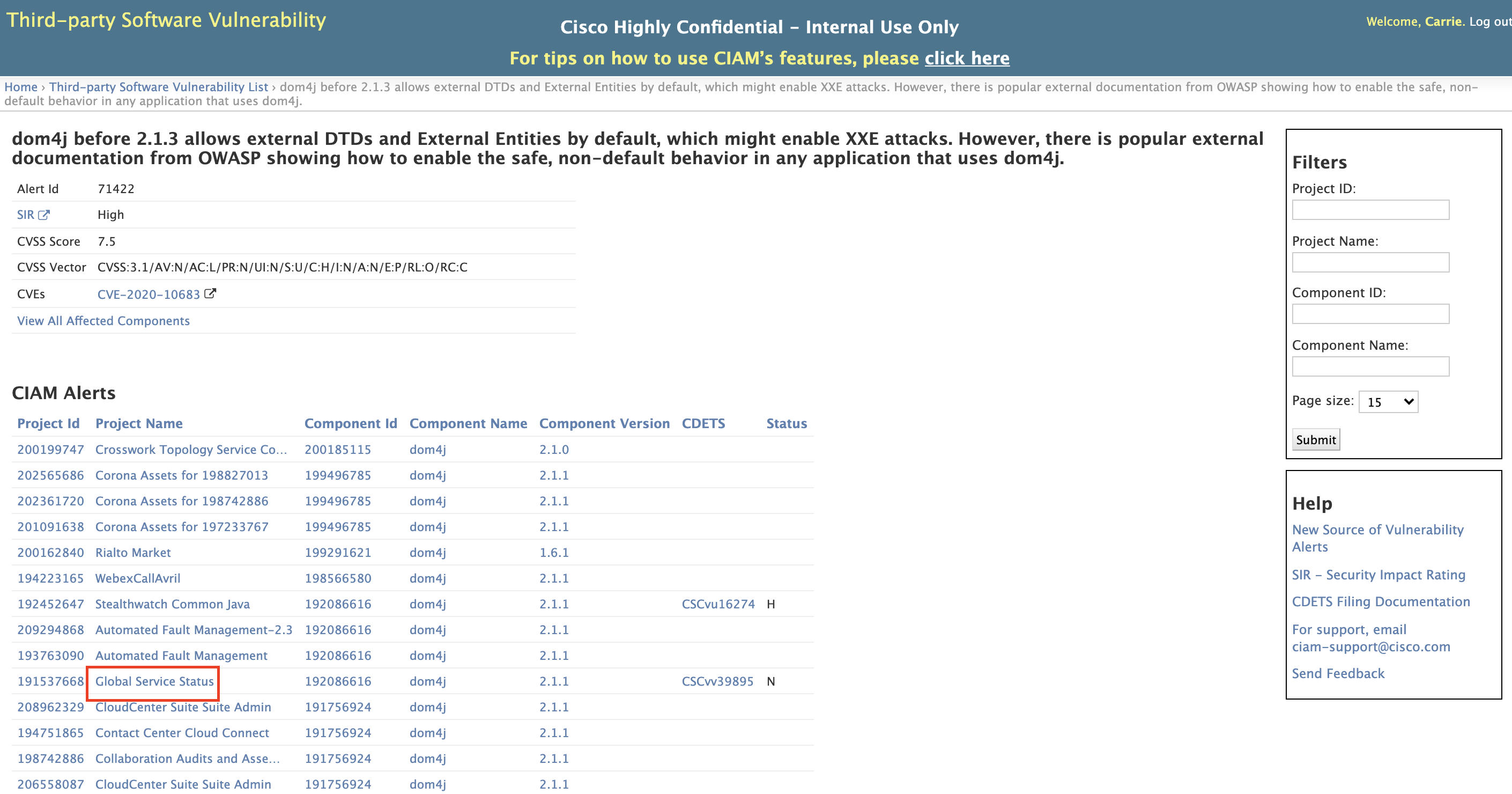
2. You can file a CDETS for this issue. you can refer to https://cdetsng.cisco.com/webui/#view=CSCvv39895 or others. (Project: CSC.csg, Product: gss)
Backend Change 
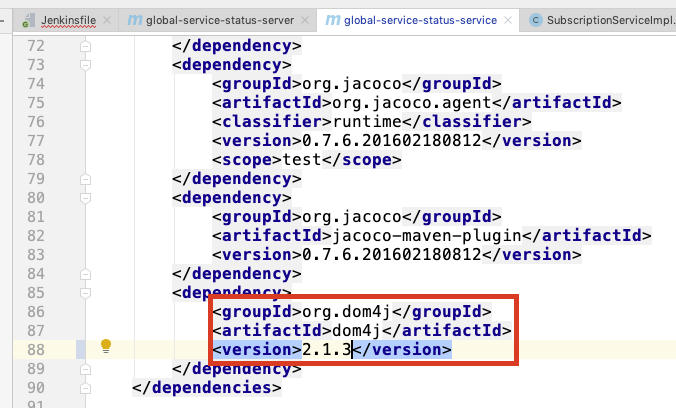
- Generally speaking, we need to update the version of the backend package. For example, in this example, we need to update the version of dom4j.
-
We can find this package in backend pom.xml file and update the package version following the alert instruction. (Usually need to update to the latest version)
-
We need to ensure the normal build of the backend project, and push to stage and prod.
IPCentral Change 
-
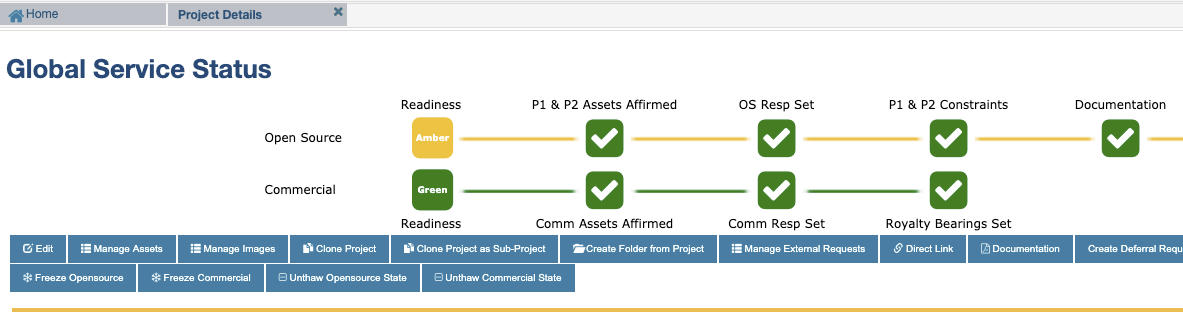
Open IpCentral: https://ipcentral.cisco.com/ipcentral/jsp/ipcentral.jsp, click 'My Projects', double click 'Global Service Status' and we can enter into 'Project Details' page.
-
Remove the old package in IPCentral-Project Details, and click 'Edit'
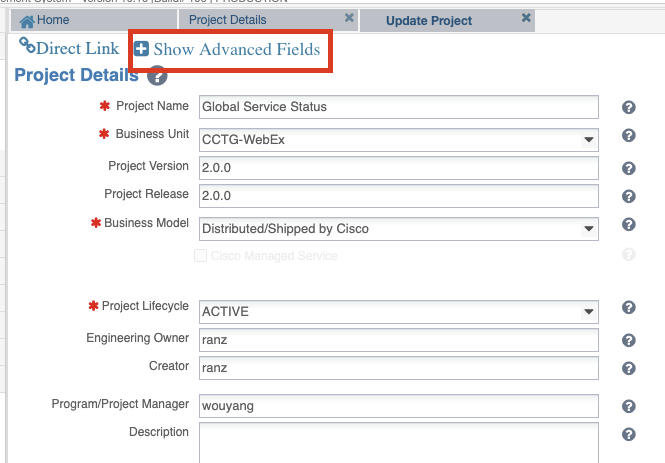
3. click 'Show Advanced Fields'
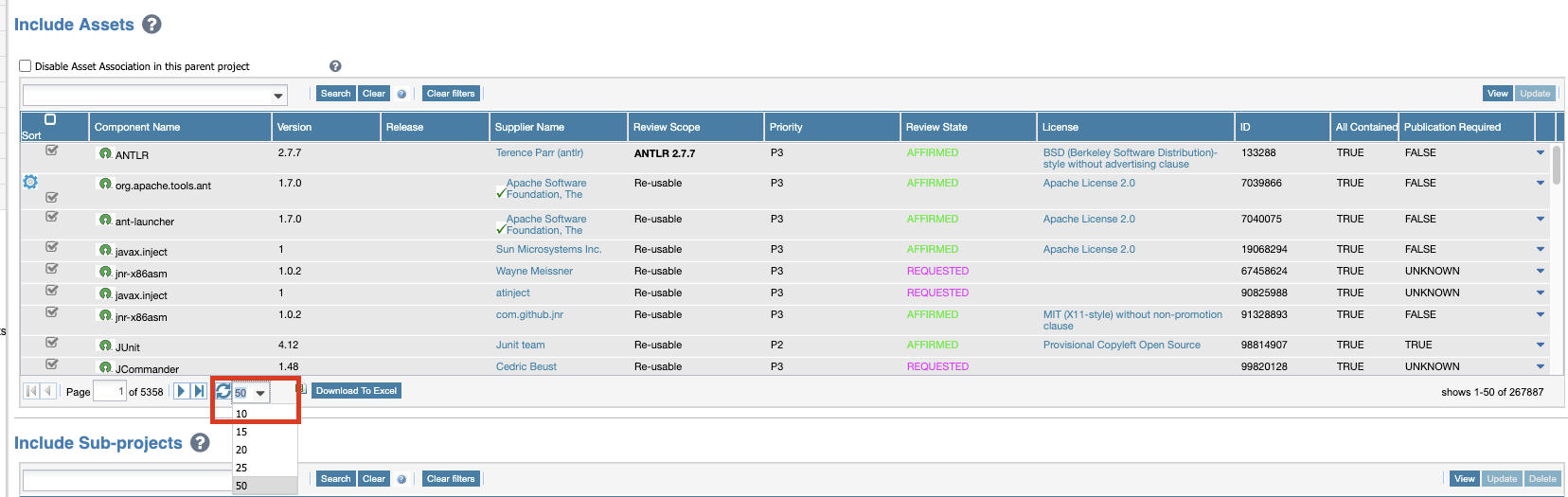
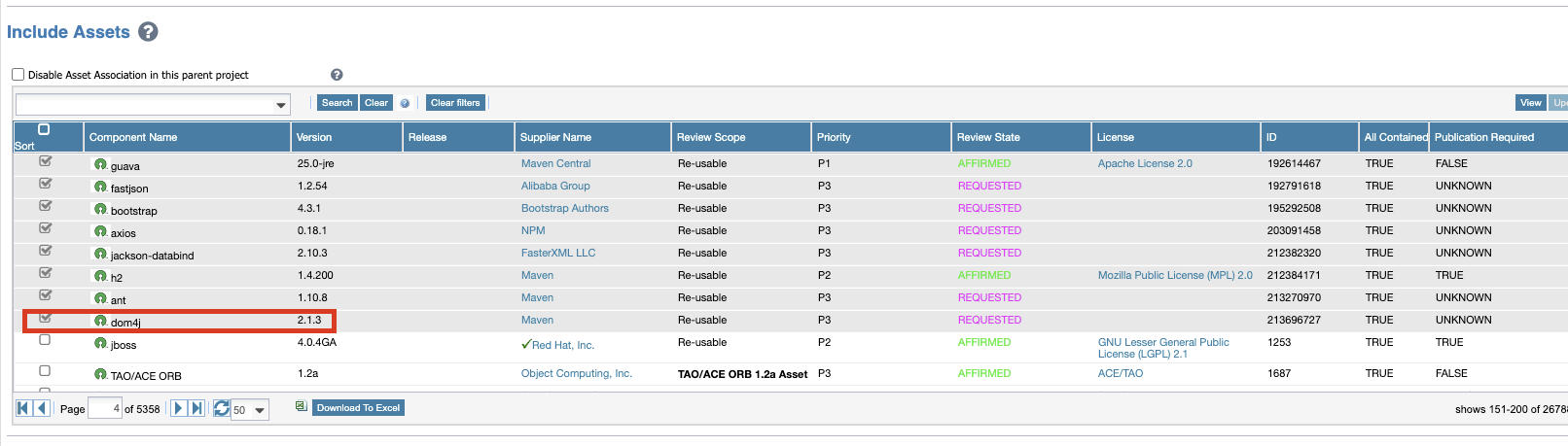
4. We can focus on 'Include Assets', and select to show 50 packages in one page
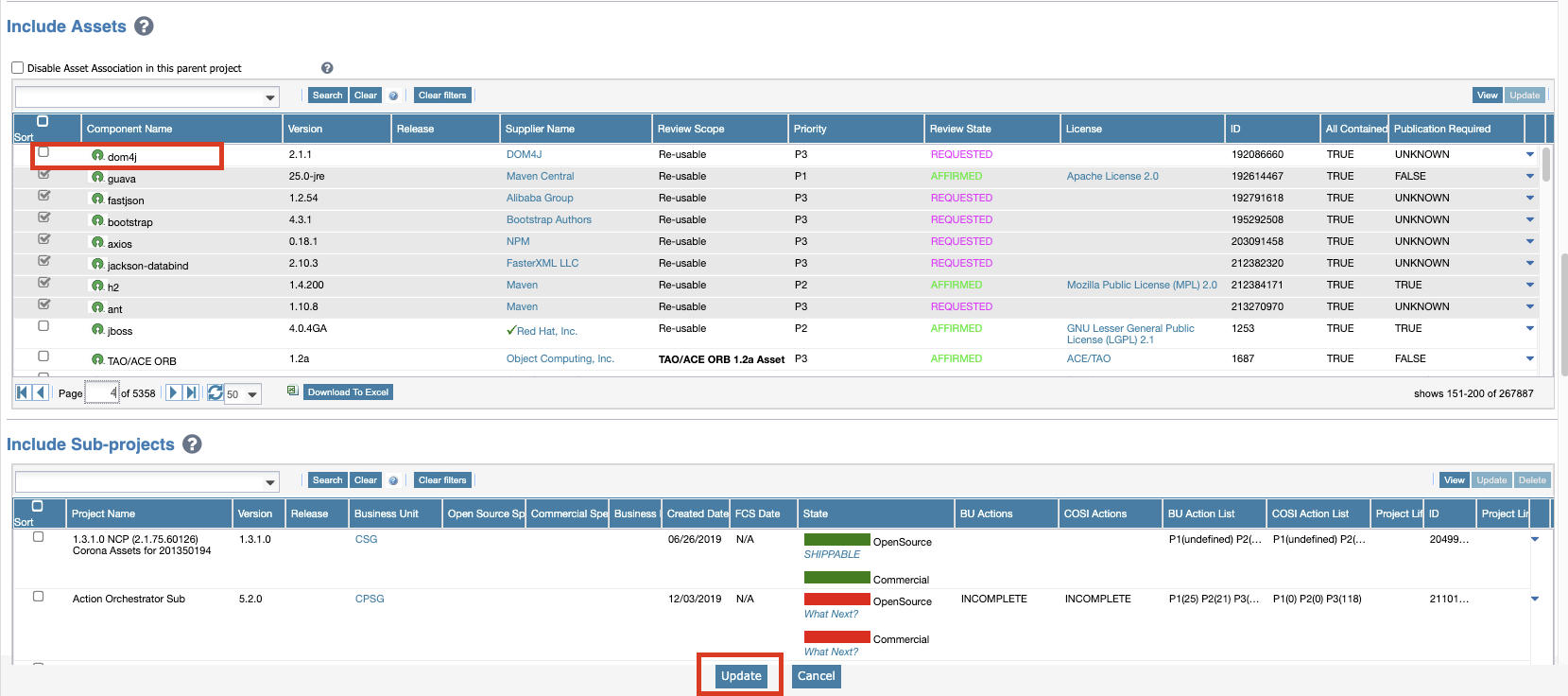
5. Find the package we want to update, and remove it by unselecting it and clicking 'update' . Of course we need to upload the updated version of the package.
6. We can check if the package version exists in 'Open Source Assets'. (Note: requested and Affirmed are available. INFO_REG isn't available.) If it exists, please skip to step 9. If it does not exist, continue to the next step.
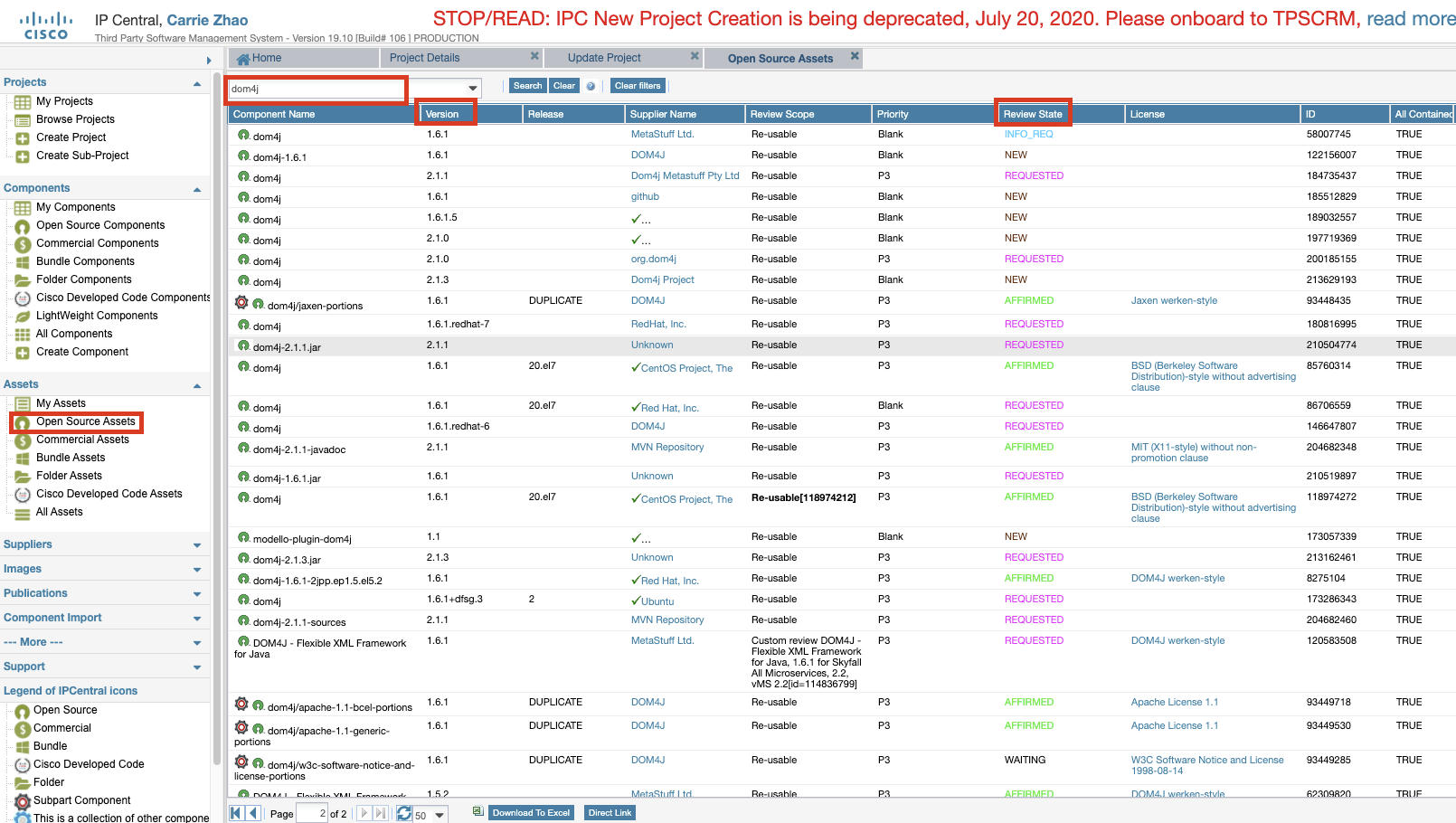
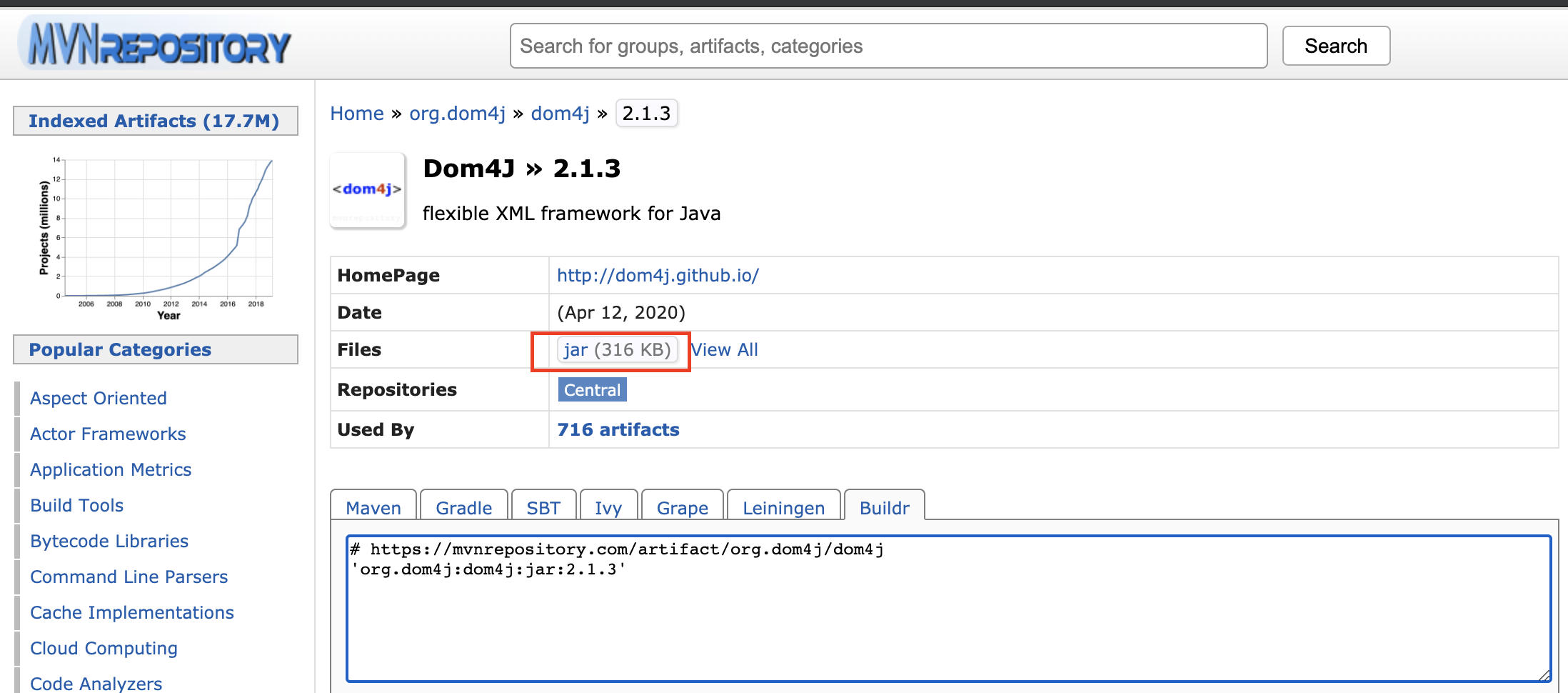
7. Find the package with latest version in maven repo, and download the jar package
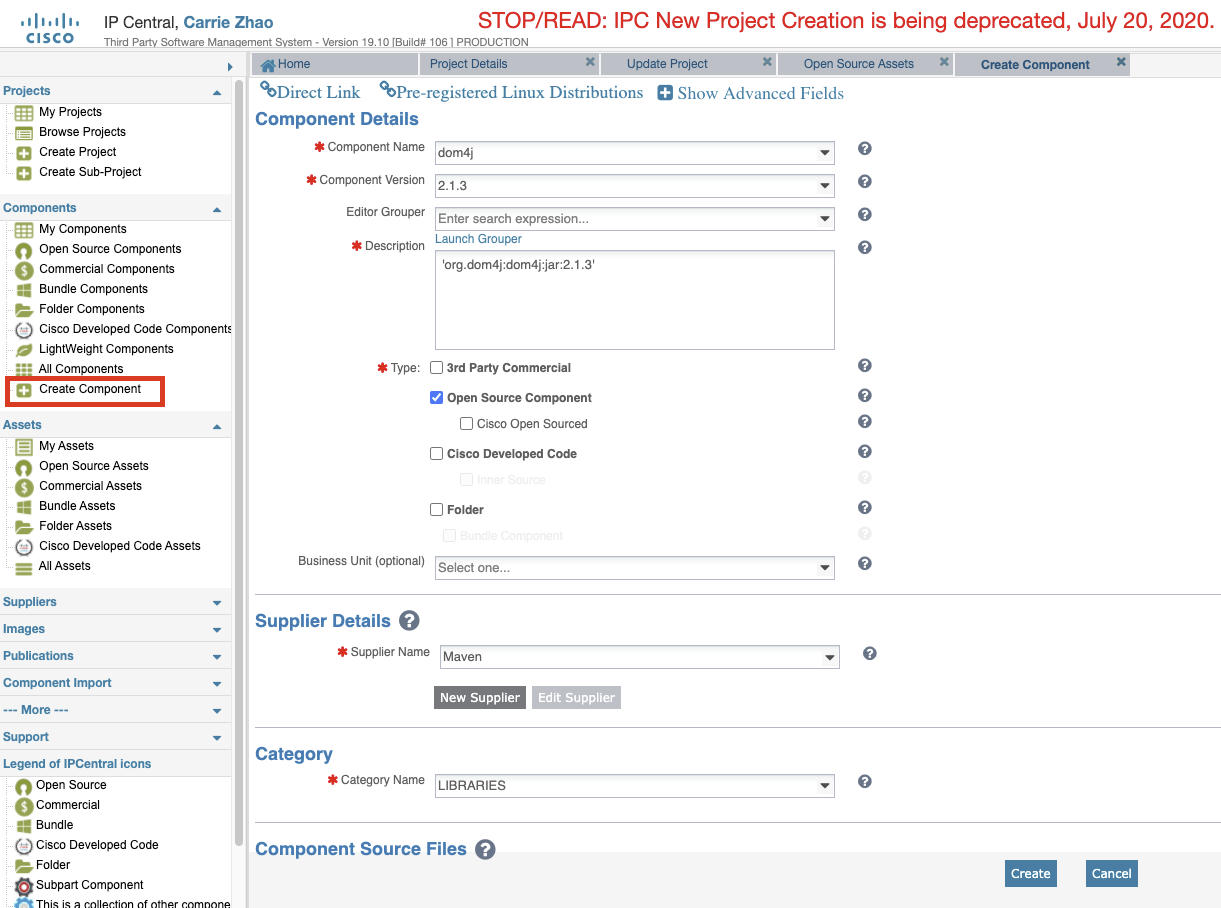
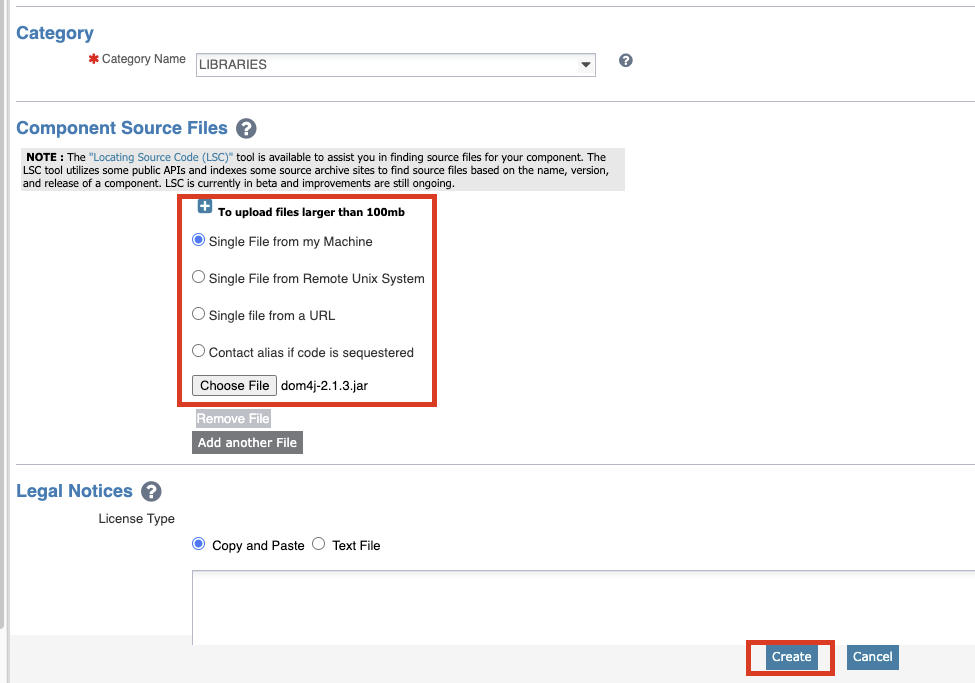
8. create a new component: fill the component information and upload the jar package(step 6), click 'Create'
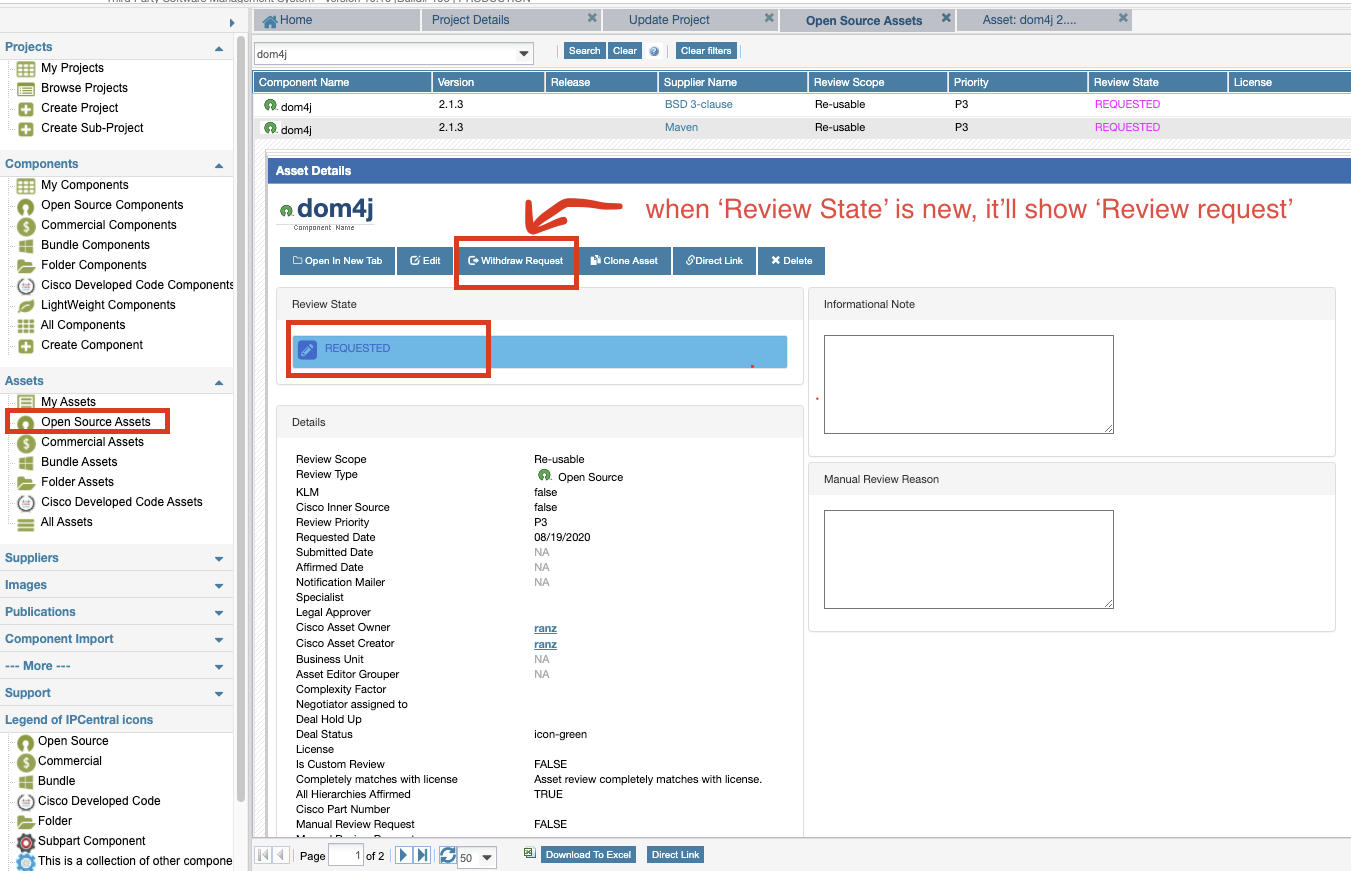
9. We can check the component just created in 'Open Source Assets', and click 'Review request' if 'Review State' is 'new'. Then 'Review State' will change to 'Requested'(it's available).
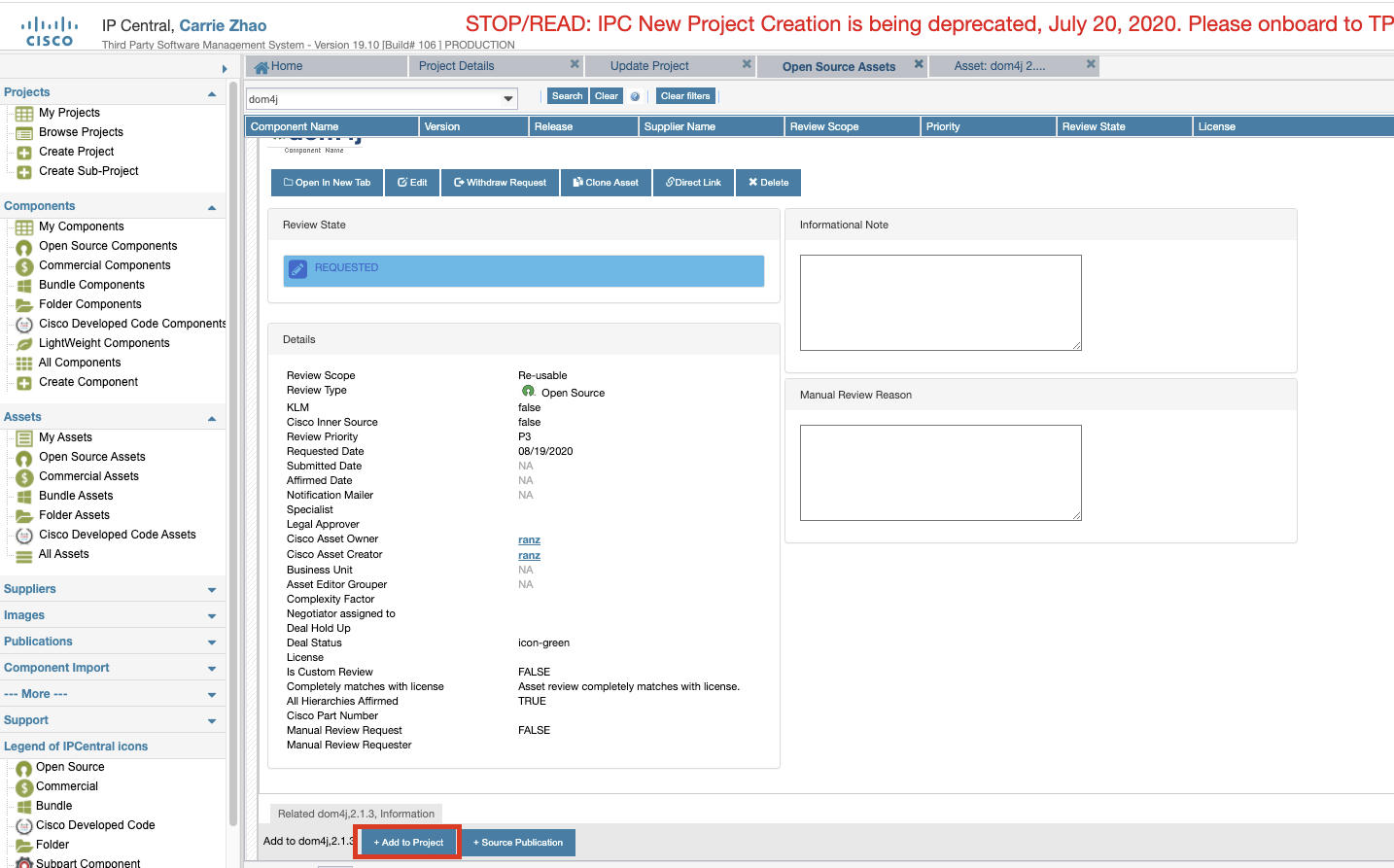
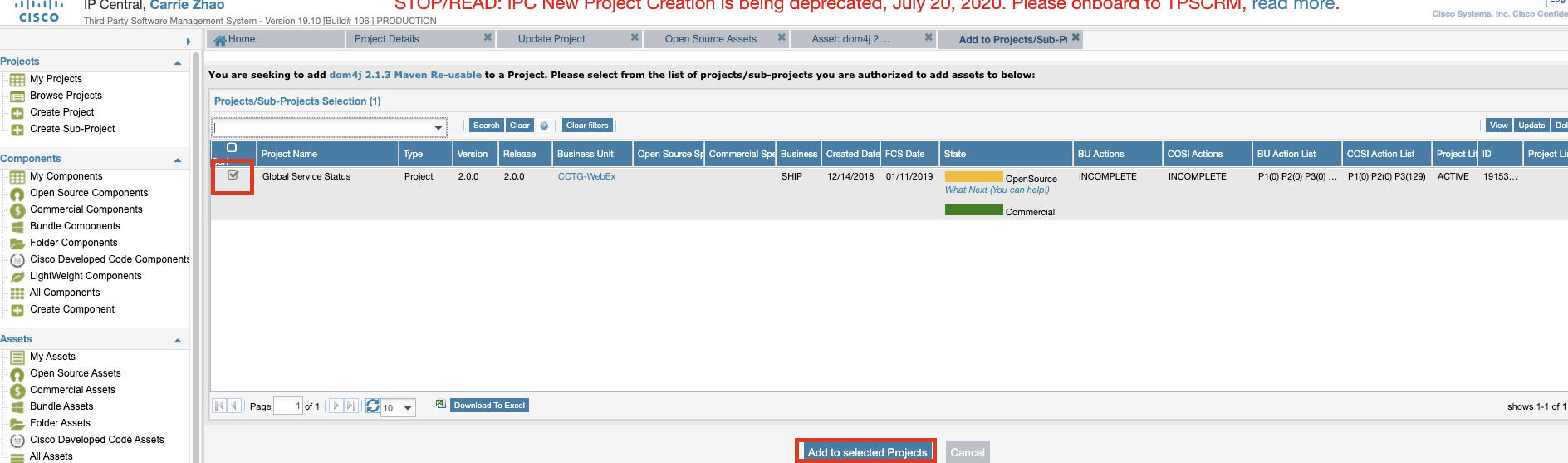
10. Click 'Add to Project', select GSS project and click 'Add to selected project'
11. We can verify if the package exists in 'Include Assets'(Mentioned in step 3)
Update CDETS Status 
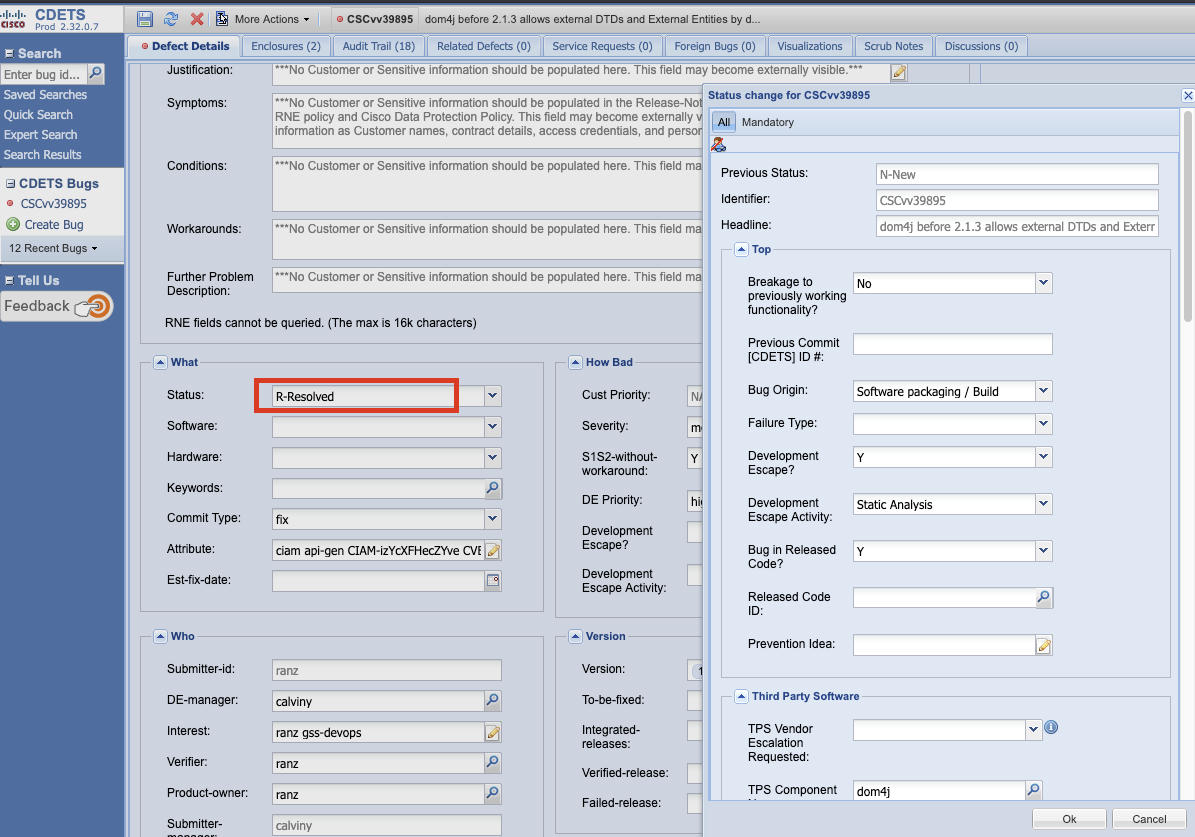
We should update CDETS status to 'resolved'. (it's filed in File a CDETS above)