How to modify SES email template? 
AWS SES Email Template
Login AWS: https://cloudsso.cisco.com/idp/startSSO.ping?PartnerSpId=https://signin.aws.amazon.com/saml
Note:
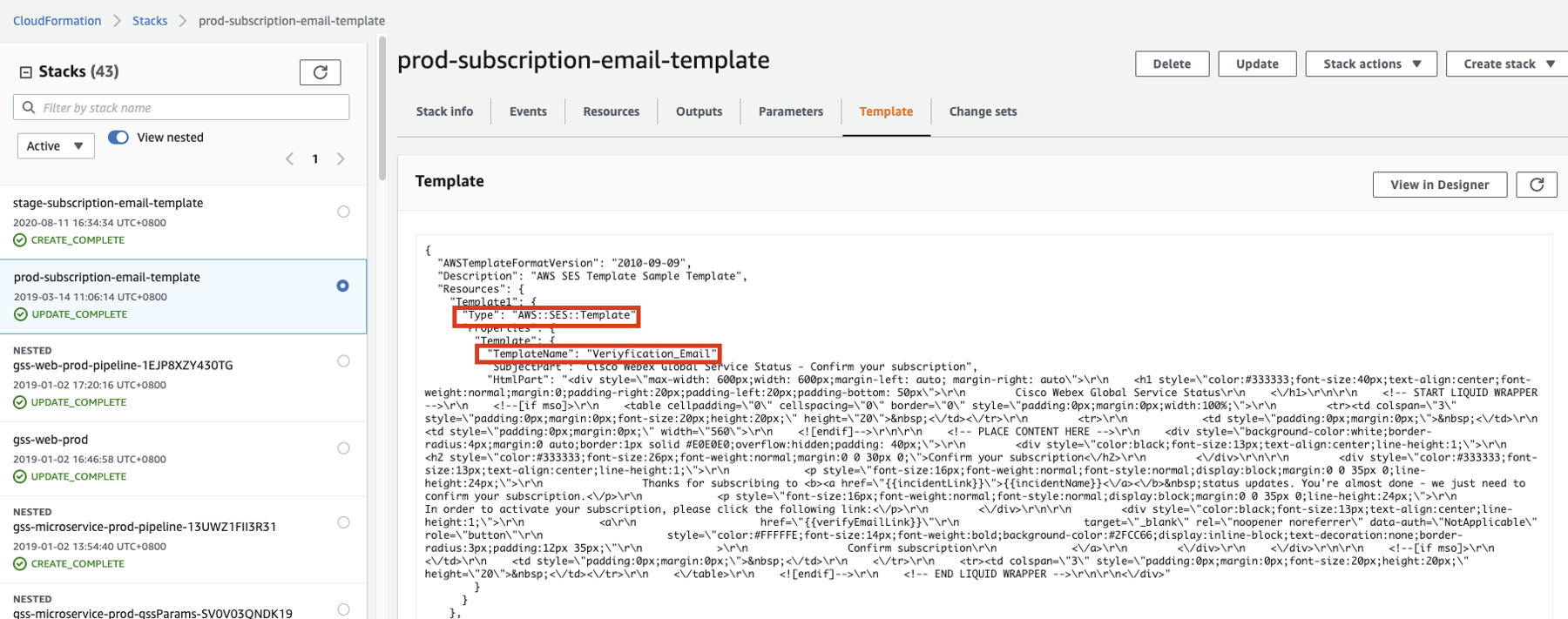
a. When uploading the Template, pay attention to ensure the TemplateType is: 'AWS::SES::Template'
b. The templates of these two environments are distinguished by TemplateName, and have nothing to do with stack name
- CloudFormation:
- us-east-1: prod and stage
prod-subscription-email-template
stage-subscription-email-template
- us-west-2: dev and local
dev-email-template (test for templateName with "**_dev")
none-prod-email-template
- us-east-1: prod and stage
-
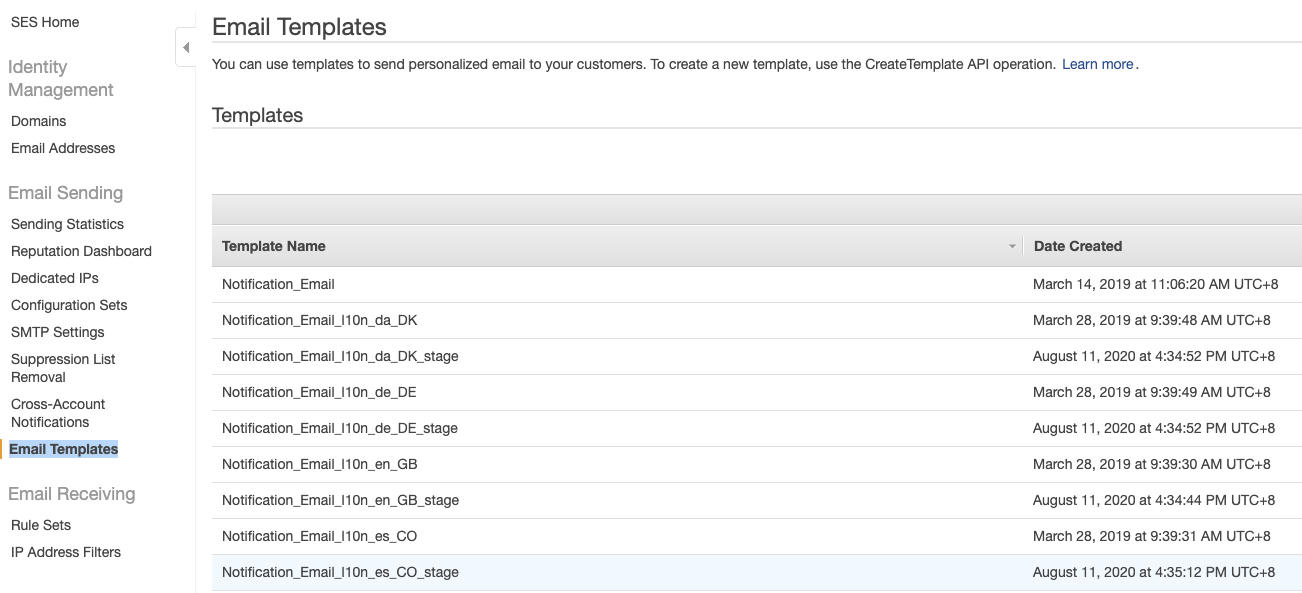
Simple Email Service: (Note: Once the Template is successfully uploaded to the cloudformation, you will see that the Template is automatically loaded in the SES Email Templates)
-
Problems encountered when updating email template
- unable to update the resource “AWS::SES::Template”, multiple resources of type “AWS::SES::Template” that failed to create with below error: "2024-08-08T07:26:54.041Z AWS::SES::Template Template64 CREATE_FAILED Resource handler returned message: "Resource of type 'AWS::SES::Template' with identifier 'Veriyfication_Email_l10n_ja_JP' already exists."
- Root cause: These error templates are not created through the current stack and already exist in SES
- Solution: Delete the existing SES template using CLI that failed to deploy. And then, re-create them using the CloudFormation stack again. (Open AWS CloudShell, delete all error email templates by this command: aws ses delete-template --template-name
)
- unable to update the resource “AWS::SES::Template”, multiple resources of type “AWS::SES::Template” that failed to create with below error: "2024-08-08T07:26:54.041Z AWS::SES::Template Template64 CREATE_FAILED Resource handler returned message: "Resource of type 'AWS::SES::Template' with identifier 'Veriyfication_Email_l10n_ja_JP' already exists."
AWS Systems Manager-Parameter Store 
- System parameters are configured in Parameter Store.
-
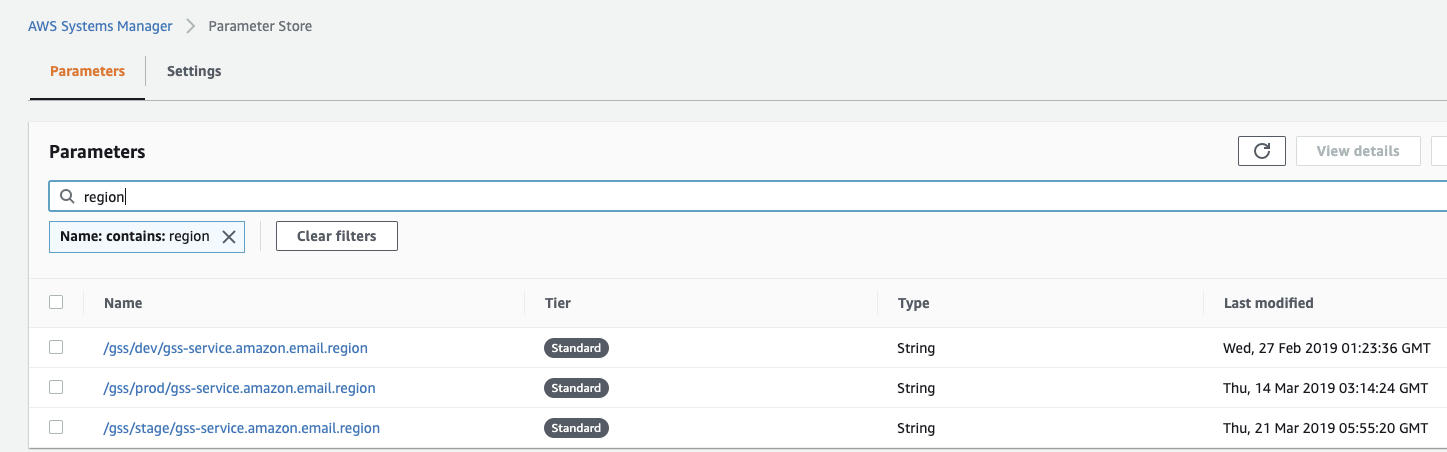
region
dev: us-west-2
stage and prod: us-east-1
-
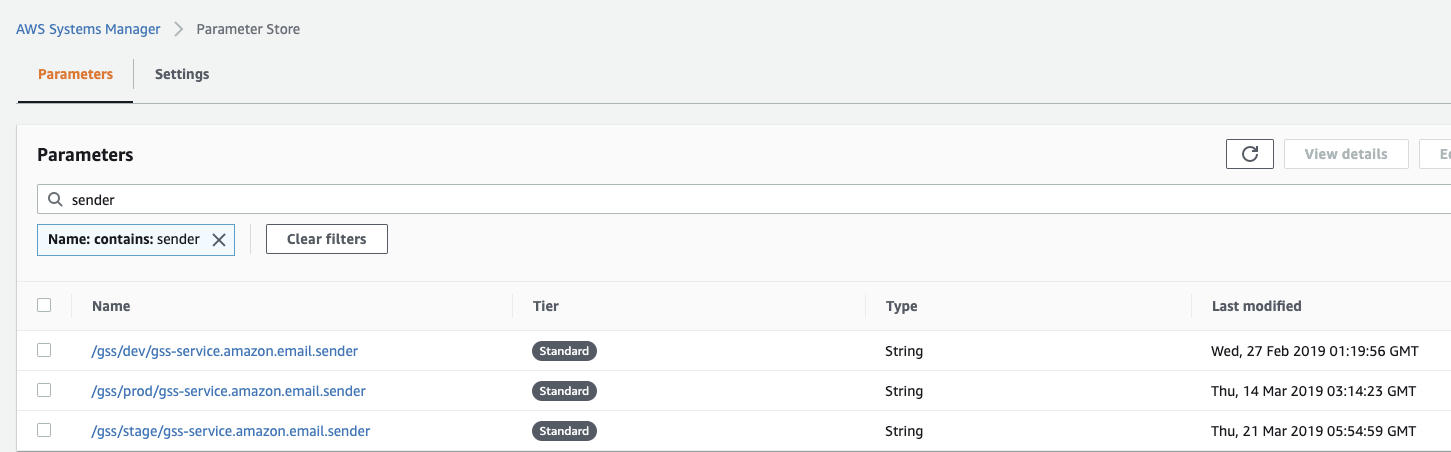
sender
dev: leiwang5@cisco.com
stage and prod: no-reply@status.webex.com