How to rollout the release? 
Release Process? 
- DEV accept test and BTS/Prod rollout date would be ready after the requirement is clear.
- File one normal CC in service-now(https://ciscowebex.servicenowservices.com/navpage.do) for rollout to Prod
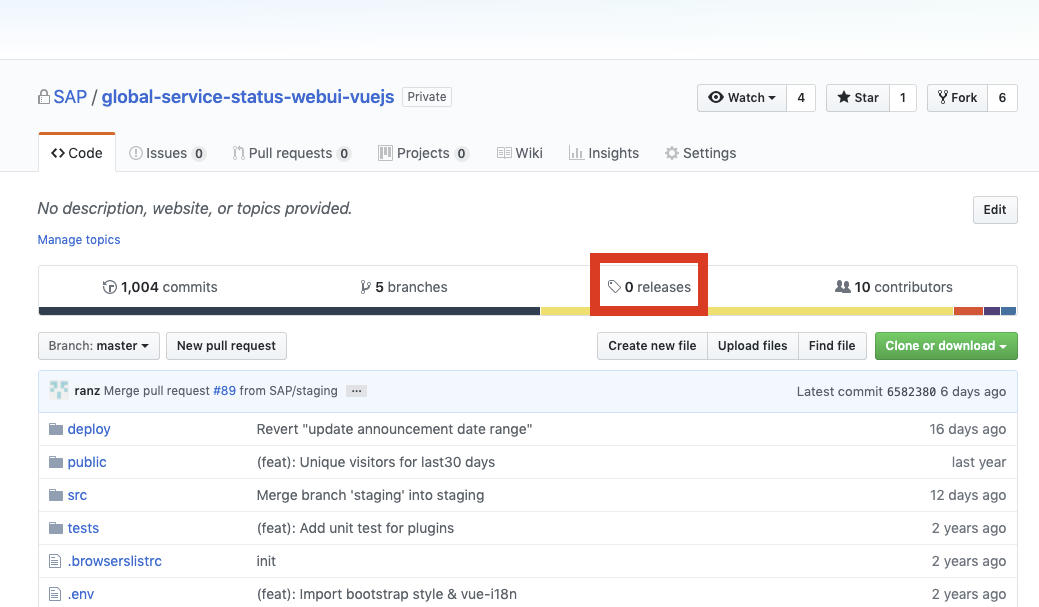
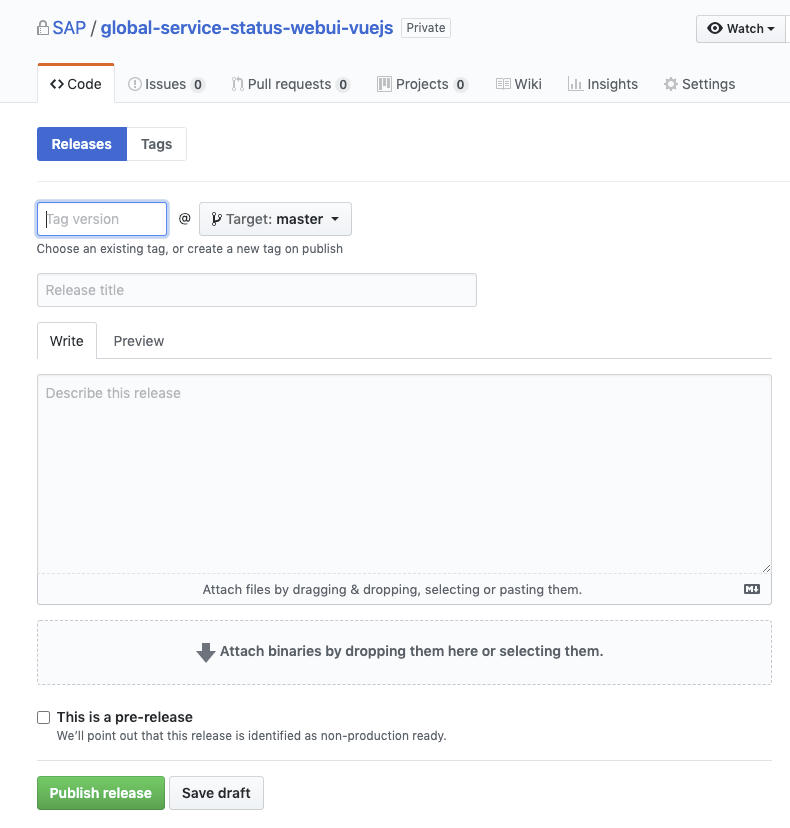
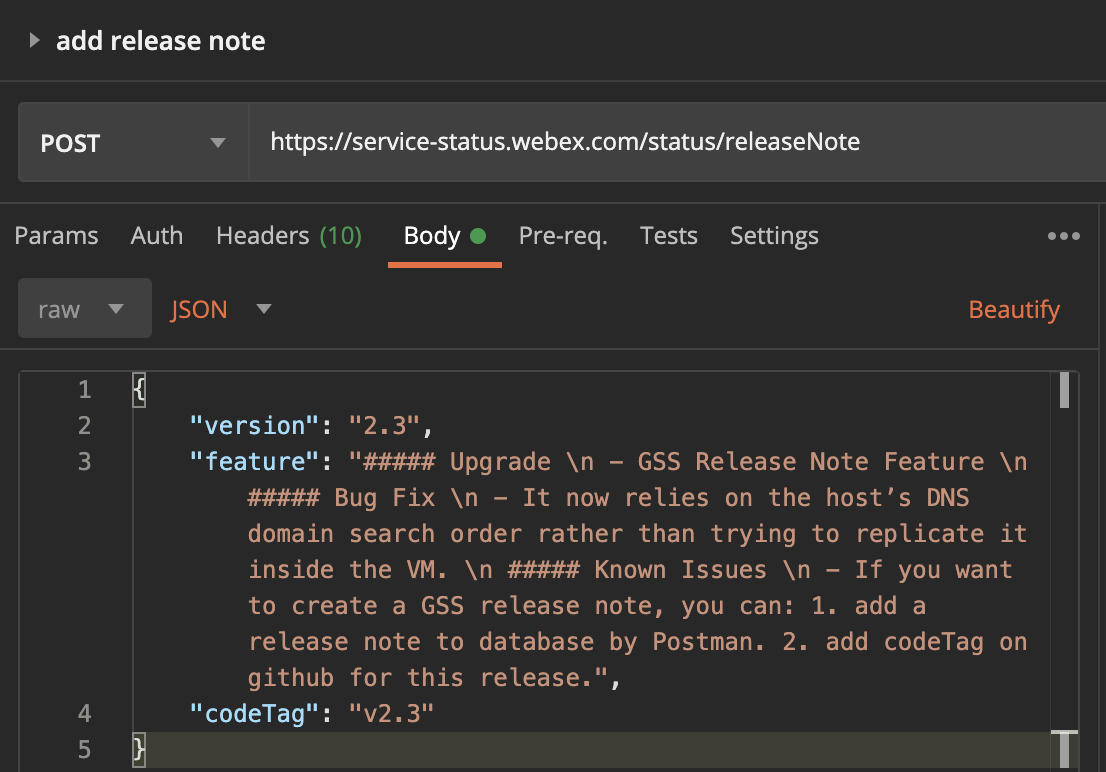
- Submit the release version, feature list and release date with the API and publish a release on github (make sure the codeTag in the API body the same as the tag created on github)
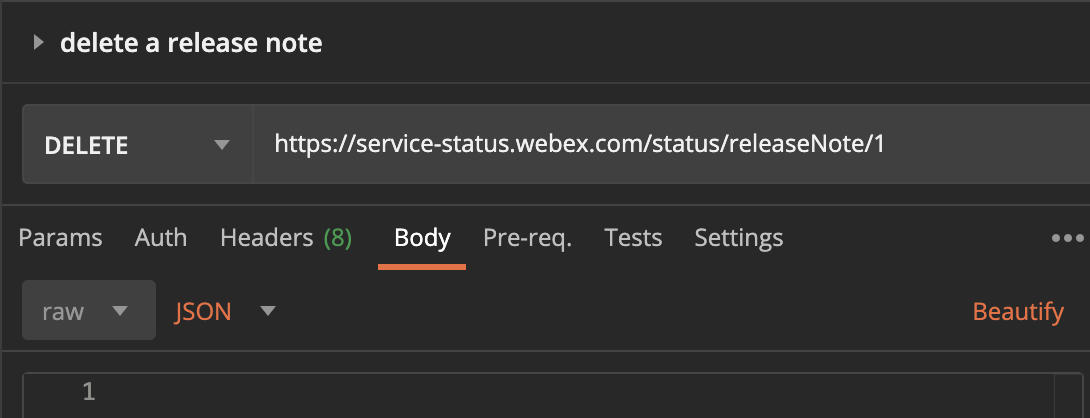
Import postman collection with: https://www.getpostman.com/collections/4fe0dac9895135d3dcf4 - Check the release notes: https://status.webex.com/release.html
Details for the Step 3: 
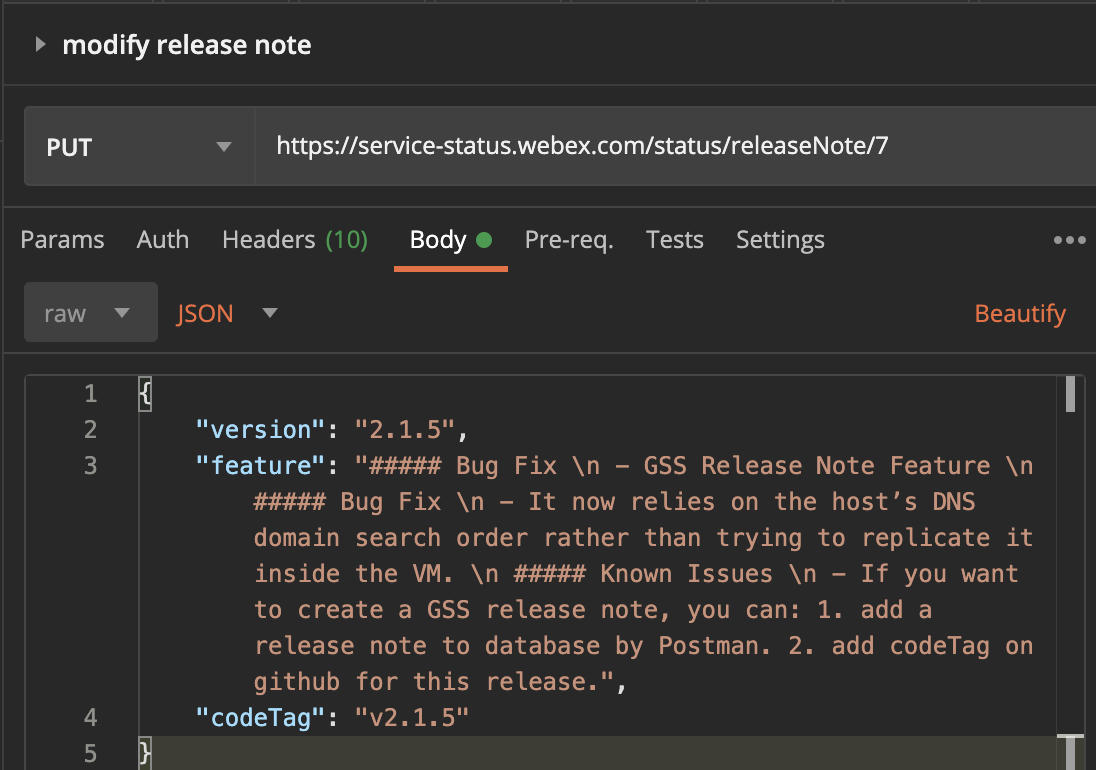
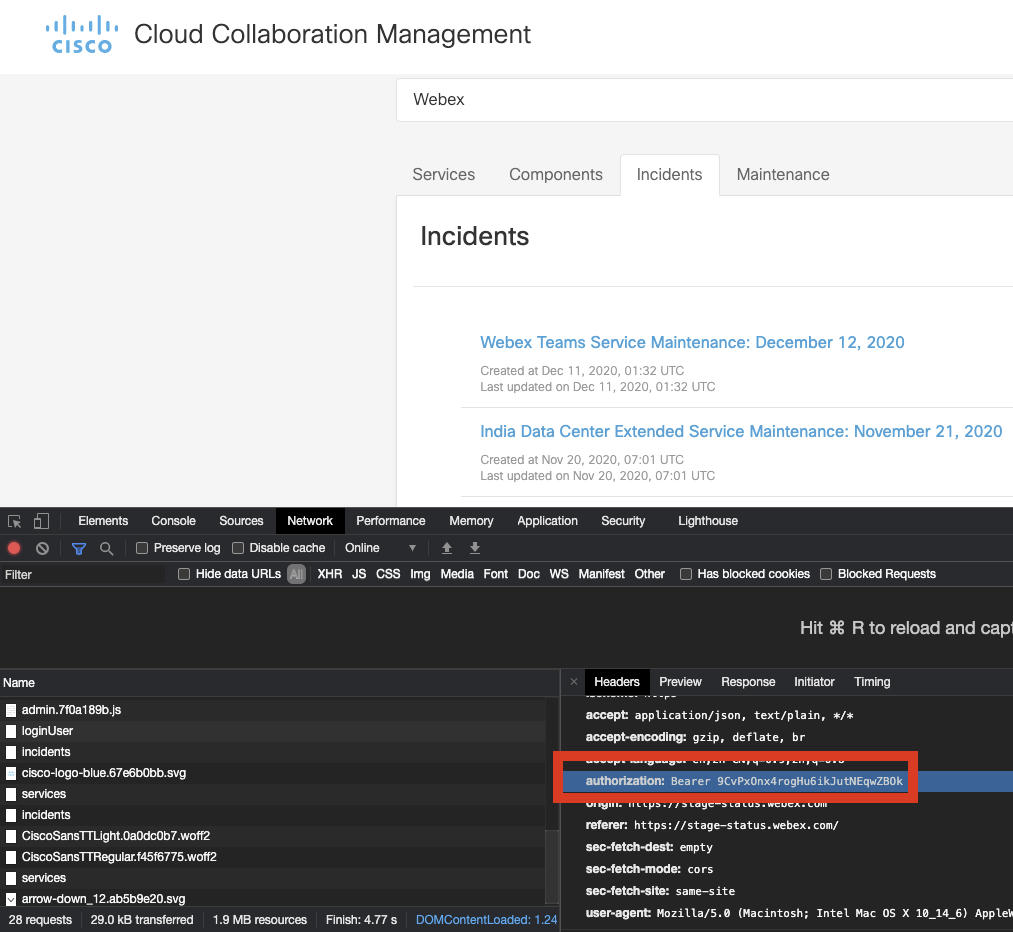
Add/Modify/Delete release note with the related API, Authorization code can be grabbed in https://status.webex.com/admin.
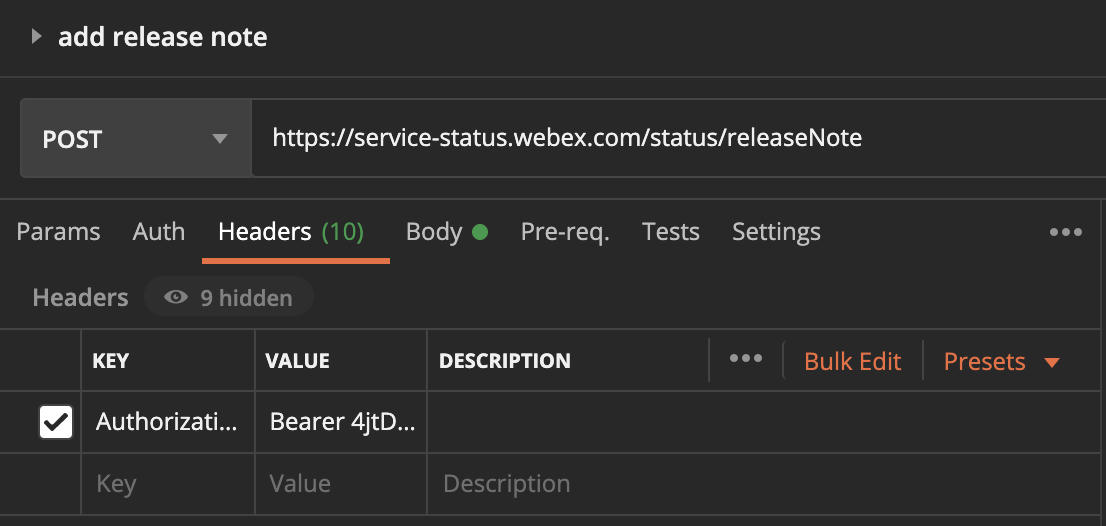
Grab the authorization code:
Publish release on Github:
Click releases and create Tag version same with release notes API body.