How to troubleshoot online? 
AWS Log 
AWS-CouldWatch (https://console.aws.amazon.com/cloudwatch/home?region=us-east-1#logsV2:log-groups)
We can login the instances by the GSS springboard, referring to: GSS Springboard
Database 
Get postman methods with the link: https://www.getpostman.com/collections/05d6742acca87940f01a
Some APIs are configured on AWS api gateway, then lambda would be triggered to query the database data.
For example:
prod env:
POST https://5g1dzyy1v9.execute-api.us-east-1.amazonaws.com/v1/query
{
  "sql": "SELECT * from status_maintenance_dcs where dc_id = 1"
}
Header: x-api-key: p3LFPIaem41Cem64qaOQbaoBZ7KPLv6q5xijm0D3
Response:
{
  "success": true,
  "request": {
    "sql": "SELECT * from status_maintenance_dcs where dc_id = 1",
    "timeout": 30,
    "fetchSize": 10,
    "logBucket": "log-prod-status.webex.com",
    "logBucketKey": "prod/2021/01/b1ebd6bc-2b5e-4958-b6c4-c09efd3e1df3.log",
    "executionId": "b1ebd6bc-2b5e-4958-b6c4-c09efd3e1df3"
  },
  "elapsedTime": 9663,
  "rows": [
    {
      "dc_id": "1",
      "dc_name": "San Jose"
    }
  ]
}
Jenkins 
Issue: Jenkins can not upload files to S3.
Login Jenkins and open https://engci-private-sjc.cisco.com/jenkins/pda/credentials/store/system/domain/_/credential/gss-aws-deployer/
Refer the wiki How to request for GSS permissions?and refresh AWS access key id
Beanstalk 
Issue: How to rebuild the environment on AWS
-
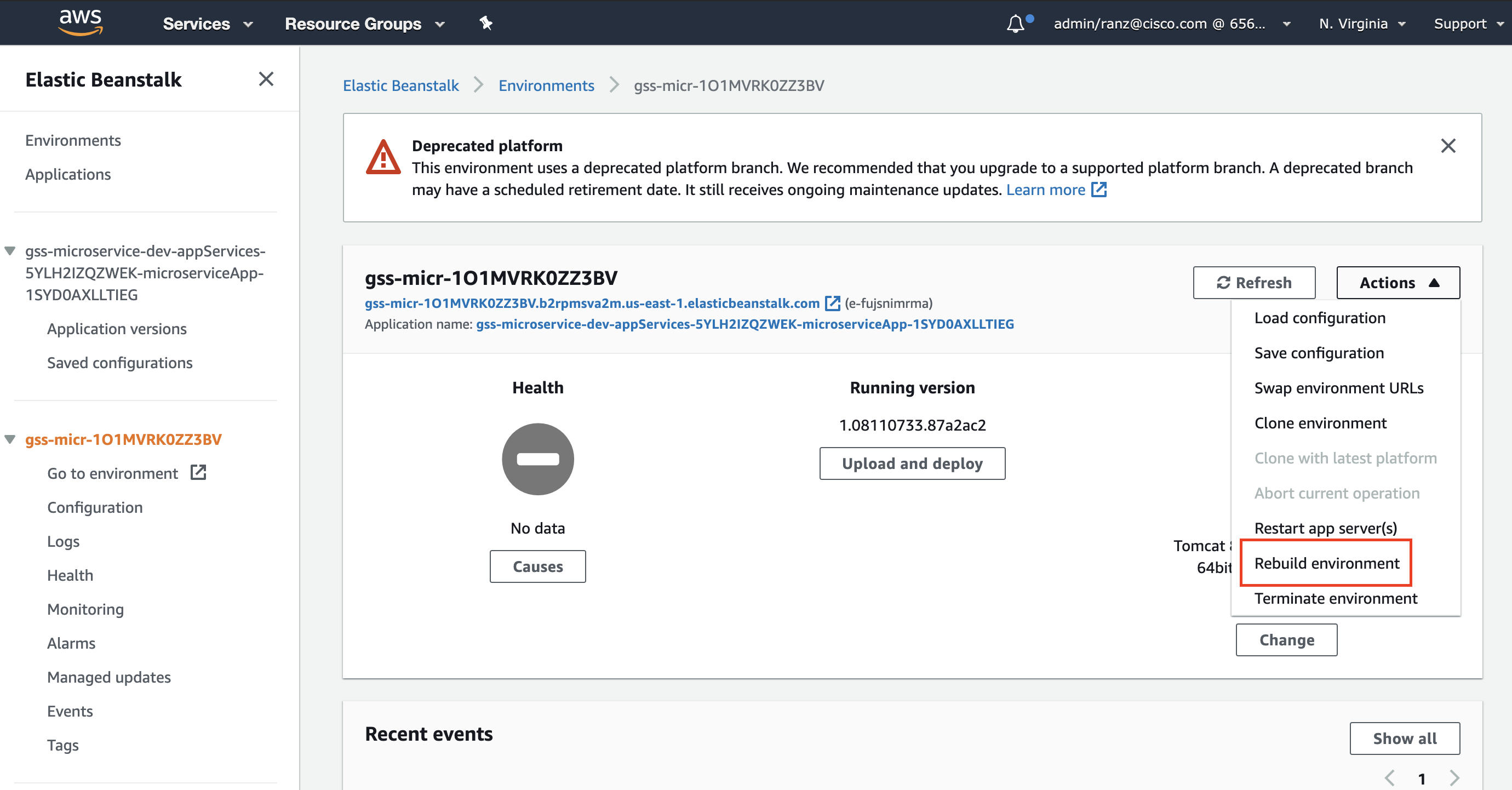 Once rebuilding environment, all information will be initialized. So the following 2 steps are necessary:
 -
Create a new environment
- Create a new environment with the same configuration as "old environment", but change the ACM configuration to point to an existing certificate.
- Deploy the application to the new environment(download the application in 'Application Versions', and select 'Upload and deploy' in Environments)
- On the environment overview page, choose Environment actions, and then choose Swap environment URLs.
- For Environment name, select "old environment"
- Choose Swap.
- Change CNAME to the new environment
- Open a ticket in https://ciscowebex.servicenowservices.com/sp?id=index
- Find the new load balancer DNS(find the new environment name first in Tags) in AWS EC2
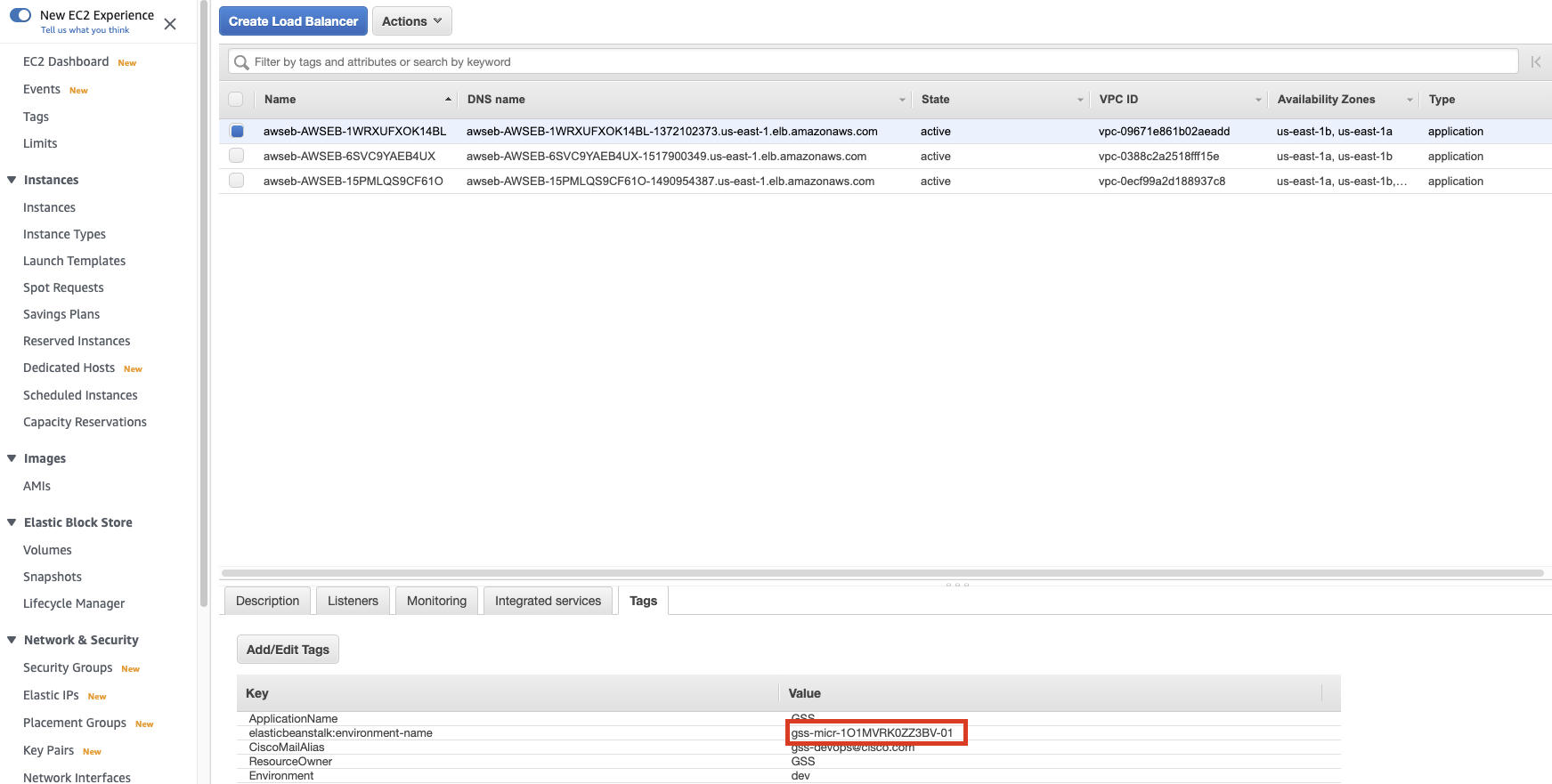
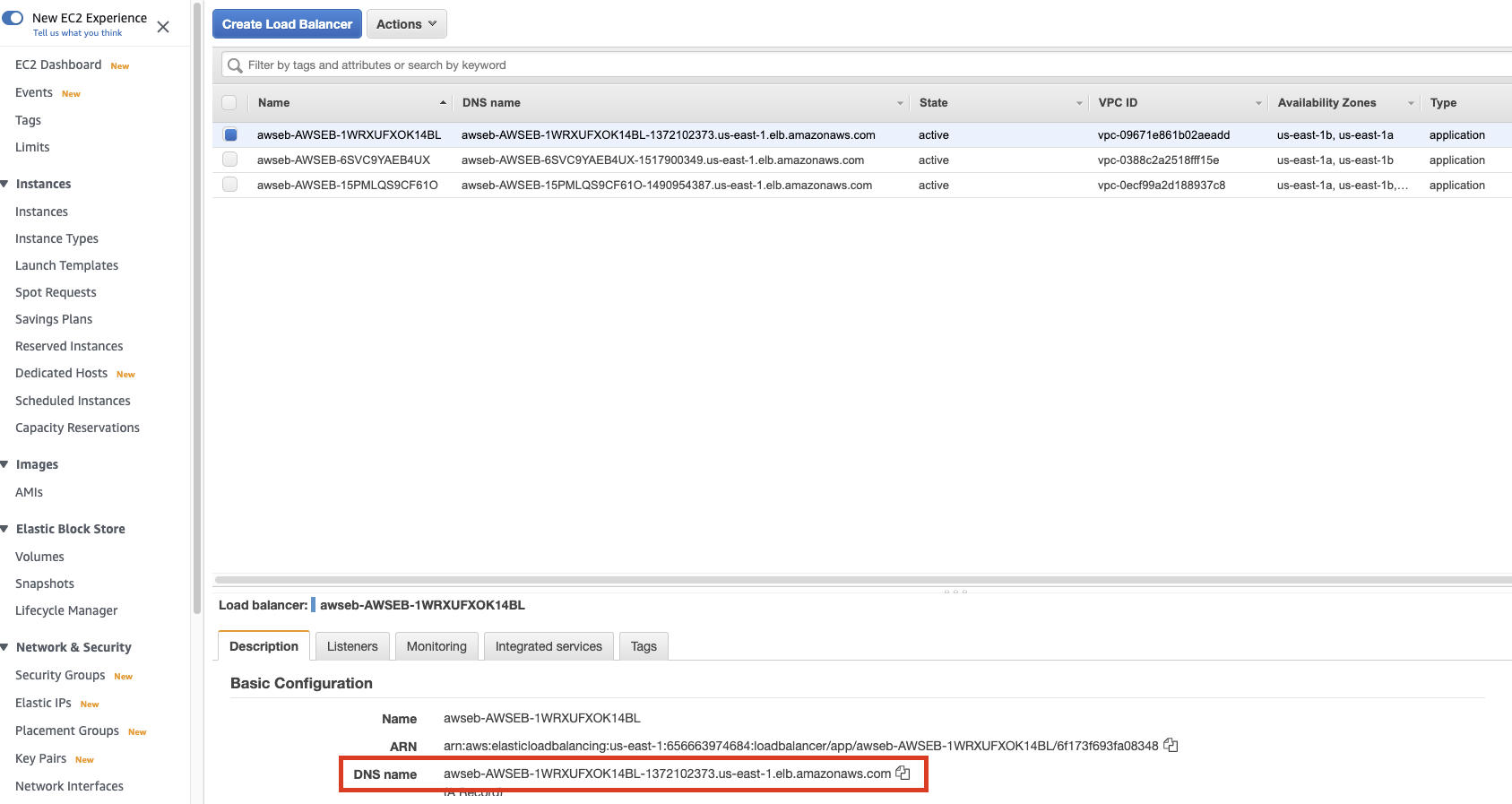
c. Open 'DNS Request Non-China', the Old Content is old load balancer and the New Content is new load balancer
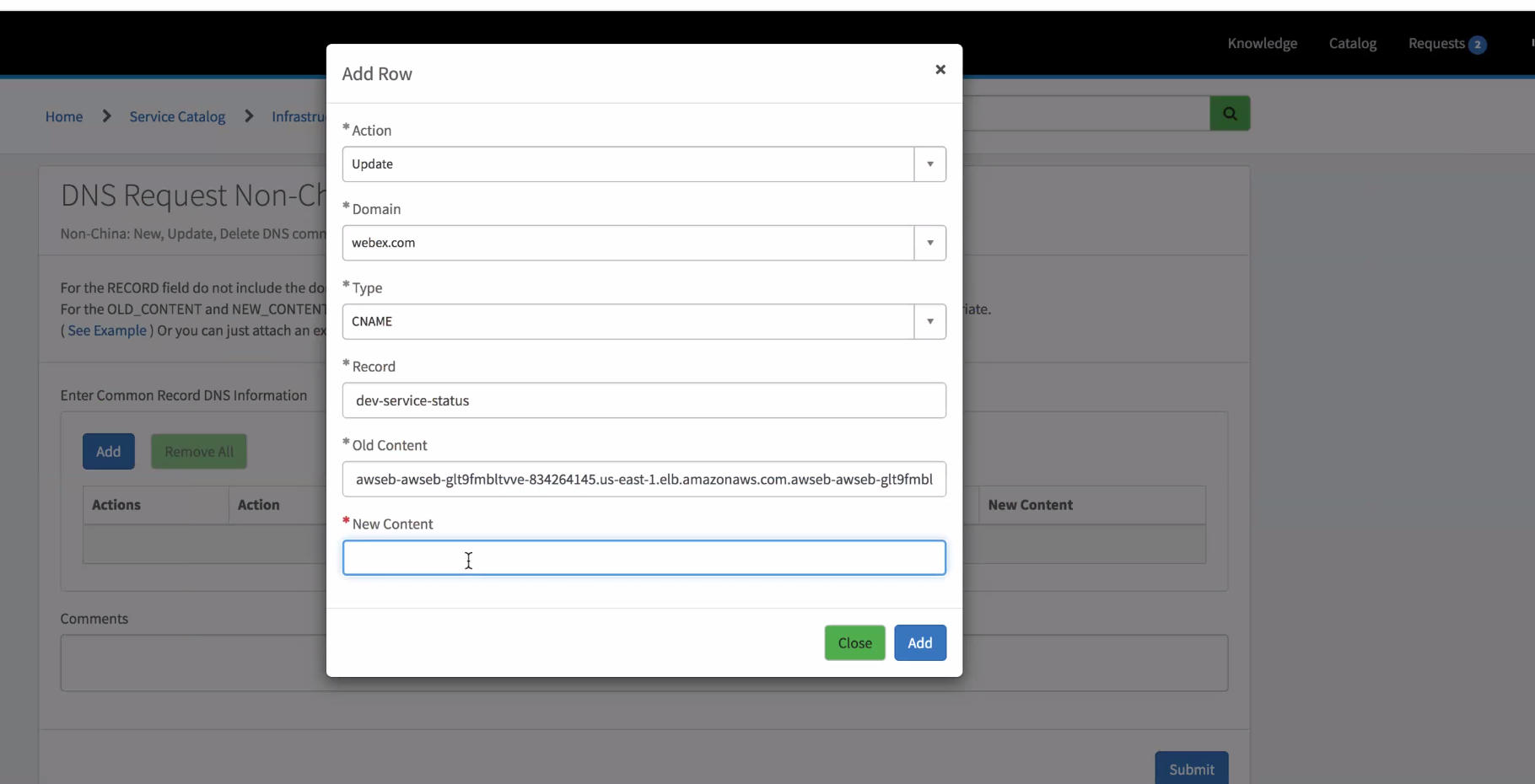
Note:
Need to wait for a while, check whether the CNAME has been modified successfully through command "dig *-service-status.webex.com"
Reference 
- AWS Support case: https://console.aws.amazon.com/support/home?#/case/?displayId=7288827091&language=en
- AWS Documents: https://docs.aws.amazon.com/elasticbeanstalk/latest/dg/environment-management-rebuild.html https://docs.aws.amazon.com/elasticbeanstalk/latest/dg/using-features.CNAMESwap.html https://docs.aws.amazon.com/elasticbeanstalk/latest/dg/using-features.platform.upgrade.html#using-features.platform.upgrade.bluegreen