GSS Run Book 
How to contribute your code? 
Backend 
- fork the staging repo: https://sqbu-github.cisco.com/SAP/global-service-status-service
- git clone the code from your remote fork repo
- (OPTION) modify application.yaml (global-service-status-service/server/src/main/resources/application.yaml) locally with your own awsAccessKeyId and awsSecretAccessKey.
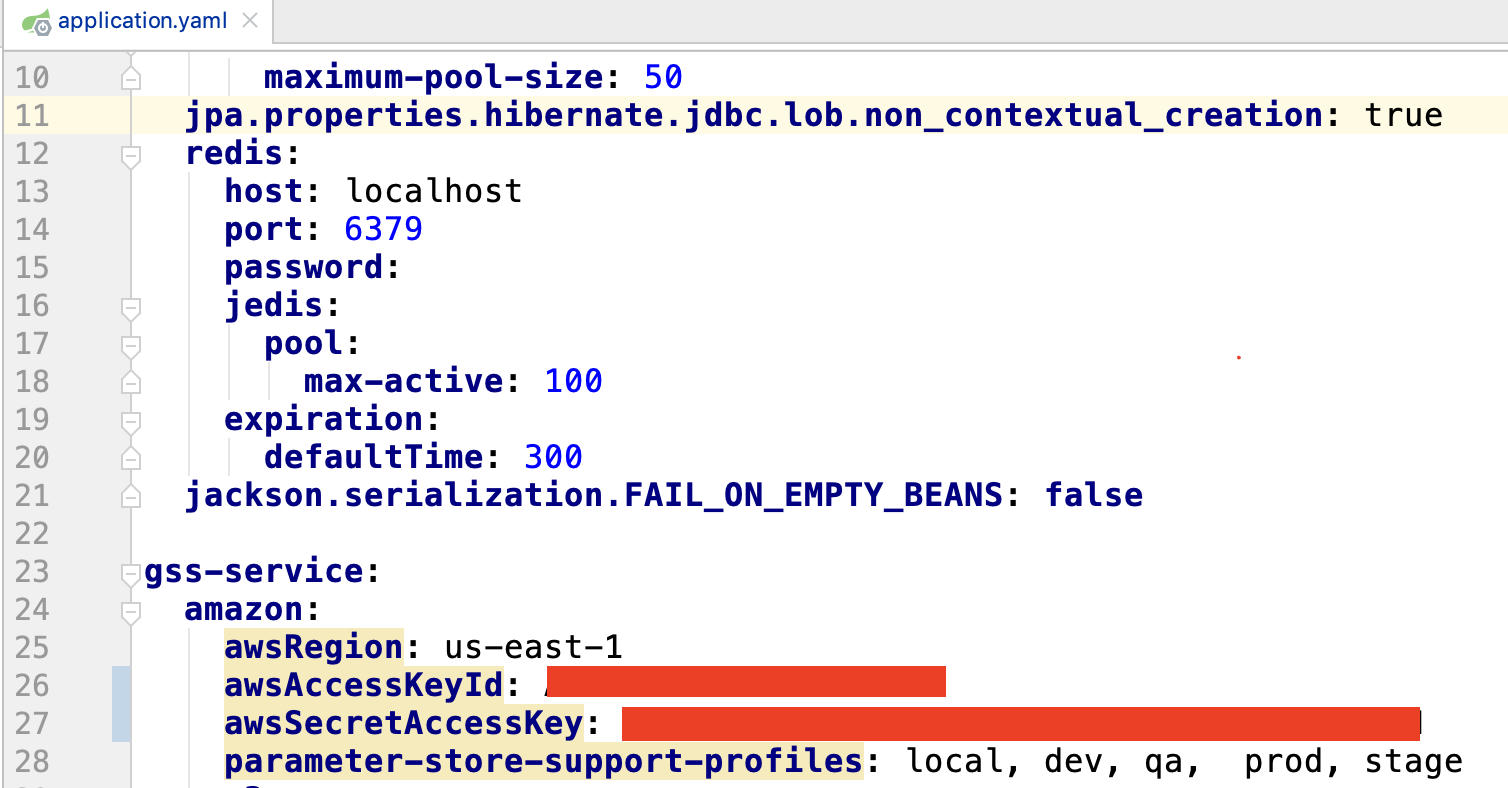 After the provision of AWS privilege, you can create you own awsAccessKeyId and awsSecretAccessKey. Once expired, you can login AWS(https://cloudsso.cisco.com/idp/startSSO.ping?PartnerSpId=https://signin.aws.amazon.com/saml to refresh.
 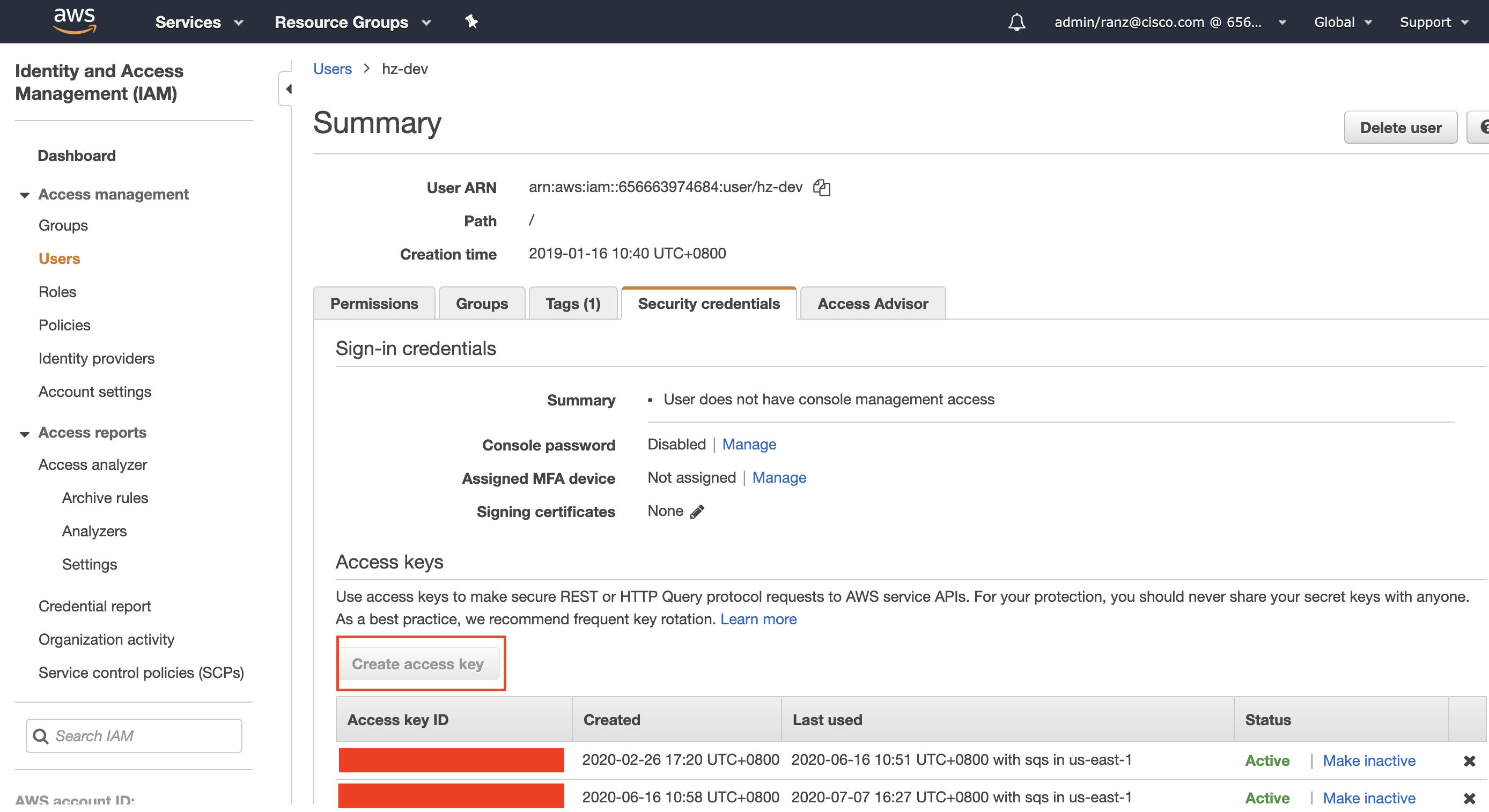 4. start backend coding 5. debug and test
cd {codeBase}/docker-dev; docker-compose up -d --build
a) configure the properties of PostgreSQL DB 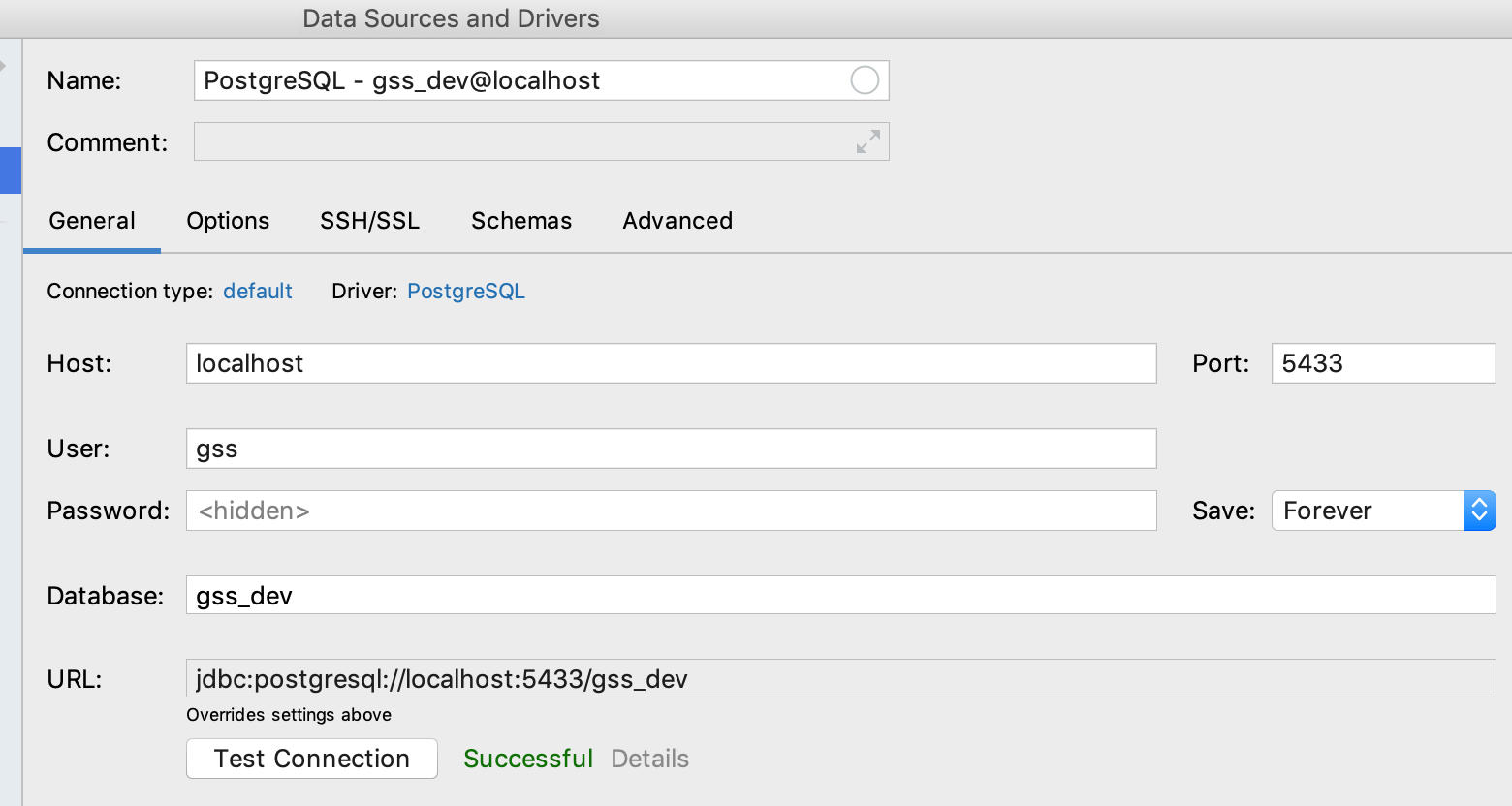
b) init the DB schema by running all scripts in global-service-status\global-service-status-service\migration\postgres\scripts in PostgreSQL console
c) add some test data by running all sql scripts in attachment file(TestData.zip) in PostgreSQL console
d) debug "GlobalServiceStatusServiceApplication" with your IDE 6. checkin your code a) push your branch to github after the local test
b) stage: create a PR from fork stage to SAP stage[default deploy to dev env and approve deploy to stage env]
c) master: create a PR from SAP stage to SAP master[default deploy to stage and approve deploy to prod env] you will receive a message at the space 'Build&Deploy Notifications' after code is merged, see the Note below
Frontend 
- fork the staging repo: https://sqbu-github.cisco.com/SAP/global-service-status-webui-vuej
- git clone the code from your remote fork repo
- establish a local database connection and initialize local test data
- start backend coding
- debug and test
install node.js and npm
run command: npm run serve (will show local status page) -
checkin your code
a) push your branch to github after the local test
b) stage: create a PR from fork stage to SAP stage[default deploy to dev env and approve deploy to stage env]
c) master: create a PR from SAP stage to SAP master[default deploy to stage and approve deploy to prod env]
you will receive a message at the space 'Build&Deploy Notifications' after code is merged, see the Note below
Note 
- The result of the Jenkins build package and each deployed approve link will be sent to the spark room: "Build&Deploy Notifications". So no matter which environment is deployed, you need to click the link of the room to do the approve operation.
- Jenkins job: (build package)
backend: https://engci-private-sjc.cisco.com/jenkins/pda/view/Portal/job/GSS%20Pipeline2/job/global-service-status-service
frontend: https://engci-private-sjc.cisco.com/jenkins/pda/view/Portal/job/GSS%20Pipeline2/job/global-service-status-webui-vuejs