GSS Springboard 
- How to create springboard?
- Preconditions to connect gss instances
- How to connect gss instances by springboard?
How to create springboard? 
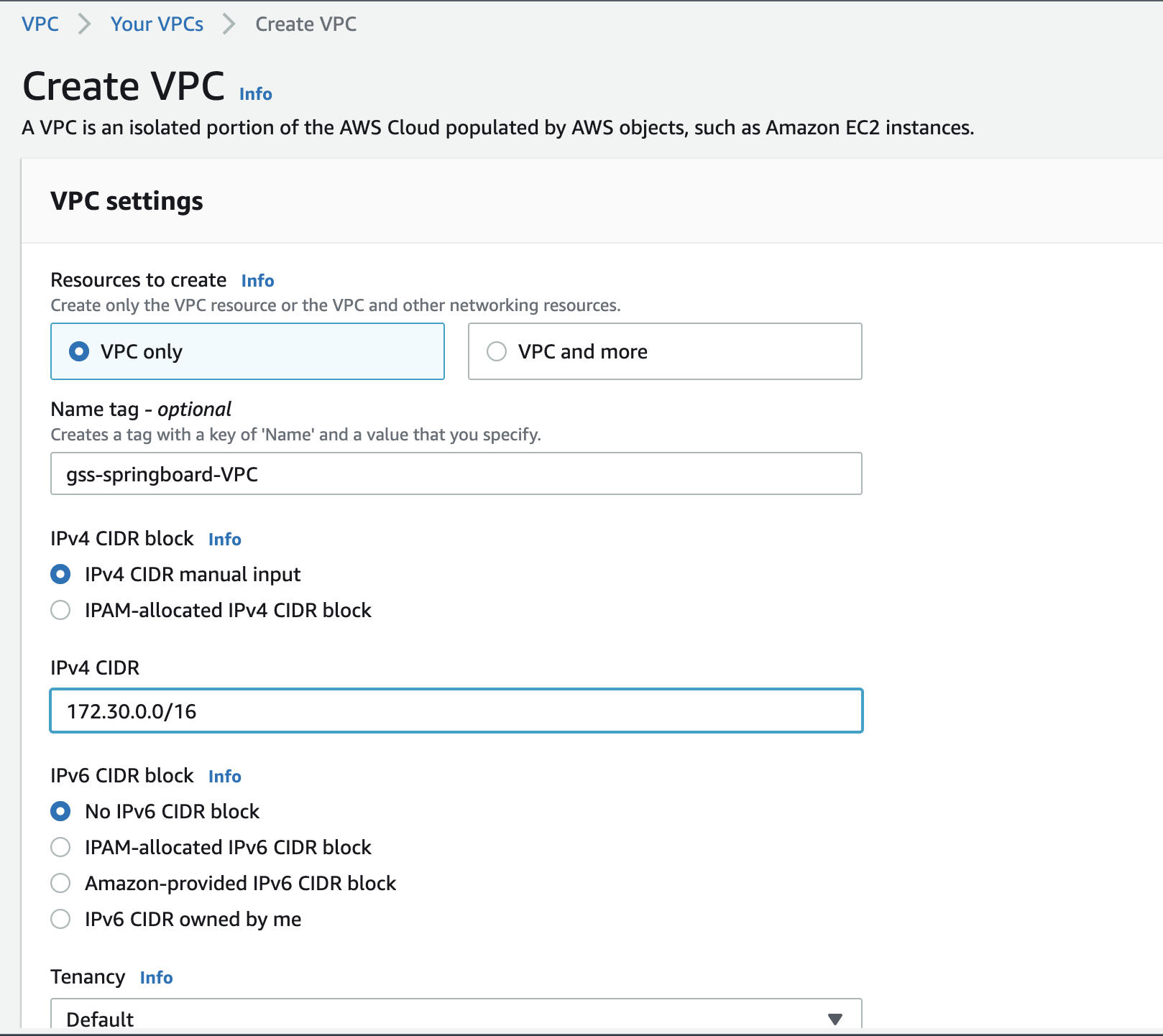
- Create a VPC for use by springboard.
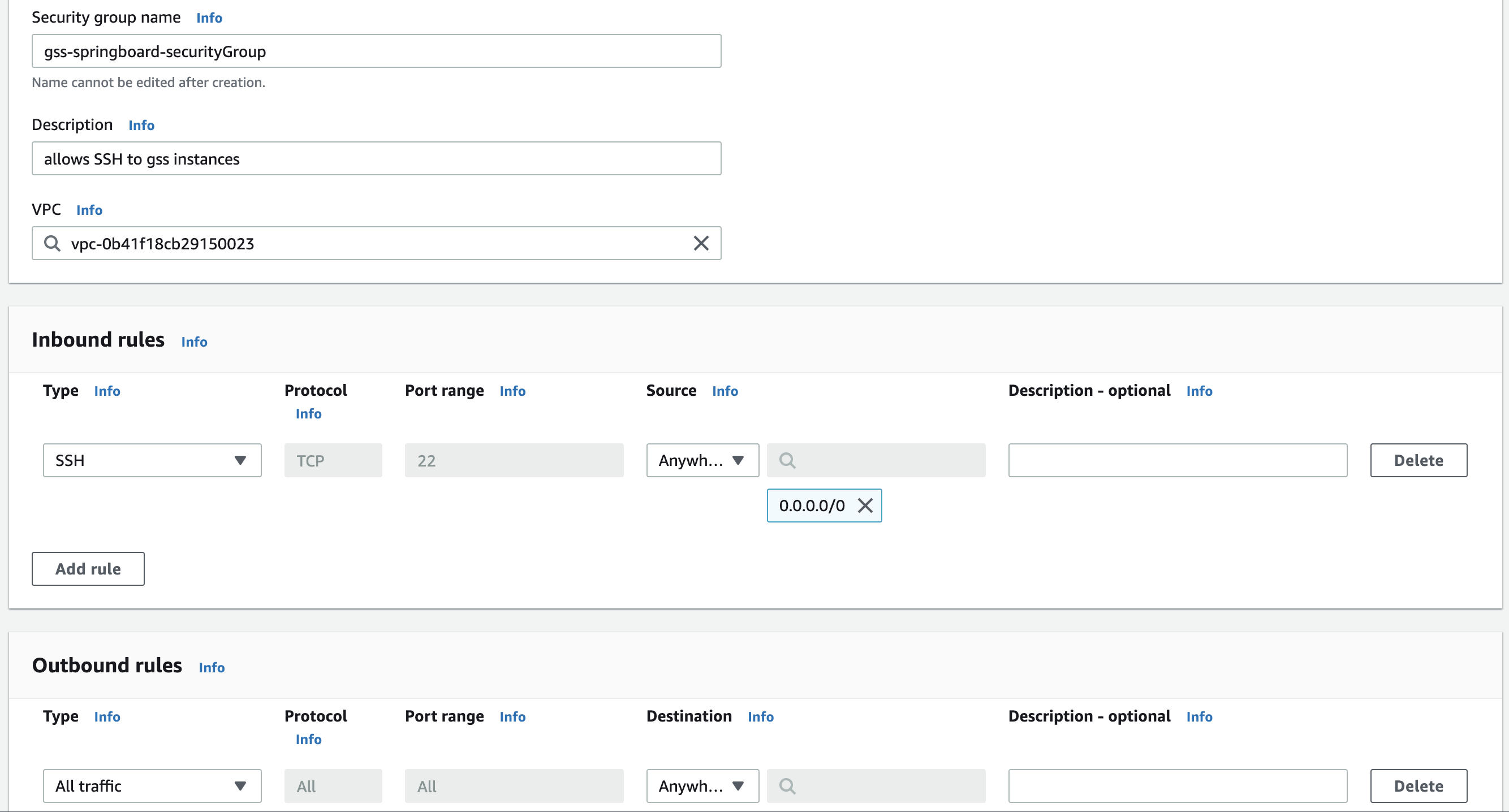
2. Create a security group for use by springboard instance
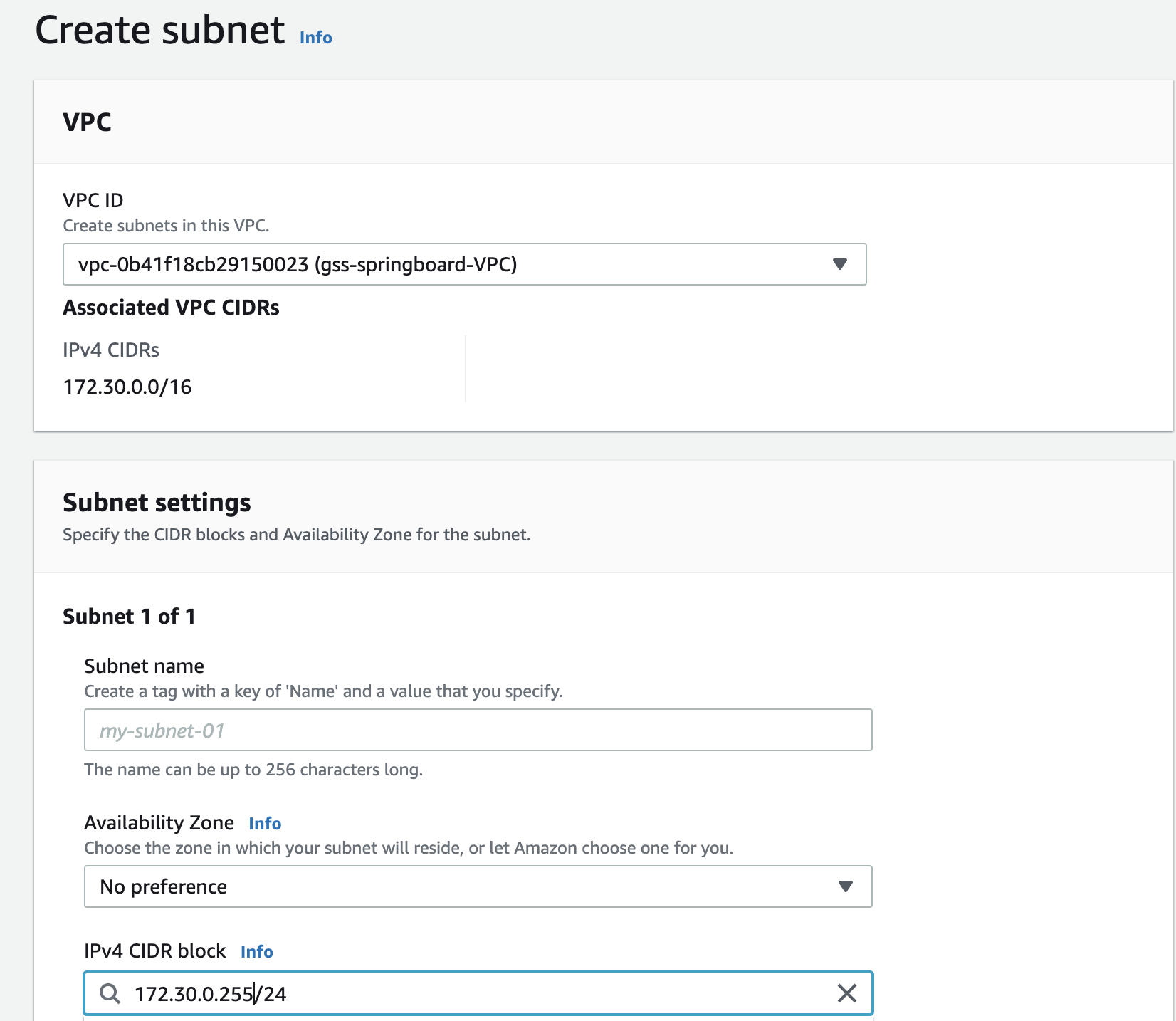
3. Create a subnet for use by springboard instance
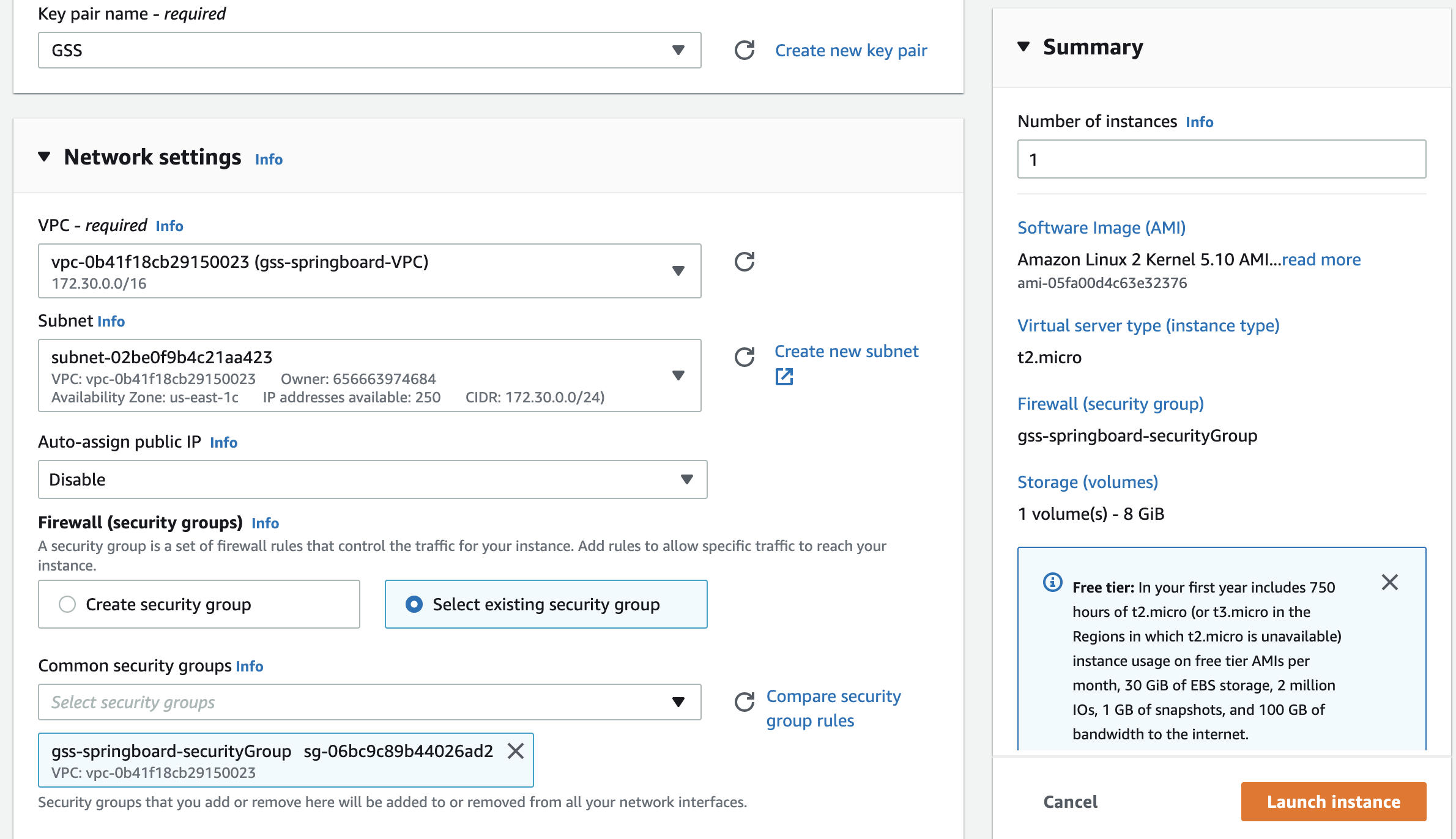
4. Create springboard instance
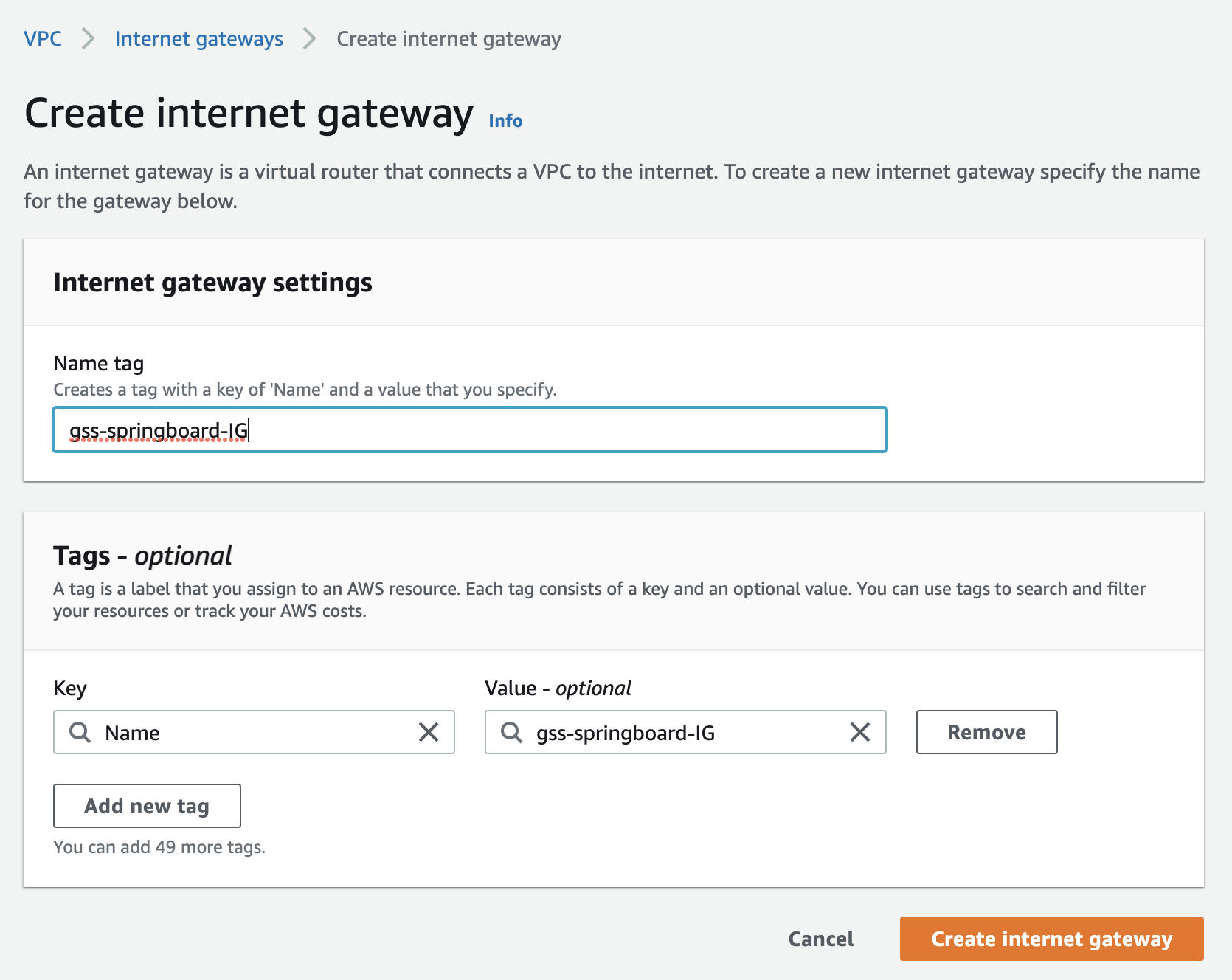
5. Create Internet Gateway and attach to springboard's VPC
6. Add Internet Gateway for springboard VPC|Route tables
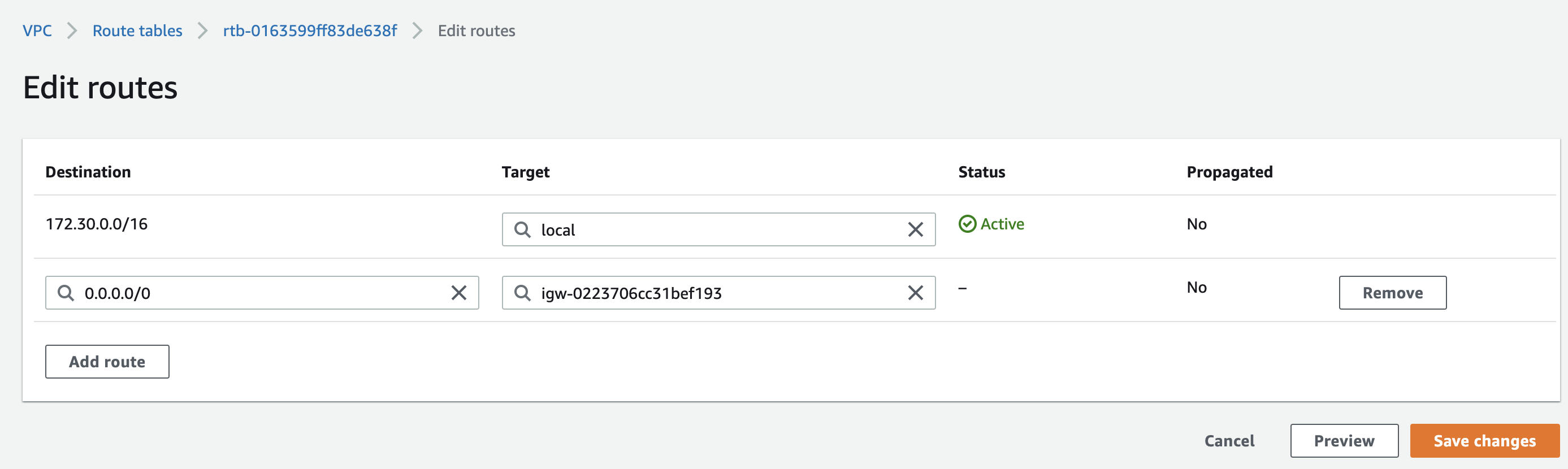
After completing the above steps, you will be able to connect to Springboard via ssh.
Preconditions to connect gss instances 
Since springboard and gss instances are under different VPCs, the connection can be established through VPC|peering connections.
Since the instances for dev,stage and prod have the same subnet, springboard cannot implement connecting to the instances with the same subnet, so new subnets needs to be created for the dev and stage environments.
- VPC|peering connections creation(Note: Approval needs to be done in VPC| Peering connections of another region)
- Create VPC|peering connections for each VPC of gss instances
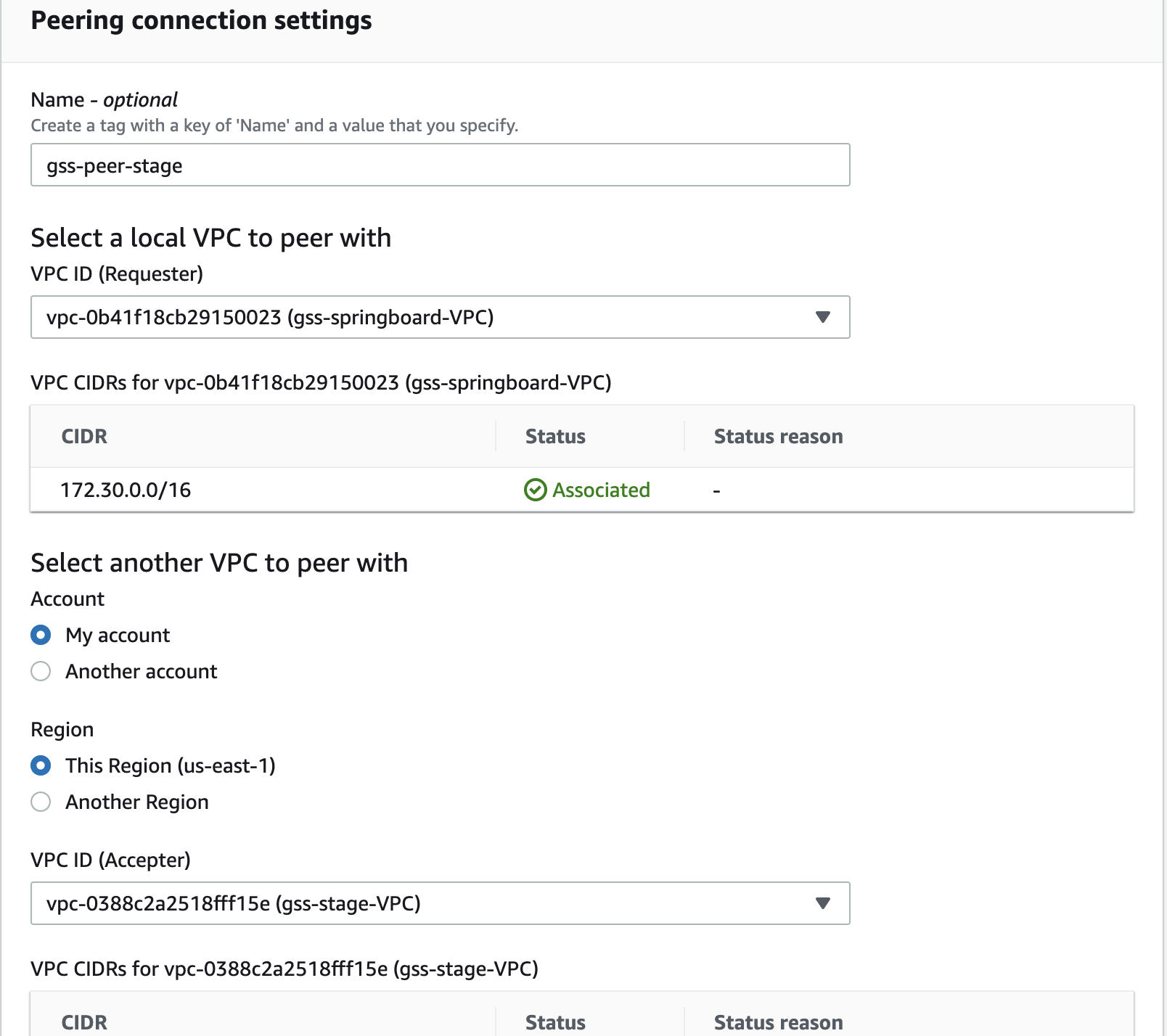
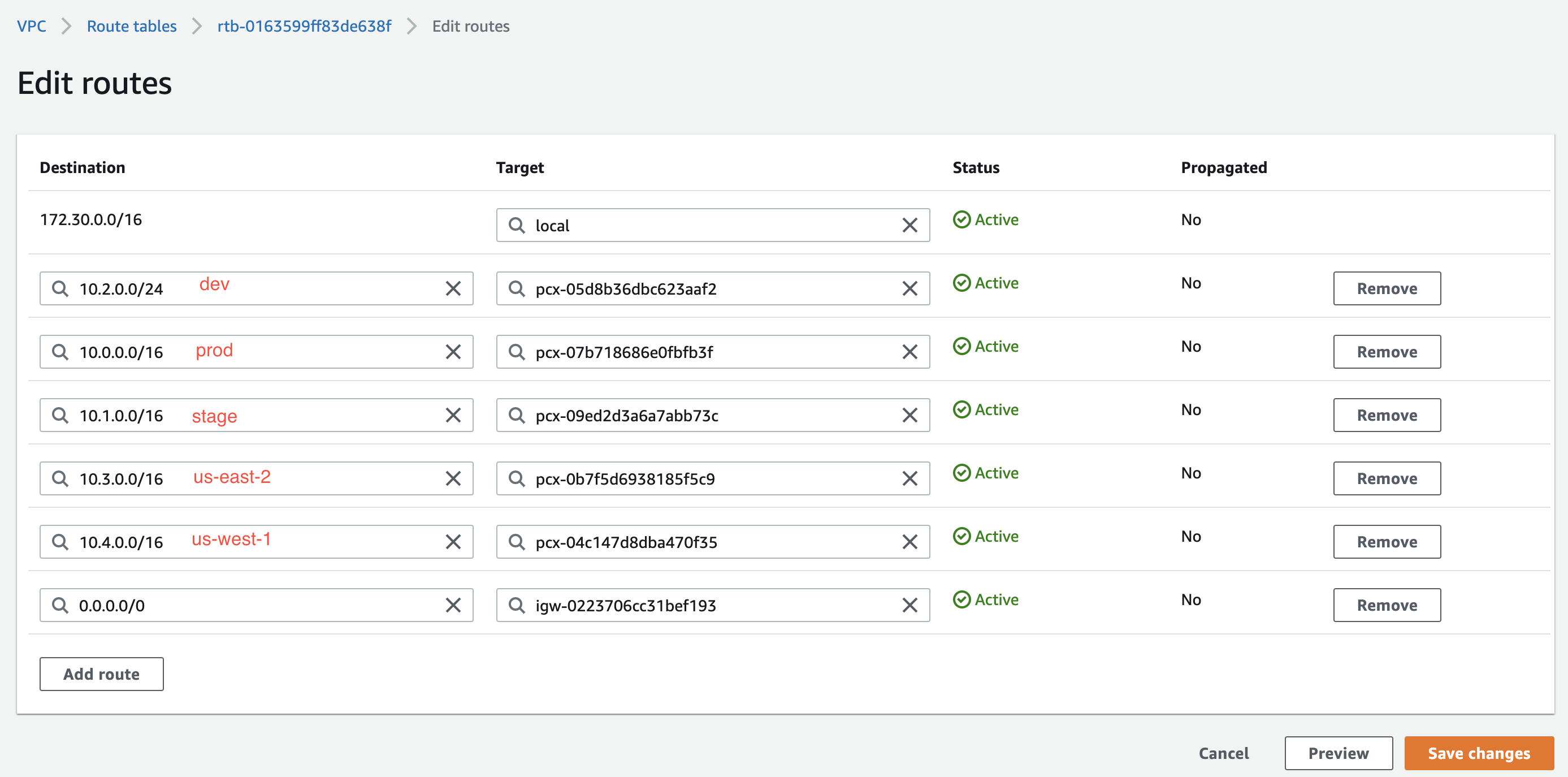
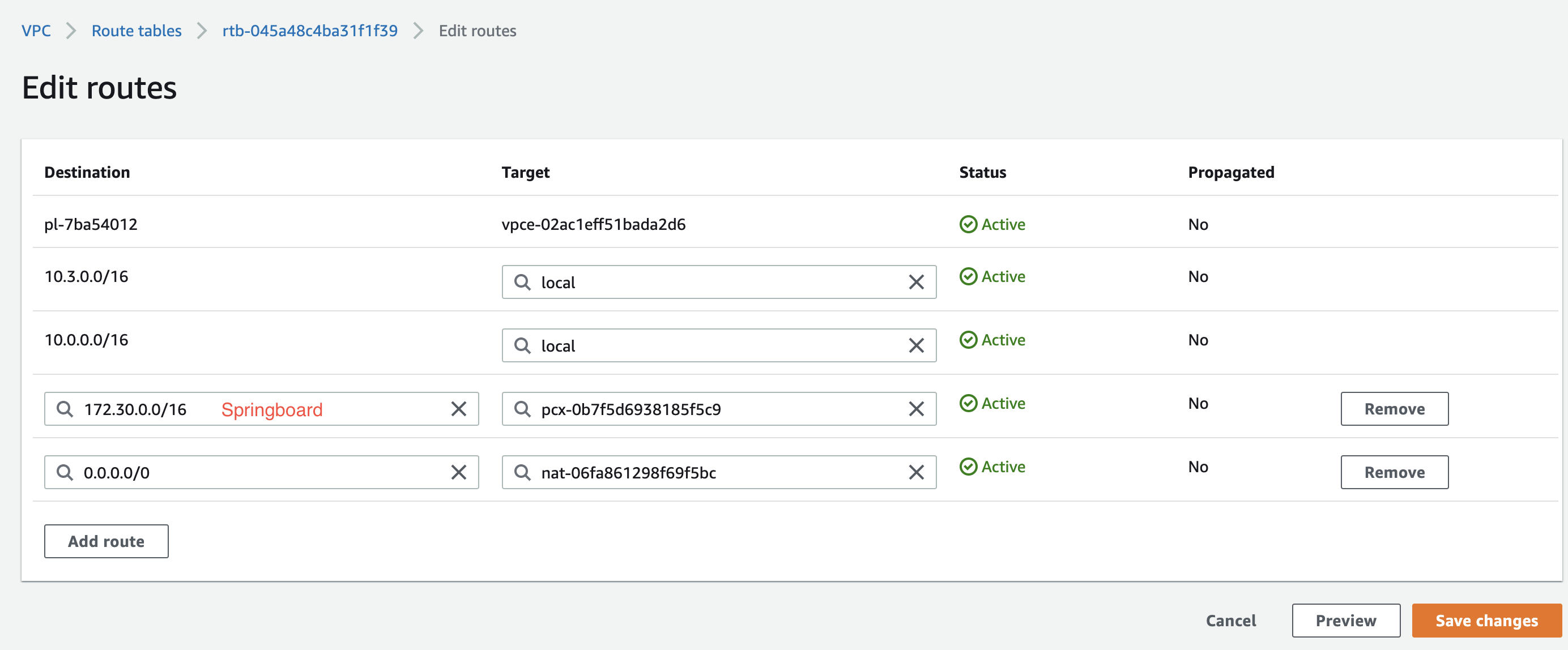
b. Add corresponding VPC-Peer to the route table of springboard and the private route table of the corresponding environment
For springboard's route table:
For the private route table of the corresponding environment:
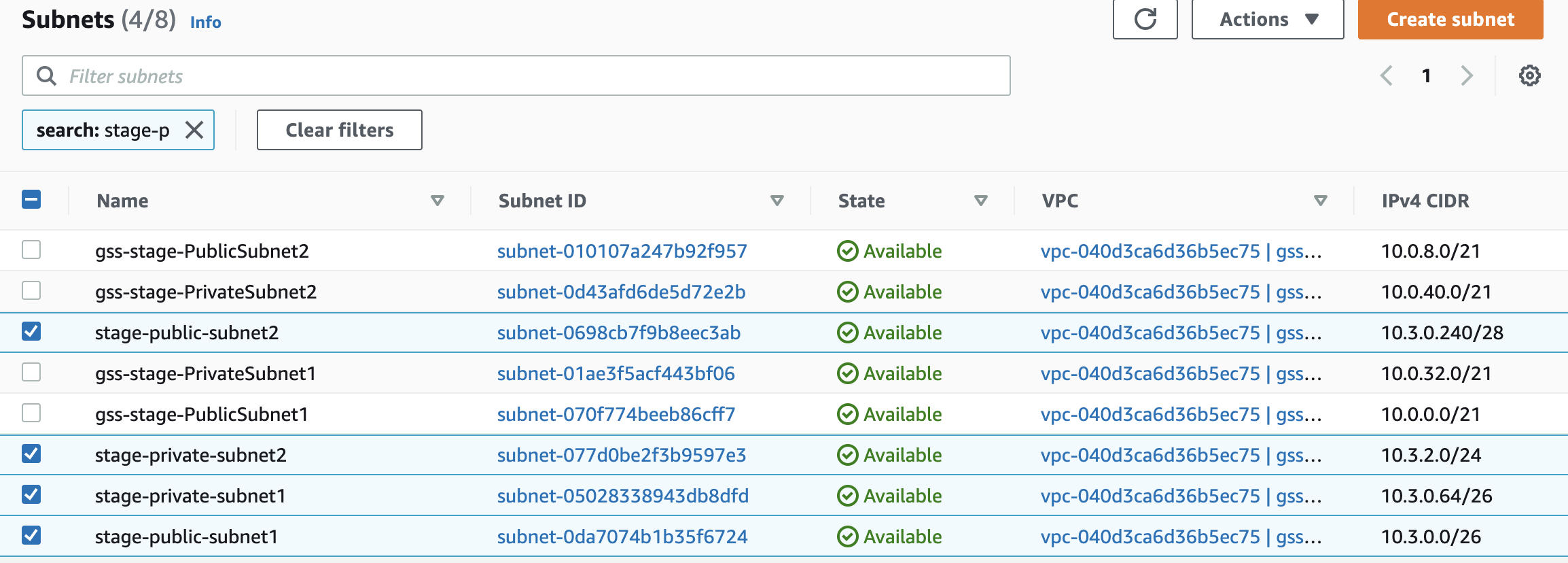
2. New subnet creation(create new subnet for dev/stage because of overlapping subnets)
Need to create two private subnets and two public subnets:
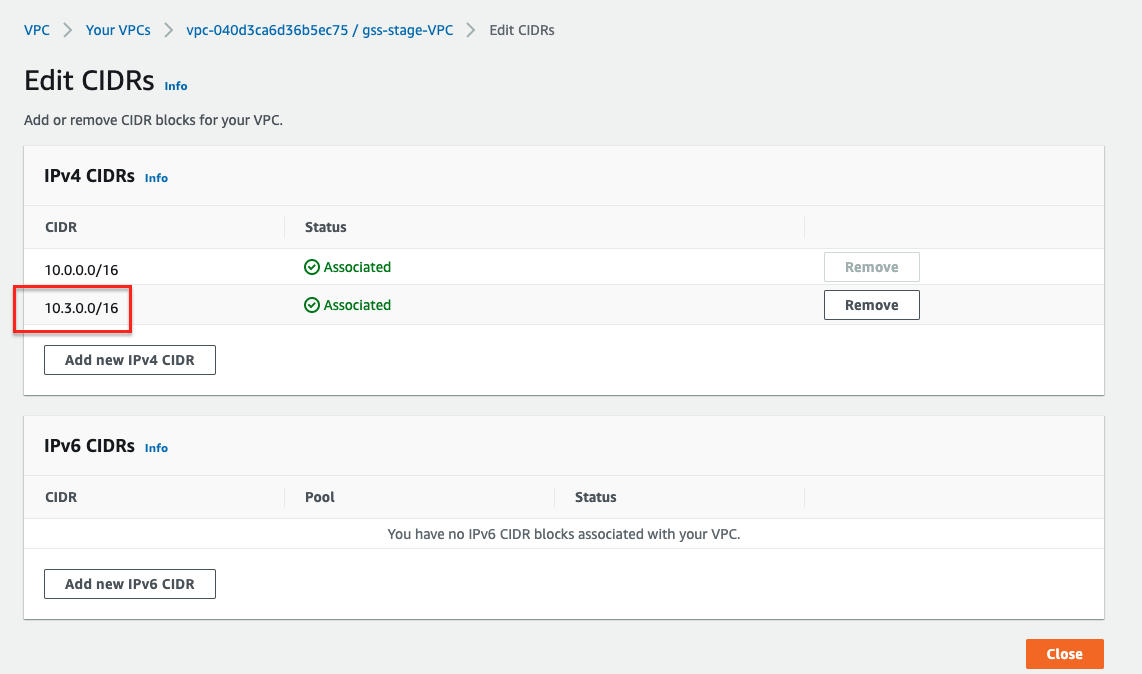
a. Add another CIDR for VPC
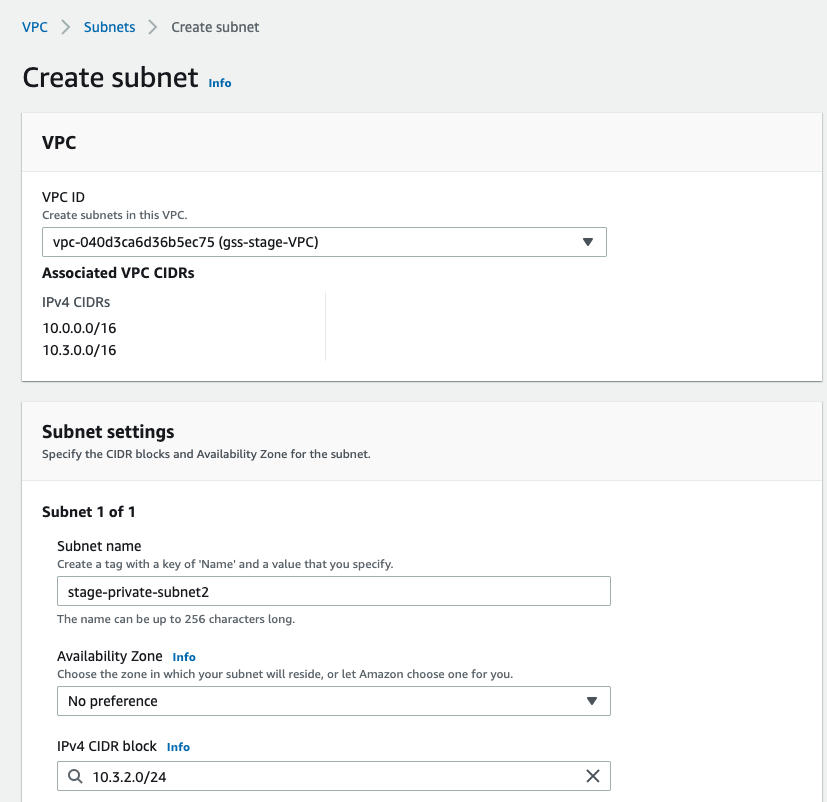
b. Create subnet for new CIDR
c. Associate to VPC
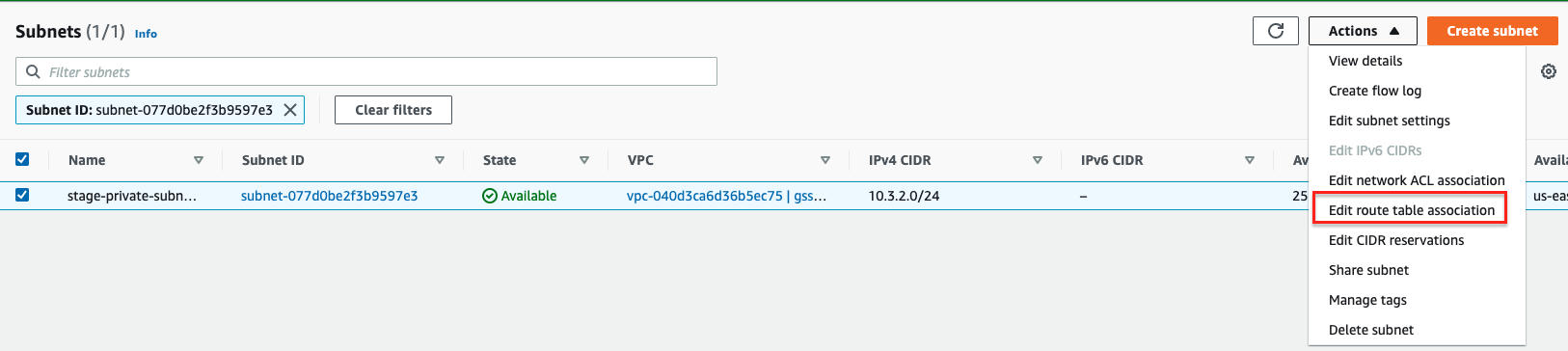
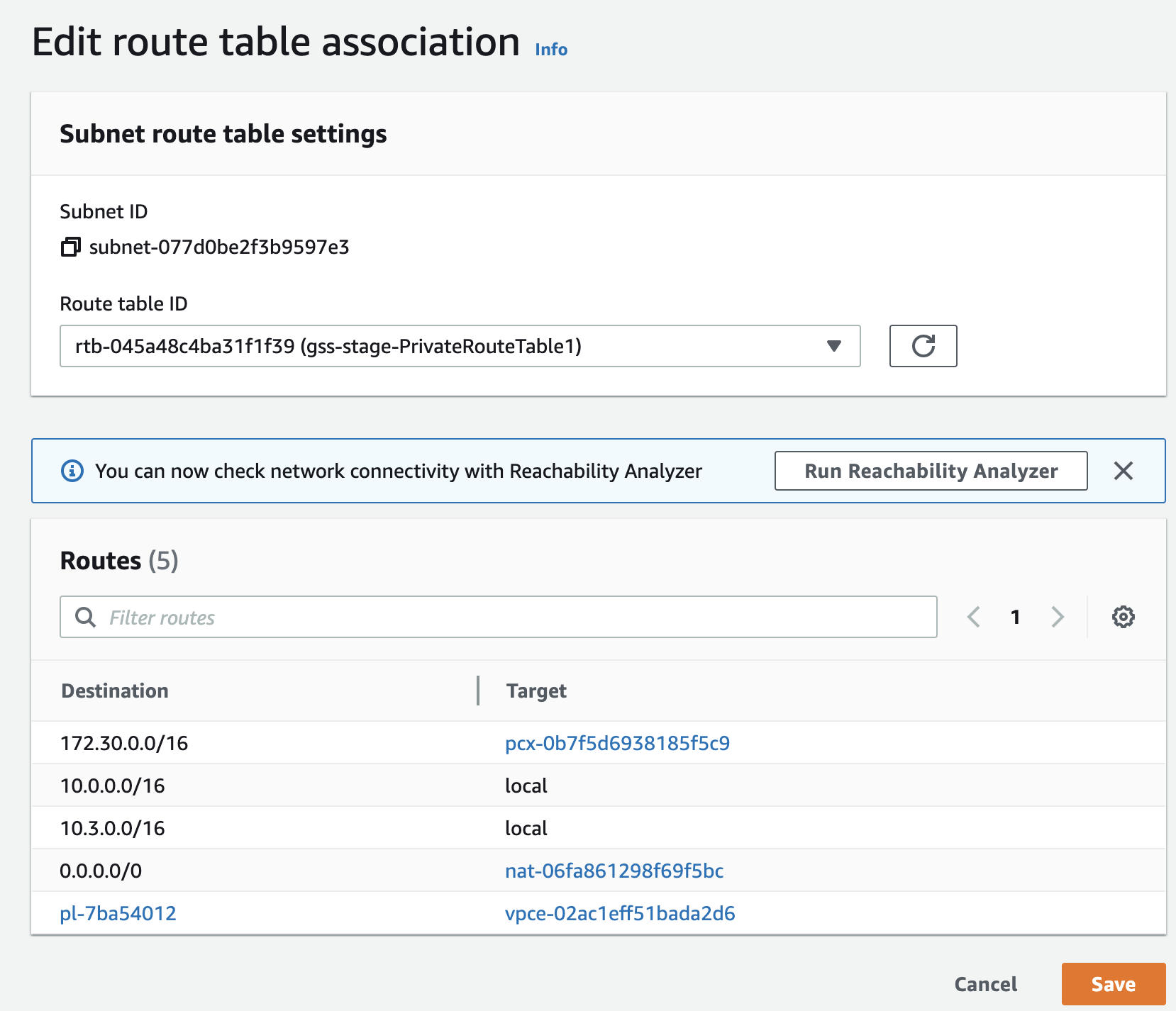
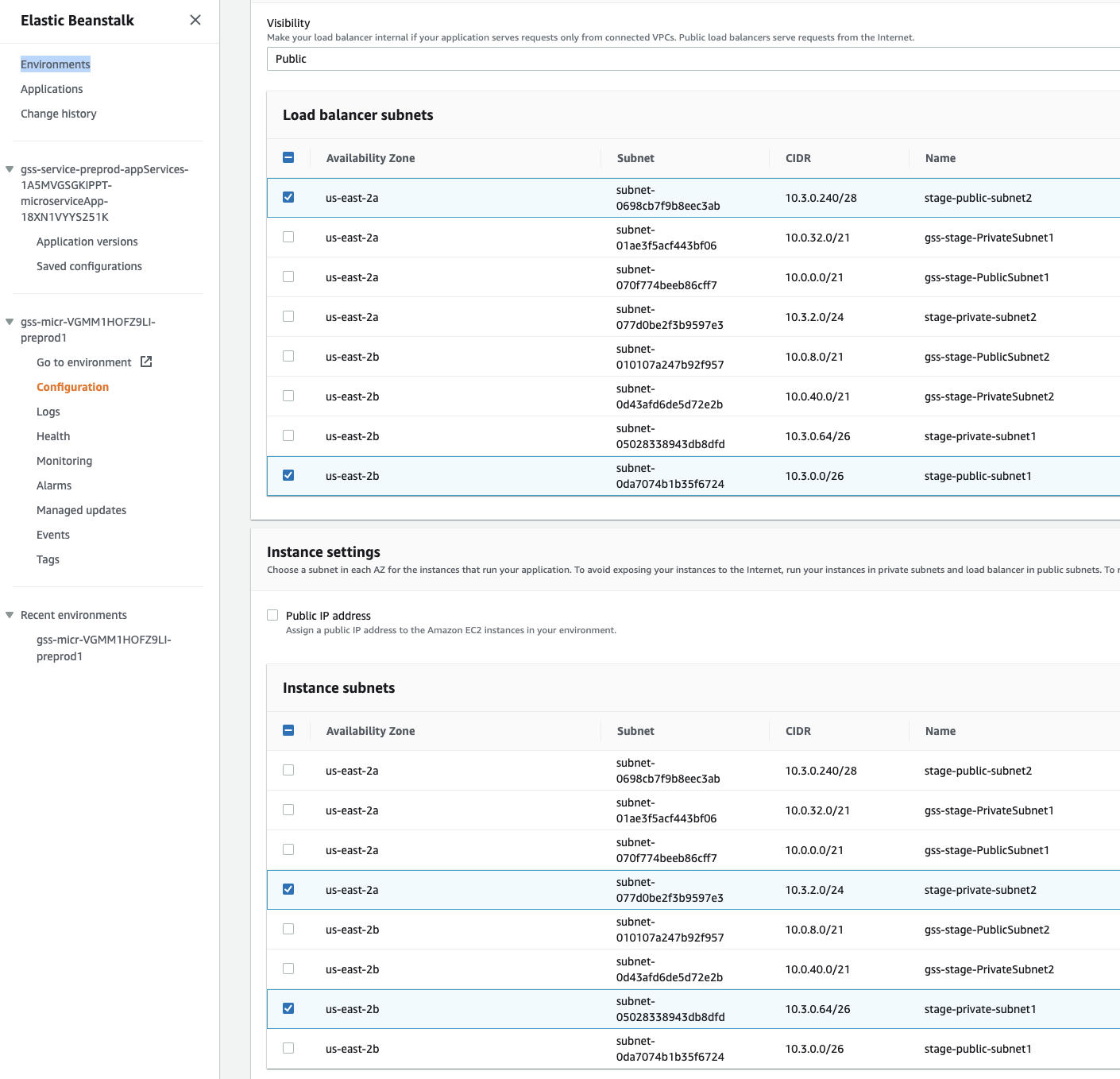
d. Update to new subnets in BeanStalk|Environment|Configuration
How to connect gss instances by springboard? 
Note: 1. To connect springboard, you need to download GSS-Virginia.pem first. 2. After connecting springboard, you need to use the key named GSS-Virginia.pem if you want to connect the instances from Virginia. Same for Ohio and California.
- Connect to gss springboard: ssh -i "GSS-Virginia.pem" ec2-user@54.198.128.33
- Switch to /home/ec2-user folder(key pair in this folder)
- Connect to gss instance by ssh. Eg: ssh -i "GSS-Virginia.pem" ec2-user@10.0.52.65