New Security System - TPSCRM 
How to migrate security system to TPSCRM? 
We need to migrate the GSS security system from IPCentral to TPSCRM according to this reminder.
Migration can be done according to the following steps:
- Export the components list from IP Central.
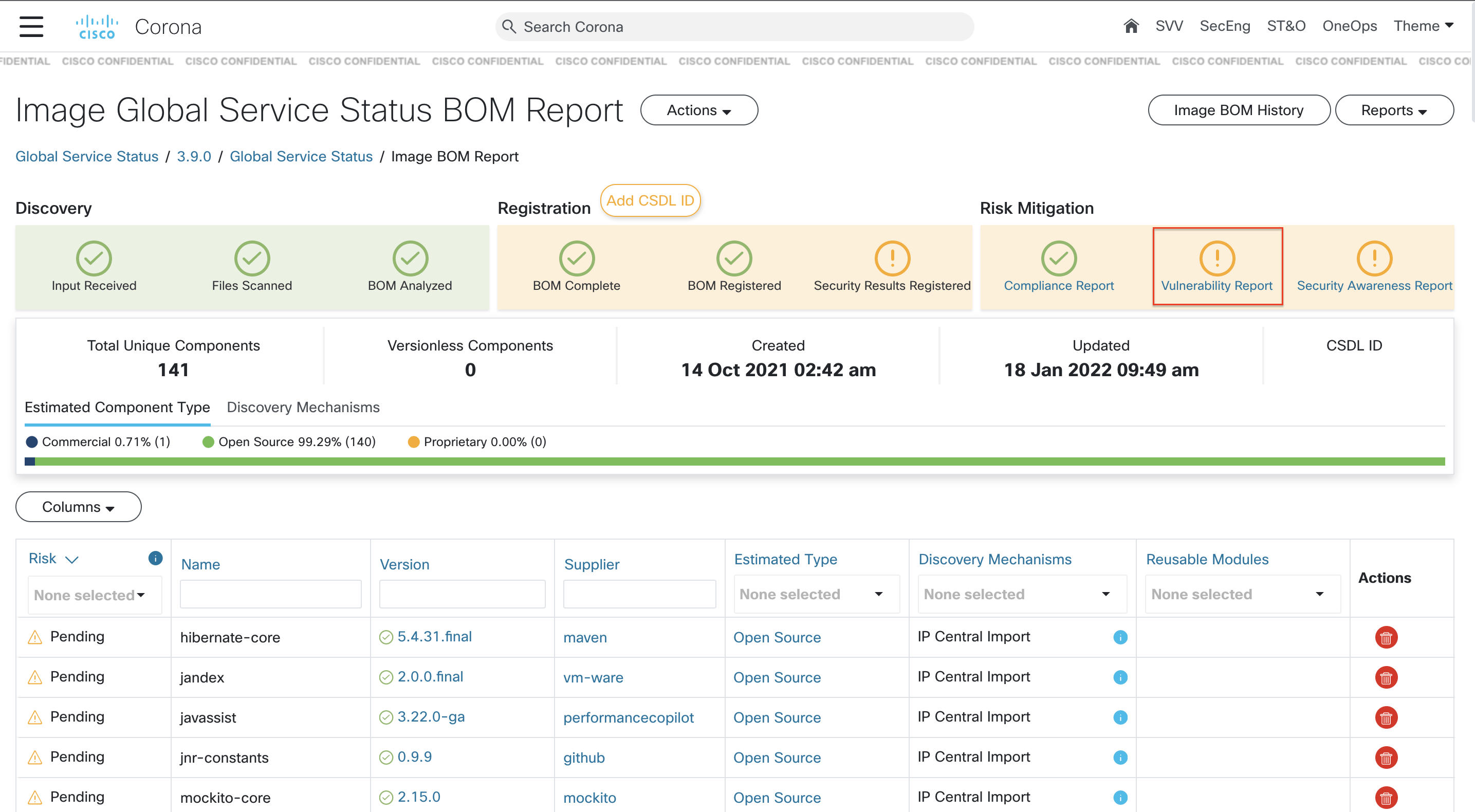
- Import components from IP Central to Corona.
- Then we can see our project on TPSCRM.
How to fix the security issue on TPSCRM? 
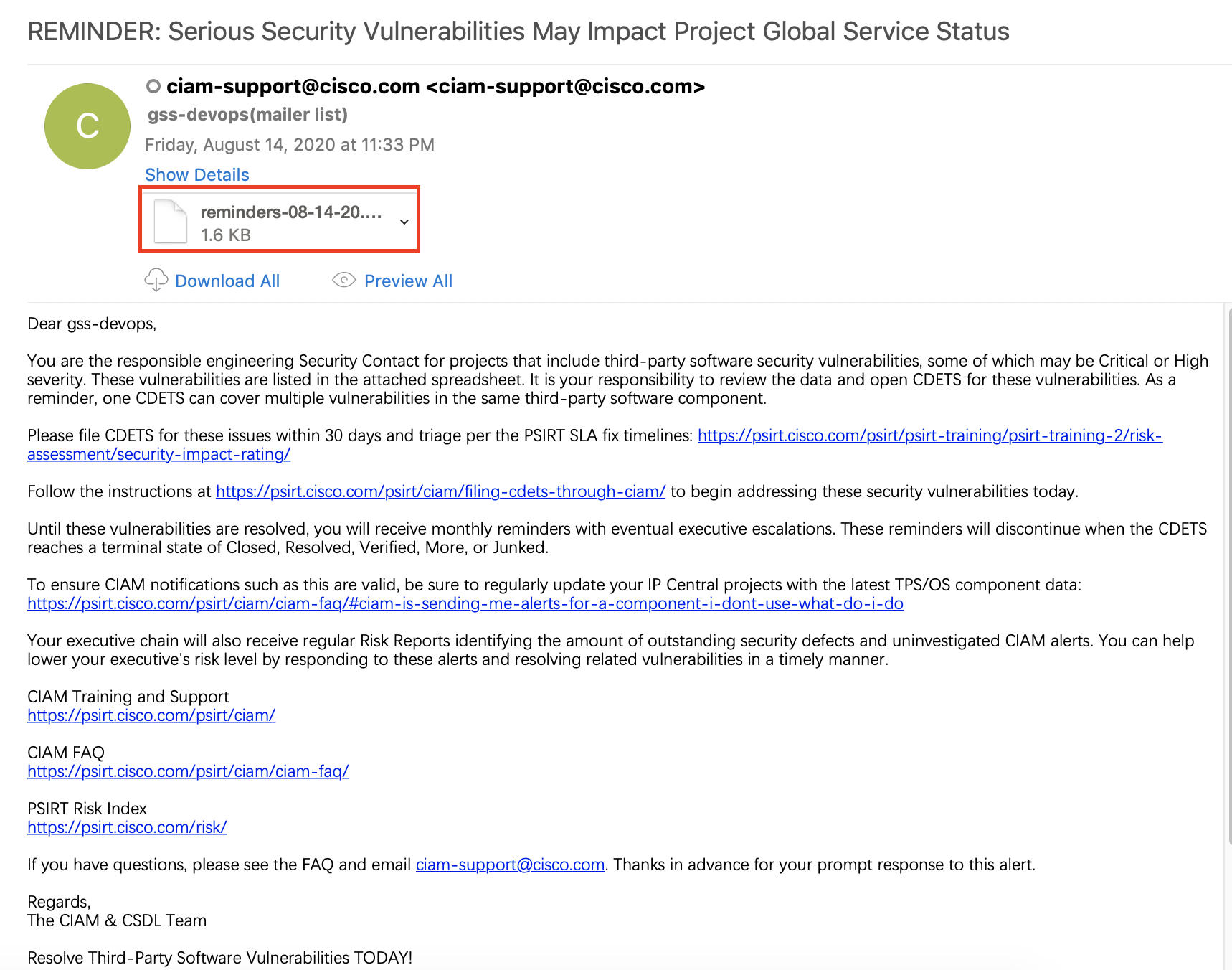
Note: Generally speaking, when GSS has security issues, gss-devops will receive email reminders from ciam-support. (like the screenshot above) Then you can follow these steps below to solve.
File a CDETS 
-
You can click "Vulnerability Report" in Corona BOM report and check all vulnerable components.
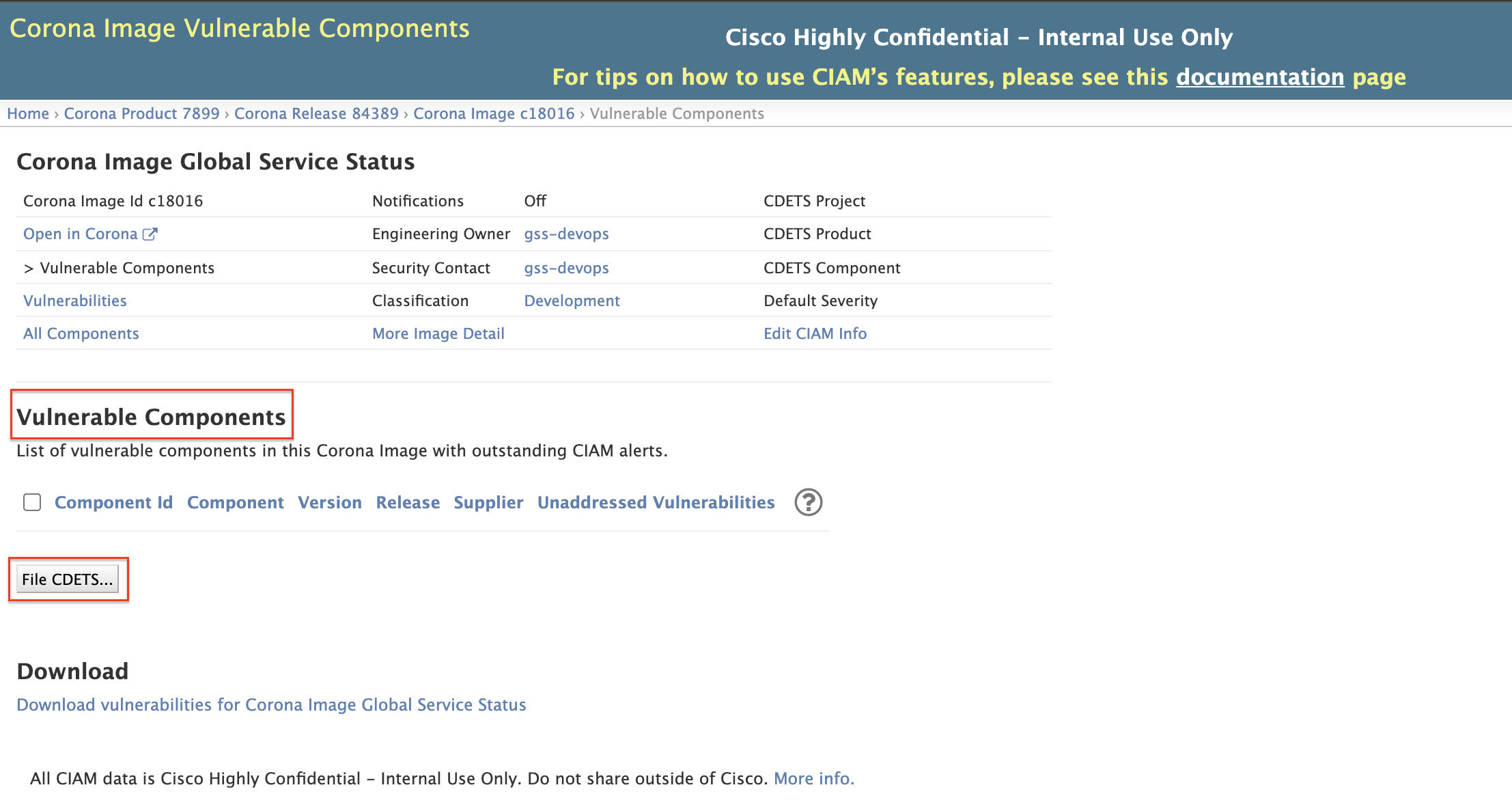
-
You can file CDETS for these vulnerable components. You can refer to https://cdetsng.cisco.com/webui/#view=CSCvv39895 or others. (Project: CSC.csg, Product: gss)
Backend Change 
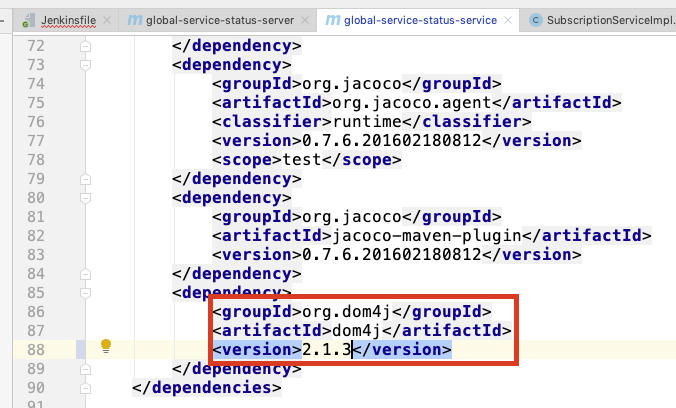
- Generally speaking, we need to upgrade the version of the backend package. For example, in this example, we need to update the version of dom4j.
-
We can find this package in backend pom.xml file and update the package version following the alert instruction. (Usually need to update to the latest version)
-
We need to ensure the normal build of the backend project in local and dev, and push to stage and prod.
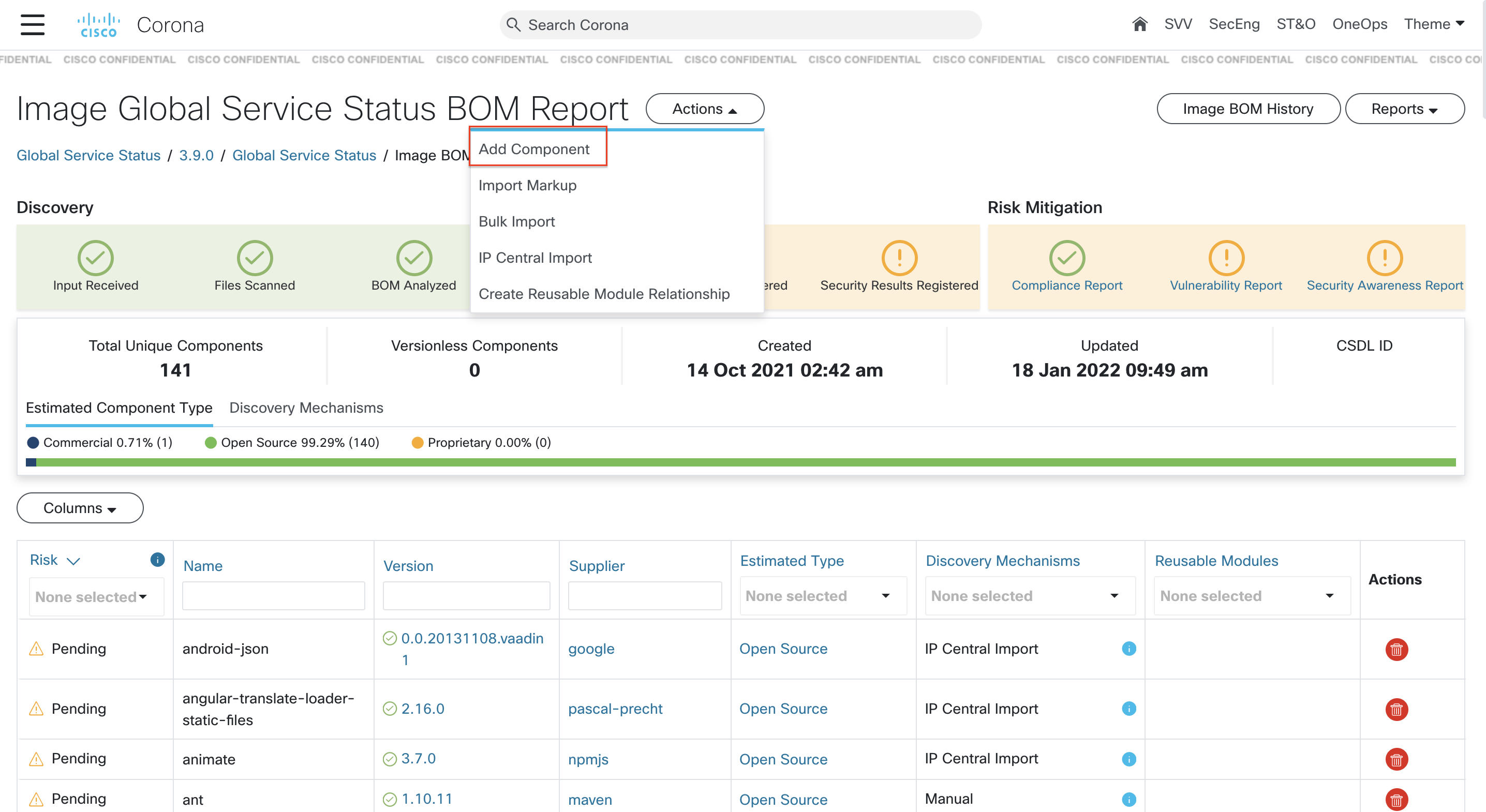
Add/Edit components in Corona 
We can refer to Reference[5].
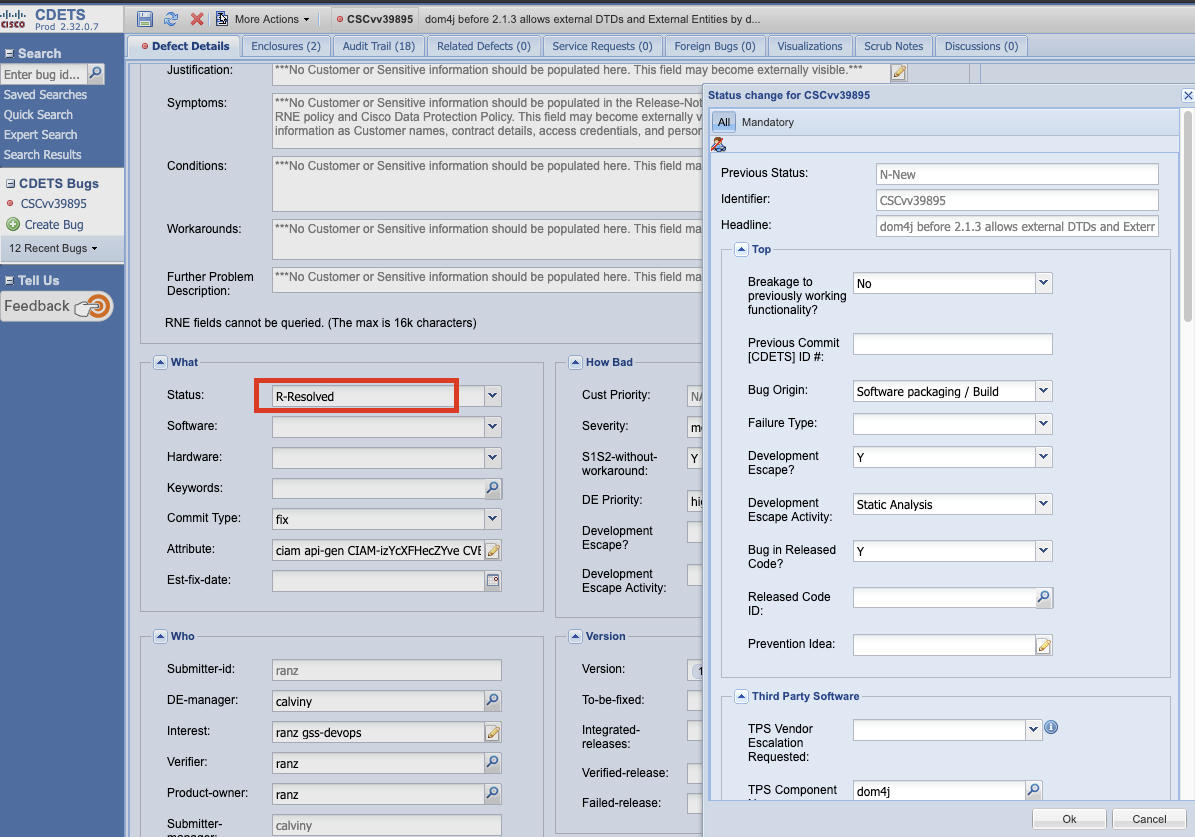
Update CDETS Status 
We should update CDETS status to 'resolved'. (it's filed in File a CDETS above)