Guidelines for decommission servers via CDP 
Prerequisites:
- Make sure CDP decommission permission, if no, please contact CDP team(Jack Chen or Nick Zhong) to get sufficient permission
- If the server is in CMC, then set the server as offline status
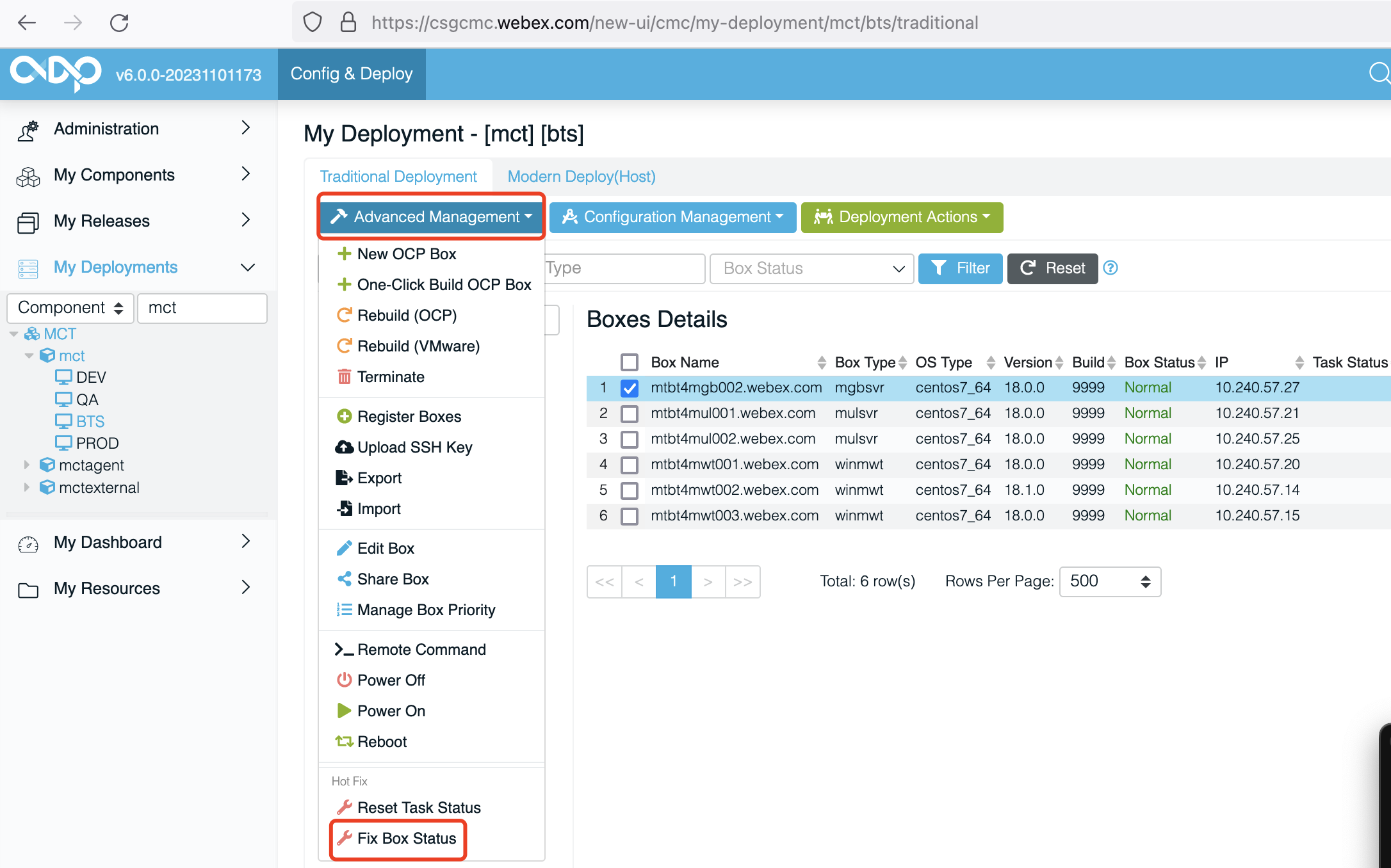
- If the server isn't in CMC, then using
Associate Servers to Poolto find server in CDPa. Navigate to the
My Buildpage in CDP, search forcomponentin the left panel, then select one pool you wish to assocate server in the right panel, clickAssociate Servers to Poolunder Compute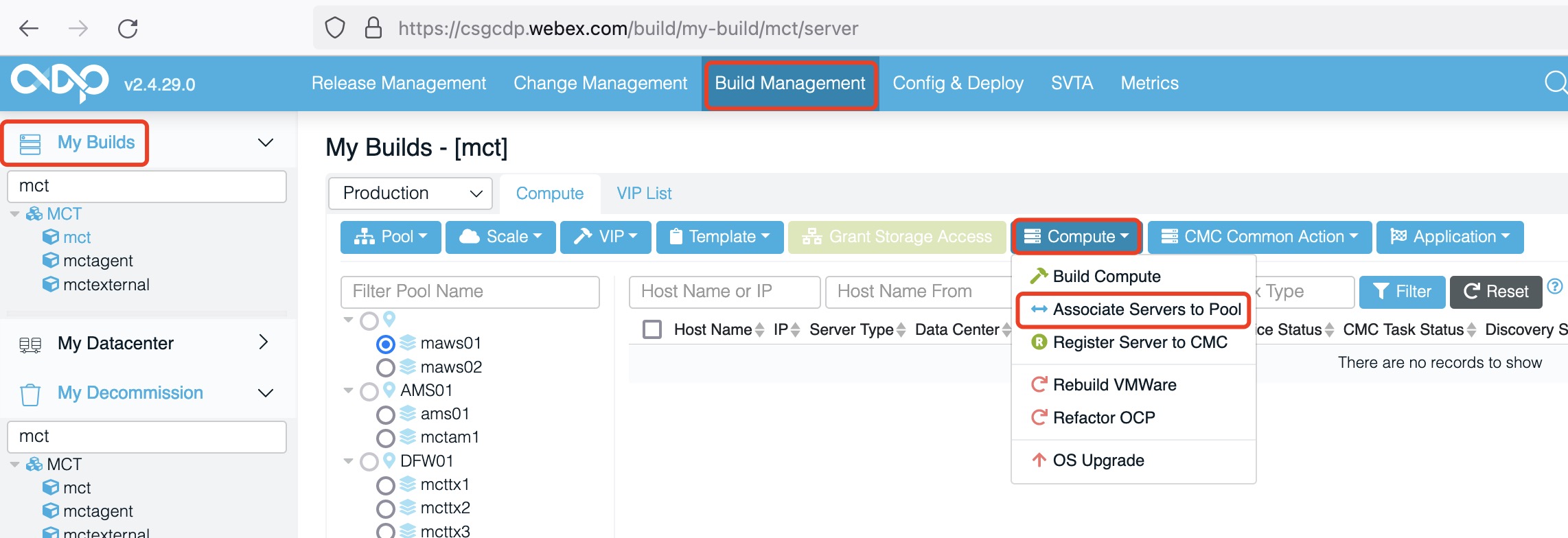
b. Select the servers, click
Execute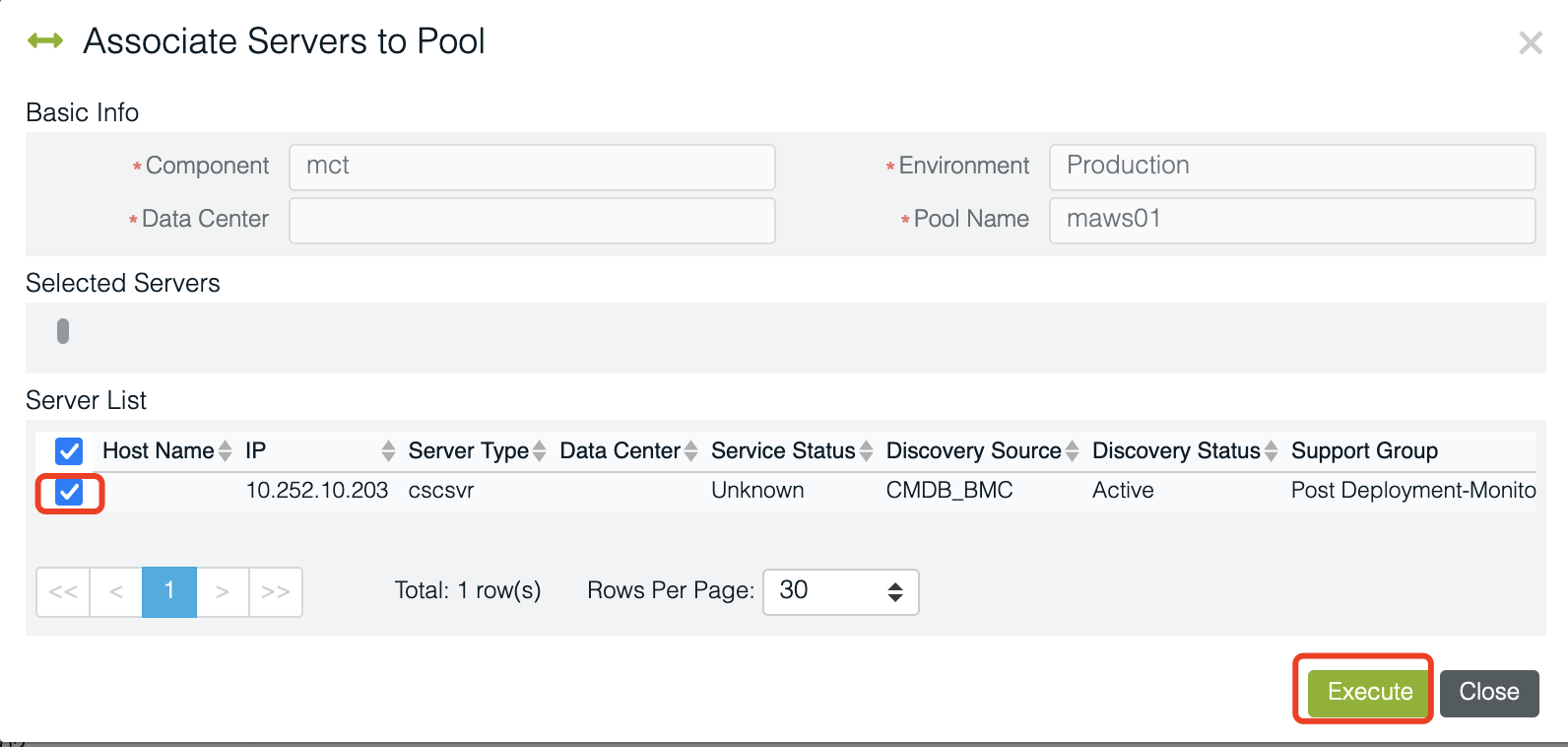 4. If the server can't be found via
 Associate Servers to Pool, send the server to Jie Bao (jieb) who can help associate the server to pool in CMDB, then do above step#3
Decommission Server 
-
Navigate to the
My Decommissionpage in CDP, search forcomponentin the left panel, and find the pool you wish to decommission from.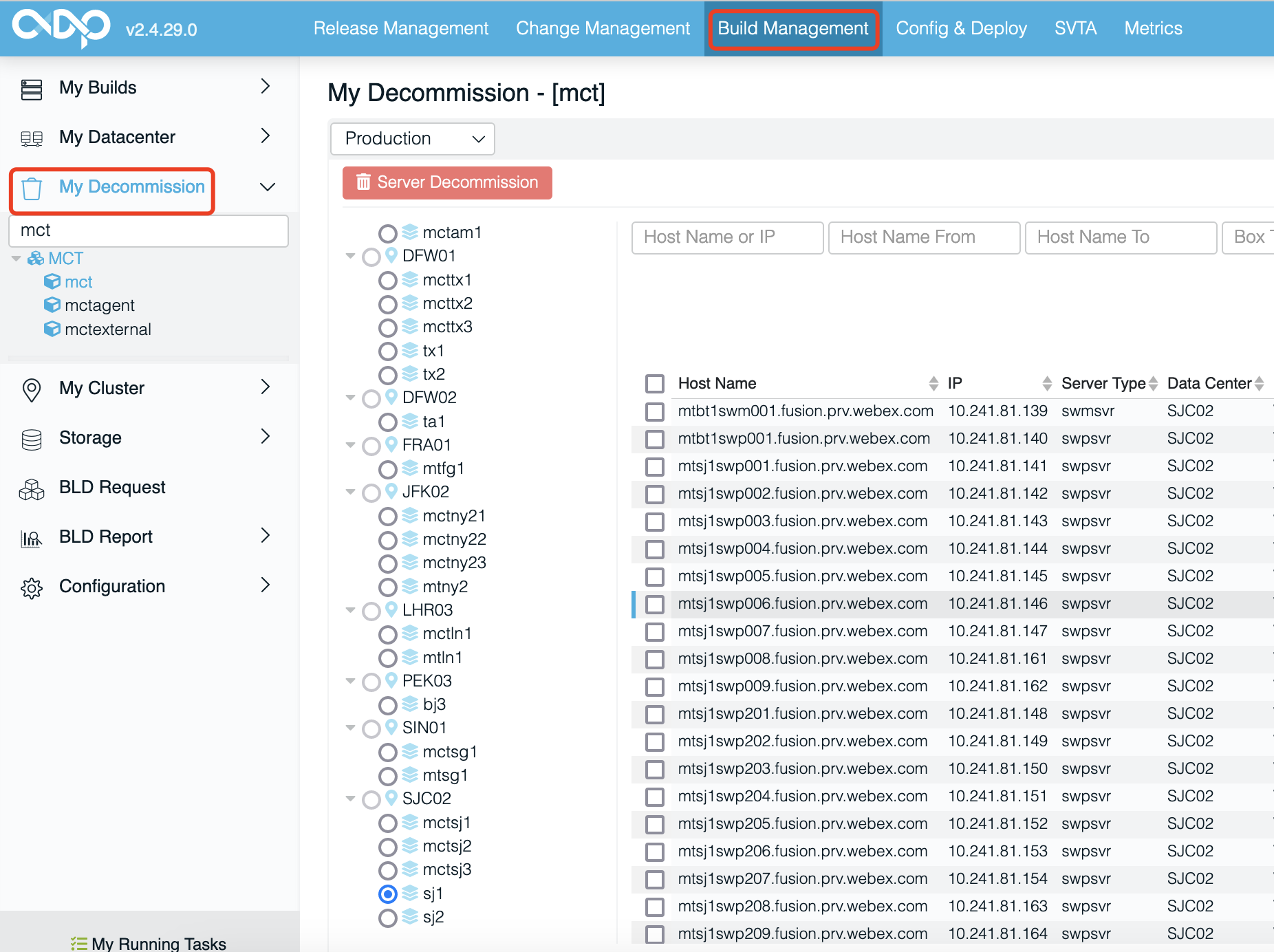
-
Select the servers which wish to decommission, click
Server Decommission.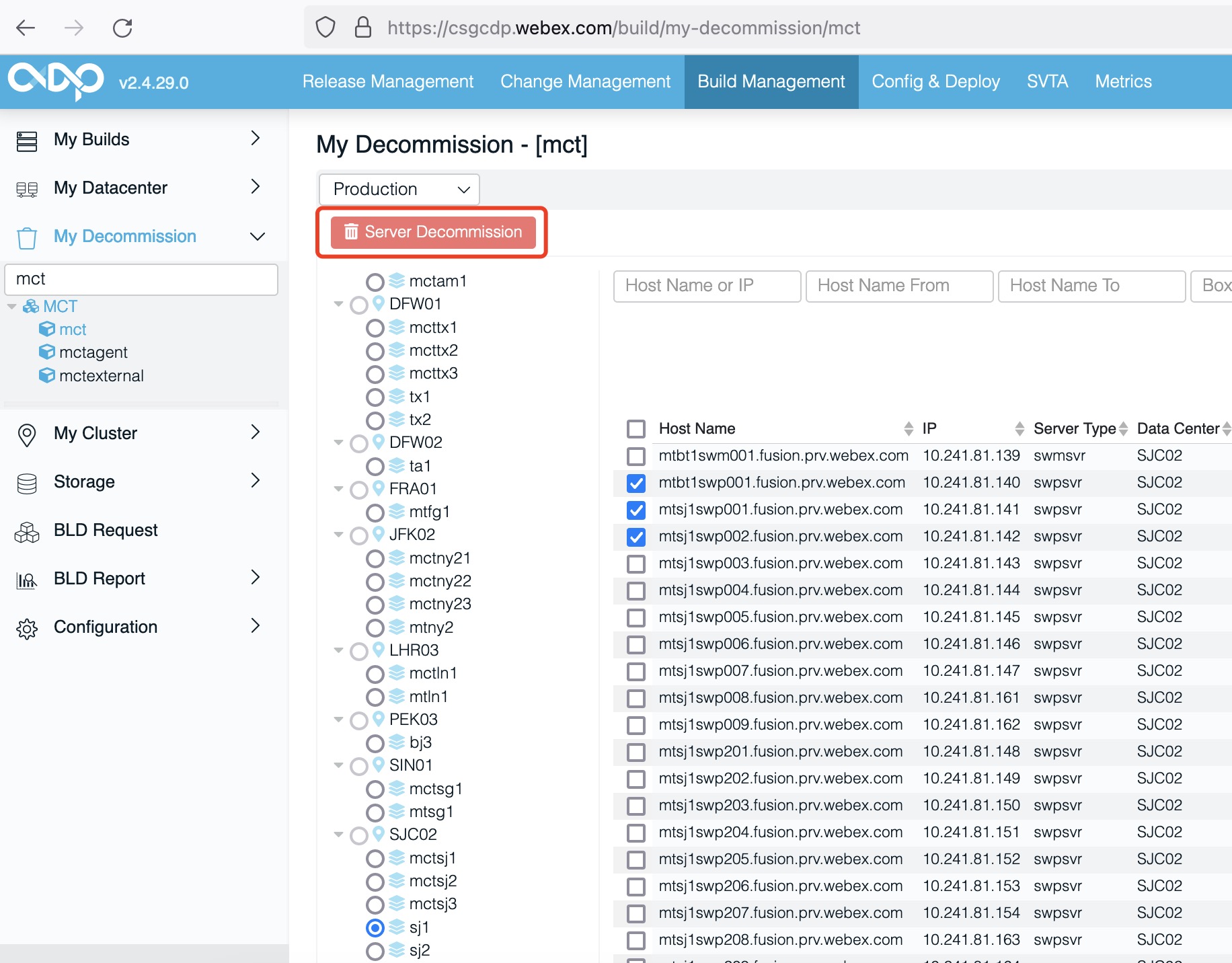
Here is the official guide: https://wiki.cisco.com/display/CSSDP/Server+Decommission