Git Development Process
Typical development workflow 
First time create local workspace 
Command Line 
-
Run git clone
mainline-url.git clone <origin-url> -
Run
git configto set author name and email for this repo.git config user.name "<your-cec>" git config user.email <your-email> -
Create a fork (bottom left corner for BitBucket, up right corner for GitHub).
-
Set a remote to point at your fork.
git remote add <your-cec> <your-fork-url> -
Check if set successfully.
git remote -v # if you see two remote upstreams (one is origin, the other is your cec), you are success
Recommend to set base repository as origin, your own fork as cec.
Source Tree 
-
Clone remote repository
- Clone from URL
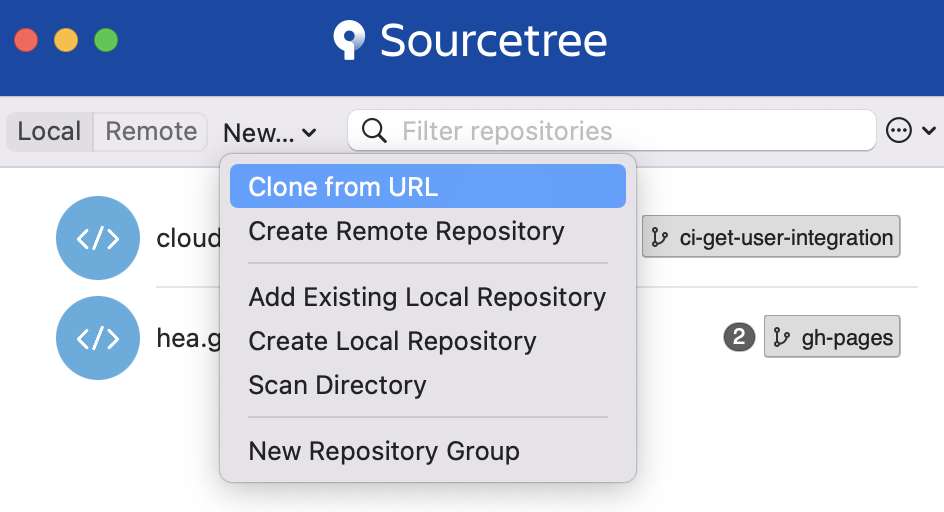
- Clone a repository
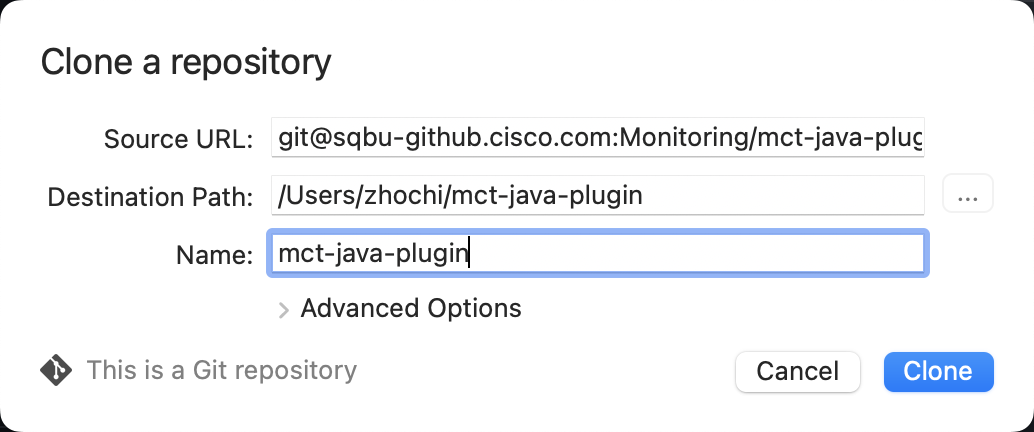
- Double click newly cloned repository
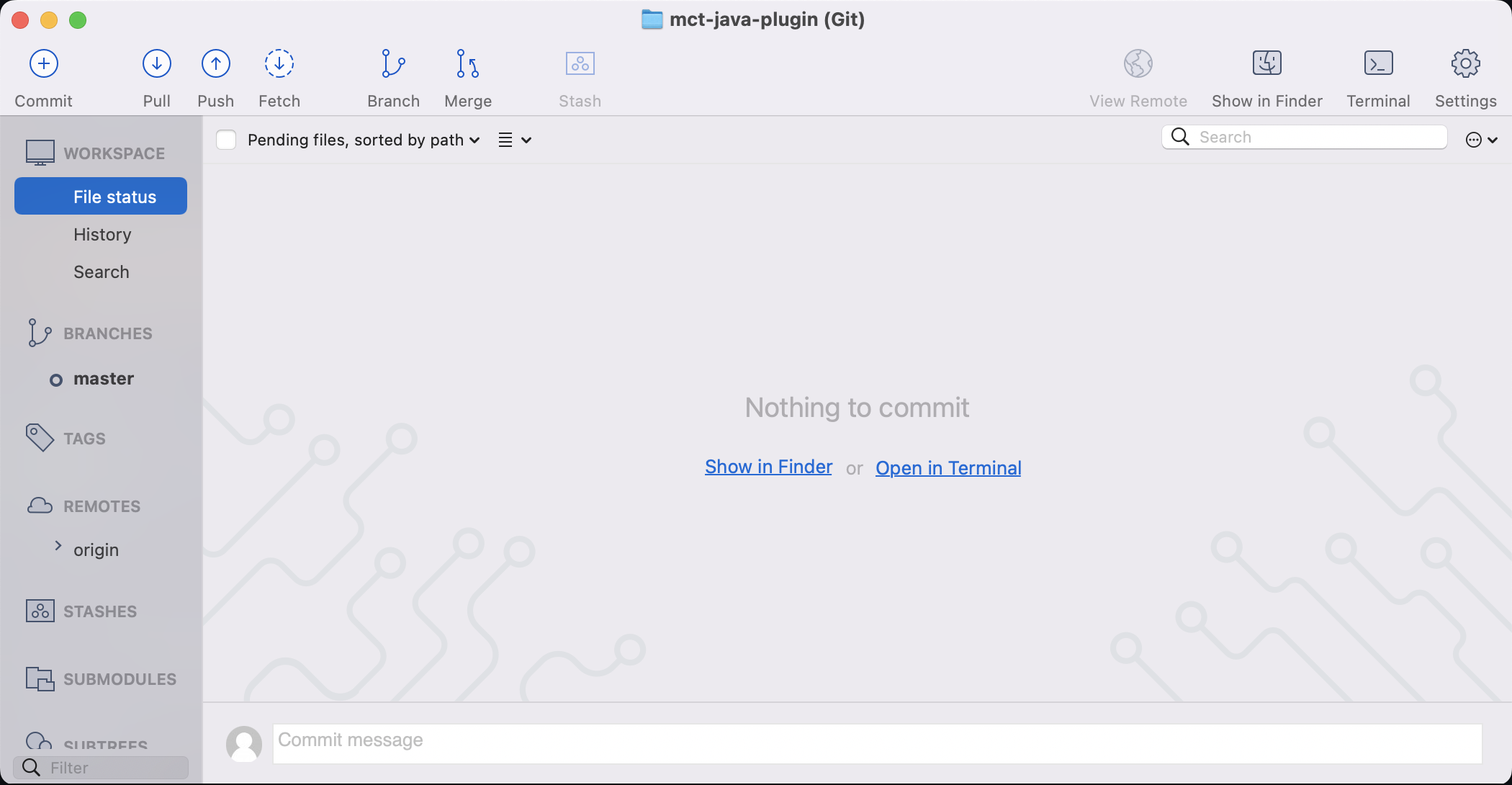
- Clone from URL
-
Set author name and email for this repo.
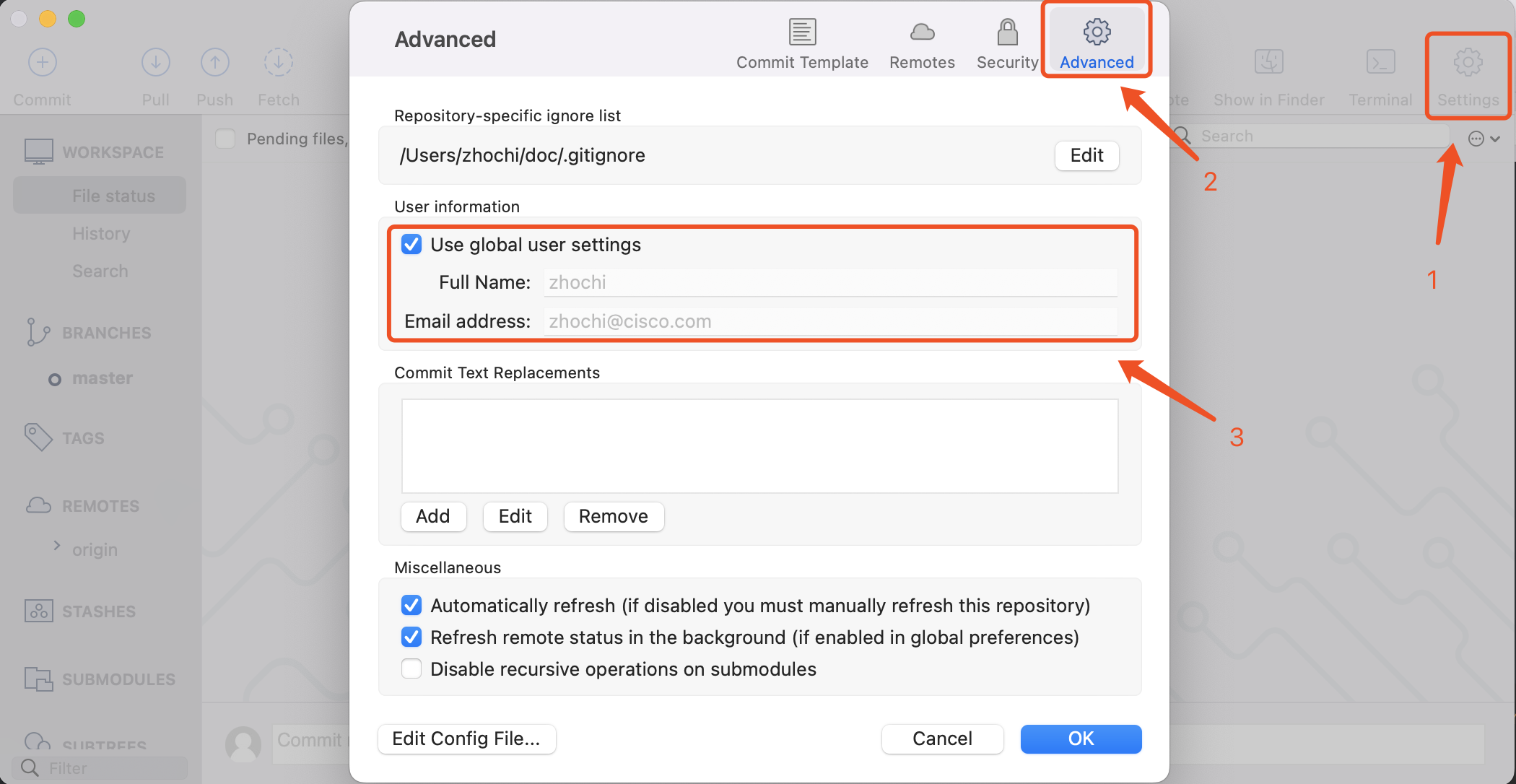
-
Create a fork (bottom left corner for BitBucket, up right corner for GitHub).
-
Add a remote to point at your fork.
- Go to Settings -> Remotes
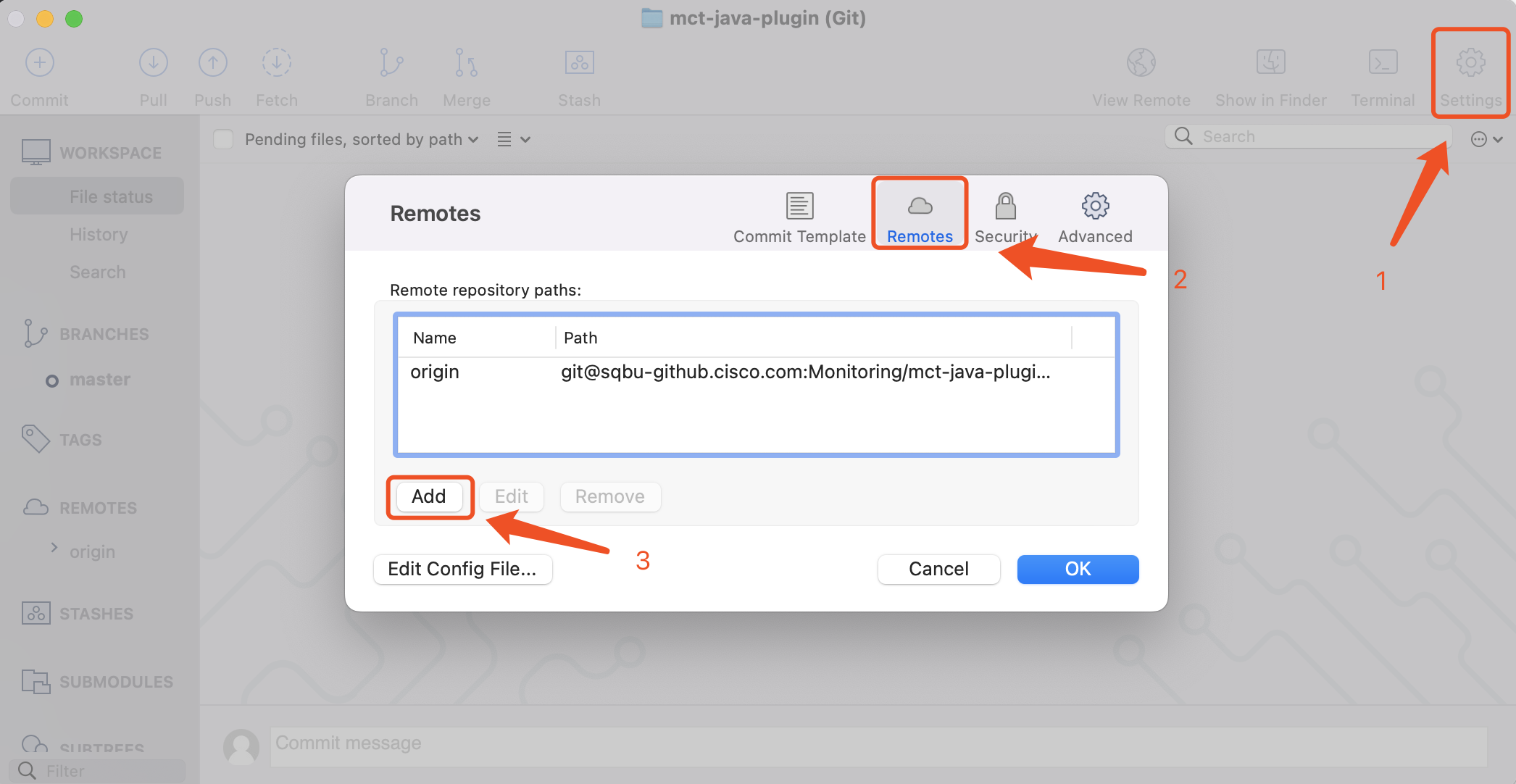
- Add your fork as remote
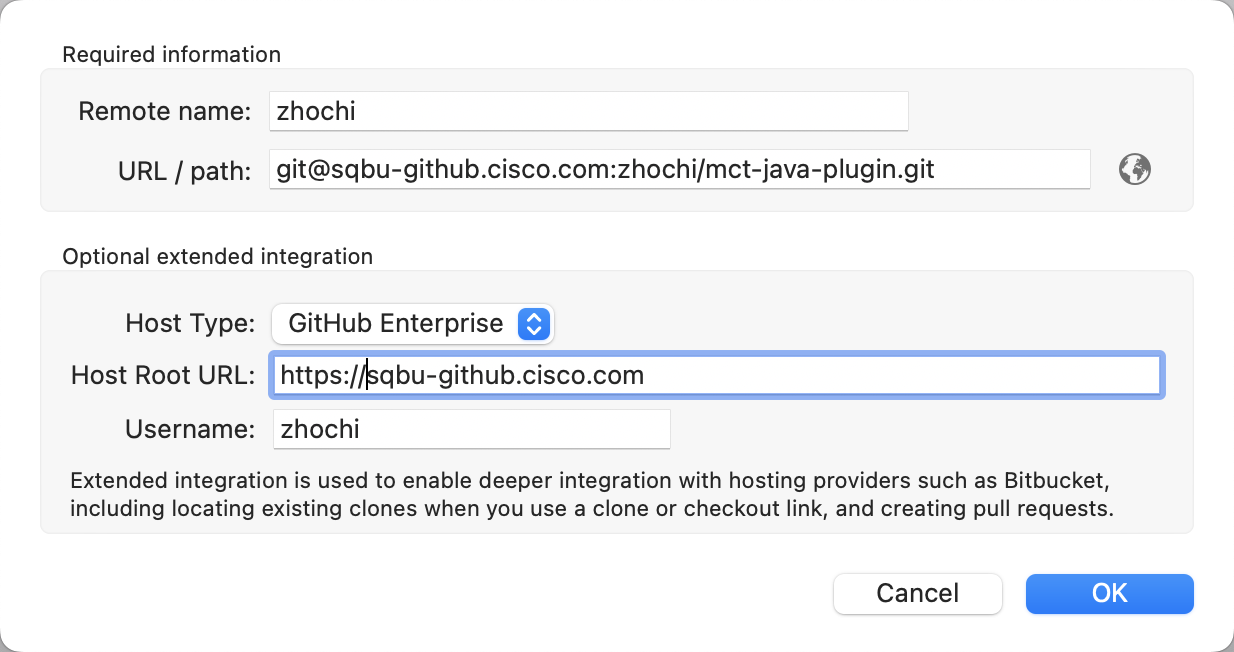
- Go to Settings -> Remotes
-
Check if set successfully.
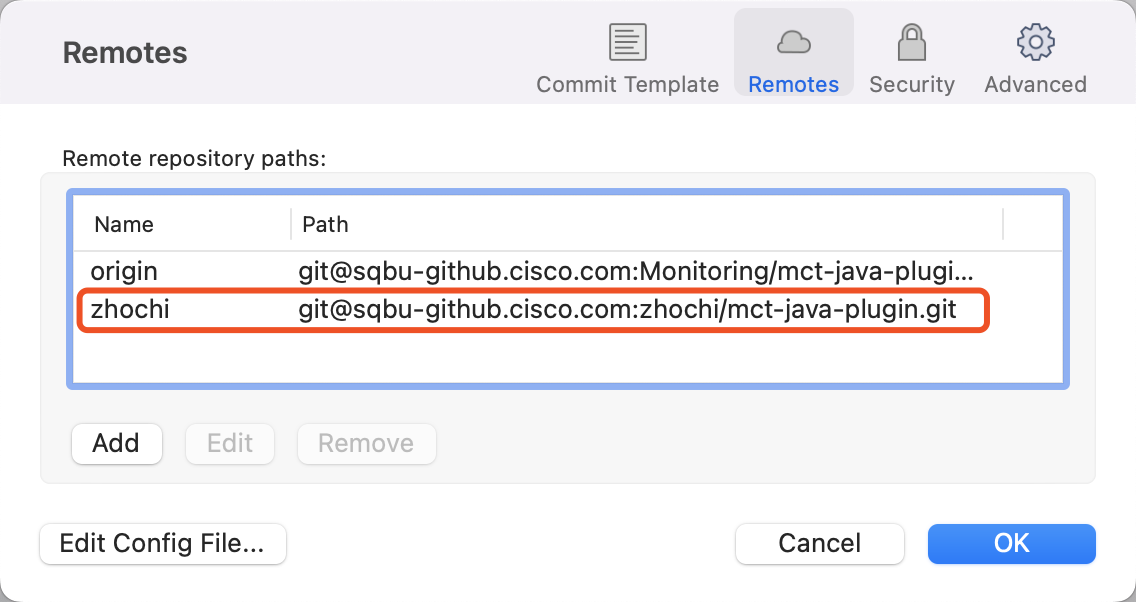
Short-lived individal feature development 
This is the most common case.
Command Line 
-
Create feature branch on your own fork based on origin
master.git checkout -b <feature-branch> origin/master # create a new branch based on origin master git pull # keep code updated with remote git push -u <your-fork> <feature-branch> # push the branch to your own fork -
Add your feature code and unit tests. Make sure everything runs fine before you continue your merge process.
-
Commit your changes.
git add . # or add any needed files git commit -m "<commit messages>" -
Update code from origin
master(fix conflict if needed).git pull origin master --rebase # update your code on rebase mode -
Push your code to remote tracking branch.
git push <your-fork> <feature-branch> # push local commits to your remote fork -
Go to GitHub or BitBucket to rise a Pull Request to
master. -
During review processing, Iterate step 3 to step 5 until your PR enables the merge button, then merge.
-
(Recommend to delete the feautre branch to keep workspace clean)
-
(Integration test based on
master)
Source Tree 
- Create feature branch on your own fork based on origin
master.- Pull from
origin/masterto update latest code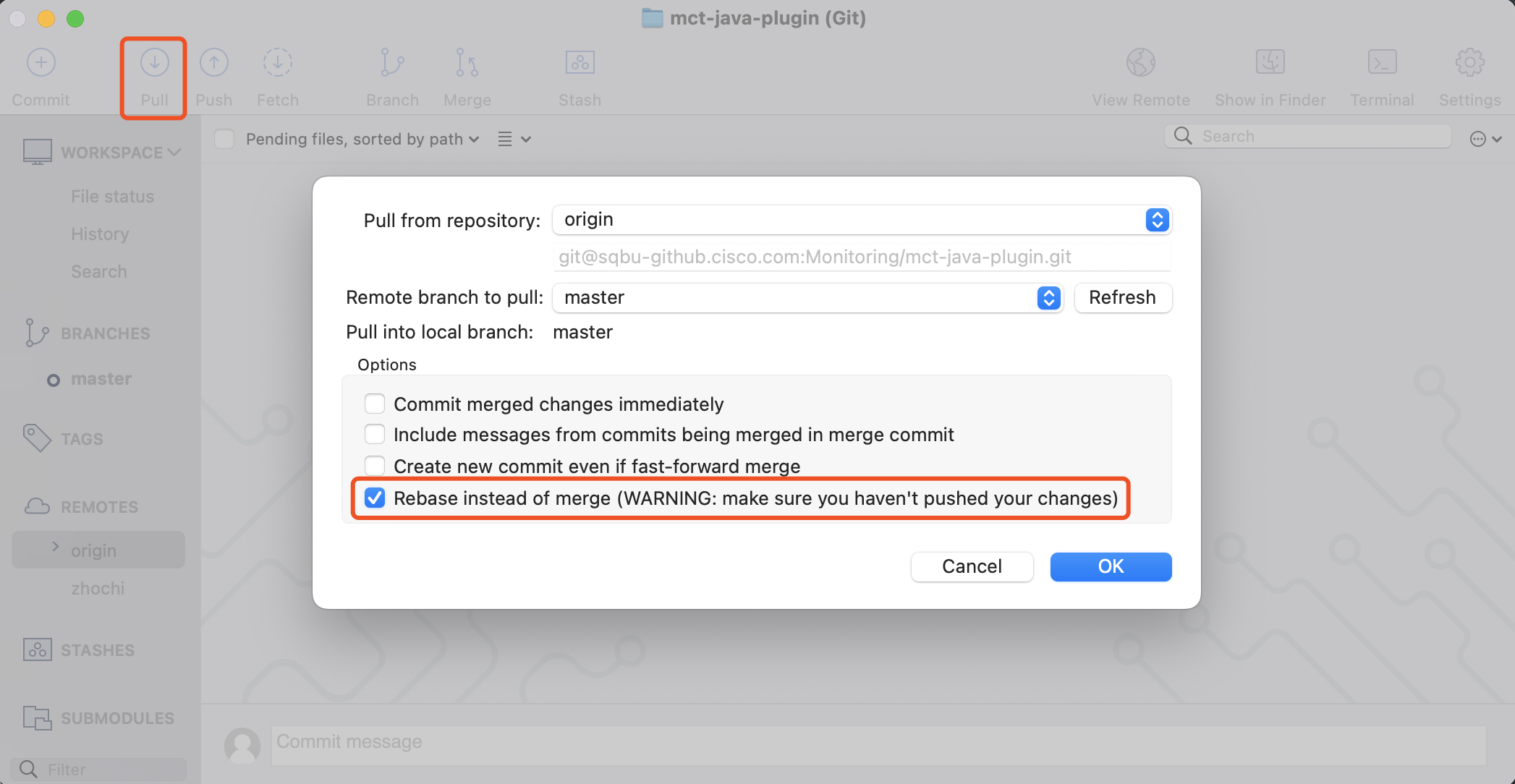
- Create new branch based on local
master(branch that trackingorigin/master)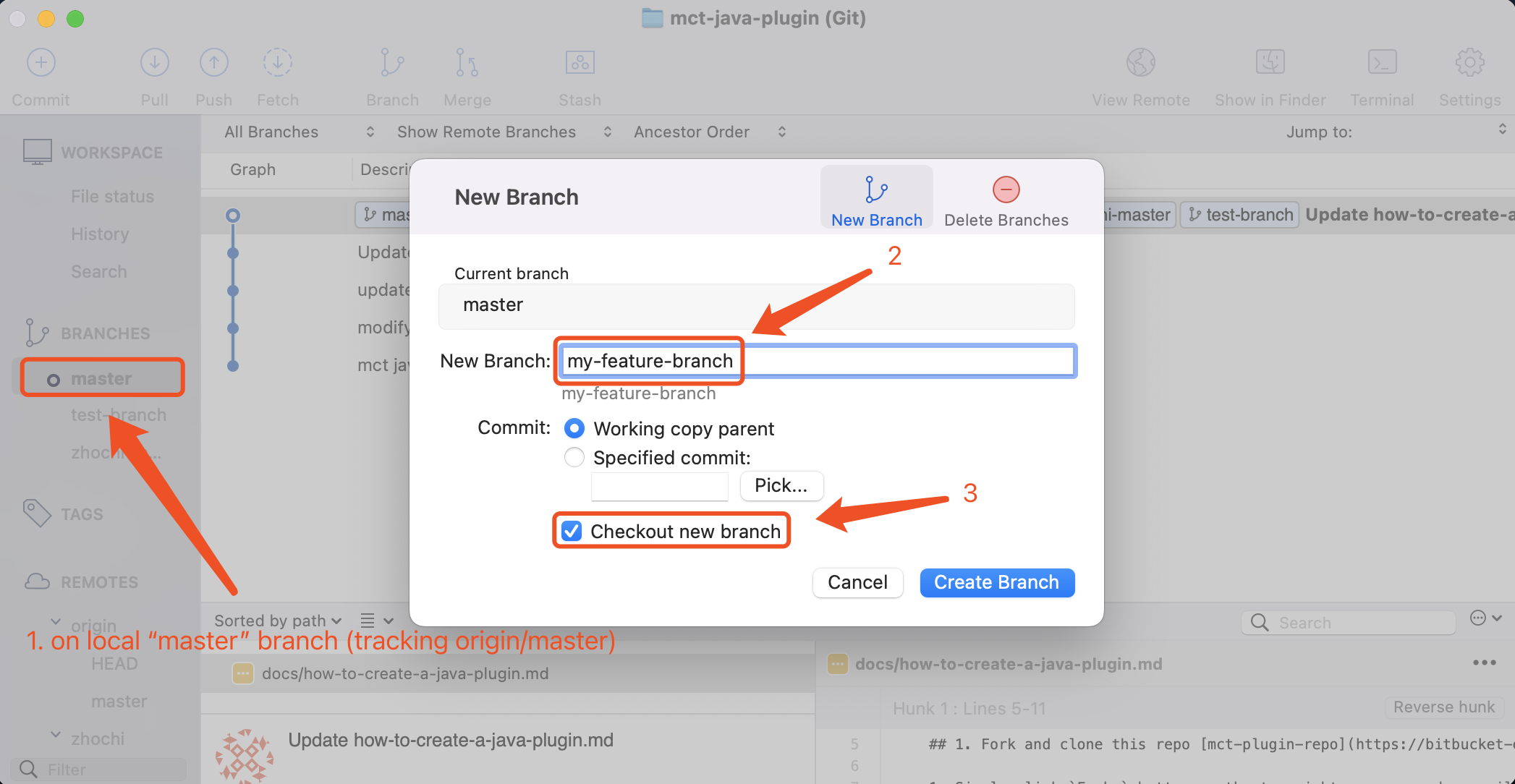
- Pull from
- Add your feature code and unit tests. Make sure everything runs fine before you continue your merge process.
- Commit your changes.
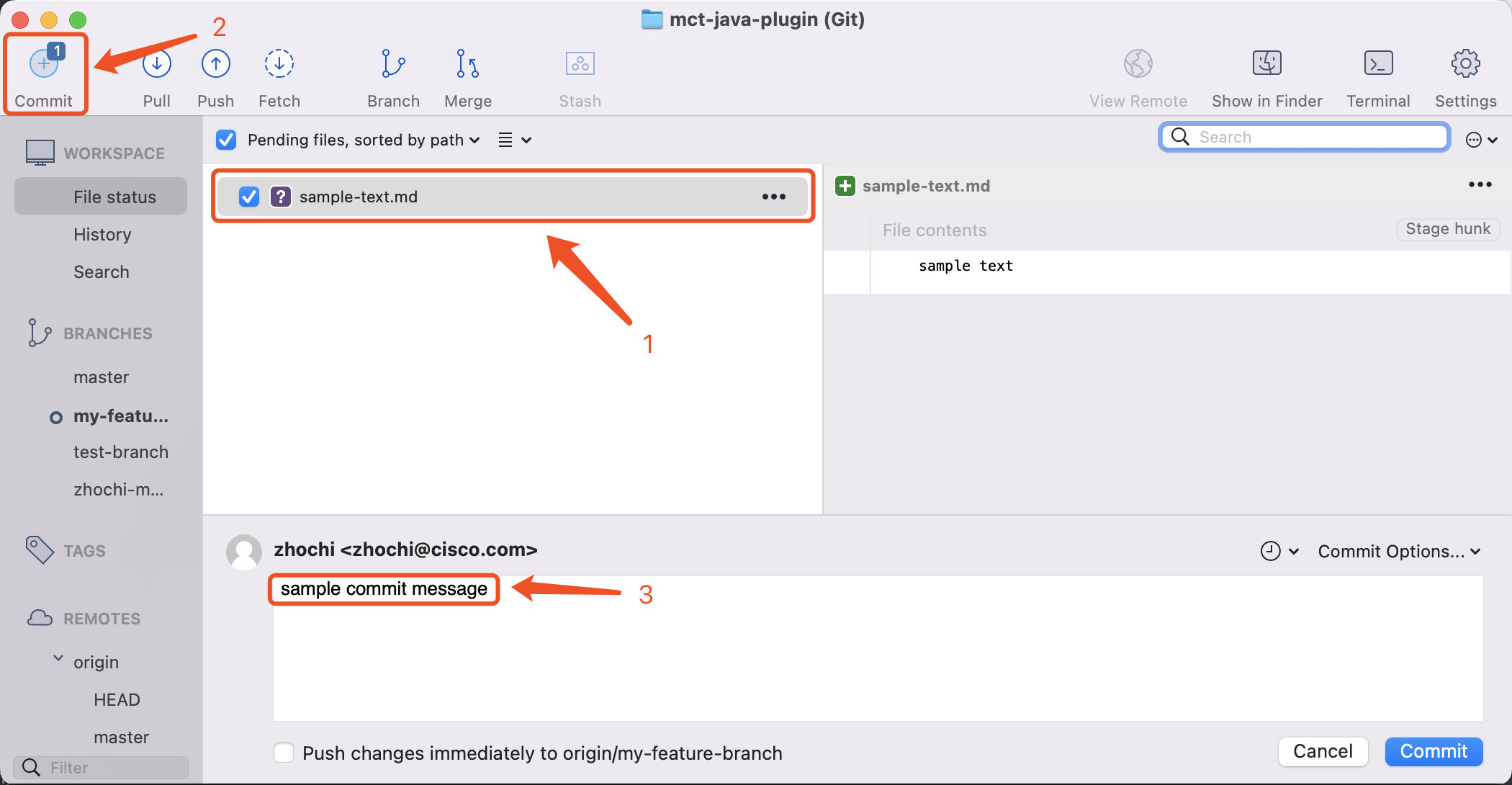
- Update code from origin
master(fix conflict if needed).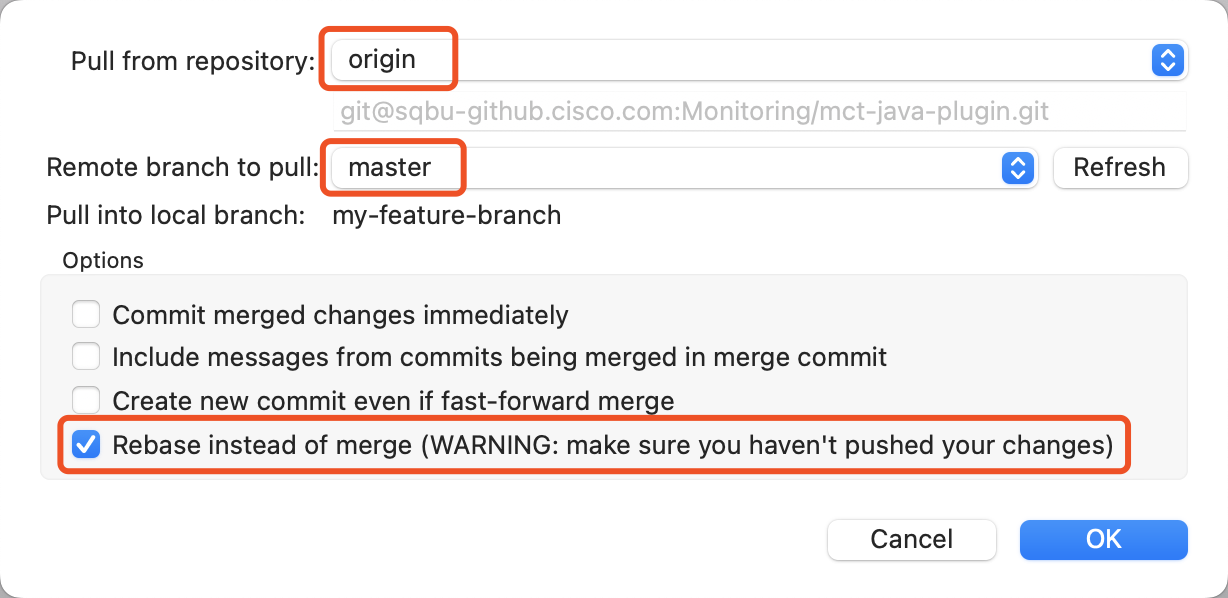
- Push your branch and code to your remote own fork.
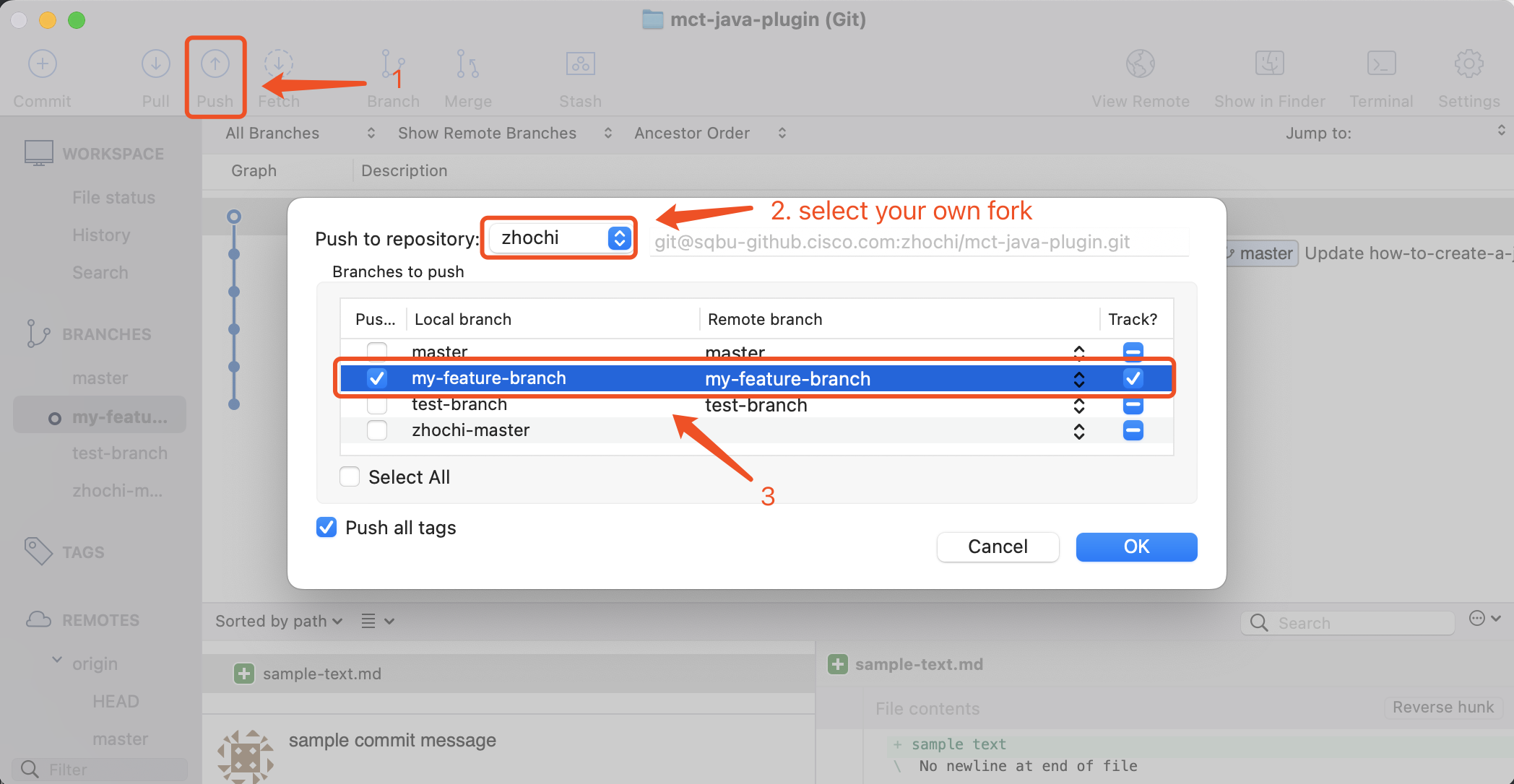
- Go to GitHub or BitBucket to rise a Pull Request to
master. - During review processing, Iterate step 3 to step 5 until your PR enables the merge button, then merge.
- (Recommend to delete the feautre branch to keep workspace clean)
- (Integration test based on
master)
Short-lived shared feature branch development 
This case applies to collaborative development, and the feature can be finished within current sprint (can be merged to master shortly).
Command Line 
-
Create feature branch on origin based on
master.git checkout -b <feature-branch> origin/master # create a new branch based on origin master git pull # keep code updated with remote git push -u origin <feature-branch> # push the branch to origin -
Add your feature code and unit tests. Make sure everything runs fine before you continue your merge process.
-
Commit your changes.
git add . # or add any needed files git commit -m "<commit messages>" -
Update code from origin
master(fix conflict if needed).git pull # update code from remote tracking branch incase there is any updates made by your peer. git pull origin master --rebase # update your code on rebase mode -
Push your code to remote tracking branch.
git push origin <feature-branch> # push local commits to remote -
Go to GitHub or BitBucket to rise a Pull Request to
master. -
During review processing, Iterate step 3 to step 5 until your PR enables the merge button, then merge.
-
(Recommend to delete the feautre branch to keep workspace clean)
-
(Integration test based on
master)
Source Tree 
-
Create feature branch on your own fork based on origin
master.- Pull from
origin/masterto update latest code - Create new branch based on local
master(branch that trackingorigin/master)
- Pull from
-
Add your feature code and unit tests. Make sure everything runs fine before you continue your merge process.
-
Commit your changes.
-
Update code from feature branch (if there is parallel update) and origin
master(fix conflict if needed).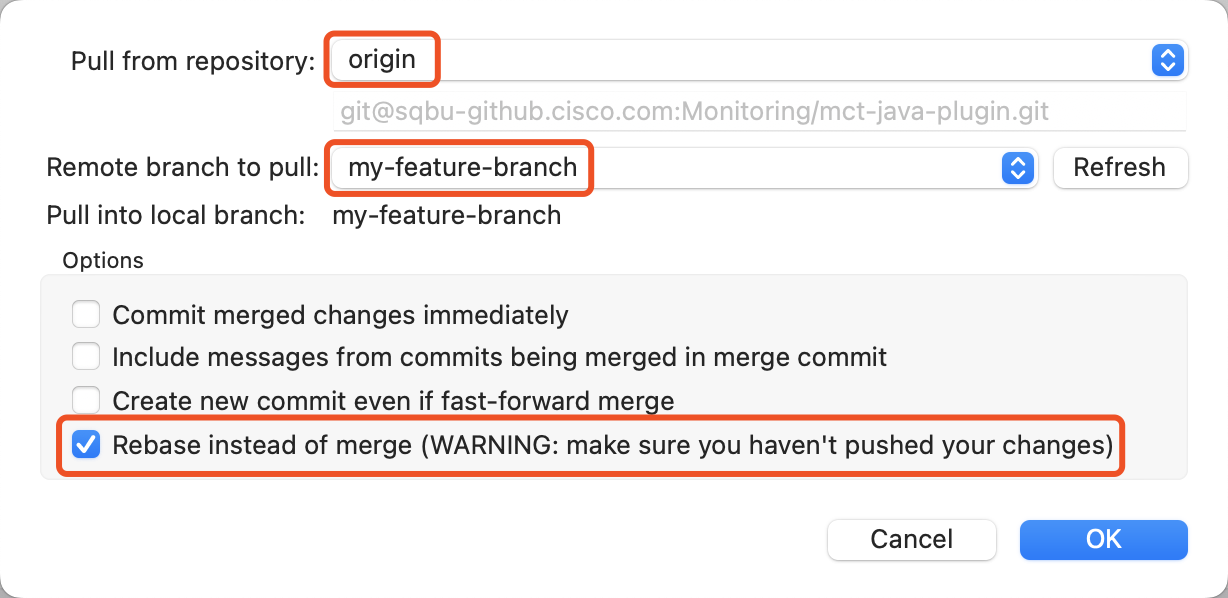
-
Push your code (and branch) to remote origin.
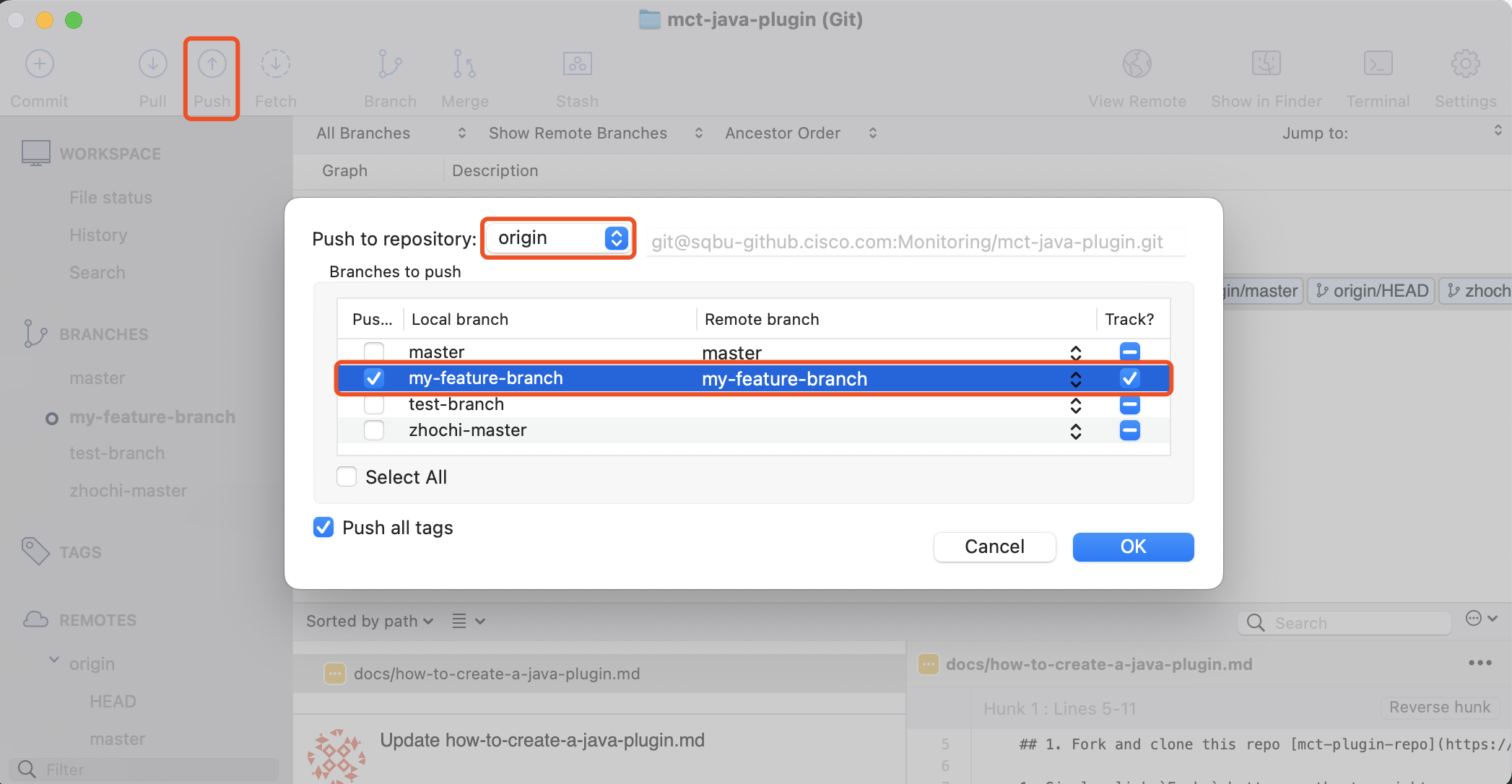
-
Go to GitHub or BitBucket to rise a Pull Request to
master. -
During review processing, Iterate step 3 to step 5 until your PR enables the merge button, then merge.
-
(Recommend to delete the feautre branch to keep workspace clean)
-
(Integration test based on
master)
Long-lived shared feature branch development 
This is a extended case for above collaborative development, the feature cannot be finished within current sprint, in other words, feature branch can not be merged to master shortly, which may lead to problem for integration test.
- There is a toggle align with current feature Just do as Short-lived shared feature branch development case, and keep toggle closed on Production environment before feature fully released.
- Do not have a feature toggle
- When the feature is partly done, and there is a milestone needs to be tested, do step 1 to step 5 as Short-lived shared feature branch development case, then create a temp branch based on origin
master, and merge all feature code to this branch, at last, release a package from the temp branch for integration test. - When the feature is fully done, do as Short-lived shared feature branch development case.
- When the feature is partly done, and there is a milestone needs to be tested, do step 1 to step 5 as Short-lived shared feature branch development case, then create a temp branch based on origin
Release flow 
Developing a feature 

Dealing with an EP 

Time Frame 
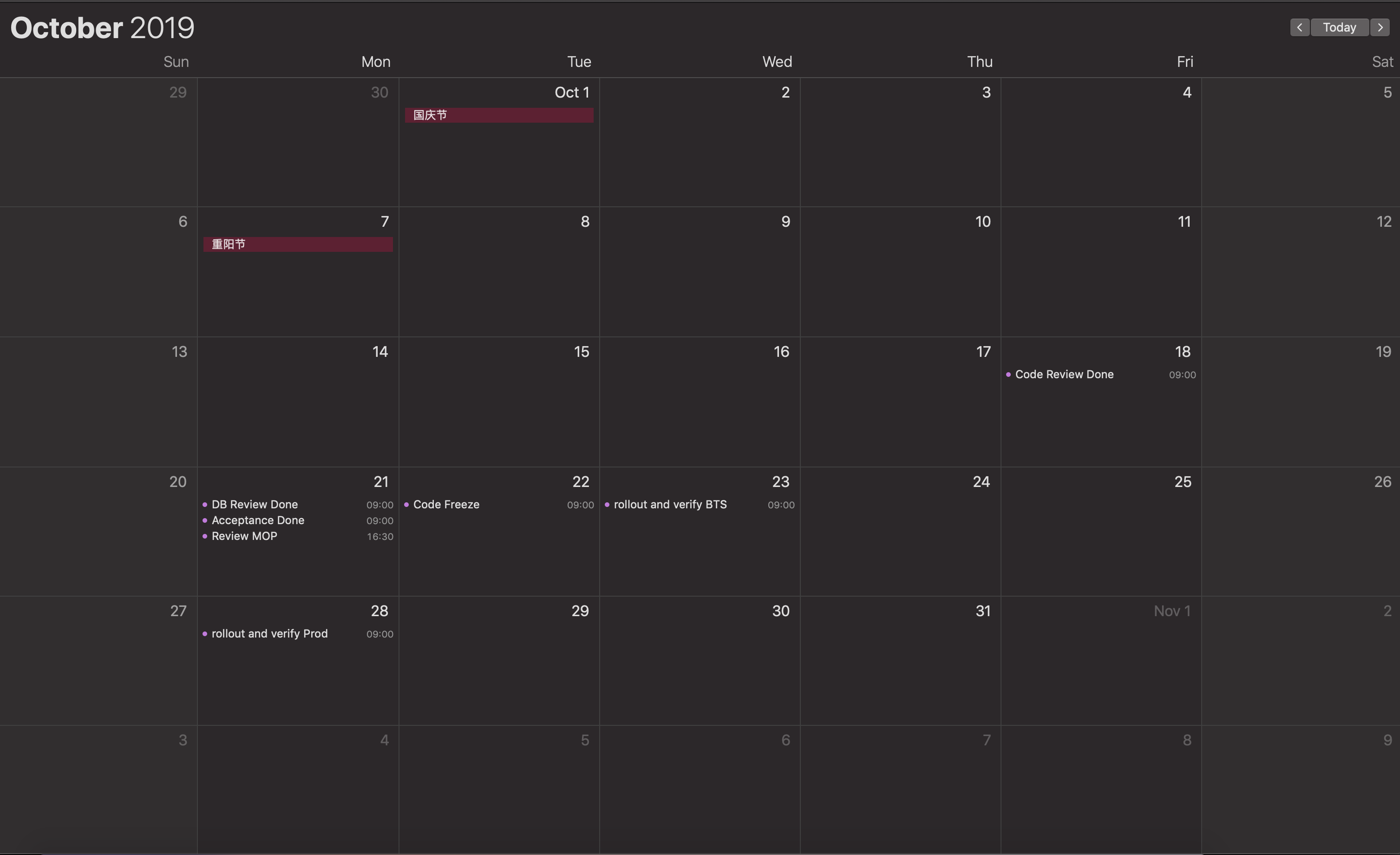
Key Event 
| Event | Deadline | Action |
|---|---|---|
| Code Review | Last last Friday before release day | Review the code merge to develop/EP branch. Code review submitter should ensure code tested pass on local env, or pull request may be declined. DB SQL / Package ready |
| DB Review | Last Monday before release day | Review DB script(rollout owner) |
| Acceptance Test | Last Monday before release day | Accepter verify the feature on QA env, review MOP (team) |
| Code Freeze | Last Tuesday morning at 9:00 before release day | No more code will be merge to develop branch, action: 1. Check feature list (rollout owner)2. All code to master (rollout owner) 3. Release package ready, fork release branch and tag (rollout owner) |
| Verify BTS | Last Wednesday before release day | Refresh BTS env and verify |
| Verify Prod | Release day, two days before last Wednesday of month | Refresh production env and verify. After done, update pom.xml (each package version use release version, db script file version, create CMC version to new version) |
| Release Demo | The next day after release day | New features demo to customer |