How to fix cloud agent
Notice: for agent not in mcttx2 and webex external, please check here
Troubleshot Strategy 
From cloud agent background, we can know that if cloud agent has an issue, it probably happens in cloud agent three components: redis、zookeeper, and agent.
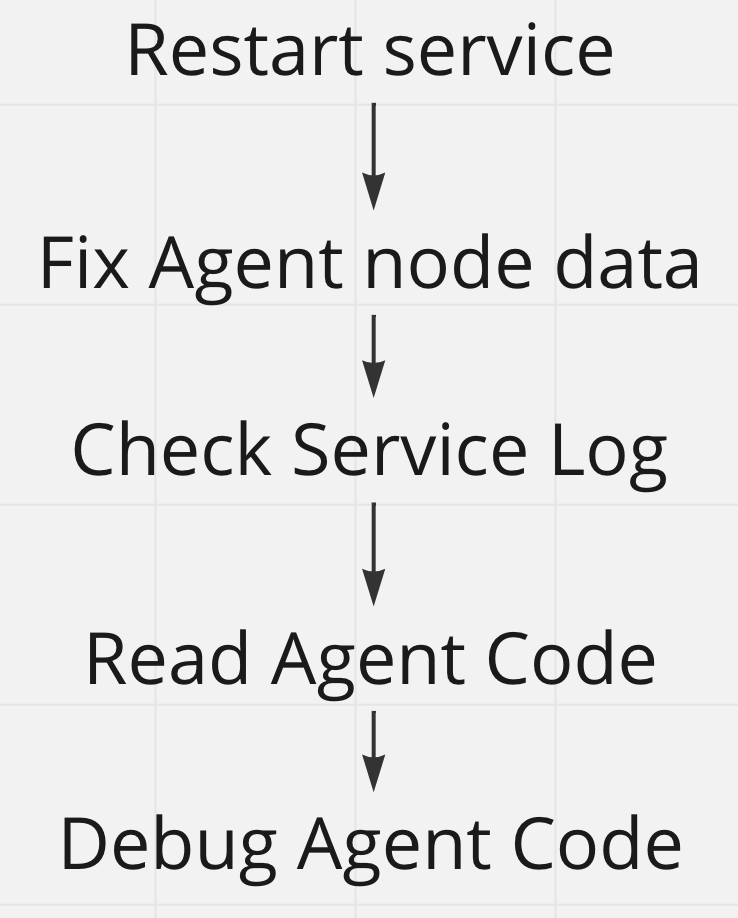
Restart is the most common way to fix the issue (e.g., restart Agent or Zookeeper), especially when you want to resolve it quickly instead of finding the root cause.
If restart can not fix issues, we need to get more detailed information (e.g., check agent node information in the database, Redis, zookeeper). Most of the time, correcting incorrect data will solve issues.
If the issue still exists, we can check agent log error and dive into cloud agent code and even debug cloud agent for more specific clues.
Basic cloud agent operation 
In order to fix cloud agent with above Troubleshot strategy, we need some specific operations.
Common cloud agent information DB data query: 
- Query all cloud agent
SELECT * FROM MCT_AGENT ma JOIN MCT_AGENT_VIRTUAL_GROUP mavg ON ma.ORG_ID = MAVG.ORG_ID JOIN MCT_AGENT_ORG mao ON mao.ORG_ID = ma.ORG_ID WHERE MAVG.TYPE = 2; - Query all cloud agent name
SELECT AGENT_NAME, COUNT (*) AS CNT FROM MCT_AGENT ma JOIN MCT_AGENT_VIRTUAL_GROUP mavg ON ma.ORG_ID = MAVG.ORG_ID JOIN MCT_AGENT_ORG mao ON mao.ORG_ID = ma.ORG_ID WHERE MAVG.TYPE = 2 GROUP BY AGENT_NAME; - Query all cloud agent outside Webex network
SELECT * FROM MCT_AGENT ma JOIN MCT_AGENT_VIRTUAL_GROUP mavg ON ma.ORG_ID = MAVG.ORG_ID JOIN MCT_AGENT_ORG mao ON mao.ORG_ID = ma.ORG_ID WHERE MAVG.TYPE = 2 AND AGENT_NAME IN ('CISCOAER01','AOH01', 'ANRT01', 'AOR01') ; - Query WBXSJC03 all cloud agent
SELECT *
FROM MCT_AGENT ma
JOIN MCT_AGENT_VIRTUAL_GROUP mavg ON ma.ORG_ID = MAVG.ORG_ID
JOIN MCT_AGENT_ORG mao ON mao.ORG_ID = ma.ORG_ID
WHERE MAVG.TYPE = 2
AND UPPER (MA.AGENT_NAME) = 'WBXSJC03';
Access cloud agent server 
There are only two type of cloud agent server in terms of network: * External Webex network * Internal Webex network
1. External Webex network 
There are only 4 cloud agent clusters outside the Webex network. They need a jump server to log in cloud agent server:
| cloud agent | jump server |
|---|---|
| AOR01 | 35.165.61.241 |
| AOH01 | 13.59.115.96 |
| ANRT01 | 52.198.38.197 |
Access CISCOAER01 192.168.3.115 server case:
- log in CISCOAER01 jumper server: ssh wbxbuilds@144.254.67.105
- log in 192.168.3.115 in CISCOAER01 jumper server: ssh wbxbuilds@192.168.3.115
2. Internal Webex network 
No jumper server. You can directly log in with your CEC account/password
Access cloud agent log 
Linux log path: /opt/Webex/mct/cloud-agent/log
Windows log path: C:\Cisco\mct-cloud-agent\log
Check cloud agent node information in cloud agent management page 
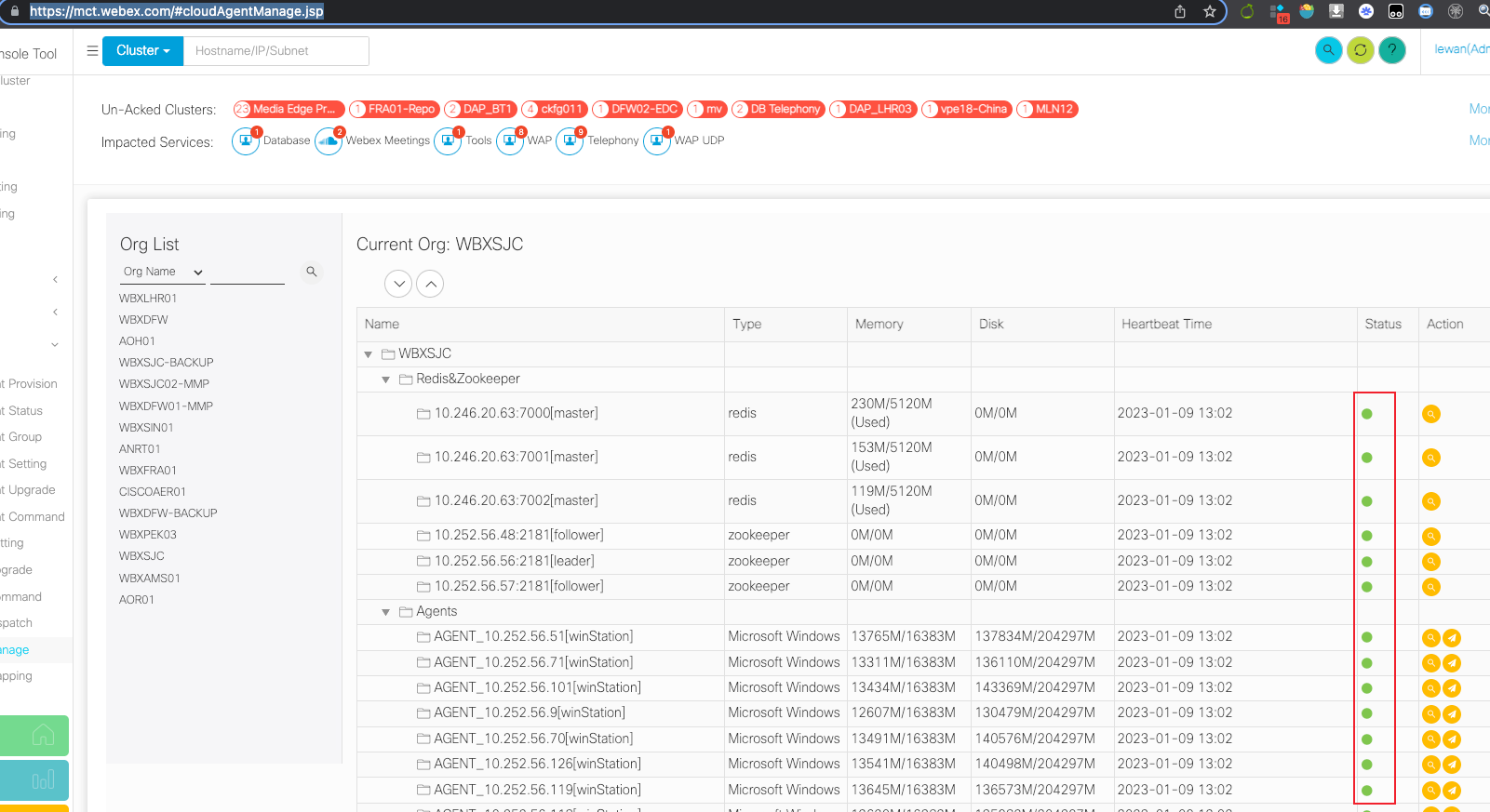
Green means health state, and other color means not health (e.g., cloud agent service is offline)
If any dot is not green, you can try to log in to the server, check the cloud agent service state and restart cloud agent, generally the dot will recover to green color within 5 minutes.
cloud agent healthcheck 
curl http://127.0.0.1:18088/station/healthcheck
Notice: you should execute it on a agent server, because agent only accepts the local call
Restart cloud agent on agent server 
Linux (CMD with wbx-mct user) : docker compose -f /opt/webex/mct/cloud-agent/docker-compose.yml restart
Windows (CMD with Admin user) : sc stop mct-cloud-agent → sc start mct-cloud-agent
Also it's doable from cmc: 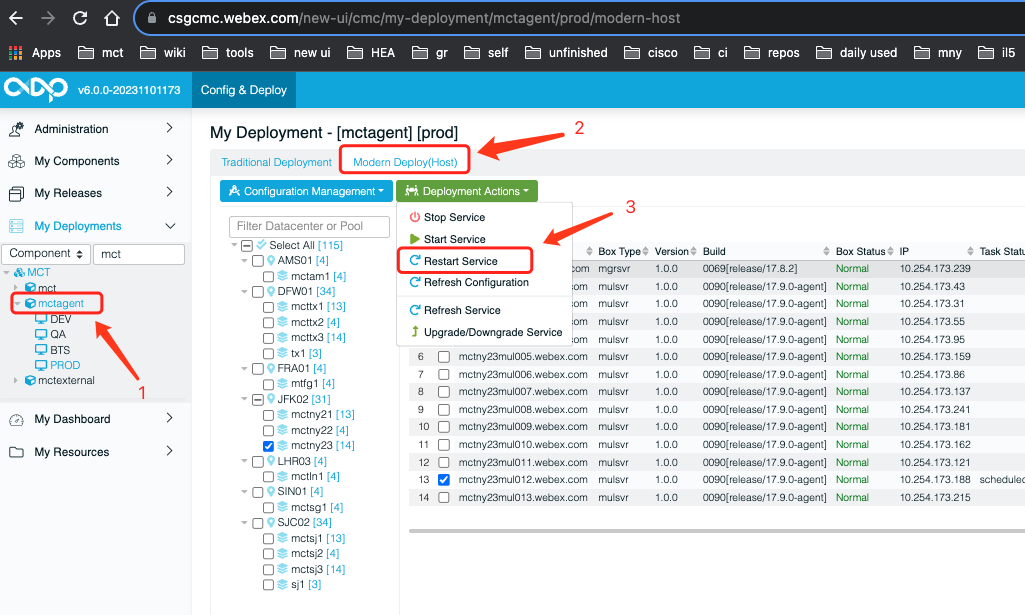
Check information in Zookeeper 
1. Check Zookeeper state 
[root@mtbt1mje001 lewan]# /opt/zookeeper/zookeeper-3.4.11/bin/zkServer.sh status
ZooKeeper JMX enabled by default
Using config: /opt/zookeeper/zookeeper-3.4.11/bin/../conf/zoo.cfg
Mode: follower
2. Check agent node information in Zookeeper 
[root@mthf2mulsvr005 mct]# cd /opt/apache-zookeeper-3.7.1/bin/
[root@mthf2mulsvr005 bin]# zkCli.sh -server 127.0.0.1:2181
Connecting to 127.0.0.1:2181

[zk: 127.0.0.1:2181 (CONNECTED) 0] addauth digest admin:admin
[zk: 127.0.0.1:2181 (CONNECTED) 1] ls /agent/linAgent
[AGENT_10.225.36.124:0000000460, AGENT_10.225.36.133:0000000459, AGENT_10.225.36.150:0000000462, AGENT_172.17.0.2:0000000461]
[zk: 127.0.0.1:2181 (CONNECTED) 2]
Check agent node information in Redis 
1. A Redis client is needed 
Another Redis Desktop Manager is a choose.
2. Find target cloud agent Redis cluster IP:port to connect 
Select target Agent (e.g. WBXLHRO1), then Search "redis" in cloud agent management page to get the Redis cluster IP:port
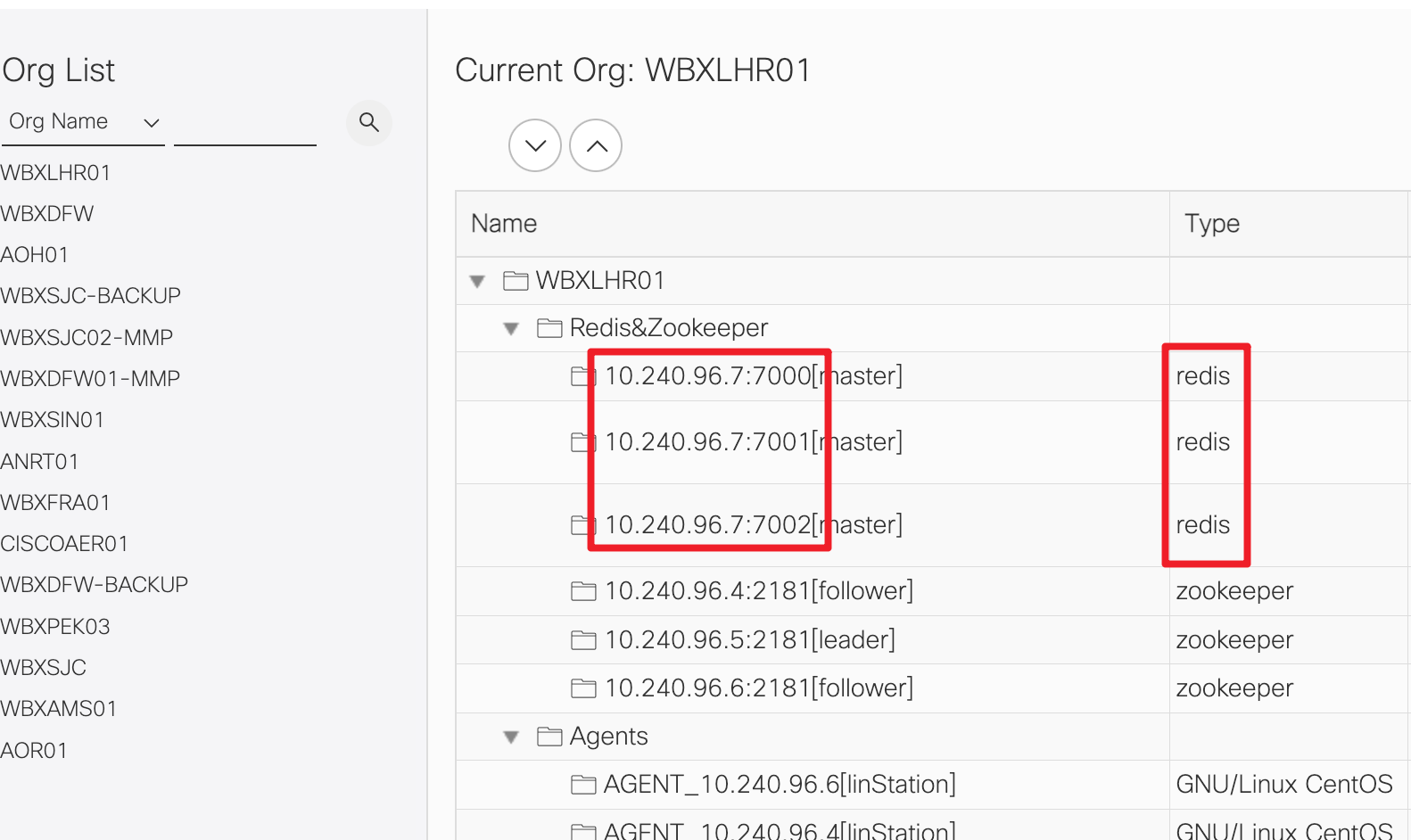
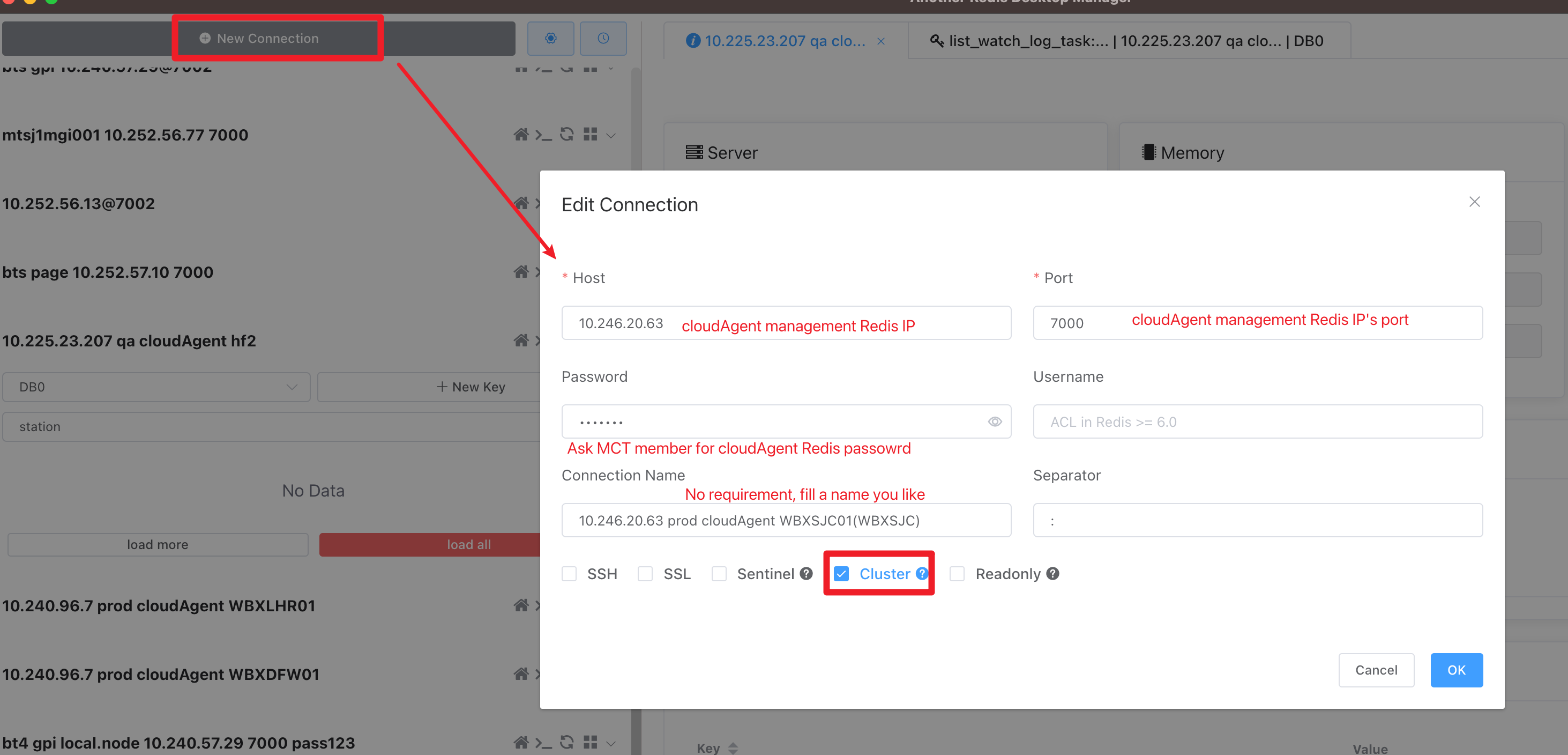
2. Connect to target cloud agent Redis cluster 
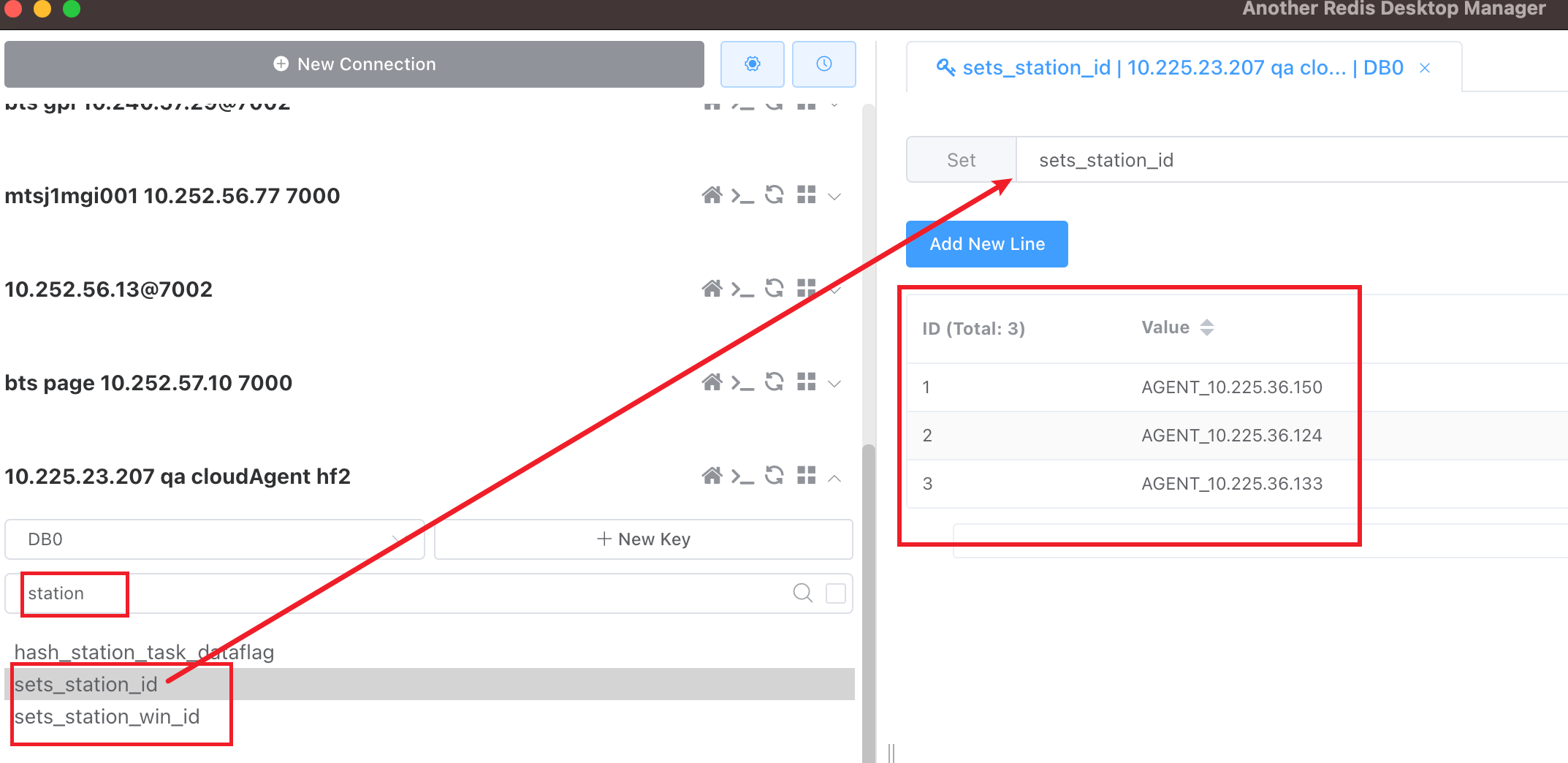
3. Check Agent node information 
The key word is station
Cloud agent issues fix cases 
Agent IP is 172.xx.xx.xx issue (Manual test always keeps init) 
1. Description 
Sometimes, the agent register information is correct, but the manual test still keeps in init
2. Locate 
Agent node IP starts with 172 in DB or Zookeeper, or Redis
3. Analyse 
An incorrect agent IP may cause the fake cloud agent selected as dispatcher, then cause cloud agent cluster can not receive tasks
4. How to fix 
- If Zookeeper has the wrong agent IP, remove the wrong data in zookeeper first
- Remove wrong ip agent data in Redis
- Remove wrong ip agent data in DB
- Restart any one cloud agent in the wrong IP agent's cluster
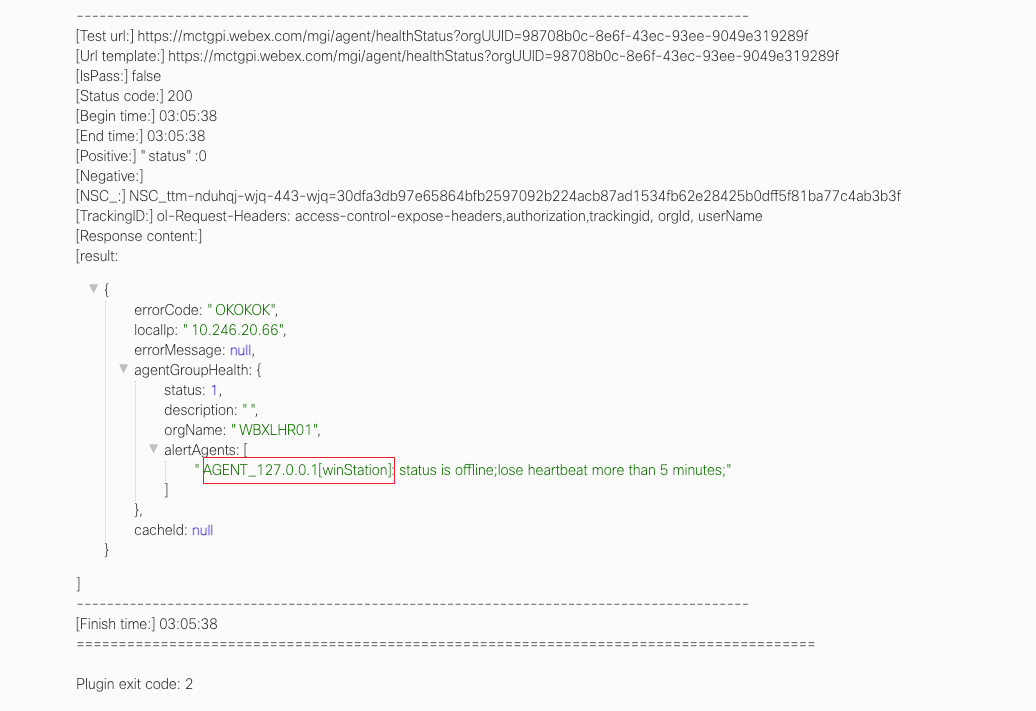
AGENT_127.0.0.1 lose heart beat issue 
1. Description 
2. Locate 
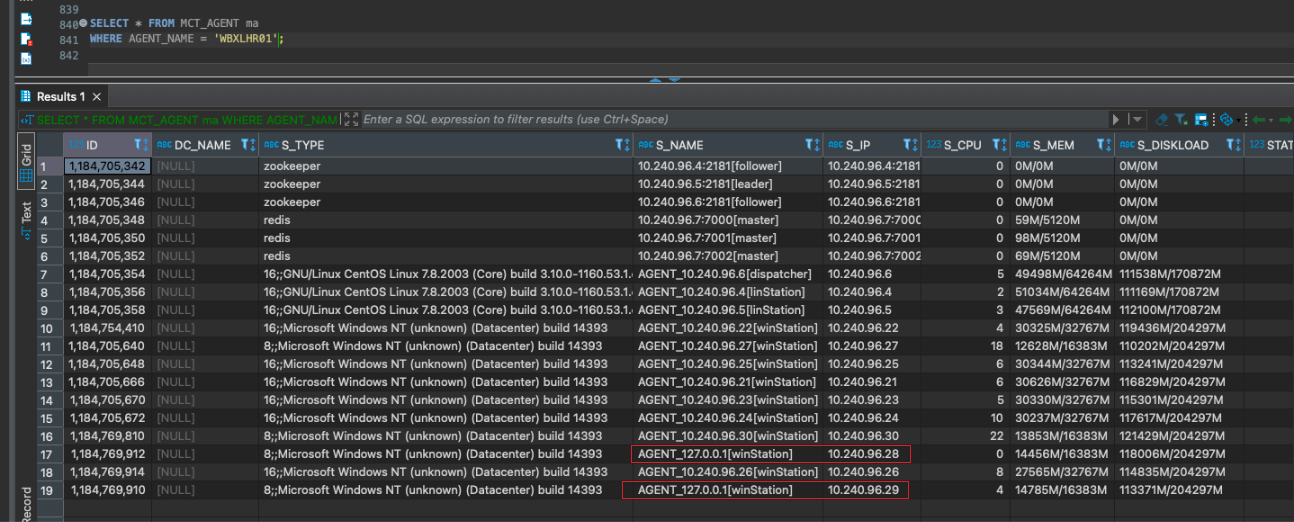
Check agent IP in DB will find that S_NAME "AGENT_127.0.0.1" IP is not the same as S_IP
3. Analyse 
AGENT_127.0.0.1 is the wrong Agent IP. We need to correct the agent node IP
4. How to fix 
- Log in error agent server (
S_IPserver) - Restart cloud agent docker service
- All will recover after 2 minutes
Agent Service is active, but details status shows offline (especially for CISCOAER01) 
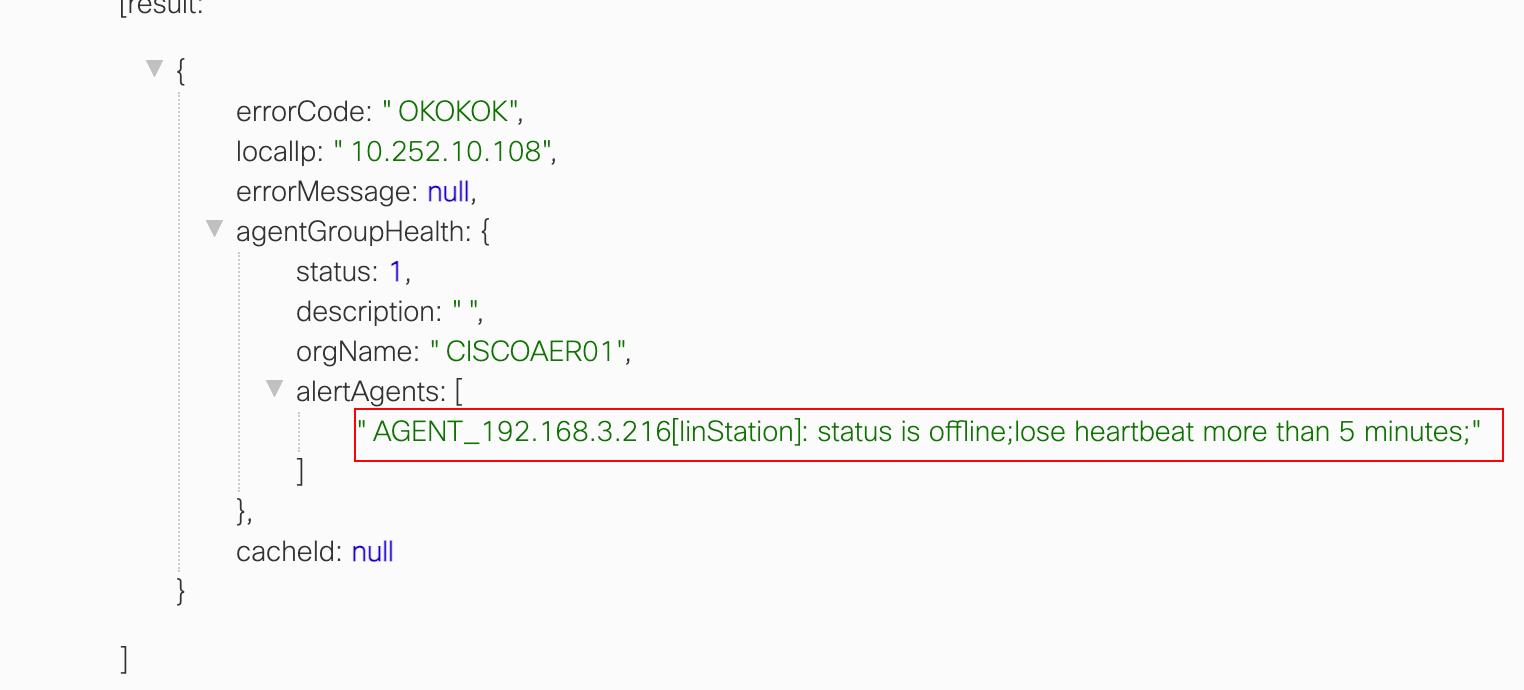
1. Description 
2. Locate 
The offline agent service is actually active (docker ps will show).
3. Analyse 
Maybe some issue with the agent. Try to restart it.
4. How to fix 
Restart agent will fix.
Agent service fail to start 
Can not create directory 
1. Description 
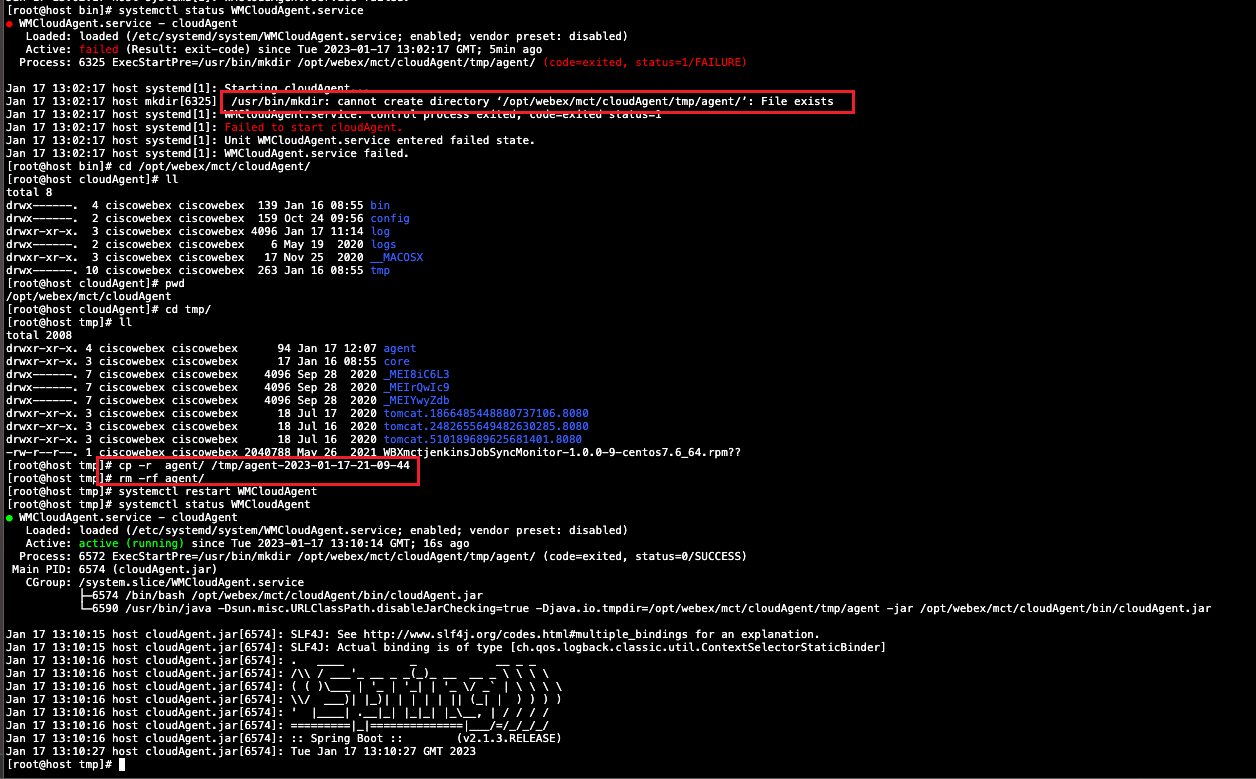
Agent status keeps inactive after restarting agent service, stopping then starting agent service in agent server
2. Locate 
- Aget status information shows
can not create directory "xxx", file exists.
Analyse 
The existing file block agent service. Need to remove the file.
4. How to fix 
- Remove the file in the error agent status log
- Restart agent service
file owner is not wbx-mct 
1. Description 
Agent state keeps inactive after restarting agent service, stopping then start agent service in agent server
2. Locate and 
Some file owner under the linux agent folder is not wbx-mct.
3. Analyse 
Need to make the file owner become wbx-mct.
4. How to fix 
- Change file owner to be
wbx-mct - Restart agent service
All agent node offline in a agent cluster 
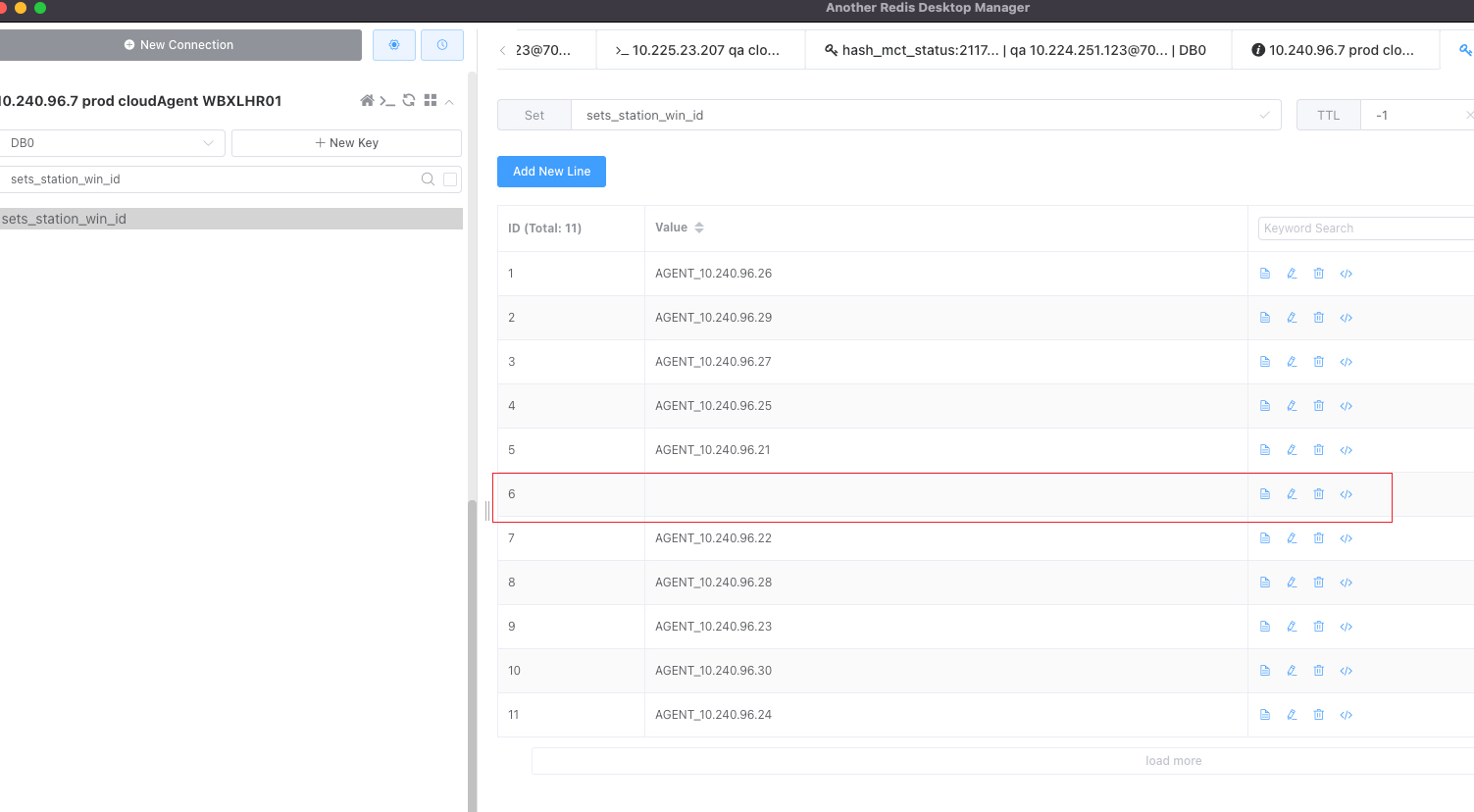
Empty agent node in redis 
1. Description 
2. Locate 
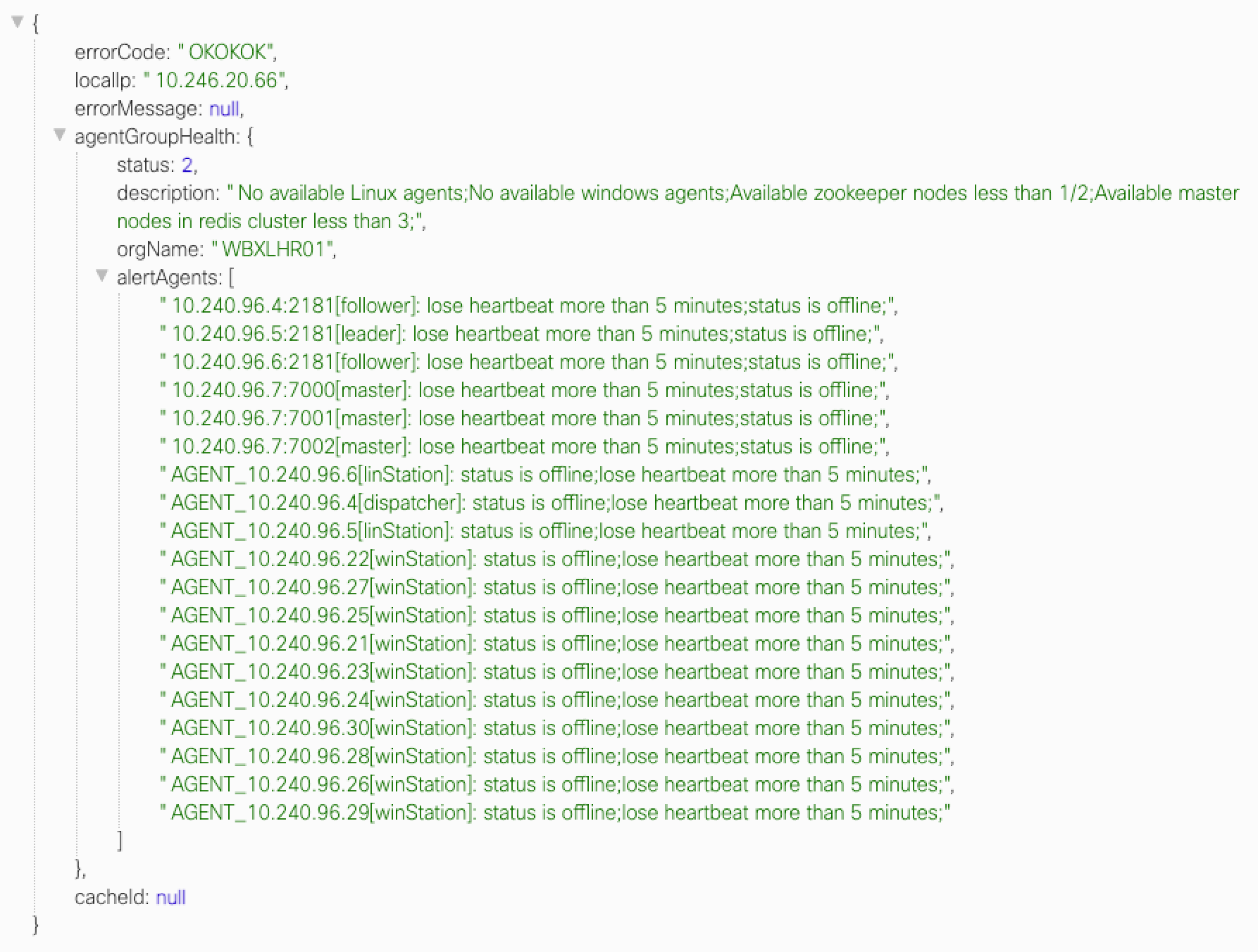
Find an empty agent node record in agent Redis
3. Analyse 
The empty agent node is the wrong data. Need to correct it
4. How to fix 
Manually remove the empty node in redis
Agent node data is correct 
1. Description 
All agent node is offline in a agent cluster, but all agent node information is correct.
2. Locate 
Agent error log show instance must be started before calling this method.
3. Analyse 
Maybe some zookeeper connection issue
4. How to fix 
Try following approach 1 first, if approach 1 not work, please try approach 2.
Approach 1: - Restart the leader zookeeper - Restart dispatcher service
Approach 2:
-
manual stop all zookeeper in server
/opt/zookeeper/zookeeper-3.4.11/bin/zkServer.sh stop 2. CMC stop all WBXSJC mulsvr and winmwt
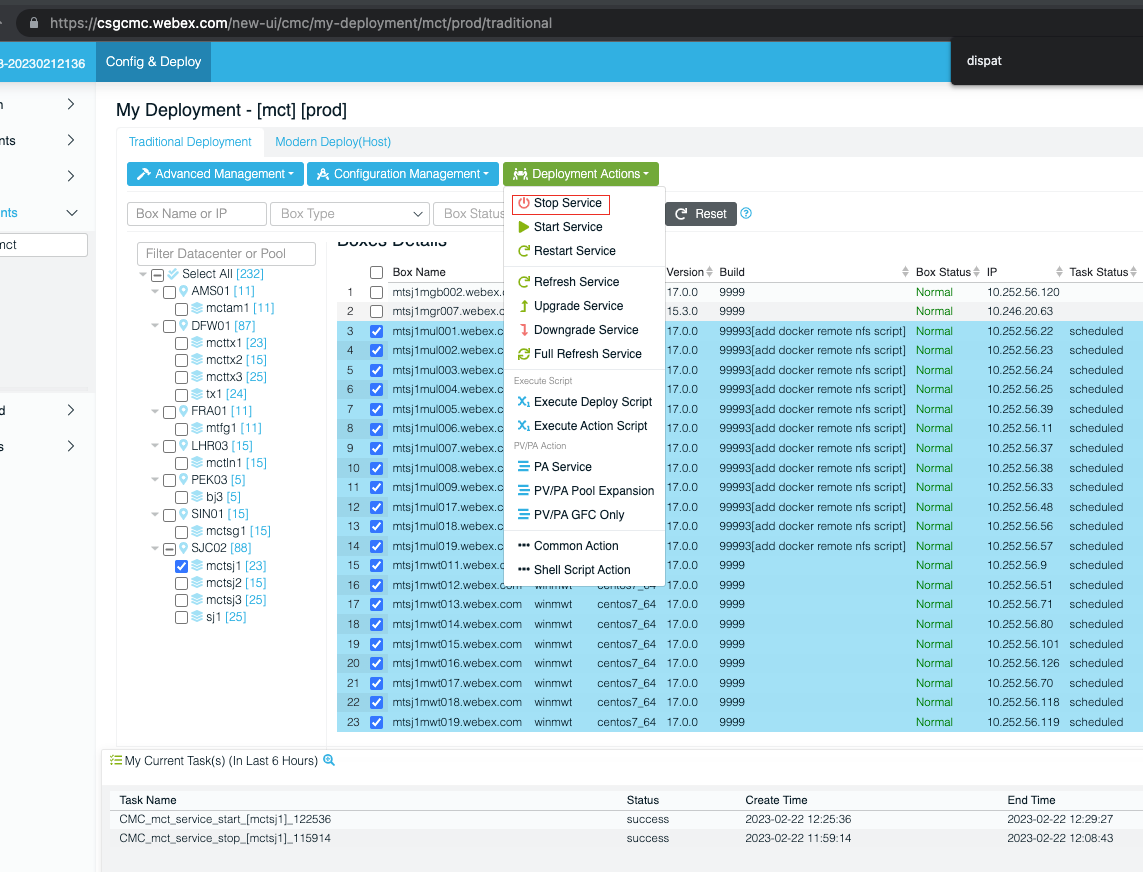
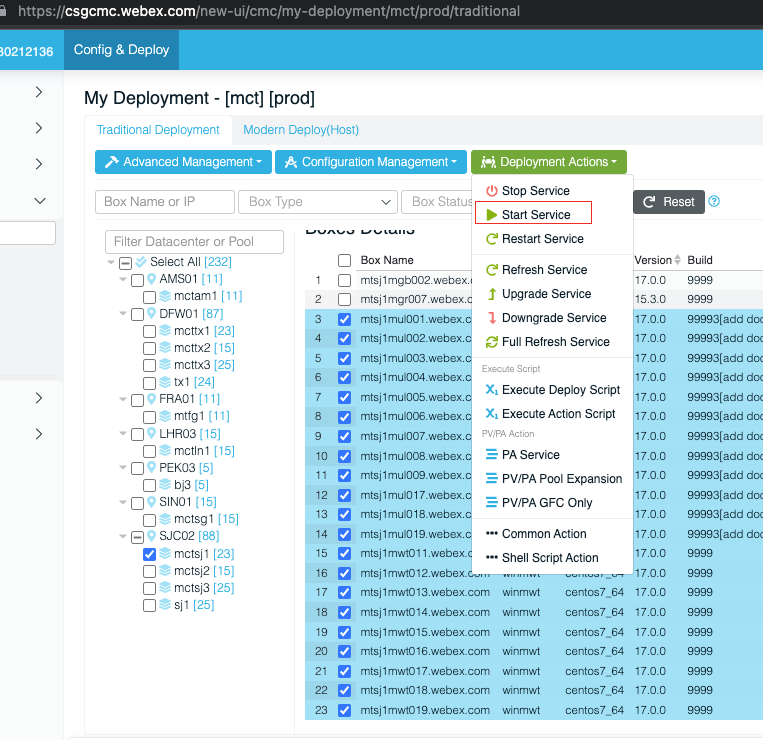
3. manual start all zookeeper in server/opt/zookeeper/zookeeper-3.4.11/bin/zkServer.sh start 4. CMC start all WBXSJC mulsvr and wnmwt
Check stop issue 
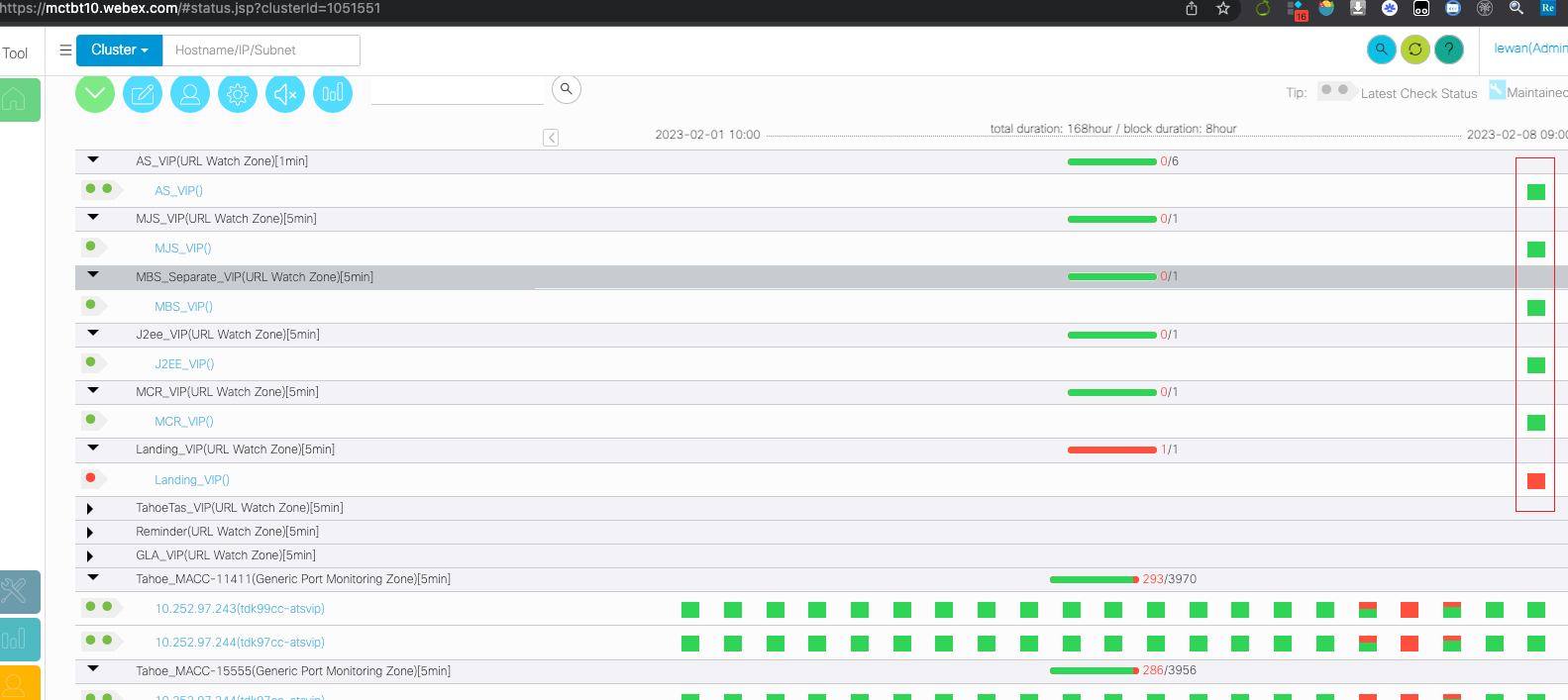
Missing agent service 
1. Description 
server has timer but no status (no maintain and no offline)
2. Locate 
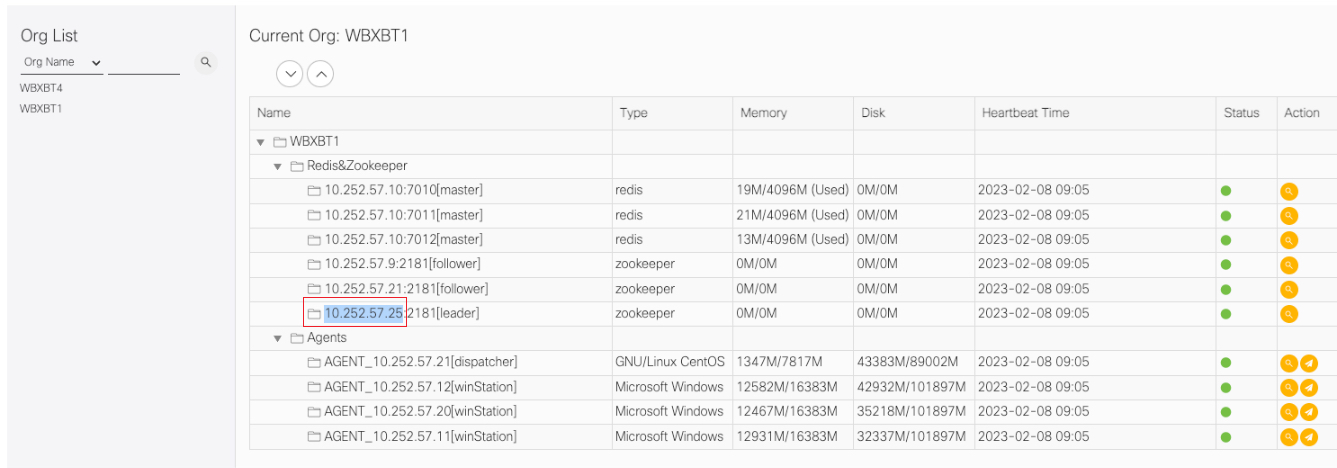
Check agent management page, and find that there is a miss for an agent.
CASE: 10.252.57.25 is a zookeepr, and normally a zookeeper server will deploy a agent service, but there is no 10.252.57.25 for agent service in the page)
3. Analyse 
The missing agent may cause the issue.
4. How to fix 
Restart the missing agent service.
Not finding the root cause 
1. Description 
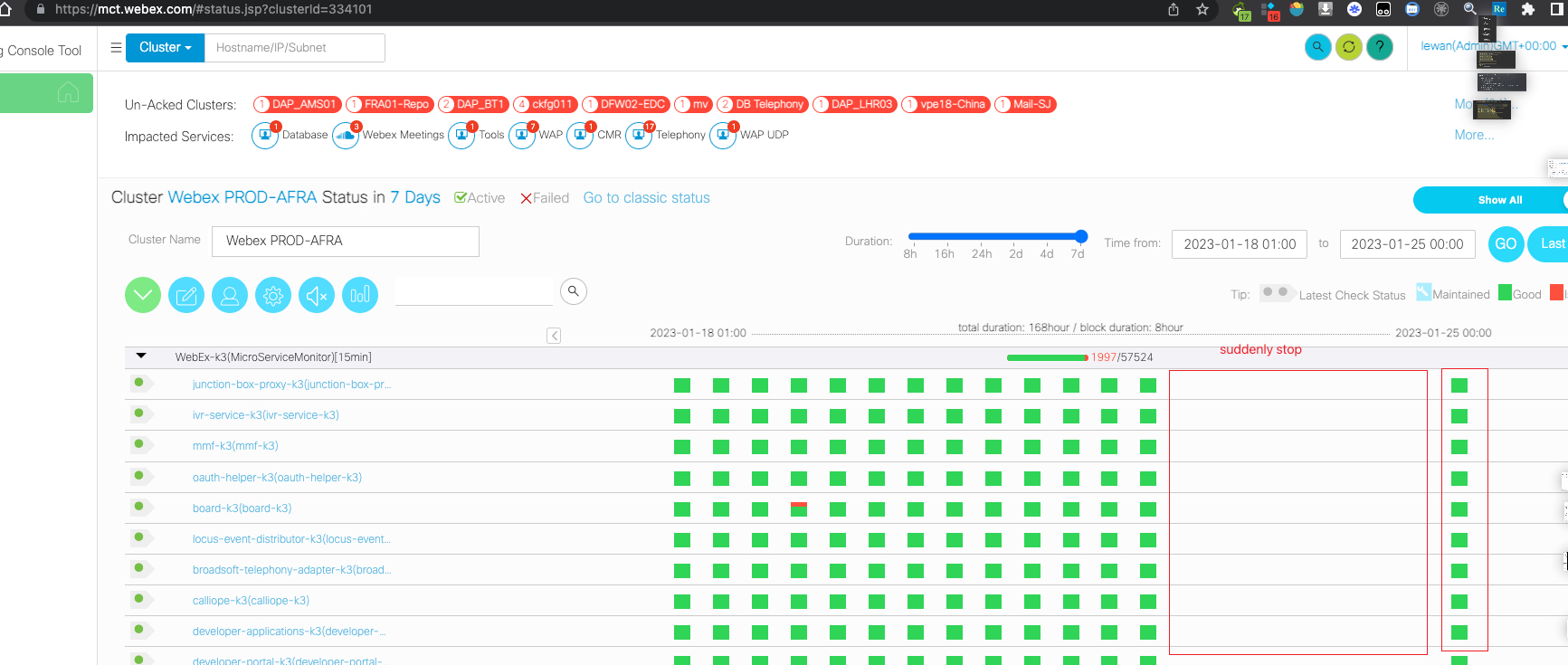
Sometimes check suddenly stopped and manual test with auto test cloud agent will keep Running state
2. Locate 
Not finding the root cause.
3. Analyse 
Not finding the root cause.
4. How to fix 
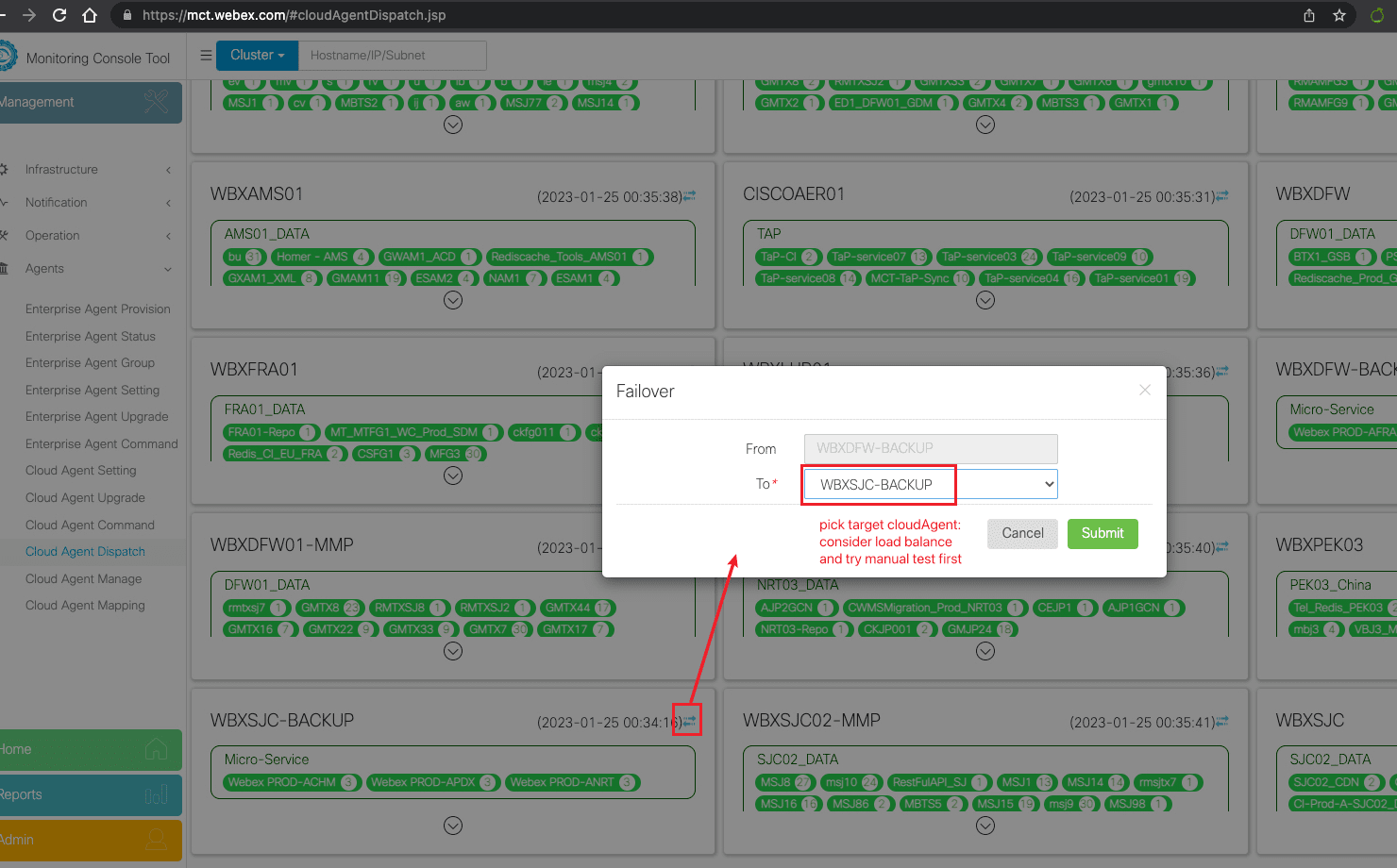
Temporary fix with agent failover