Release Process PSF
Overview 
There are two environments for MCT services on kube, one is the commercial platform, the other is PSF platform.
The document is about MCT deployment process in PSF and Kubed.
Deployment Process 
If there is no modification of configuration or modification of configuration values, start directly from update tag.
Update Chats 
- kubed-chats repo
-
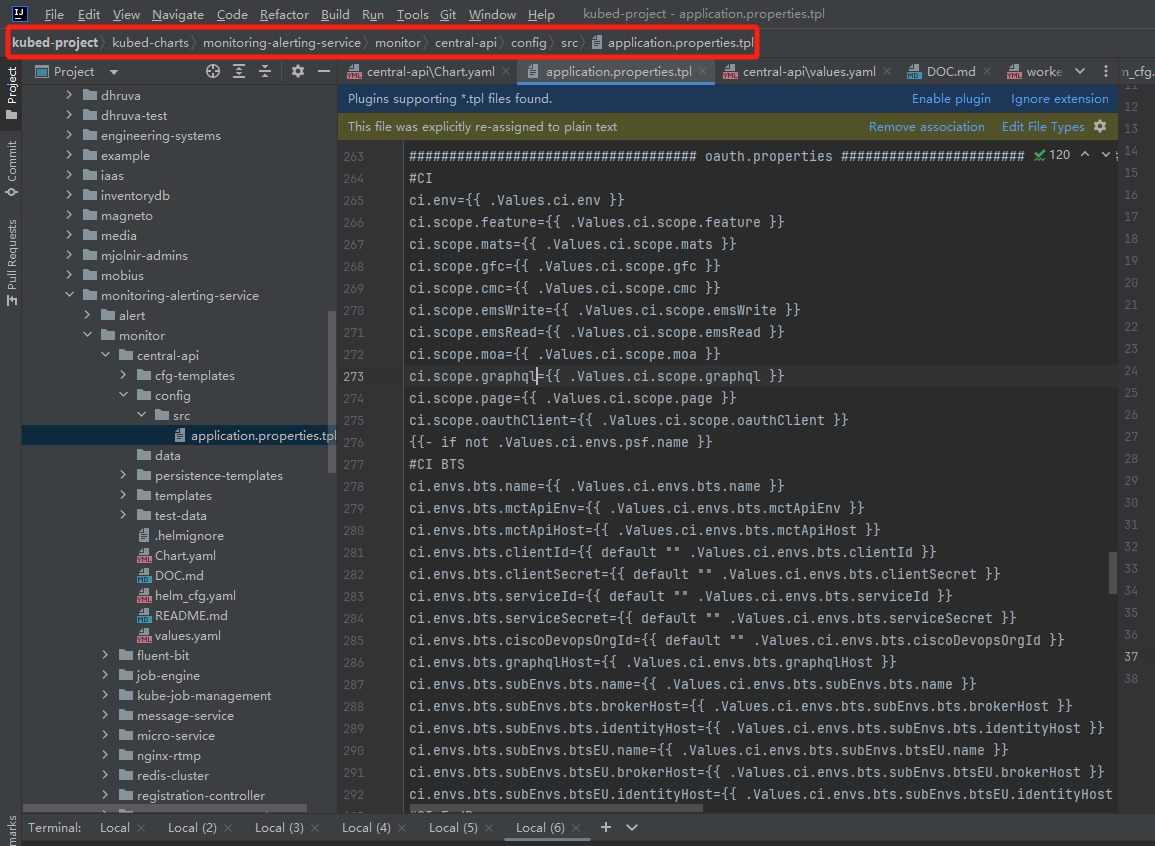
Update .tpl template if there are new configurations added.
-
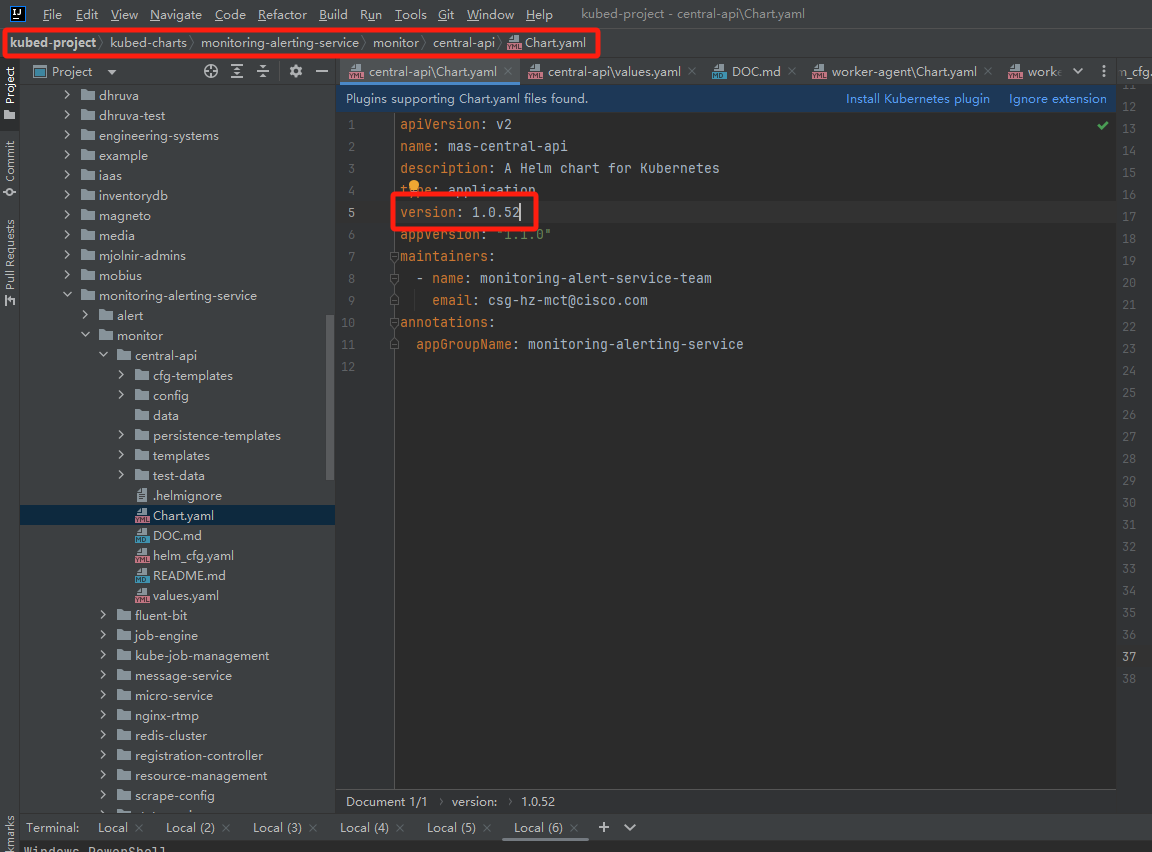
Version added by 1 every time there is a modification to this repo. (e.g. 1.0.51 -> 1.0.52)
-
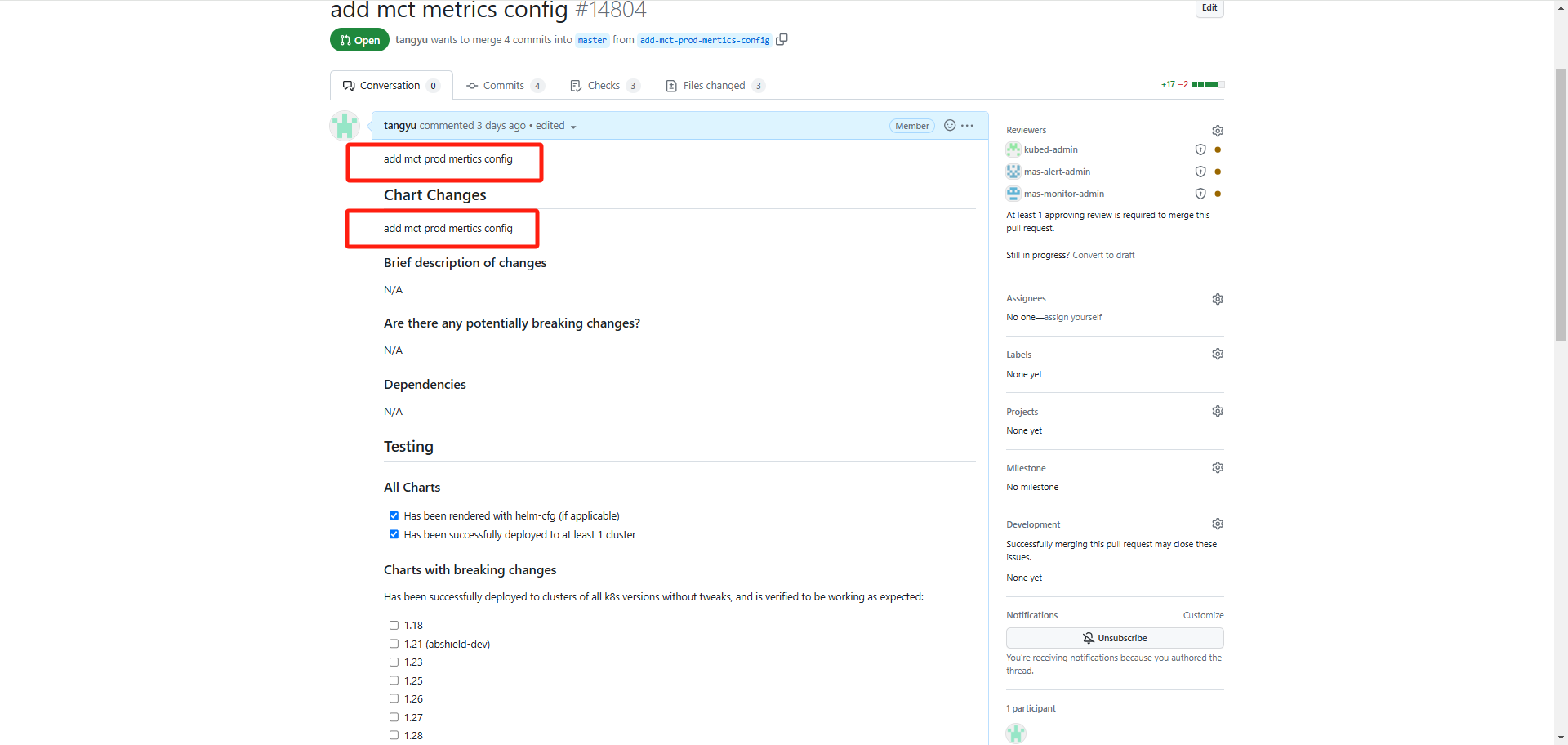
Request PR, add some description of this change to the conversation.
Configure values 
-
Commercial platform repo - If the value is related to the environment, configure it in the values.yaml of the relevant environment, otherwise configure it in the outer values.yaml.
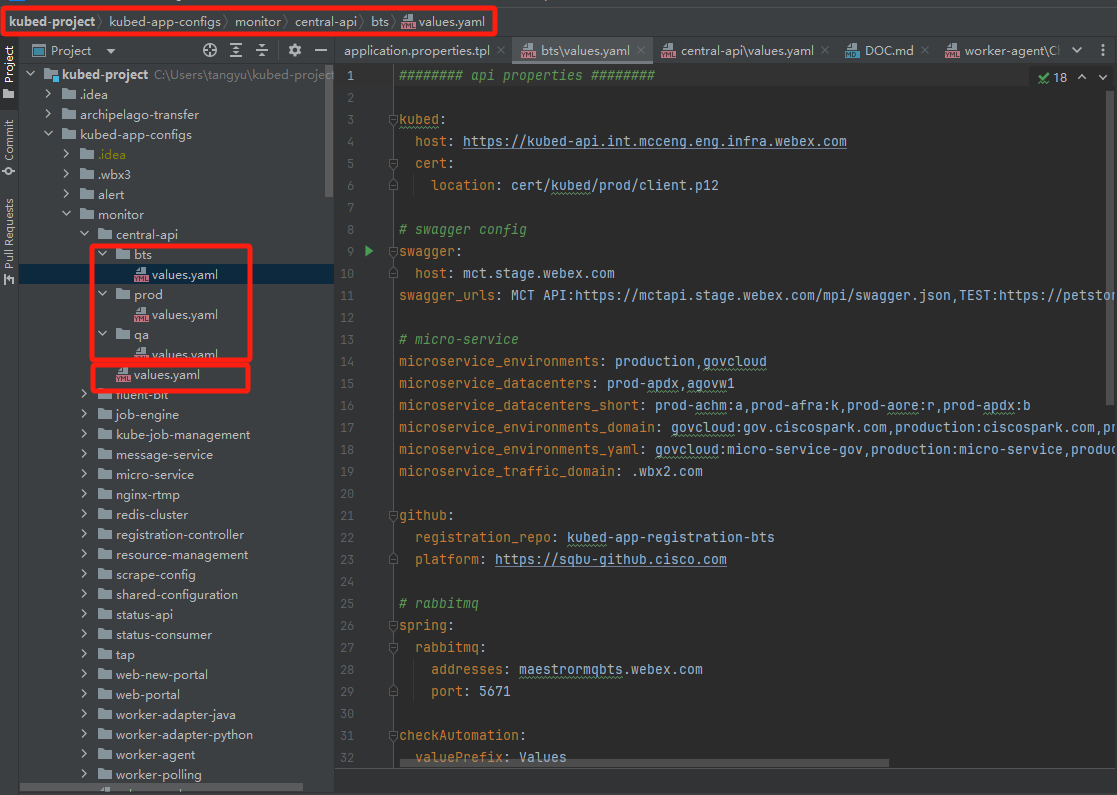
- If multiple services share this value, configure it under **shared configuration**.  -
PSF platform repo - The configuration method is the same as commercial.
- Sensitive data is configured on Vault.
Update chatVersion 
-
Commercial platform - If you want to deploy your changes, the charVersion needs to be consistent with the version modified in the second step. (e.g. 1.0.51 -> 1.0.52)
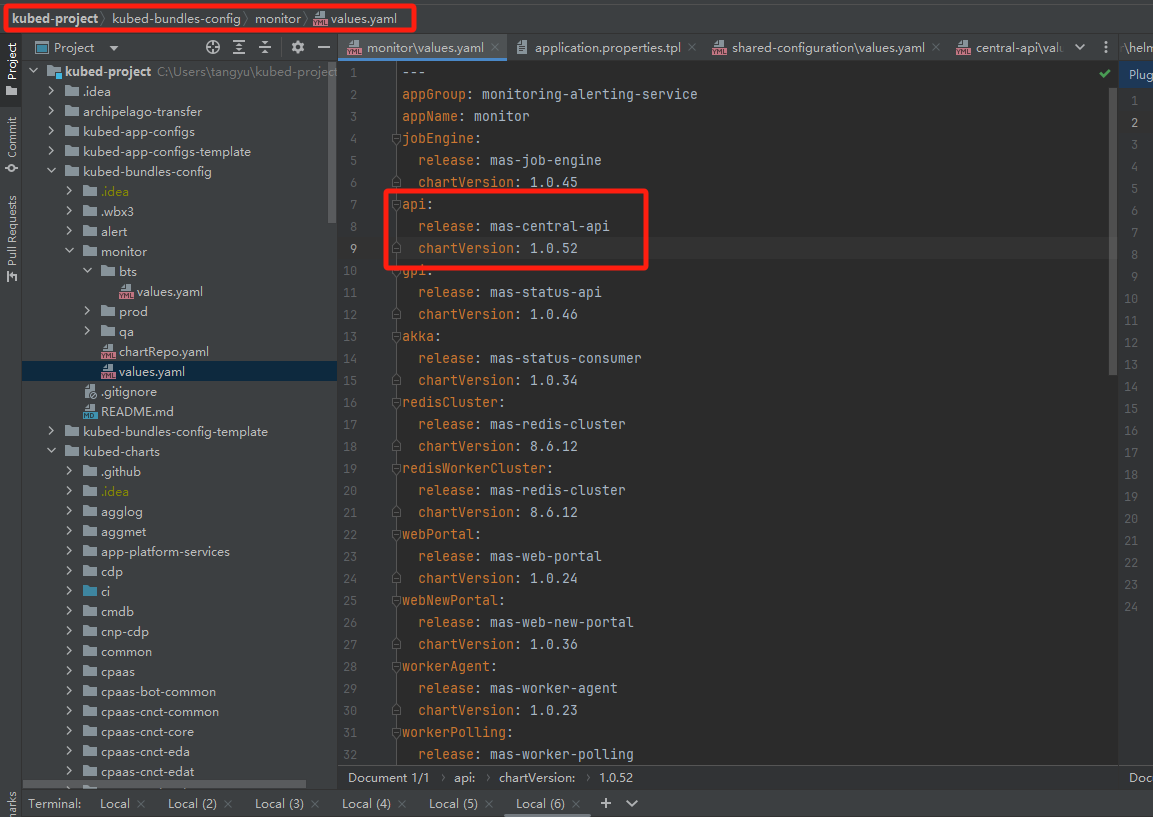
-
PSF platform - The steps are the same as commercial.
Update tag 
-
Build Docker Image - Jenkins for MCT Frontend Service - Jenkins for Web New Portal
-
Anchore Scanning - Jenkins for Manual Anchore Scanning - Anchore Scanning Dashboard
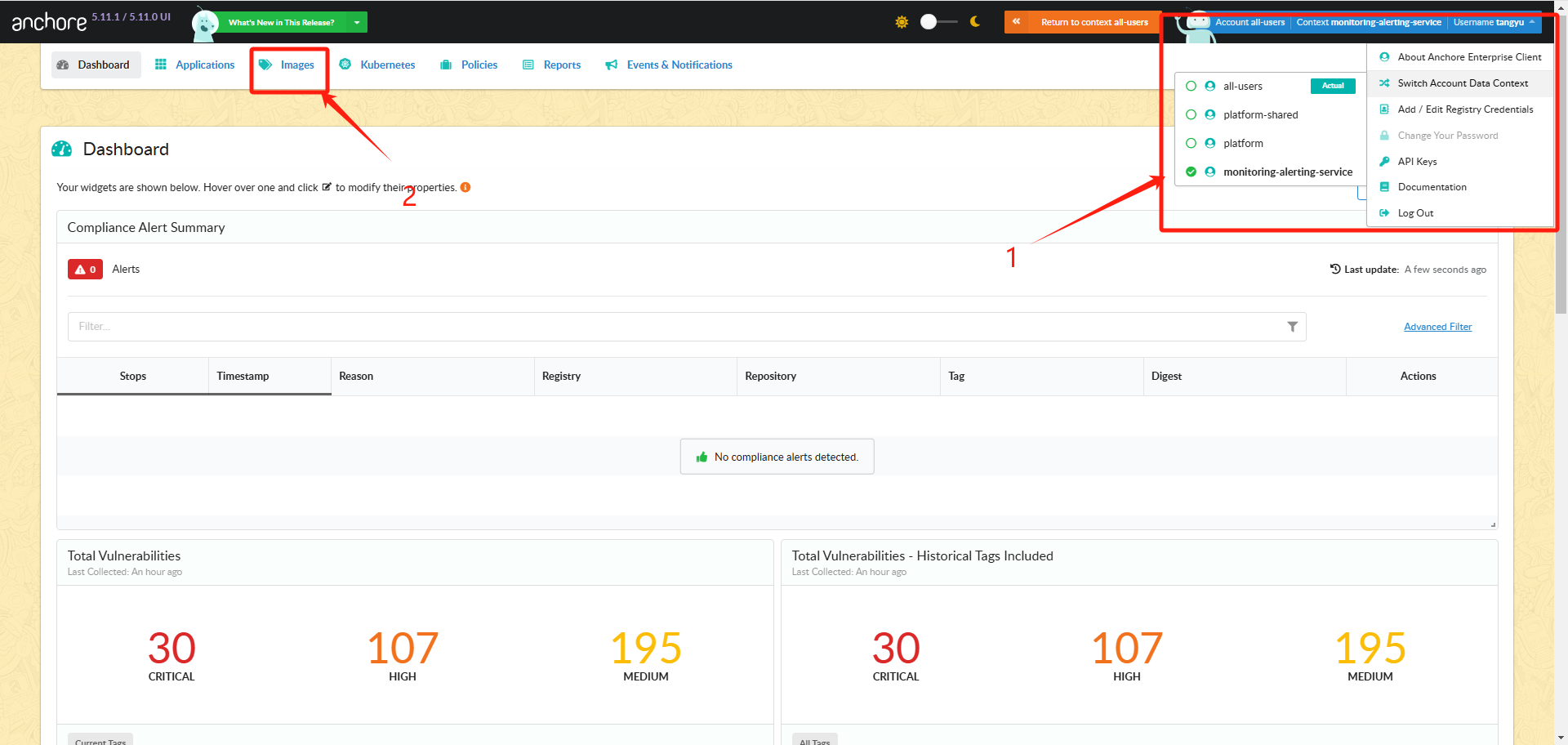
- Select and click your **repository**.  - Select and click your **tag**.  - Click **Image Digest**.  - Click **Vulnerabilities**  -
Update tag - Update tag with your image tag.
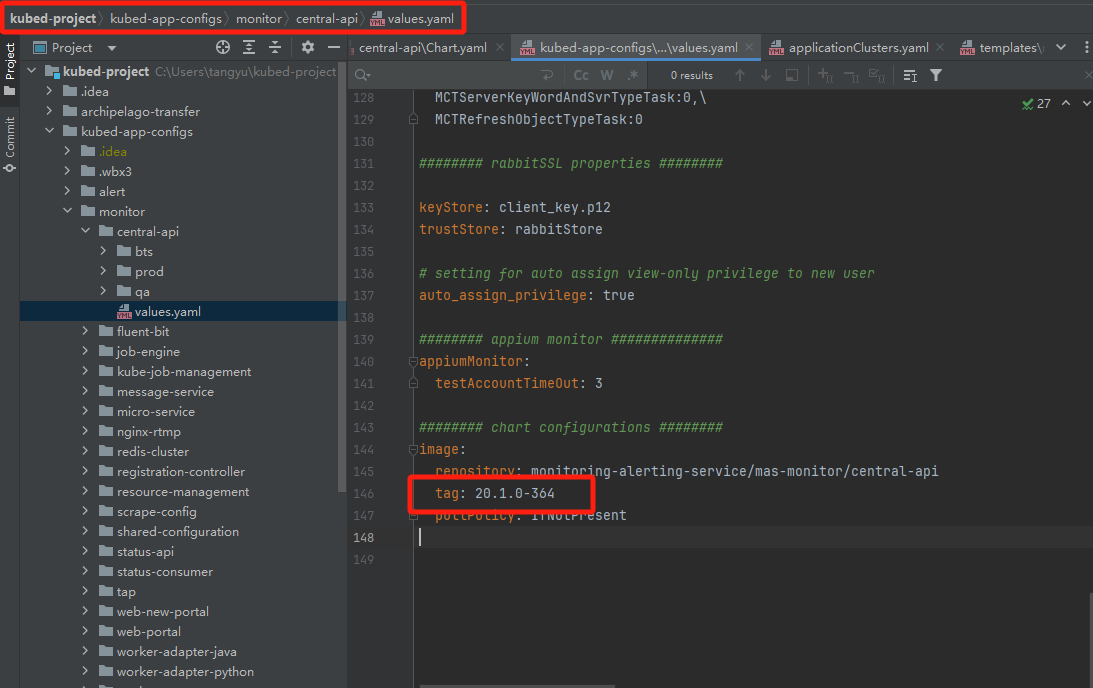
- Reference [PR](https://sqbu-github.cisco.com/Monitoring/kubed-app-configs/pull/687/files)
Commercial Deployment 
- Create a new branch based on the latest main branch in kubed-app-config repo, the naming format: deploy-services-time, e.g. "deploy-mct-central-api-1118" -
git checkout -b deploy-mct-central-api-1118 - Push the new branch to remote -
git commit -m "deploy mct central 11-18 first time" --allow-empty - Request PR in kubed-app-config repo, and approve it but do not merge.
- Add a comment (argo deploy command) deploy all front-end services directly, including
central-api,status-api,status-consumer,job-engine,web-new-portalandresource-management-argo deploy monitor/central.yaml deploymentGroup=~mas-monitor-bts-pri|mas-monitor-bts-gsb - Deploy services separately. The YAML corresponding to the service is in kubed-bundles repo. The following are the commands corresponding to the service. - central-api:
argo deploy monitor/api.yaml deploymentGroup=~mas-monitor-bts-pri|mas-monitor-bts-gsb- job-engine:argo deploy monitor/jobEngine.yaml deploymentGroup=~mas-monitor-bts-pri|mas-monitor-bts-gsb- status-api:argo deploy monitor/gpi.yaml deploymentGroup=~mas-monitor-bts-pri|mas-monitor-bts-gsb- status-consumer:argo deploy monitor/akka.yaml deploymentGroup=~mas-monitor-bts-pri|mas-monitor-bts-gsb- worker-agent:argo deploy monitor/workerAgent.yaml deploymentGroup=~mas-monitor-bts-pri|mas-monitor-bts-gsb- web-new-portal:argo deploy monitor/webNewPortal.yaml deploymentGroup=~mas-monitor-bts-pri|mas-monitor-bts-gsb- worker-adapter-java:argo deploy monitor/workerAdapterJava.yaml deploymentGroup=~mas-monitor-bts-pri|mas-monitor-bts-gsb- resource-management:argo deploy monitor/resourceManagement.yaml deploymentGroup=~mas-monitor-bts-pri|mas-monitor-bts-gsb - If deploy fail, can reuse the branch deployment by simply adding the command again.
- Deploy environment corresponding group - qa:
mas-monitor-qa- bts:~mas-monitor-bts-pri|mas-monitor-bts-gsb- prod:~mas-monitor-prod-pri|mas-monitor-prod-gsb - Reference PR
PSF Deployment 
-
Update archipelago-transfer repo, ask Jeven Zhou to help approve. 1. Update whichever repo has been modified below - kubed-bundles-config-template: transfers/monitoring-alerting-service/git-sync/kubed-bundles-config-template.yaml - kubed-app-config-template: transfers/monitoring-alerting-service/git-sync/kubed-app-config-template.yaml
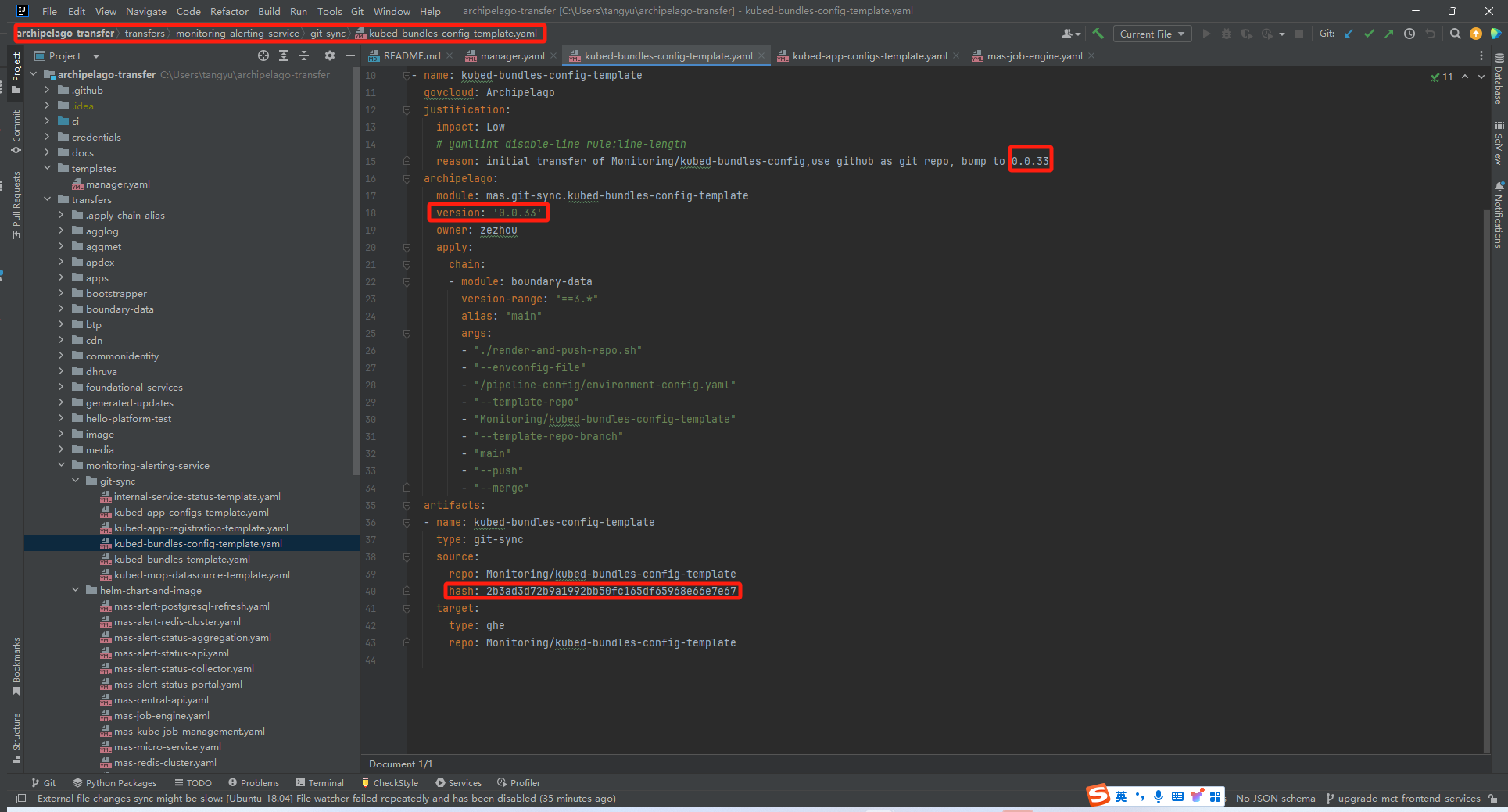
- **version**: Self add 1. - **hash**: Modify the **hash** value to match the **commit ID** of the corresponding repo.  2. Update whichever service has been modified below - **central-api**: transfers/monitoring-alerting-service/helm-chart-and-image/mas-central-api.yaml - **job-engine**: transfers/monitoring-alerting-service/helm-chart-and-image/mas-job-engine.yaml - **status-api**: transfers/monitoring-alerting-service/helm-chart-and-image/mas-status-api.yaml - **status-consumer**: transfers/monitoring-alerting-service/helm-chart-and-image/mas-status-consumer.yaml - **web-new-portal**: transfers/monitoring-alerting-service/helm-chart-and-image/mas-web-new-portal.yaml - **worker-agent**: transfers/monitoring-alerting-service/helm-chart-and-image/mas-worker-agent.yaml - **worker-adapter-java**: transfers/monitoring-alerting-service/helm-chart-and-image/mas-worker-adapter-java.yaml  - **version**: Self added 1 - **artifacts.sources** - **sha256**: Search on [WebexKubed Helm Charts](https://engci-private-gpk.cisco.com/jenkins/sq-media/job/team_webexkubed/job/kubed-charts-ci-build/job/kubed-charts-ci-monitoring-alerting-service/lastSuccessfulBuild/artifact/output/index.html)  - **url**: Consistent with the **charVersion** in [kubed-bundles-config-templates](https://sqbu-github.cisco.com/Monitoring/kubed-bundles-config-template/blob/main/templates/monitor/values.yaml) - **images.source** - **tag**: The **tag** corresponding to **charVersion** - **sha256**: Search on [ECR Repositories](https://ecr-sync.int.mccprod.prod.infra.webex.com/), select the name without "chat".   3. Reference [PR](https://sqbu-github.cisco.com/WebExSquared/archipelago-transfer/pull/9044/files) -
BTP sync
A few minutes after an archipelago-transfer PR is merged(building immediately after merging may result in failure), manually trigger Jenkins job pull-local to sync based on module version which is modified.
- TARGET_MODULE -> module - TARGET_VERSION -> version
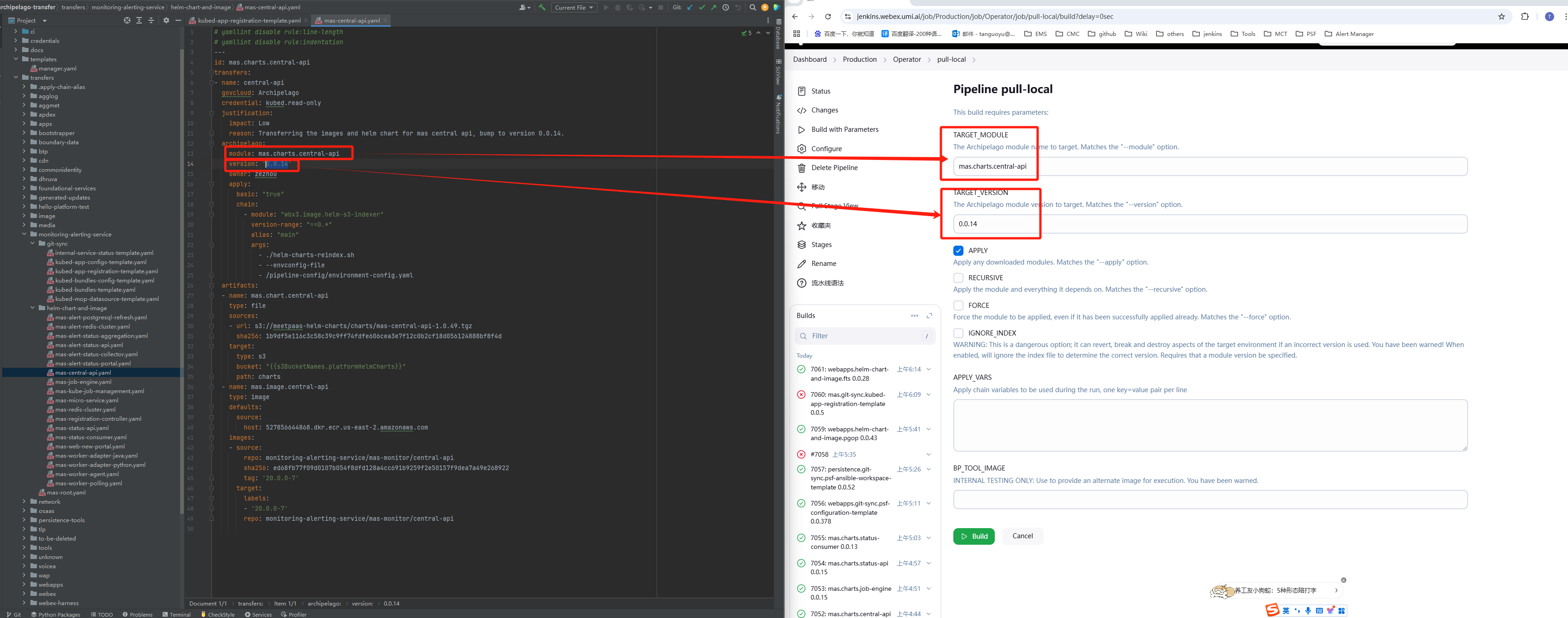
-
Request PR in psf-kubed-app-configs repo
We are unable to clone this project locally, so we request PR through the following methods.
- Edit your service file then create a new branch and request a PR.
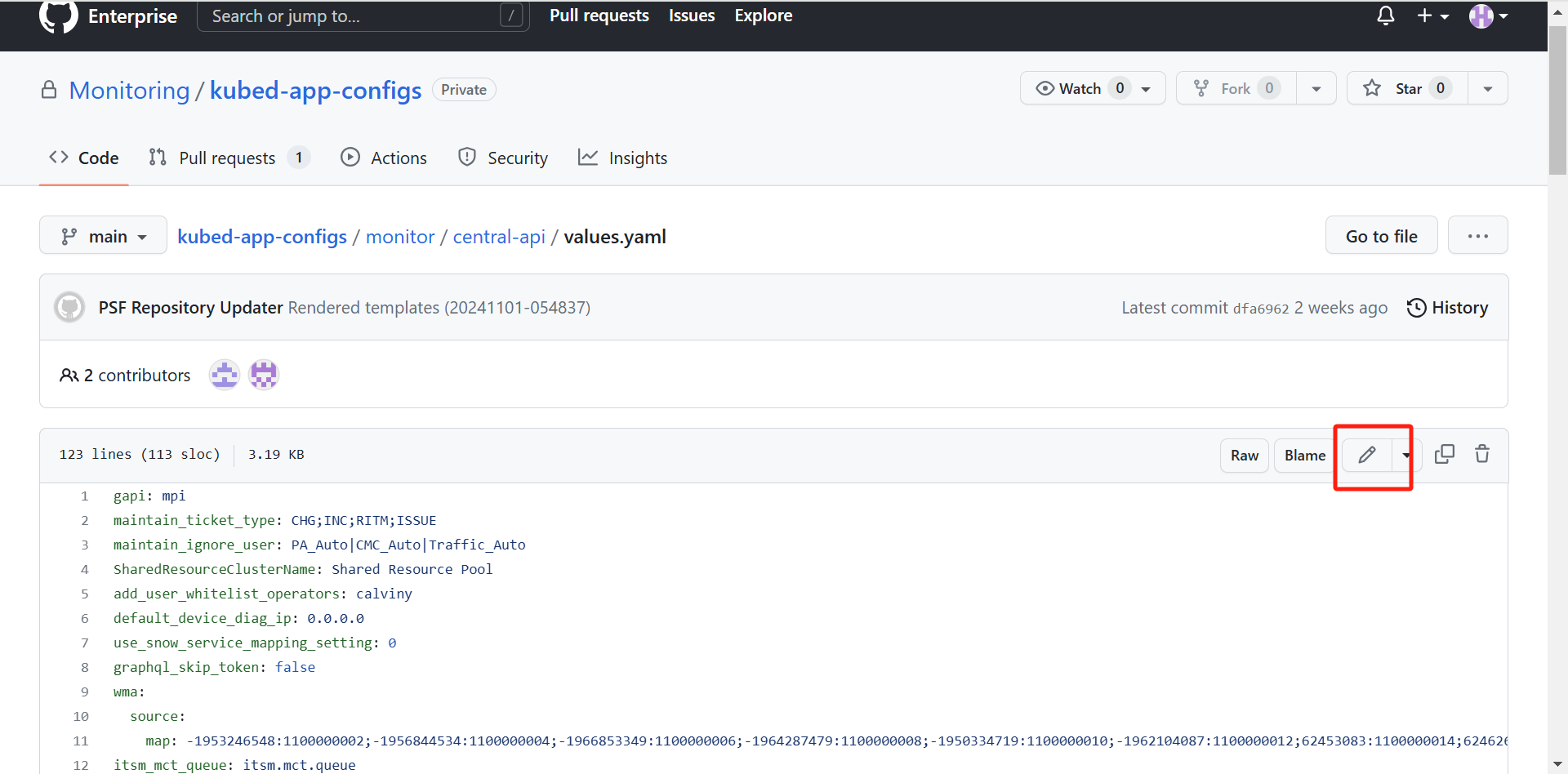
- Add a deploy comment:
argo deploy monitor/central.yaml deploymentGroup=mas-monitor-psf-2- DeploymentGroup :mas-monitor-psf-2- Reference PR