Appium Runner (Windows) Release 
Appium Runner (Windows) is released through CMC. The release owner is responsible for: 1. Create a new release branch (e.g., release/20.14.0) from the main branch in Git Repo before each release cycle.
Build Package 
- Build the package with the Jenkins job Appium Runner Build.
- Record the build tag from the MCT-Kubed-Dev Teams room message:
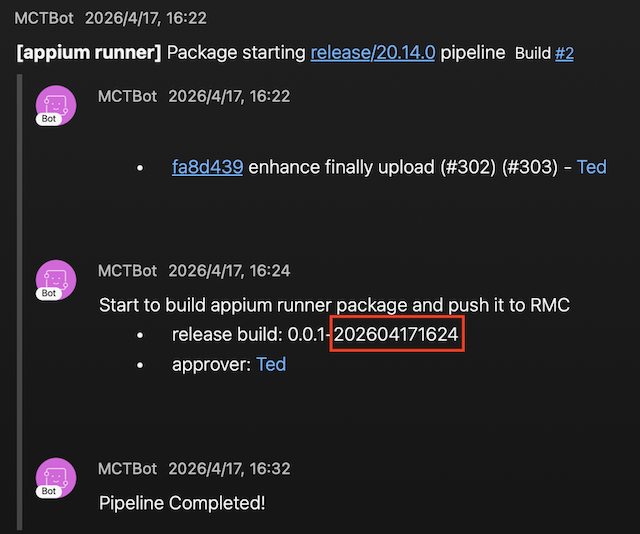
1. QA Release 
-
Create a new template and build based on the previous template version (e.g.,
20.13.0-1).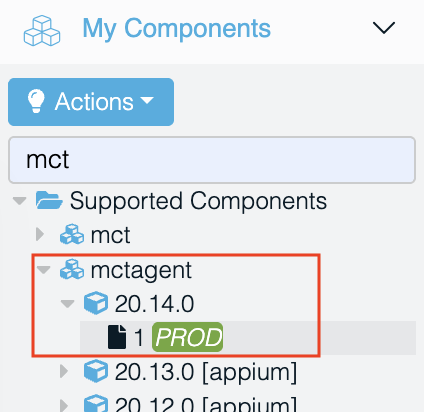
-
Deployment in the QA environment is not required; promote directly to the BTS environment.
2. BTS Release 
-
Filter Box Type
muxsvr, and update each pool-level configuration with the new version and build number in CMC.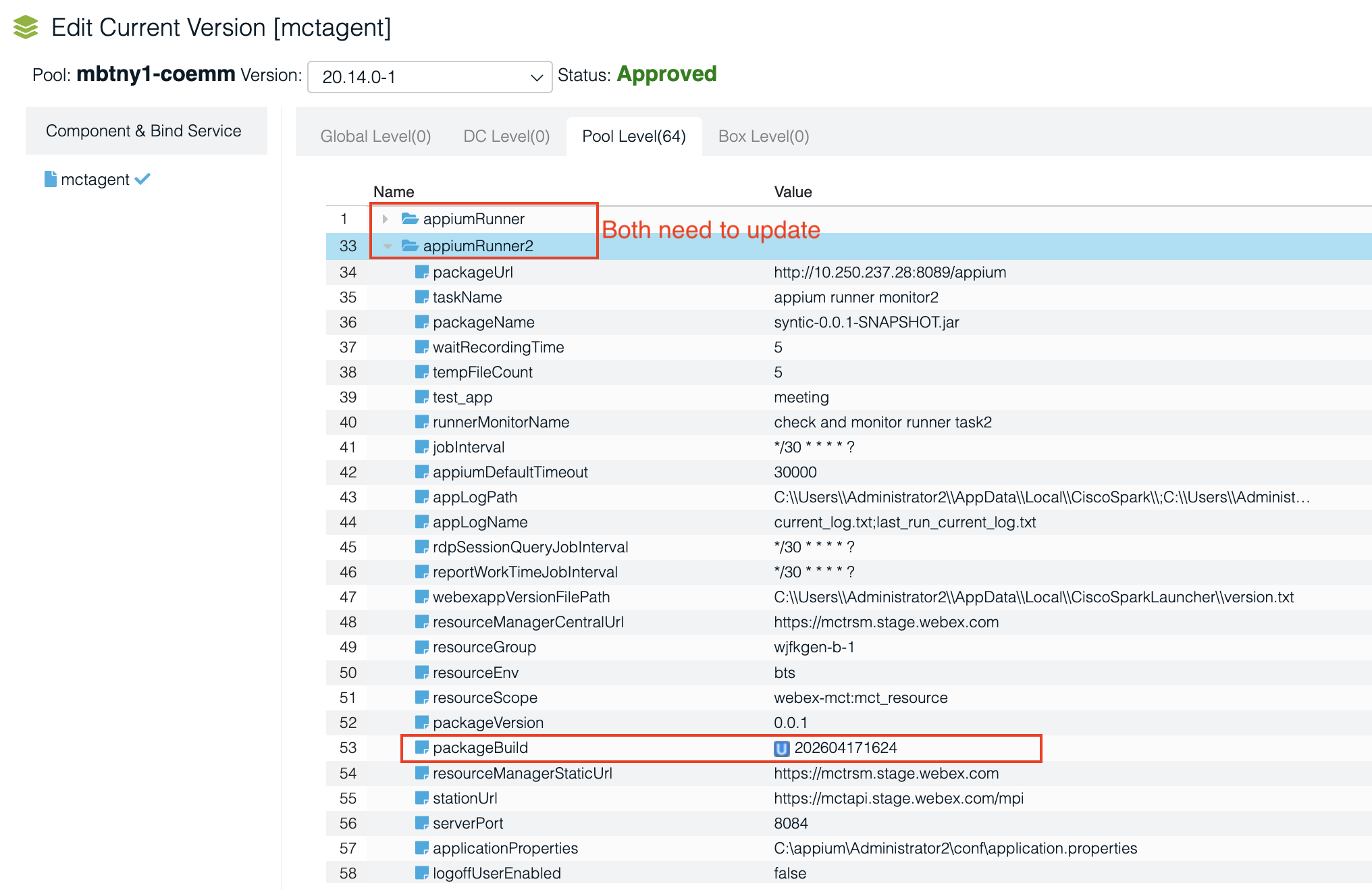
-
Run
Deployment Actions->Refresh Service. - Promote to the PROD environment.
3. PROD Release 
-
Filter Box Type
muxsvr, update each pool-level configuration with the new version and build number in CMC. -
Maintain MCT clusters with
appiumMonitorplugin with the CDP change ticket number (e.g.,CHG0788220).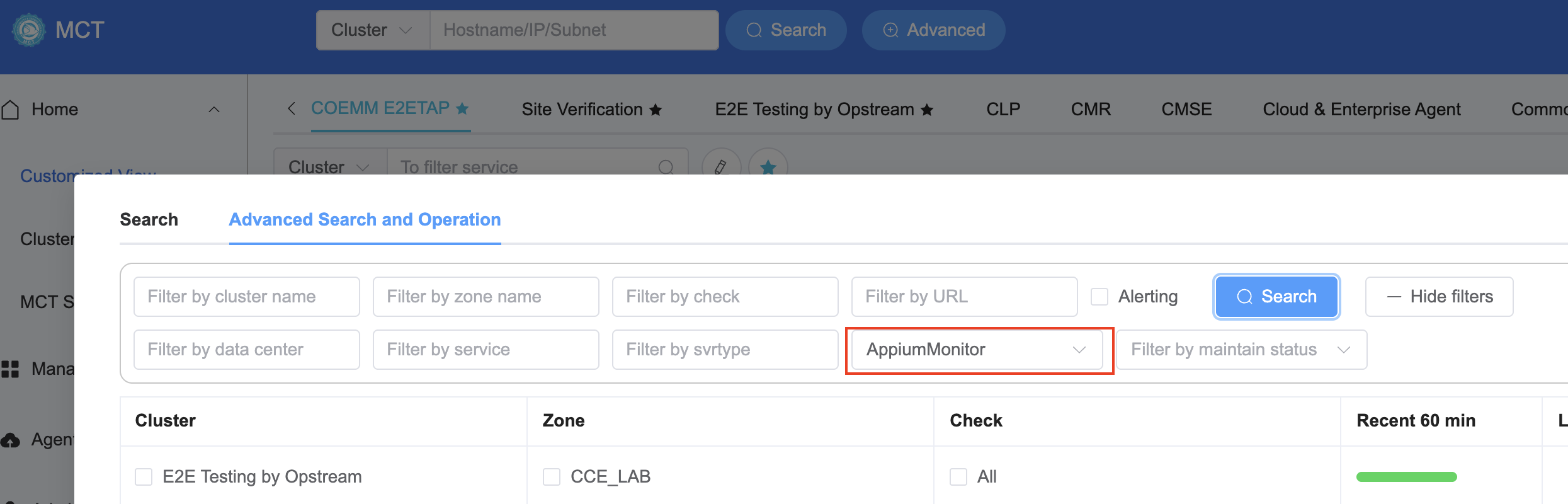
-
Run
Deployment Actions->Refresh Service. (Note: Refresh at the same time as the Argo/Harness PRI agent bundle release.)